
@vanillagreen/pi-web-tools
v1.3.1
Published
First-party Pi web tools: provider-toggled web search, Exa deep research, content retrieval, and OpenAI native web_search integration.

Maintainers
 vanillagreencom
Readme
pi-web-tools
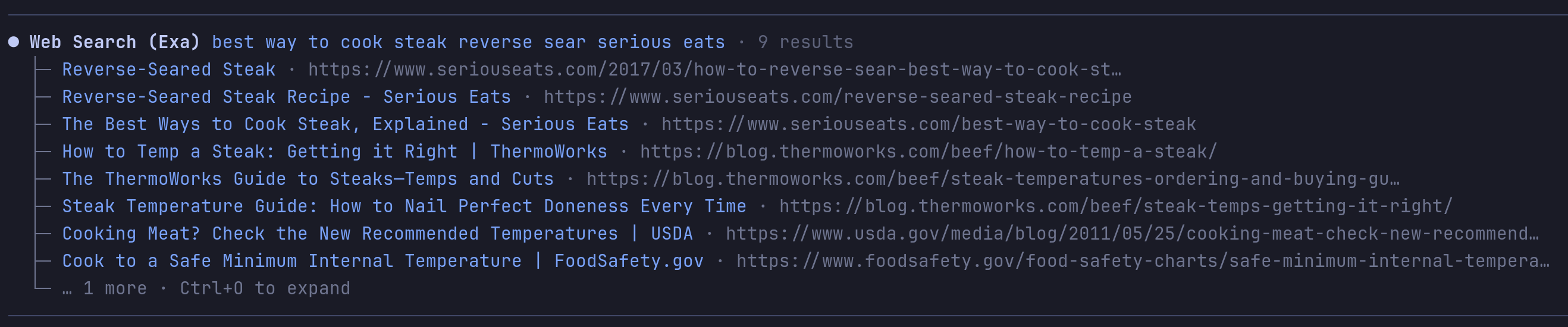
Web access tools for Pi: search, deep research, content fetch, and code search.
For the Exa-specific API map and tool semantics, see EXA.md.
Highlights
web_searchwith provider selection:auto,exa,perplexity,gemini,exa-mcp,duckduckgo,openai-native.web_researchruns Exa Deep Search withlite,standard, orfullmodes. Writes findings reports with raw-metadata sidecars.web_fetchextracts GitHub repos (clone cache), URL and local PDFs, HTML/text/JSON, YouTube and local video, with Jina Reader fallback on blocked pages.web_answerandweb_find_similarfor Exa-first quick answers.code_searchuses Exa Code/contextwith fallback to code-focused Exa search.get_web_contentretrieves stored full content by id — no refetch.- OpenAI-native
web_searchrewrite on supported Codex models.
auto provider tries keyed providers first (Exa, Perplexity, Gemini API), then no-key fallbacks (Exa MCP, DuckDuckGo), then Gemini Web cookies if enabled, then openai-native.
Install
Via npm:
pi install npm:@vanillagreen/pi-web-toolsVia vstack:
cargo install --git https://github.com/vanillagreencom/vstack.git vstack
vstack add vanillagreencom/vstack --pi-extension pi-web-tools --harness pi -y
Restart Pi after installation.
Commands
| Command | Action |
| --- | --- |
| /web-tools | Open settings (or print status if extension-manager isn't installed). |
| /web-tools:doctor | Show status and diagnostics. |
| /web-tools:provider:<name> | Switch the active provider for this session. |
Fetch storage
web_fetch returns a compact preview and stores extracted content in the current Pi session under a generated content id (e.g. web-...). Use get_web_content with that id to retrieve the stored text — it doesn't refetch the URL.
- GitHub, direct HTTP, and PDF paths store full extracted text before preview truncation.
- Exa-provider paths (
provider=exaand auto-mode Exa fallback) store provider-capped excerpts (default 6000 chars; override per call withtextMaxCharacters).get_web_contentlabels these asstored excerptso the caller knows to set a larger cap or fetch directly if it needs the full document. - Local PDFs supported via
filePath/filePaths,file://..., or PDF-looking paths. textMaxCharacterscaps the immediate preview (default 4k chars).get_web_content.maxCharacterscaps retrieval (default 50k chars).
Multi-URL preview caps
A single web_fetch call accepts many URLs via urls/filePaths. To keep content[0].text from blowing past the model's input window, multi-URL calls cap the aggregate preview size and emit a manifest for large batches. Single-URL calls and explicit textMaxCharacters opt-ins are unaffected.
| URLs in call | Per-URL preview | Aggregate cap | Format |
| --- | --- | --- | --- |
| 1 | textMaxCharacters (default 4k) | — | preview blocks |
| 2–5 | min(textMaxCharacters, floor(16 KB / count)) | 16 KB | preview blocks |
| 6+ | 512 chars head | 25 KB | manifest of all URLs + short preview heads |
The sidecar (pi-web-tools.content events + get_web_content) stores per-URL full extracted text for direct/GitHub/PDF/HTTP paths and provider-capped excerpts for Exa paths. The aggregate cap only applies to the inline preview returned to the model. Pass textMaxCharacters to opt back into larger inlined previews when the caller knows the context budget allows it; for Exa paths the same flag also raises the provider-side excerpt cap.
API keys
Set via environment variables, project .env.local/.env, or a private config file. Process env wins over files.
EXA_API_KEYPERPLEXITY_API_KEYGEMINI_API_KEYOPENAI_API_KEYJINA_API_KEY(optional; anonymous Jina Reader works without it)PI_WEB_TOOLS_CONFIG_FILE=/path/to/private.json
Values may be 1Password references such as op://Private/Exa API Key/credential when the op CLI is installed and signed in. References resolve best-effort with a short startup timeout (default 1500 ms, override with PI_WEB_TOOLS_OP_READ_TIMEOUT_MS); unresolved references are treated as unset so Pi startup does not block.
Deep research modes
| Mode | Exa type | Results | Text cap | Highlight cap |
| --- | --- | ---: | ---: | ---: |
| lite | deep-lite | 15 | 10k | 600 |
| standard | deep-reasoning | 50 | 16k | 900 |
| full | deep-reasoning | 150 | 24k | 1200 |
standard and full request Exa summaries and structured output. full runs the primary query plus each additionalQueries entry, then dedupes URLs.
Override per-mode defaults with the Exa research mode overrides setting (JSON keyed by lite/standard/full).
Settings
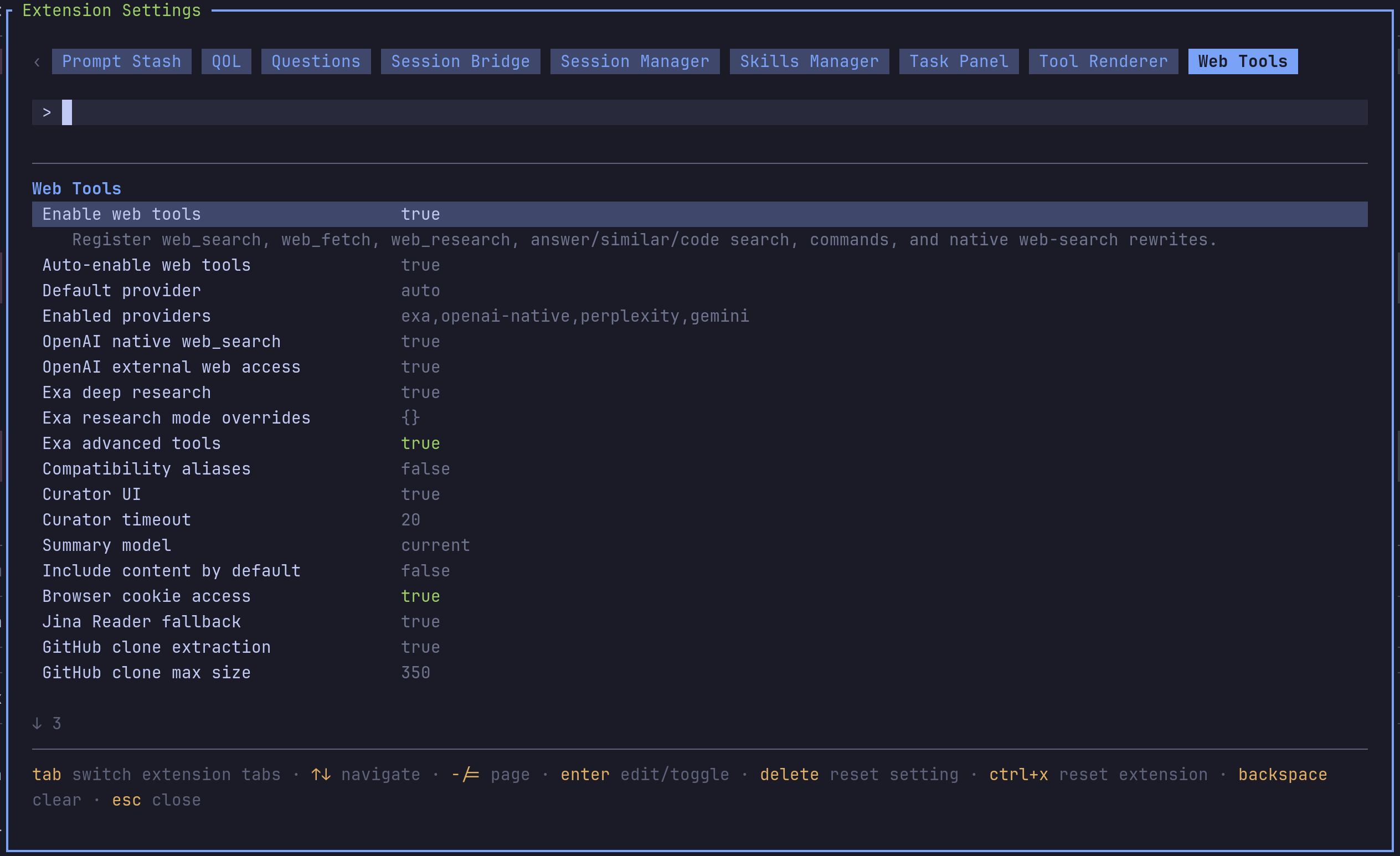
Open /extensions:settings; settings appear under the Web Tools tab.
Project settings in .pi/settings.json apply only after Pi marks the workspace trusted; before trust, vstack Pi extensions read user/global settings only.
Glyph style: each package exposes glyphStyle (unicode default, ascii for terminal-safe chrome). @vanillagreen/pi-tool-renderer.globalGlyphStyleOverride=ascii forces ASCII chrome across vstack Pi extensions while leaving tool/model/user content unchanged.
General
| Setting | What it does |
| --- | --- |
| Auto-enable web tools | Add web tools to the active set while preserving Pi natives. |
| Default provider | Provider used by web_search unless the call overrides. |
| Enabled providers | Comma-separated allow-list. |
OpenAI native
| Setting | What it does |
| --- | --- |
| OpenAI native web_search | Rewrite web_search to native OpenAI/Codex Responses web_search. |
| OpenAI external web access | Set external_web_access on native tools. |
Exa
| Setting | What it does |
| --- | --- |
| Exa deep research | Register and enable web_research. |
| Exa research mode overrides | JSON object keyed by lite/standard/full. |
| Exa advanced tools | Enable web_answer, web_find_similar, code_search. |
Content
| Setting | What it does |
| --- | --- |
| Jina Reader fallback | Fall back to r.jina.ai for blocked or 403/429/5xx pages. |
| GitHub clone extraction | Use a clone cache for GitHub repo URLs. |
| GitHub clone max size | Large-repo fallback threshold in MB. |
| Video extraction | YouTube and local video understanding via Gemini. |
| Browser cookie access | Opt-in browser cookie extraction for Gemini Web fallback. |
Compatibility
| Setting | What it does |
| --- | --- |
| Compatibility aliases | Register legacy aliases like fetch_content and web_search_exa. |
Notes
web_search moved here from pi-codex-minimal-tools. Install both updated packages together; pi-codex-minimal-tools now owns only image_generation, view_image, and apply_patch.