
@vatvaghool/create-ipl-dashboard
v0.1.29
Published
Scaffold an IPL fantasy cricket dashboard project
Downloads
311

Maintainers
 vatvaghool
Readme
create-ipl-dashboard
Scaffold a full-featured IPL fantasy cricket dashboard in seconds.
npx @vatvaghool/create-ipl-dashboard my-leagueFollow the prompts to enter your MongoDB URI, fantasy league URL, collection name, and team names — you get a ready-to-run Next.js dashboard with standings charts, performance trackers, AI roasts, and more.
Usage
npx @vatvaghool/create-ipl-dashboard [project-name] [options]Options
| Flag | Description |
|------|-------------|
| --help, -h | Show help message |
| --scrape | Auto-detect team names from the league URL |
| --skip-install | Skip npm install (useful for testing) |
Interactive prompts
| Prompt | Description |
|--------|-------------|
| Project name | Directory to scaffold into |
| Storage backend | mongodb (default) or google_sheets |
| MongoDB URI | Your MongoDB connection string (only if MongoDB chosen, press Enter for default) |
| Google Sheet ID | Google Sheet ID (only if google_sheets chosen) |
| Service account email | Google service account email (only if google_sheets chosen) |
| Private key | Google service account private key (only if google_sheets chosen) |
| League URL | The fantasy.iplt20.com league page URL |
| Collection/sheet name | MongoDB collection or Google sheet for this league's data |
| League name | Display name for your league |
| Teams | Team names (and optional owners) in your league
If --scrape is provided, the CLI attempts to extract team names from the league page HTML. If that fails, it falls back to manual entry.
Screenshots
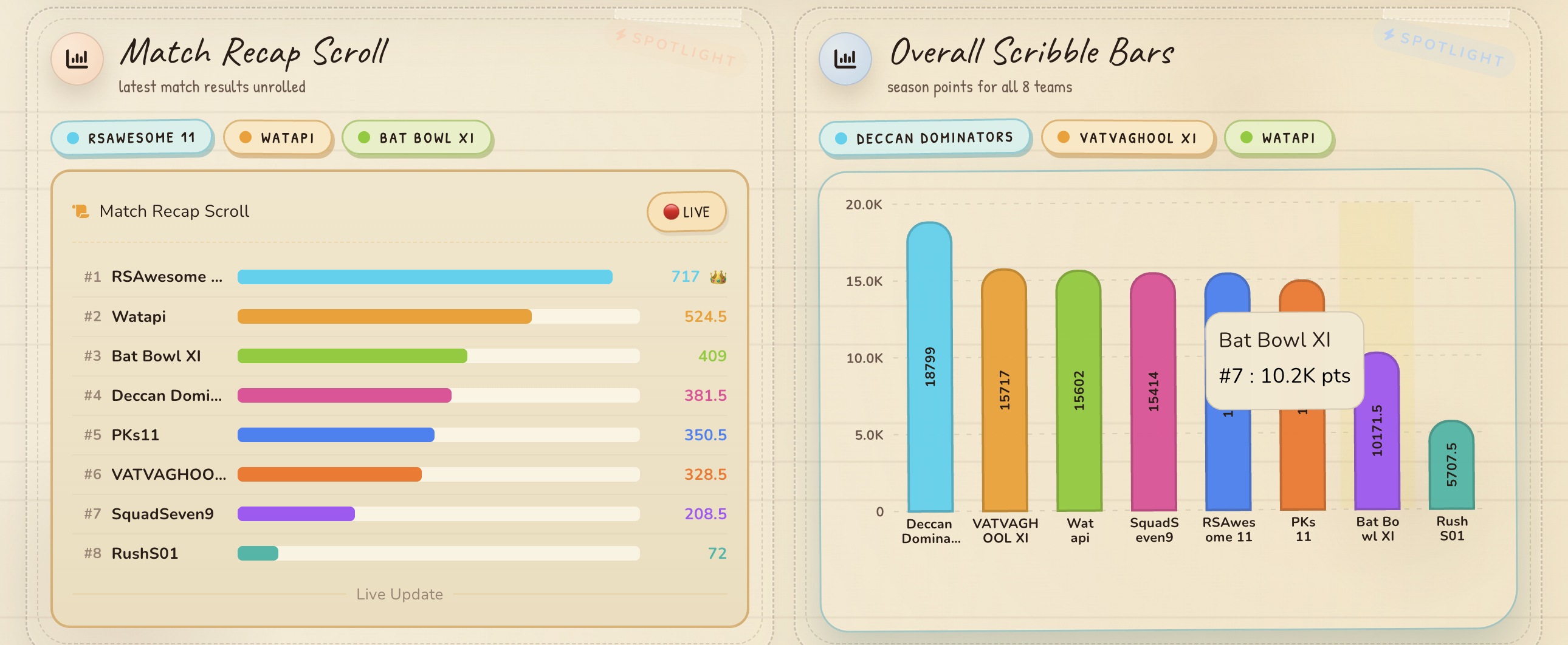
Dashboard overview — full page
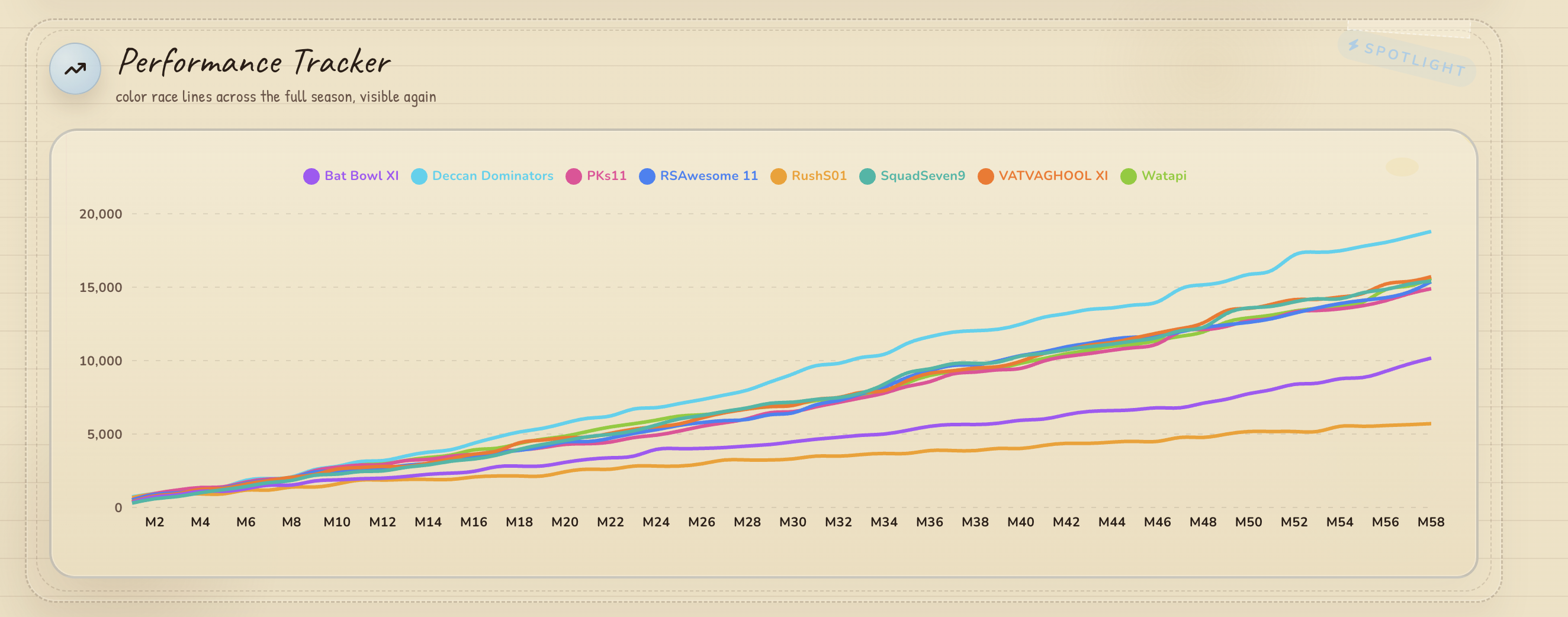
Performance Tracker — Recharts line chart
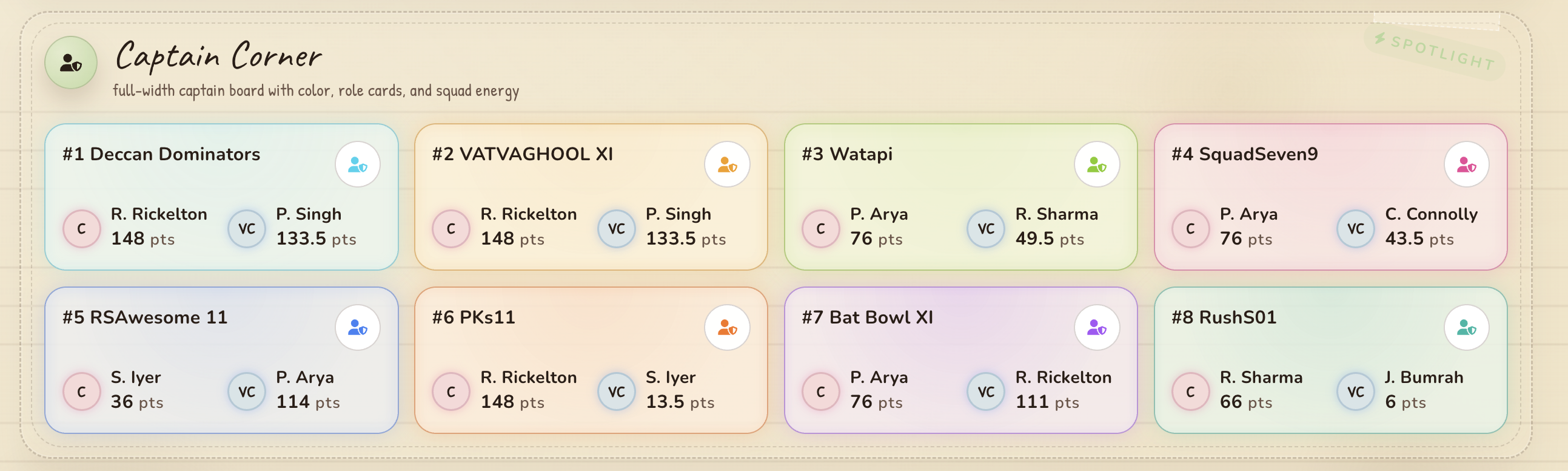
Captain Board — captain/vice-captain picks
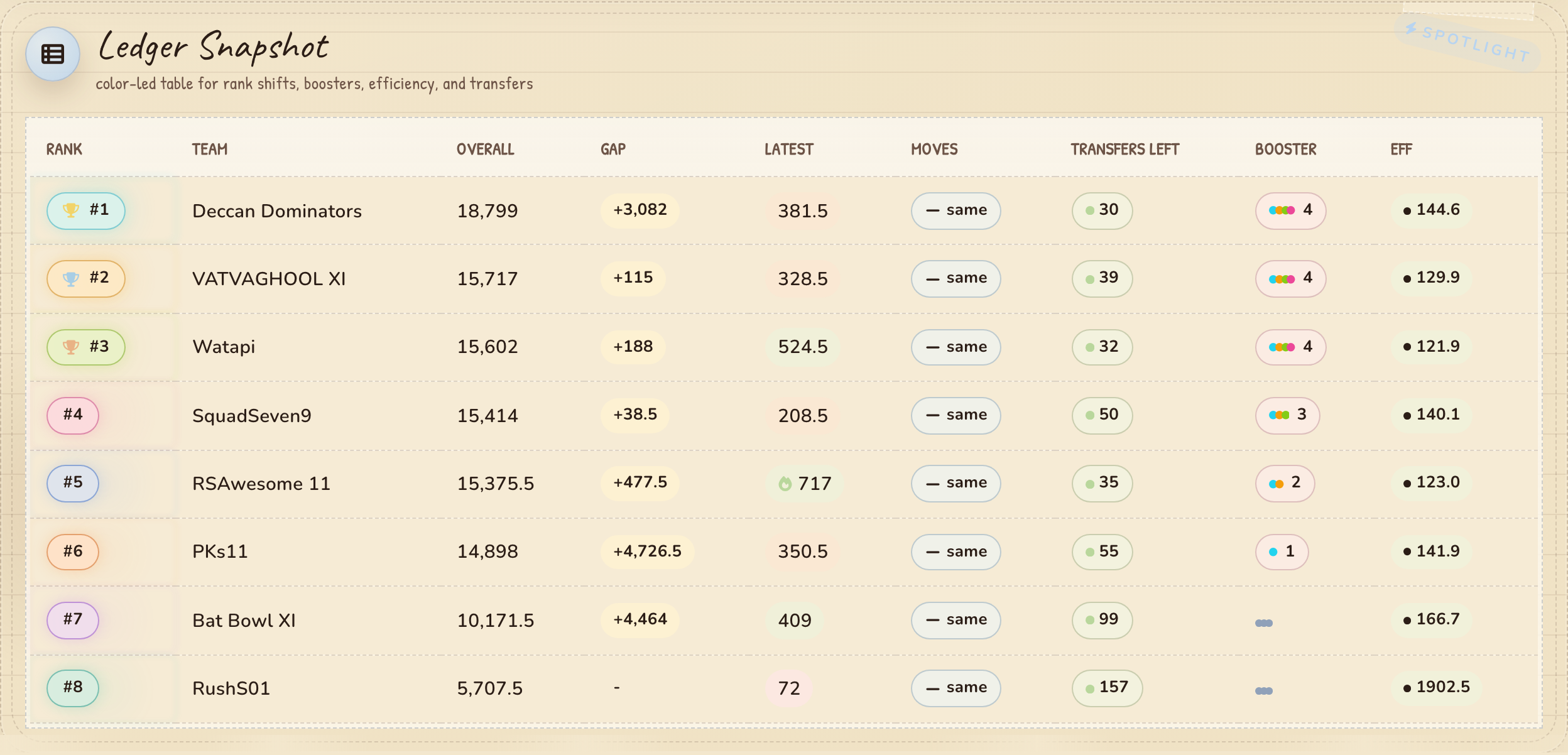
Ledger Table — standings with rank shifts and efficiency
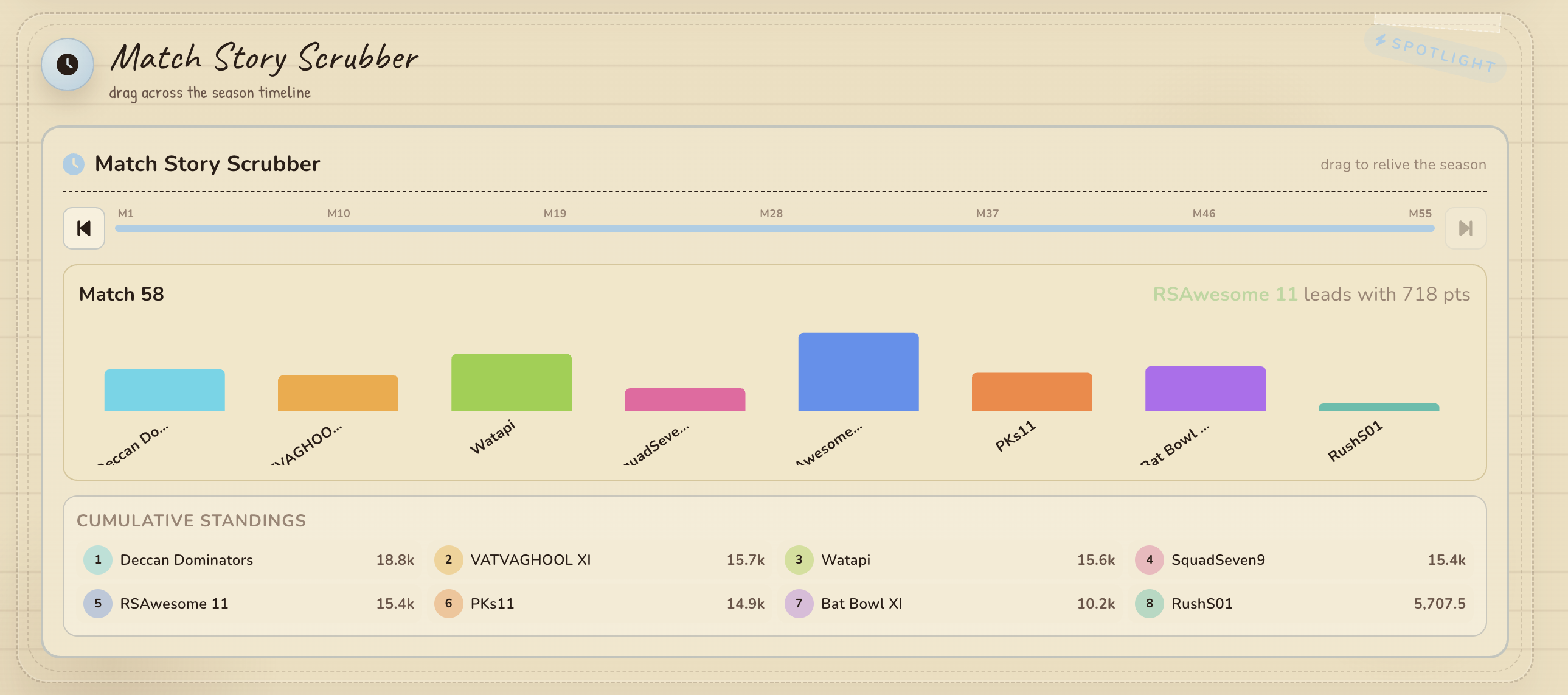
Match Scrubber — interactive timeline scrubber
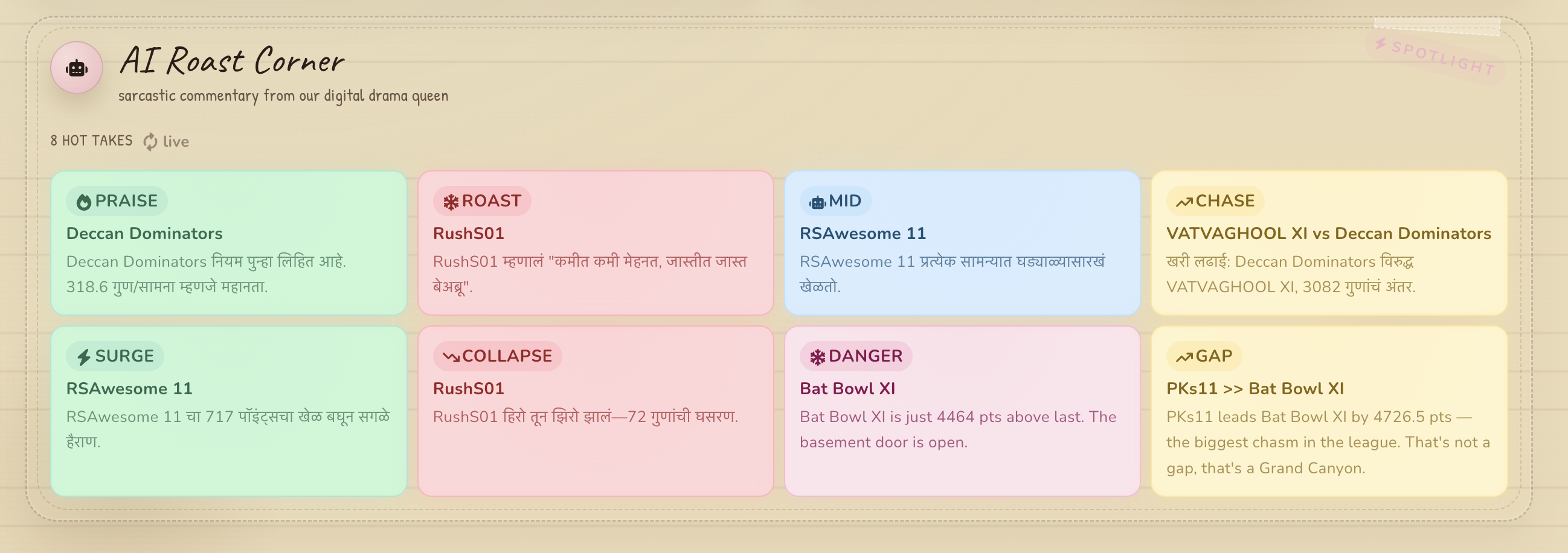
AI Roast Corner — generated commentary
What you get
A full Next.js 16 project with:
- Leaderboard dashboard — live standings with rank movements and point gaps
- Performance charts — Recharts line charts tracking every team's trajectory
- Captain board — captain/vice-captain picks per team
- Match scrubber — interactive timeline through match history
- AI roasting — generated commentary in multiple languages
- Stock ticker — fantasy stocks with sparklines
- Live updates — bookmarklet or Playwright scraper for live sync
- MongoDB persistence — auto-configured database connection
Quick start after scaffold
cd my-league

# Start the dev server
npm run dev:simple

# Capture auth state for scrapers (one-time setup)
npm run capture:ipl-auth

# Scrape live leaderboard data
npm run sync:ipl
Open http://localhost:3000 to see your dashboard.
How it works
The CLI:
- Copies a pre-built Next.js app template
- Writes your
.envwith theMONGODB_URI,COLLECTION_NAME, league URL, and league name - Generates
app/data/teams.tswith your team roster - Generates
app/data/league.tswith league metadata - Creates a placeholder
app/data/match-points.ts(auto-populates as you sync) - Installs dependencies
- Runs
seed:leagueto create a document in your specified collection in the pre-configured database, storing league metadata (name, URL, teams, timestamps)
Each league gets its own collection — run create-ipl-dashboard again with a different collection name to add another league.
The template includes all dashboard components, API endpoints, scrapers, and tests from the ipl-dashboard project.
Next Steps
Adding more leagues
npx @vatvaghool/create-ipl-dashboard another-leagueProvide a different collection name (e.g. ipl_2025_friends_league) and the new league will be stored in its own collection — data stays fully isolated.
Viewing seeded data
Connect to the MongoDB instance with any MongoDB client. Each league appears as a separate collection containing a document with type: "league" and all the metadata (name, URL, teams, timestamps).
Production deployment
cd my-league
npm run build
npx vercel --prod
Set IPL_POST_SECRET in your Vercel dashboard. The MONGODB_URI and COLLECTION_NAME are already populated in the scaffolded .env.