
@vdeantoni/particle-network
v0.6.0
Published
Drifting particles linked to their neighbors on a canvas, with an optional settings panel and React components

Maintainers
 vdeantoni
Readme
@vdeantoni/particle-network
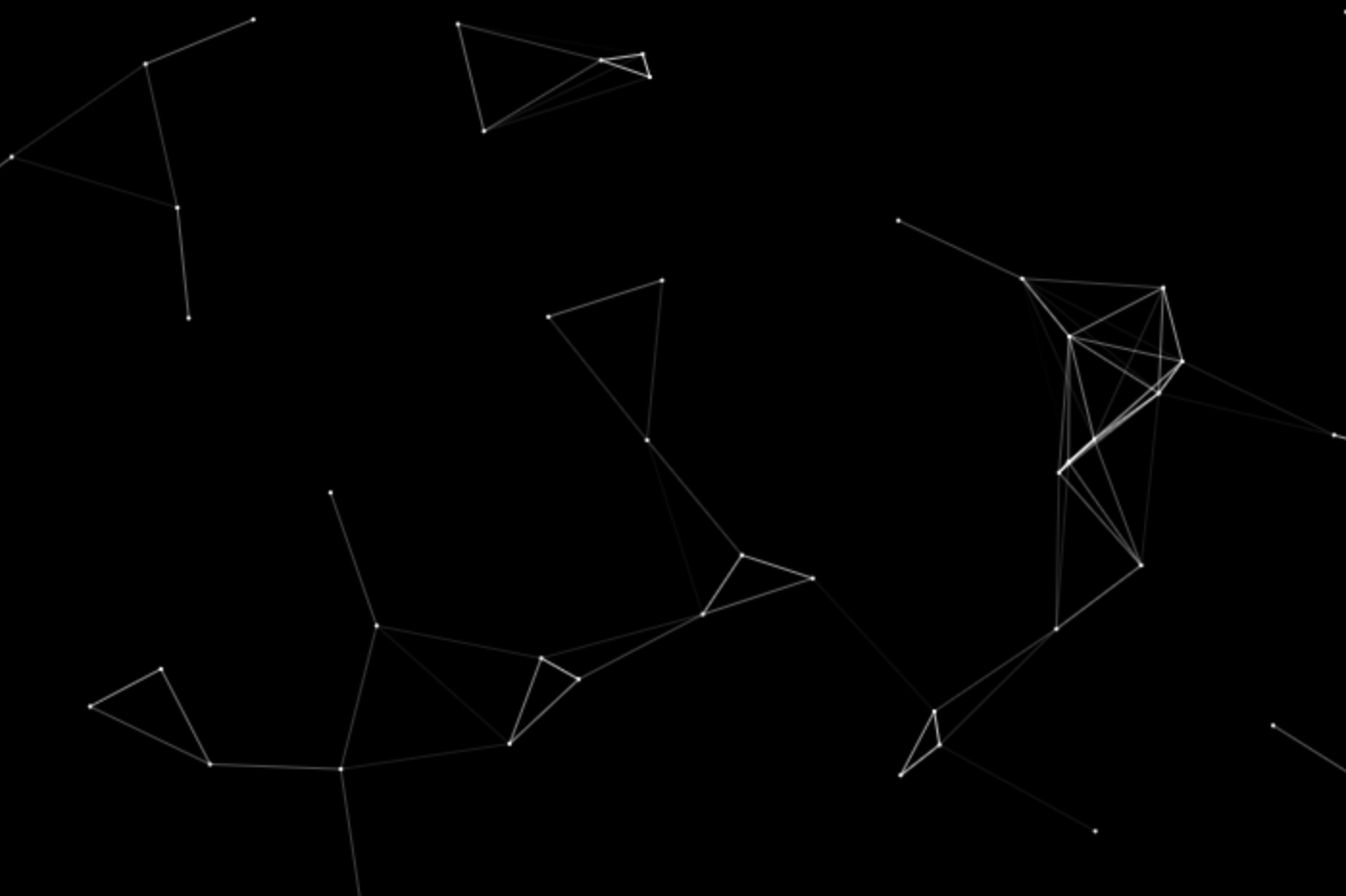
Particles drift across a canvas, and a line links each pair closer than the link distance. Lines fade as their particles move apart, and the triangles they form can be filled. The pointer can attract, repel or swirl particles, and pressing adds a particle that you can drag into place. An optional panel exposes every setting.
Live demo, where h or the button in the top-right corner opens the panel.
Install
pnpm add @vdeantoni/particle-networkThe package is ESM only. The React components need React 19 or later.
Usage
Plain JavaScript
import { ParticleNetwork } from '@vdeantoni/particle-network';

const network = new ParticleNetwork(canvas, {
  settings: { density: 0.8, triangles: true },
});

// When the canvas goes away
network.destroy();
The animation starts right away. The canvas takes whatever size your CSS gives it and follows resizes and the device pixel ratio, so give it a size, such as width: 100%; height: 100%.
Settings panel
import { createPanel } from '@vdeantoni/particle-network/panel';

const panel = createPanel(network, document.getElementById('panel'));

// Later
panel.destroy();
The panel is built with Tweakpane, which is 31 KB gzipped against 6.4 KB for the animation. It lives in its own entry point, so it's only bundled when you import it. Showing, hiding and positioning its container is up to you.
The dropdown at the top of the panel switches between presets. Default is the page's own settings. The built-in Classic, Mosaic, Constellation, Web and Paint follow, then the visitor's own presets. Save as new saves the current settings under the name in the field. With one of the visitor's presets selected, Save overwrites it with the current settings and name, and Delete removes it. Built-in presets can't be changed, only saved as new ones. Revert changes goes back to the selected preset. With a storageKey, the presets and the selection are saved in localStorage under <storageKey>-presets; without one, they last until the page reloads.
Built-in presets apply over the library's defaults, not the page's settings, so a page that turns off background or spawnOnClick gets them back from a built-in. To offer your own instead, pass createPanel(network, container, { presets }), where presets maps names to settings. The main entry exports BUILT_IN_PRESETS to extend or filter, and {} leaves only Default and the visitor's own.
React
'use client';

import { useState } from 'react';
import type { ParticleNetwork } from '@vdeantoni/particle-network';
import {
  ParticleNetworkCanvas,
  ParticleNetworkSettings,
} from '@vdeantoni/particle-network/react';

export function Hero() {
  const [network, setNetwork] = useState<ParticleNetwork | null>(null);

  return (
    <section className="relative isolate">
      <ParticleNetworkCanvas
        ref={setNetwork}
        pointerTarget="window"
        settings={{ background: false }}
        className="absolute inset-0 -z-10 size-full"
      />
      {/* Page content */}
      <ParticleNetworkSettings
        network={network}
        className="absolute bottom-6 right-6"
      />
    </section>
  );
}
ref receives the ParticleNetwork, which the settings need. Changes to the settings prop apply live. Only keys whose values changed are applied, so an inline object doesn't undo panel edits on every render, and a key you remove goes back to its default. active={false} stops the animation while content covers the canvas.
<ParticleNetworkSettings> is a button that opens the panel, which you position with className. The h key toggles it too, and Escape closes it. Tweakpane loads when the panel first opens, so visitors who never open it never download it.
| Prop | Default | Description |
| ----------------- | ---------------------- | ----------------------------------------------------------------------------------------------------------------------------------------------- |
| network | | The network to control. Until it exists the button shows but the panel doesn't open. |
| shortcut | 'h' | Key that toggles the panel, compared with KeyboardEvent.key ignoring case. null turns it off. It's ignored while the user types in a field. |
| placement | 'above' | Opens the panel 'above' or 'below' the button, aligned to its right edge. |
| presets | BUILT_IN_PRESETS | Replaces the built-in presets. A new object rebuilds the panel, so define it outside the component. |
| label | 'Animation settings' | The button's accessible name and tooltip. |
| className | | Positions the button. The panel is anchored to it. |
| buttonClassName | | Styles the button in place of its built-in inline styles. |
| children | a sliders icon | The button's content. |
For a panel without the button, render <ParticleNetworkPanel network={network} /> wherever you want it. It takes presets too.
Behind page content
A canvas behind text and buttons never receives pointer events, because the content on top of it does. Pass pointerTarget: 'window' to follow the pointer over the whole page instead. The pointer only counts while it's over the canvas's area. Presses on links, buttons, form controls, the panel, and anything inside an element with a data-particle-network-ignore attribute don't add particles. While a press drags a new particle, it doesn't also select the page's text or drag its images. Text keeps its text cursor, though, so consider cursor: default on the content over the canvas. Turn background off to let the page's own background show through.
Options
| Option | Default | Description |
| ---------------------- | ---------- | --------------------------------------------------------------------------------------- |
| settings | {} | Settings merged over the defaults. reset() returns to these. |
| pointerTarget | 'canvas' | Where pointer events are read: 'canvas', 'window' or an element. |
| storageKey | none | Saves panel changes in localStorage under this key and restores them on the next visit. |
| respectReducedMotion | true | Holds particles still when the user prefers reduced motion. |
The animation pauses while the canvas is off screen. A canvas fixed behind the page always counts as on screen, even while opaque content covers it, so set active to false to pause it yourself.
Methods
| Method | Description |
| -------------------- | -------------------------------------------------------------------------------------------------------- |
| settings | The live settings object, read every frame. |
| active | Set it to false to stop the animation, and back to true to resume it. |
| set(settings) | Changes settings and makes them what reset() returns to. |
| reset() | Drops changes made in the panel. |
| defaults | A copy of what reset() returns to: the defaults with the settings option and set() calls applied. |
| storageKey | The storageKey option. |
| randomize() | Replaces every particle with a new random one. |
| count() | Returns { total, added }: how many particles exist, and how many of them clicks and autoSpawn added. |
| onChange(listener) | Calls listener after set() or reset(). Returns a function that unsubscribes. |
| destroy() | Stops the animation and removes its event listeners. |
Settings
Colors are hex strings like '#4d7cff', which the panel's color pickers need.
| Setting | Default | Description |
| ------------------------ | ------------ | ---------------------------------------------------------------------------------------------------------------------- |
| paused | false | Stops the particles. Links and pointer effects keep updating. |
| density | 1 | Particles per 5,000 px² of canvas. |
| minSpeed, maxSpeed | 1, 1 | Range of drift speeds in px per 1/60 s; each particle gets its own. Setting one past the other pulls it along. |
| minRadius, maxRadius | 0.5, 1.5 | Range of particle radii in px; setting one past the other pulls it along. A max of 0 hides them; they still link. |
| particleColor | '#ffffff' | |
| linkDistance | 100 | Particles closer than this many px are linked. |
| falloff | 2 | How fast a link fades with distance. Higher values fade sooner. |
| lineWidth | 0.6 | Link width in px. 0 hides the lines and keeps the triangles. |
| lineColor | '#ffffff' | |
| additive | true | Overlapping lines add up and glow. Turn it off on light backgrounds, where the glow fades to white. |
| triangles | false | Fills the triangles that links form. |
| triangleStyle | 'mosaic' | 'mosaic' triangles never overlap and stay fast. 'overlapping' fills every linked triple and slows down when dense. |
| triangleShade | 'weakest' | Shades each triangle by its 'weakest' or 'average' link. |
| triangleColor | '#4d7cff' | |
| triangleOpacity | 0.3 | |
| triangleTransition | 400 | Milliseconds a triangle takes to fade in or out. |
| pointerForce | 'off' | 'attract', 'repel' or 'vortex' moves particles near the pointer. |
| forceRadius | 150 | Reach of the pointer force, in px. |
| forceStrength | 0.1 | |
| pointerLinks | true | Links the pointer to nearby particles. |
| pointerTriangles | false | Fills triangles between the pointer and pairs of linked particles. |
| spawnOnClick | true | Pressing adds a particle, which follows the pointer until release. |
| spawnCount | 1 | Particles a press adds. The rest scatter around the first and stay put. |
| spawnSpread | 100 | Radius in px of the disk those particles scatter over. Thousands in a small disk stall the first frames. |
| autoSpawn | false | While spawnOnClick is on too, adds particles at the pointer over the canvas, unless one already covers the spot. |
| spawnRate | 10 | Particles per second that autoSpawn adds, spread along the pointer's path. |
| spawnOverlap | false | Lets autoSpawn add particles on top of one already at the pointer, so a still pointer keeps adding them. |
| spawnLifetime | 60000 | Milliseconds an added particle lives, from when it's placed: auto-fired, scattered by a click, or let go after a drag. |
| deathDuration | 1000 | Milliseconds such a particle then takes to fade out, along with its links and triangles. |
| flashlight | true | Brightens links and triangles near the pointer. |
| flashlightRadius | 200 | Reach of the flashlight, in px. |
| flashlightBoost | 3 | Opacity at the pointer is multiplied by 1 + this. |
| background | true | Paints a radial gradient. Off leaves the canvas transparent. |
| backgroundInner | '#0b1226' | Gradient color at the center. |
| backgroundOuter | '#000000' | Gradient color at the edges. |
DEFAULT_SETTINGS and the panel's slider RANGES are exported too.
Development
pnpm install
pnpm dev          # demo at http://localhost:5173
pnpm build        # library into dist/
pnpm build:demo   # demo site into dist-demo/