
@vibe-x/discuss-for-specs
v0.5.0
Published
Cross-platform skills and hooks for AI-powered discussion mode. Supports Claude Code, Cursor, Cline, Kilocode, OpenCode, Codex CLI, Trae, Qoder, and Roo-Code.

Maintainers
 alienzhou
Readme
Skill Discuss for Specs
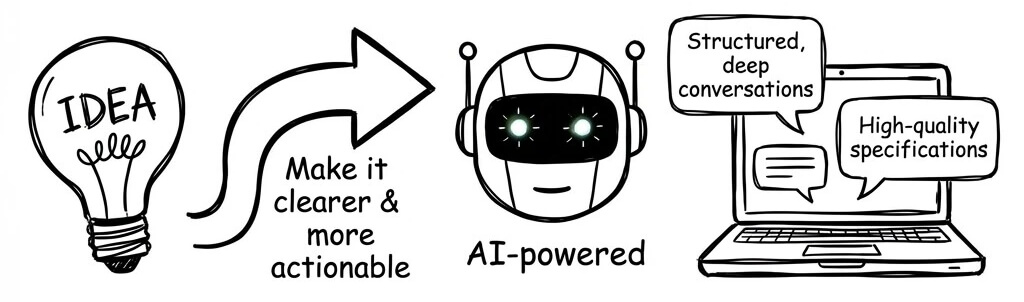
Whenever you have an idea and want to make it clearer and more actionable, use this project.
An AI-powered discussion facilitation system that helps generate high-quality specifications through structured, deep conversations.
🚀 Quick Start
Install
# npx one-liner (recommended)
npx @vibe-x/discuss-for-specs install -p cursor
Replace
cursorwith your platform:claude-code,cline,kilocode,opencode,codex,trae,qoder,roo-code,codeflicker. See Platform Support for details.
Start a Discussion
Once installed, simply tell your AI:
"Enter discussion mode. I want to design [your topic]."
Or in Chinese:
"进入讨论模式。我想讨论 [你的主题]。"
The Agent will guide you through a structured conversation, tracking decisions and progress automatically.
What Happens
You:   "Design a caching system"          (just the topic)
         │
Agent: "What's the primary driver?        (Agent proposes, asks)
        Performance? Cost? Reliability?"
         │
You:   "Read-heavy, for API responses"    (you just decide)
         │
Agent: "Cache-aside vs Read-through..."   (Agent digs deeper)
        ┌─────── Progress Tracked ───────┐
        │ ✅ Read-heavy API caching       │
        │ 🔄 Caching pattern selection    │
        │ 📋 TTL strategy, Invalidation  │
        └─────────────────────────────────┘
         │
       .....

😊 LOW cognitive load: Agent thinks, Agent asks, Agent tracks, You decide
All discussions are organized into structured files:
.discuss/caching-system/
├── outline.md              # Live progress
└── decisions/
    ├── D01-cache-pattern.md
    ├── D02-storage-choice.md
    └── D03-ttl-strategy.md
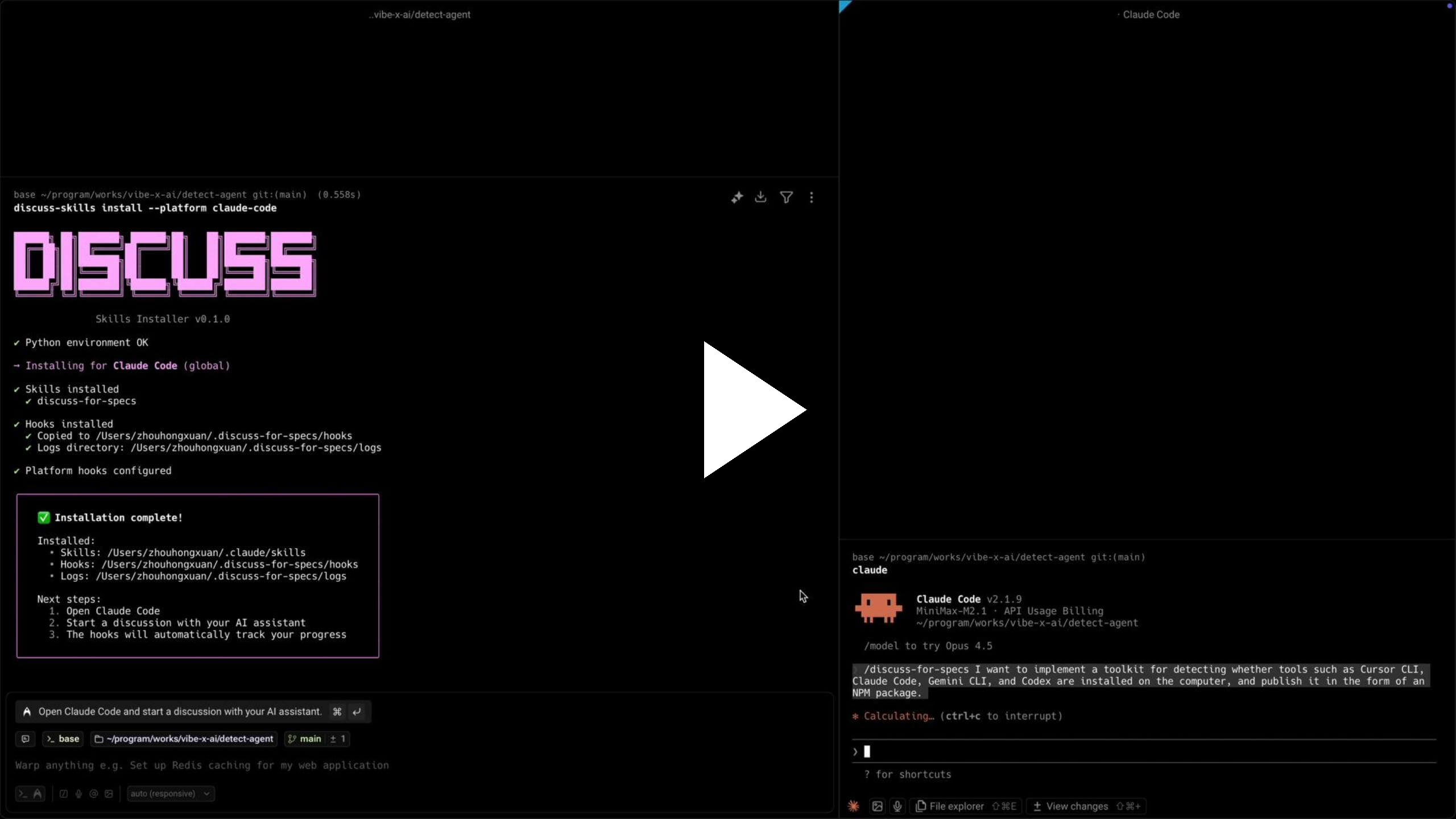
Click the image below to watch the demo video
📖 More Installation Options
Global install (for frequent use)
npm install -g @vibe-x/discuss-for-specs
discuss-for-specs install -p cursor
Project-level installation
# Install to current directory
discuss-for-specs install -p cursor --target .

# Install to specific directory
discuss-for-specs install -p claude-code --target /path/to/project
Export to raw directory (for unsupported platforms)
# Export skills directly without platform structure
discuss-for-specs export /my/custom/skills/

# Include L1 guidance for manual precipitation
discuss-for-specs export /my/custom/skills/ --include-l1-guidance
Uninstall
npx @vibe-x/discuss-for-specs uninstall --platform cursorRequirements
- Node.js 16+ (for npm installation)
- Python 3.8+ with PyYAML (for hooks, auto-checked during install)
🔌 Platform Support
| Platform | Status | Level | Install Command |
| --------------------- | :--------: | :---: | ---------------------------------------------------------------- |
| Claude Code | ✅ Ready | L2 | npx @vibe-x/discuss-for-specs install -p claude-code |
| Cursor | ✅ Ready | L2 | npx @vibe-x/discuss-for-specs install -p cursor |
| Cline | ✅ Ready | L2 | npx @vibe-x/discuss-for-specs install -p cline |
| Kilocode | ✅ Ready | L1 | npx @vibe-x/discuss-for-specs install -p kilocode |
| OpenCode | ✅ Ready | L1 | npx @vibe-x/discuss-for-specs install -p opencode |
| Codex CLI | ✅ Ready | L1 | npx @vibe-x/discuss-for-specs install -p codex |
| Trae | ✅ Ready | L1 | npx @vibe-x/discuss-for-specs install -p trae |
| Qoder | ✅ Ready | L1 | npx @vibe-x/discuss-for-specs install -p qoder |
| Roo-Code | ✅ Ready | L1 | npx @vibe-x/discuss-for-specs install -p roo-code |
| CodeFlicker | ✅ Ready | L1 | npx @vibe-x/discuss-for-specs install -p codeflicker |
| Windsurf | 🔜 Planned | - | - |
L1 vs L2
| Feature | L1 Platforms | L2 Platforms | | ----------------------------- | :----------: | :----------: | | Discussion facilitation | ✅ | ✅ | | Progress tracking | ✅ | ✅ | | Decision precipitation | ✅ | ✅ | | Auto-reminder hooks | ❌ | ✅ |
- L2 (Claude Code, Cursor, Cline) — hooks automatically remind you to precipitate decisions
- L1 (others) — full discussion features, manual decision tracking
💡 Why Discussion Mode?
The Problem
In Spec Driven Development (SDD), generating high-quality specifications is a well-known challenge:
- Good Specs are powerful: Complete, rich specifications dramatically improve code generation quality, task completion rates, and enable solving higher complexity problems
- But creating them is hard: Generating comprehensive, well-thought-out Specs efficiently remains difficult and cognitively demanding
- The missing piece: How do we produce high-quality Specs without overwhelming cognitive load?
The Solution
This project introduces Discussion Mode — an AI-facilitated conversation approach that helps you iteratively develop clear, actionable specifications. It solves three critical problems:
1. Agent-Driven Proactivity
The AI Agent actively drives the discussion forward:
- Agent proposes: Continuously provides solutions, alternatives, and ideas
- Human decides: You only need to select, confirm, or answer questions
- Guided refinement: Through this guided process, you naturally deepen and perfect technical solutions
- Reduced cognitive load: You stay in the decision-maker role while the Agent handles the mental heavy lifting
2. State Management & Progress Tracking
Never lose track in deep discussions:
- Maintains context: Continuously tracks discussion state through structured outlines
- Decision precipitation: Automatically captures and documents confirmed decisions
- Progress awareness: Always knows where you are and what questions remain
- No details lost: Deep, long-running discussions stay organized without effort
- Low-cost depth: Engage in thorough exploration without worrying about losing the thread
3. Progressive Enhancement
Flexible and adaptive to your workflow:
- Start anytime: Before Spec generation, during development, while debugging, or when analyzing problems
- Controllable depth: Exit and precipitate decisions whenever ready, or continue discussing until every detail is 100% confirmed
- Always relevant: Effective whether you have a vague idea or a concrete challenge
👀 See the Difference
Conversation Flow
Without Discussion Mode — You drive everything:
You ──────►  "I need to design a caching system. I'm thinking about
             using Redis, but I'm not sure about the TTL strategy.
             Should I use lazy expiration or active expiration?
             Also, what about cache invalidation patterns? And
             I need to consider the read/write ratio..."

             (You must think of all questions yourself)
             (You must structure your own thoughts)
             (You must drive the conversation)
                       │
                       ▼
Agent ────►  [Responds to what you asked]
                       │
                       ▼
You ──────►  "OK, but what about... wait, I forgot to ask about..."

             (You need to remember everything)
             (You need to discover all edge cases)
             (You might miss important aspects)
                       │
                       ▼
                     .....

😓 HIGH cognitive load: You think, you ask, you track, you remember
With Discussion Mode — Agent drives, you decide:
You ──────►  "Design a caching system"  (That's it. Just the topic.)
                       │
                       ▼
Agent ────►  "Let me understand the problem space first.

             💡 What's the primary driver for caching?
                - Performance optimization?
                - Cost reduction?
                - Reliability improvement?

             💡 I notice we should clarify the read/write ratio early -
                this fundamentally affects architecture choices.

             ❓ Is this more read-heavy or write-heavy?"
                       │
                       ▼
You ──────►  "Read-heavy, for API responses"  (Simple answer)
                       │
                       ▼
Agent ────►  "Good. For read-heavy API caching, there's something you
             might not have considered:

             💡 Cache-aside vs Read-through patterns have very different
                invalidation complexity. Let me explain the tradeoffs...

             ┌────────────── Progress Tracked ──────────────┐
             │ ✅ Confirmed: Read-heavy API caching         │
             │ 🔄 Discussing: Caching pattern selection     │
             │ 📋 Pending: TTL strategy, Invalidation       │
             └──────────────────────────────────────────────┘"
                       │
                       ▼
You ──────►  "The first one"  (Simple choice)
                       │
                       ▼
                     .....

😊 LOW cognitive load: Agent thinks, Agent asks, Agent tracks, You decide
Output Comparison
| ❌ Without Discussion Mode | ✅ With Discussion Mode |
| :------------------------------- | :----------------------------------------------------------------- |
| 📜 Just chat history | 📁.discuss/caching-system/ |
| (scroll up to find things) | ├── 📋outline.md (live progress) |
| (info scattered in conversation) | └── 📄decisions/ |
| • Decision 2... maybe forgot | ├── 01-cache-pattern.md |
| • Decision 3... which round? | ├── 02-storage-choice.md |
| • Did we cover everything? | └── 03-ttl-strategy.md |
| • What's still pending? | └── (each decision archived separately) |
| | |
| ❌ No structure | ✅ Structured & searchable |
| ❌ Easy to lose track | ✅ Nothing lost |
| ❌ Hard to resume later | ✅ Resume anytime |
🔍 Discussion Mode vs. Specs
Discussion Mode is not a replacement for Specs — it's the upstream decision layer that makes Specs easier to write.
| | Discussion Mode | Specs |
| ------------------------ | ------------------------------- | ---------------------------- |
| Focus | Process (explore, decide) | Artifact (document, execute) |
| Core question | "What to decide & why?" | "What to build & how?" |
| Primary output | outline.md + decisions/ | Structured spec document |
| When to use | Uncertainty is high | Decisions are clear |
Workflow in SDD
Discuss → Precipitate decisions → Generate/update Spec → Implement → (loop back if needed)This project is tool-agnostic: combine it with any Spec template, IDE workflow, or spec generator you already use.
🔧 Use Cases
| Scenario | When to Use | How It Helps | | ----------------------------------- | --------------------------------------------------------------------------- | ------------------------------------------------------------------- | | Technical Solution Design | "I need to design a caching system, how should I do it?" | Explore architectures, evaluate tradeoffs, reach clear decisions | | Problem Diagnosis | "There's a performance issue online, how should I solve it?" | Systematically analyze issues, track hypotheses, document findings | | Technology Selection | "Redis or Memcached? Should we use Kafka?" | Compare options, assess fit, make informed choices | | Product Design | "How should the user flow for this feature be designed?" | Refine requirements, explore user flows, document decisions | | Spec Generation | "I have a technical idea but haven't thought it through, how to refine it?" | Transform rough ideas into comprehensive, actionable specifications |
✨ Technical Features
- Single-Skill Architecture: Unified
discuss-for-specsSkill with template separation for easy maintenance - Intelligent Precipitation: Automatic detection of unprecipitated decisions with configurable reminders
- Hook-Based Automation: Process work (round counting, state checking) handled by Python scripts, not AI
- Multi-Platform Support: Works across multiple AI coding assistants (see table above)
- Structured Tracking: Problem lifecycle management, trend analysis, and convergence detection
- Cross-Platform Design: Shared Skill content with platform-specific adaptations
⚙️ Configuration
Configuration is stored in .discuss/.snapshot.yaml. Default thresholds:
version: 1
config:
  stale_threshold: 3      # Outline changes before gentle reminder
Update config via CLI:
# Show current config
discuss-for-specs config

# Set stale threshold (0=disabled)
discuss-for-specs config --stale-threshold 5

# For a specific project
discuss-for-specs config -t /path/to/project --stale-threshold 5
For detailed configuration options, see How It Works.
📁 Project Structure
skill-discuss-for-specs/
├── skills/              # 📝 Skill source (Markdown for AI)
│   └── discuss-for-specs/          # Single merged discussion skill
│       ├── SKILL.md                # Core skill content
│       ├── headers/                # Platform-specific YAML headers
│       └── references/             # Templates and reference docs
├── hooks/               # ⚡ Automation scripts (Python)
│   ├── stop/                # Precipitation check hook (snapshot-based)
│   └── common/              # Shared utilities
├── npm-package/         # 📦 NPM distribution package (single build entry)
│   ├── dist/                # Built skills for all platforms
│   ├── hooks/               # Bundled hooks (copied during build)
│   └── src/                 # CLI source code
├── config/              # ⚙️ Configuration templates
└── .discuss/ # 💬 Discussion archives (examples)Note: All skill builds are done via
npm-package/scripts/build.js.
📚 Documentation
- How It Works - Architecture, hooks, and internal mechanisms
- Architecture Discussion - Real example of Discussion Mode
- Decision Records - Documented architectural decisions
- AGENTS.md - Guidelines for AI agents working with this system
🛠️ Development
Prerequisites
- Node.js 16+
- Python 3.8+
Setup
# Install npm dependencies
cd npm-package && npm install

# Build distribution
npm run build

# Run Python tests
cd .. && python -m pytest tests/
CLI Commands
# List supported platforms
npx @vibe-x/discuss-for-specs platforms

# Update config
npx @vibe-x/discuss-for-specs config --stale-threshold 5

# Install with options
npx @vibe-x/discuss-for-specs install --platform cursor --skip-hooks
npx @vibe-x/discuss-for-specs install --platform claude-code --skip-skills

# Uninstall
npx @vibe-x/discuss-for-specs uninstall --platform cursor
🤝 Contributing
Contributions are welcome! This is V1 - foundation. We're iterating based on real-world usage.
📄 License
🙏 Acknowledgments
Built on insights from the Claude Skills ecosystem, Spec Driven Development practices, and cross-platform IDE extension architectures.
Version: 0.3.0 Status: V1 - Foundation Philosophy: Transform rough ideas into actionable specifications through AI-guided structured discussion.