
@vpfaiz/cron-builder-ui
v1.0.1
Published
A beautiful, customizable cron expression builder component for React, built with shadcn/ui design patterns

Maintainers
 vpfaiz
Readme
Cron Builder UI
A beautiful, customizable cron expression builder component for React applications. Built with TypeScript, Tailwind CSS, and Radix UI primitives.
Screenshots
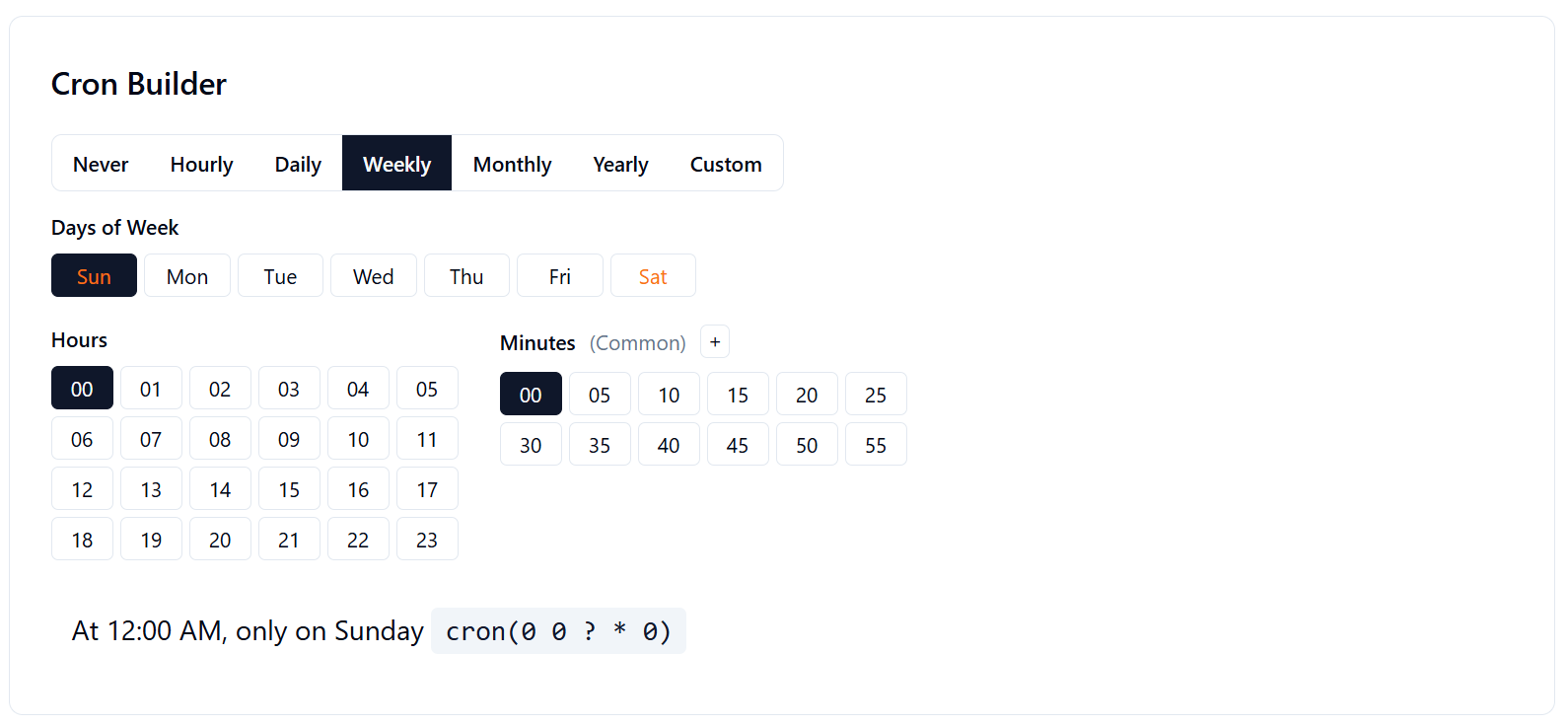
Light Mode
Clean, modern interface with intuitive schedule type selection:
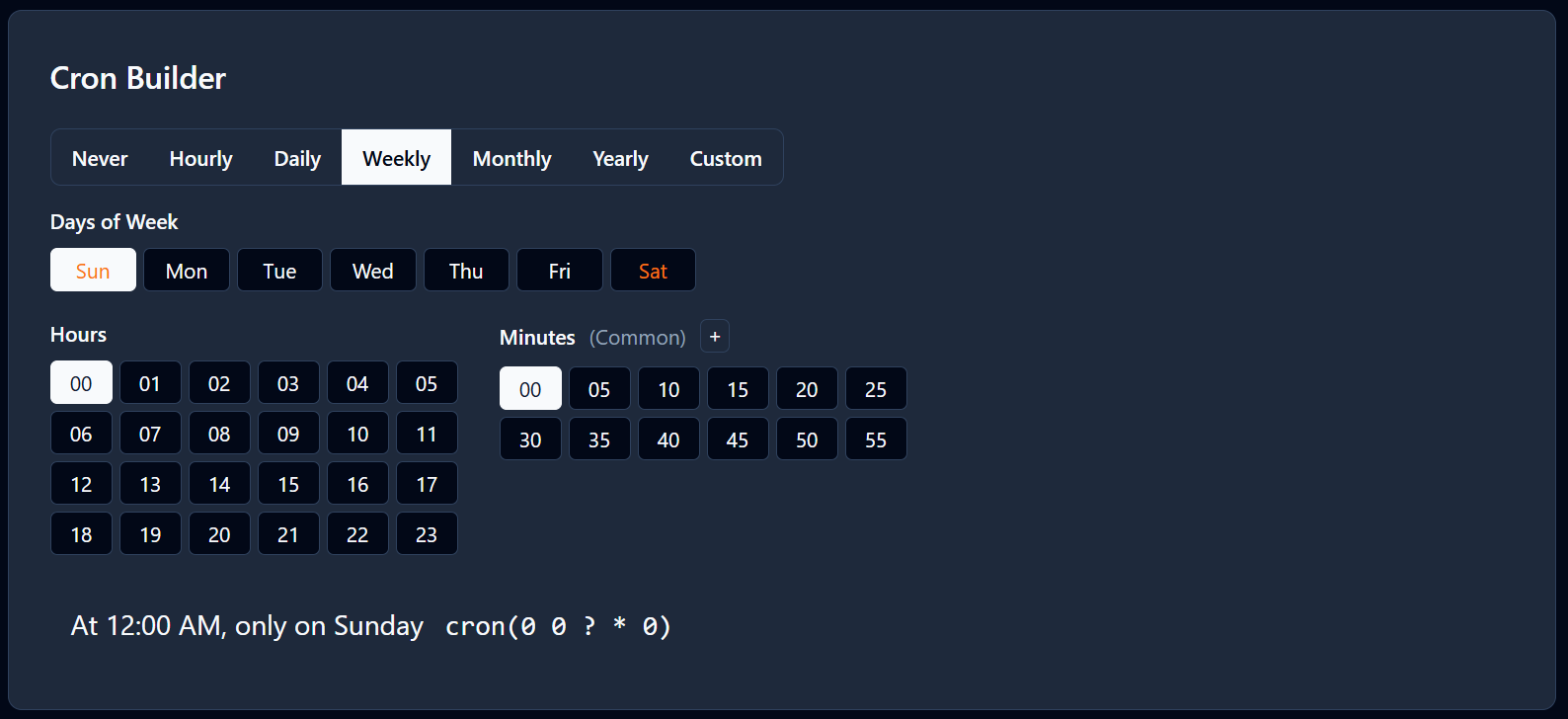
Dark Mode
Full dark mode support with excellent contrast and readability:
Features
- 🎨 Beautiful UI - Clean, modern interface with light/dark mode support
- ⚡ TypeScript Support - Fully typed for better developer experience
- 🎯 Easy Integration - Simple API with minimal dependencies
- 🔧 Customizable - Tailwind CSS classes for easy styling
- 📱 Responsive - Works great on desktop and mobile devices
- 🎪 Multiple Formats - Support for hourly, daily, weekly, monthly, yearly, and custom expressions
- 🎭 Visual Feedback - Real-time preview of cron expressions in human-readable format
- ♿ Accessible - Built with Radix UI primitives for excellent accessibility
Installation
npm install @vpfaiz/cron-builder-uiPeer Dependencies
Make sure you have these peer dependencies installed:
npm install @radix-ui/react-toggle-group react react-domQuick Start
import React, { useState } from 'react';
import { CronBuilder } from '@vpfaiz/cron-builder-ui';
import '@vpfaiz/cron-builder-ui/styles/globals.css';

function App() {
  const [cronExpression, setCronExpression] = useState('0 0 * * 0');

  return (
    <div className="p-8">
      <h1>Schedule Configuration</h1>
      <CronBuilder
        onChange={setCronExpression}
        defaultValue={cronExpression}
      />
      <p>Current expression: <code>{cronExpression}</code></p>
    </div>
  );
}
API Reference
CronBuilder Props
| Prop | Type | Required | Description |
|------|------|----------|-------------|
| onChange | (expression: string) => void | ✅ | Callback function called when the cron expression changes |
| defaultValue | string | ❌ | Initial cron expression (defaults to '0 0 * * 0') |
| className | string | ❌ | Additional CSS classes to apply to the component |
Utility Functions
getCronText(cronExpression: string)
Converts a cron expression to human-readable text.
import { getCronText } from '@vpfaiz/cron-builder-ui';

const result = getCronText('0 9 * * 1-5');
// result = { status: true, value: "At 09:00 AM, Monday through Friday" }
Styling
The component uses Tailwind CSS and CSS custom properties for theming. You can customize the appearance by:
1. Using the built-in dark mode
<div className="dark">
  <CronBuilder onChange={setCronExpression} />
</div>
2. Customizing CSS variables
:root {
  --background: 0 0% 100%;
  --foreground: 222.2 84% 4.9%;
  --selected: 222.2 47.4% 11.2%;
  --selected-foreground: 210 40% 98%;
  /* ... other variables */
}
3. Adding custom classes
<CronBuilder
  className="my-custom-cron-builder"
  onChange={setCronExpression}
/>
Examples
Basic Usage
<CronBuilder onChange={console.log} />With Custom Default
<CronBuilder
  defaultValue="0 9 * * 1-5"
  onChange={setCronExpression}
/>
With Custom Styling
<CronBuilder
  className="border rounded-lg p-4"
  onChange={setCronExpression}
/>
Supported Cron Patterns
The component supports standard 5-field cron expressions:
| Field | Values | Special Characters |
|-------|--------|--------------------|
| Minute | 0-59 | , - * |
| Hour | 0-23 | , - * |
| Day of Month | 1-31 | , - * ? |
| Month | 1-12 | , - * |
| Day of Week | 0-6 (Sun-Sat) | , - * ? |
Common Examples
0 0 * * 0- Every Sunday at midnight0 9 * * ?- Every day at 9 AM0 */2 * * ?- Every 2 hours15,45 * * * ?- Every hour at 15 and 45 minutes0 9 1 * ?- First day of every month at 9 AM0 9 * * 1-5- Weekdays at 9 AM
Development
Running the Demo
git clone https://github.com/vpfaiz/cron-builder-ui.git
cd cron-builder-ui
npm install
npm run dev
Building
npm run build        # Build the demo app
npm run build:lib    # Build the library for distribution
Linting
npm run lint         # Check for linting errors
npm run lint:fix     # Fix linting errors automatically
Contributing
- Fork the repository
- Create your feature branch (
git checkout -b feature/amazing-feature) - Commit your changes (
git commit -m 'Add some amazing feature') - Push to the branch (
git push origin feature/amazing-feature) - Open a Pull Request
License
MIT License - see the LICENSE file for details.
Acknowledgments
- Built with Radix UI for accessible primitives
- Styled with Tailwind CSS
- Component architecture and styling patterns inspired by shadcn/ui
- Cron parsing powered by cronstrue
- Toggle group component adapted from shadcn/ui components
Made with ❤️ for the React community