
@vtian/yapi-mcp-server
v0.0.2
Published
yapi-mcp-server 能将 YApi 的接口定义自动化地转换成代码、类型和 Mock 数据,大大提升开发效率

Maintainers
 tiandashu
Readme
YApi MCP Server
这是一个 Model Context Protocol (MCP) 服务器,用于与 YApi 接口管理平台集成,支持自动生成 TypeScript 类型定义、Mock 数据和 API 请求代码。
✨ 功能特性
🔧 核心功能
- 配置文件读取: 自动读取项目中的
yapi.config.json配置文件 - YApi 数据获取: 通过配置的 remoteUrl 获取 YApi 项目的完整接口信息(支持缓存)
- TypeScript 类型生成: 根据接口响应 Schema 自动生成 TypeScript interface 定义
- Mock 数据生成: 智能生成符合接口结构的 Mock 测试数据
- API 请求代码生成: 自动生成 Axios 或 Fetch 风格的 API 请求函数
- 智能缓存机制: 自动缓存 YApi 数据 30 分钟,减少网络请求
✨ 快速开始
1. cursor 中安装 yapi-mcp-server
{
	"yapi": {
		"command": "npx",
		"args": ["-y", "@vtian/yapi-mcp-server", "--stdio"]
	}
}
2. 获取 yapi 参数
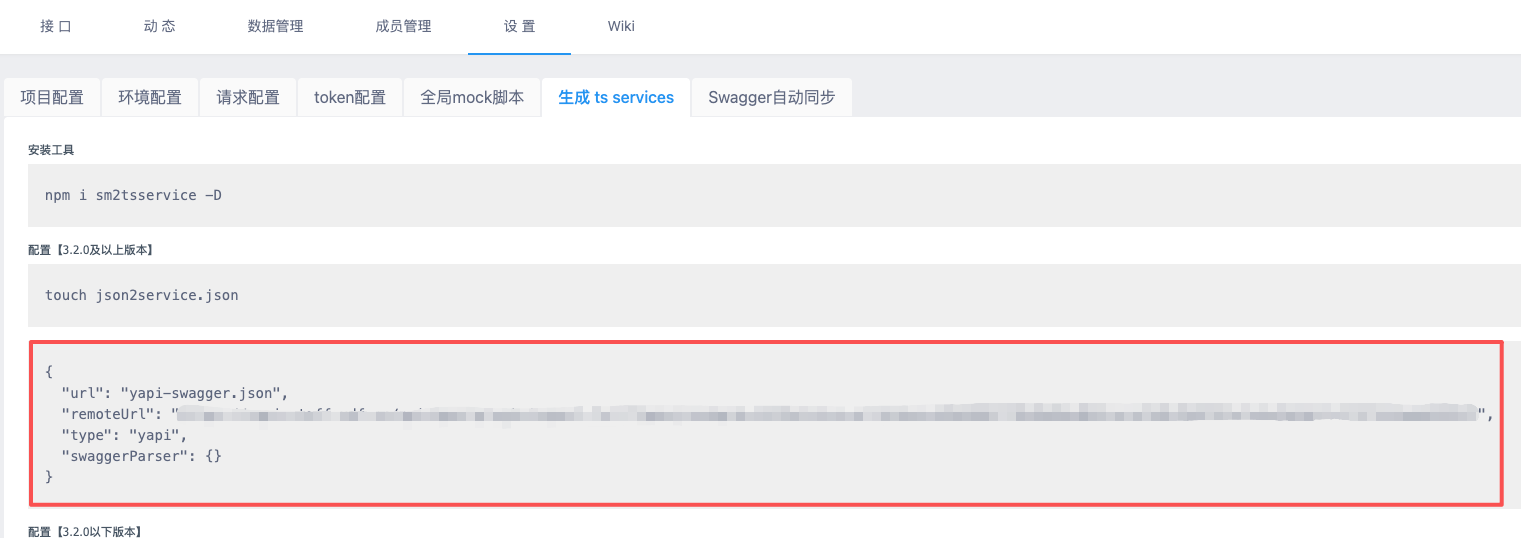
3. 项目中配置 yapi.config.json
在您的前端项目根目录下创建 yapi.config.json 文件:
{
	"remoteUrl": "https://your-yapi-domain.com/api/open/plugin/export-full?type=json&pid=1437&status=all&token=your-token",
	"type": "yapi",
	"dataKey": "data",
	"mockPath": "src/mocks",
	"typePath": "src/types",
	"apiPath": "src/api"
}
必填字段
remoteUrl: YApi 项目导出接口 URLtype: 平台类型,固定为 "yapi"
可选字段
dataKey: 响应数据字段名,默认 "data"mockPath: Mock 文件输出路径,默认 "src/mocks"typePath: 类型文件输出路径,默认 "src/types"apiPath: API 代码输出路径,默认 "src/api"
✨ 可用工具
本项目提供以下 5 个 MCP 工具,可以通过支持 MCP 协议的客户端(如 Claude Desktop、cursor)调用:
1️⃣ read_config - 读取配置文件
从项目中查找并读取 yapi.config.json 配置文件。
2️⃣ get_yapi_data - 获取 YApi 数据
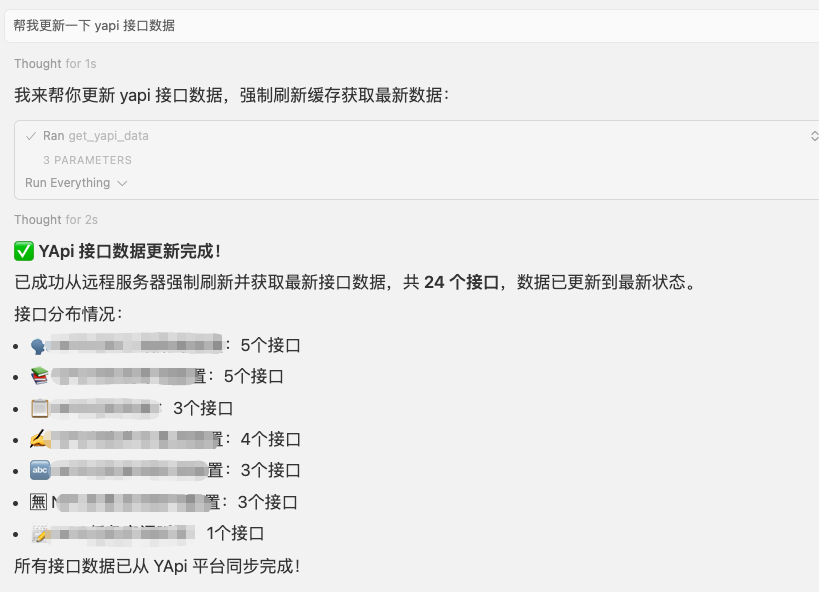
从 YApi 服务器获取接口数据,支持缓存机制(30 分钟)。
3️⃣ generate_types - 生成 TypeScript 类型
根据接口 JSON Schema 生成 TypeScript 类型定义。
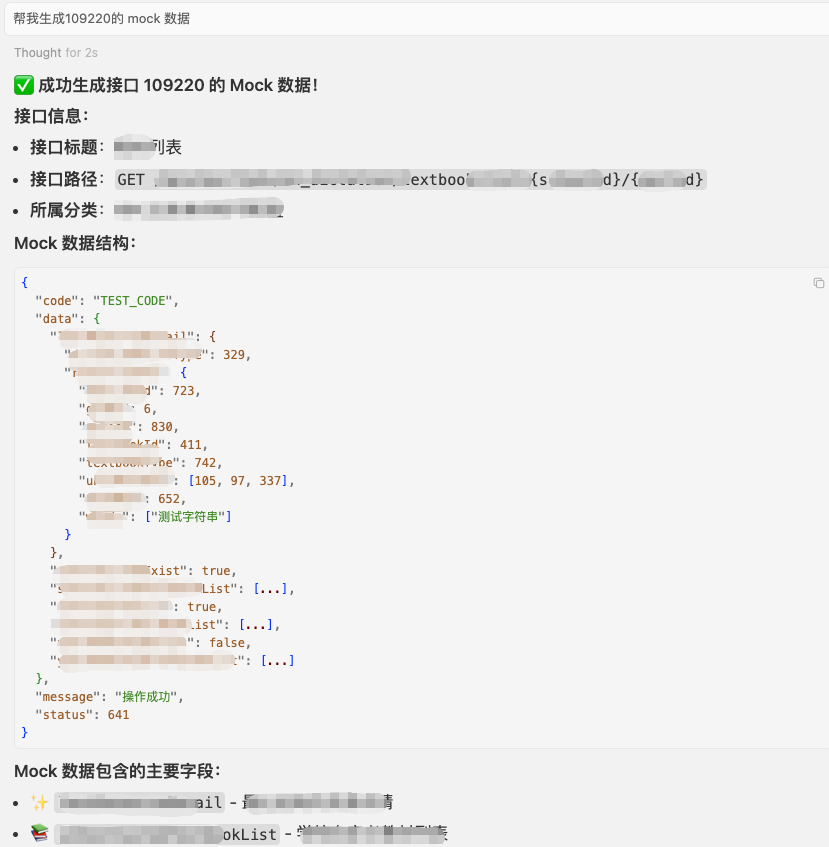
4️⃣ generate_mock_from_yapi - 生成 Mock 数据
根据接口 Schema 智能生成符合结构的 Mock 数据。
5️⃣ generate_api_code - 生成 API 请求代码
生成 Axios 或 Fetch 风格的 API 请求函数代码。
✨ prompt 使用
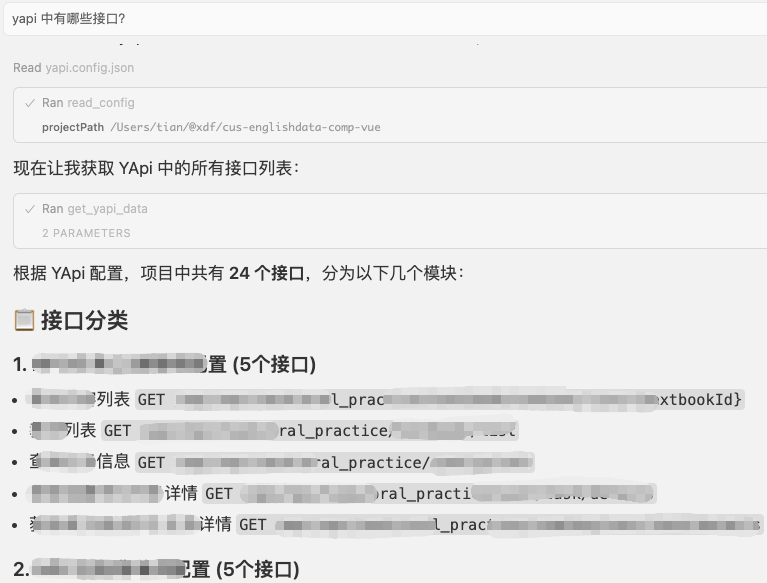
🔧 yapi 中有哪些接口?
🔧 帮我更新一下 yapi 接口数据
🔧 帮我生成 109220 的 mock 数据
- 可以是 yapi 上接口对应的 id,也可以直接是接口名称
🔧 帮我根据接口 109220 更新对应的 ts 类型
- 可以是 yapi 上接口对应的 id,也可以直接是接口名称
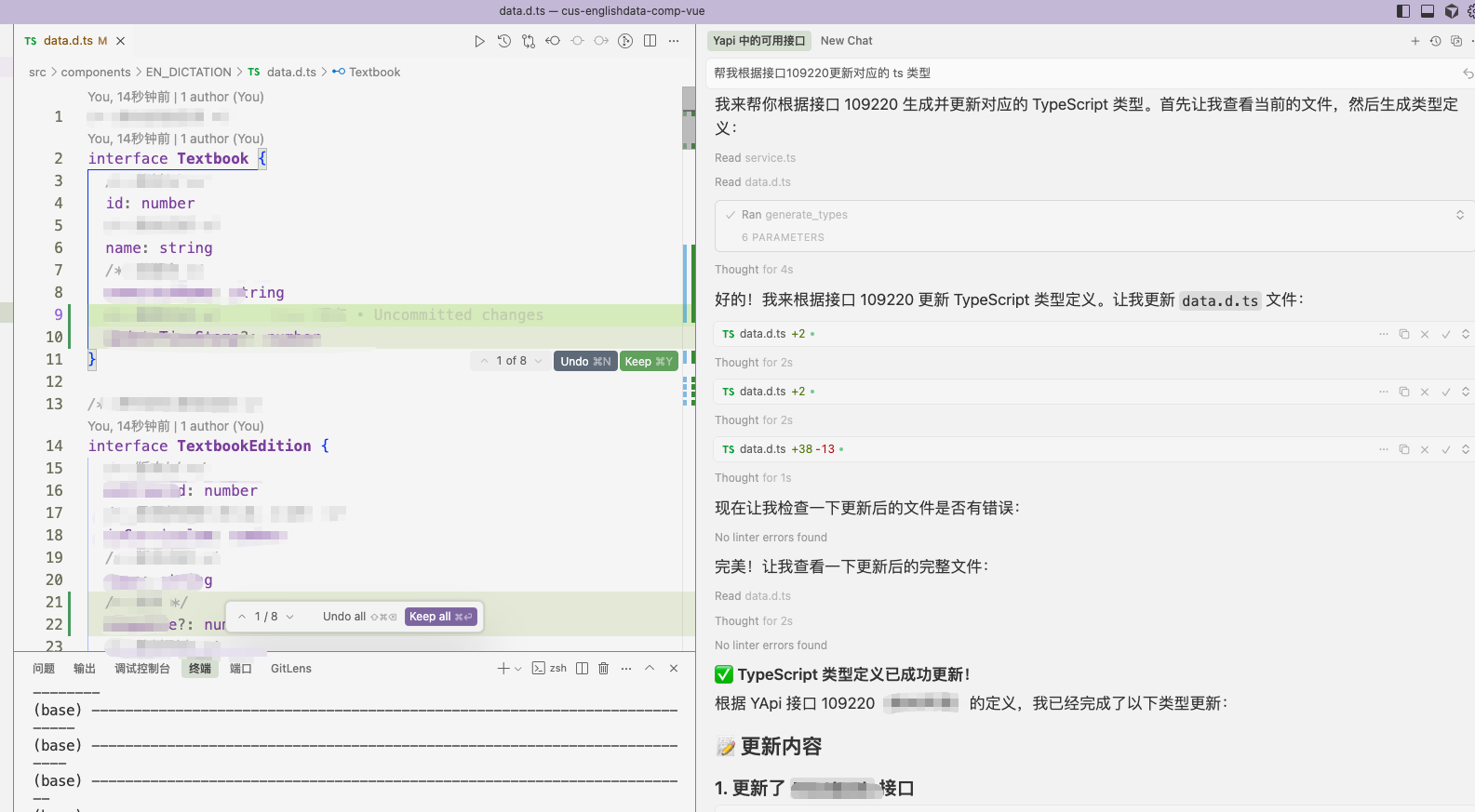
🔧 帮我根据接口 109220 生成 axios 代码
- 效果同上
✨ 生成的文件示例
TypeScript 类型定义
/** 用户信息接口 */
export interface UserInfoData {
	/** 用户ID */
	userId: number
	/** 用户名 */
	username: string
	/** 邮箱 */
	email: string
}
API 请求代码 (Axios)
/**
 * 用户信息接口
 */
export const getUserInfo = async (): Promise<UserInfoData> => {
	const response = await axios.get('/api/user/info')
	return response.data
}
Mock 数据
{
	"code": "200",
	"success": true,
	"message": "操作成功",
	"data": {
		"userId": 12345,
		"username": "测试用户",
		"email": "[email protected]"
	}
}
📄 许可证
MIT License
🤝 支持与反馈
如有问题或建议,请通过 Issues 或内部渠道联系开发团队。