
@wangcansun/cc-config
v1.3.1
Published
Standalone CLI + dashboard to manage your whole Claude Code setup: plugins, MCP servers, skills, commands, settings, profiles, sessions, and usage metrics.

Maintainers
 wangcansun
Readme
English · 简体中文
claude-config-manager
A Claude Code plugin that gives you a web dashboard + CLI to manage your whole Claude Code setup: plugins, MCP servers, skills, commands, settings, profiles, sessions, and usage metrics.
Install
Option A — standalone CLI (npm)
Use it straight from your terminal, no Claude Code session required:
# Run without installing
npx @wangcansun/cc-config            # interactive TUI
npx @wangcansun/cc-config start      # launch the dashboard on http://localhost:3399

# …or install globally
npm install -g @wangcansun/cc-config
cc-config            # interactive TUI
cc-config start      # launch the dashboard
cc-config list       # list plugins, MCP servers, skills, commands
Option B — Claude Code plugin
# 1. Add the marketplace
claude plugin marketplace add https://github.com/wangcansunking/can-claude-plugins

# 2. Install the plugin
claude plugin install claude-config-manager@can-claude-plugins

# 3. In any Claude Code session, open the dashboard
/ccm-dashboard
The dashboard launches on http://localhost:3399 and opens in your browser.
Why
Claude Code ships a lot of surface area — settings.json, MCP configs, plugin marketplaces, skills, commands, hooks, environment variables, sessions. Editing JSON files by hand works, but doesn't scale once you juggle multiple projects or want to switch configurations. claude-config-manager gives you:
- One place to view and edit every Claude Code configuration file
- Profile snapshots you can export, import, and activate (think
nvm usefor Claude) - A marketplace browser for plugins, MCP servers, and skills
- Live session activity with resume-on-one-click
- Usage metrics pulled from your local Claude Code history
Features
Overview & Usage Metrics
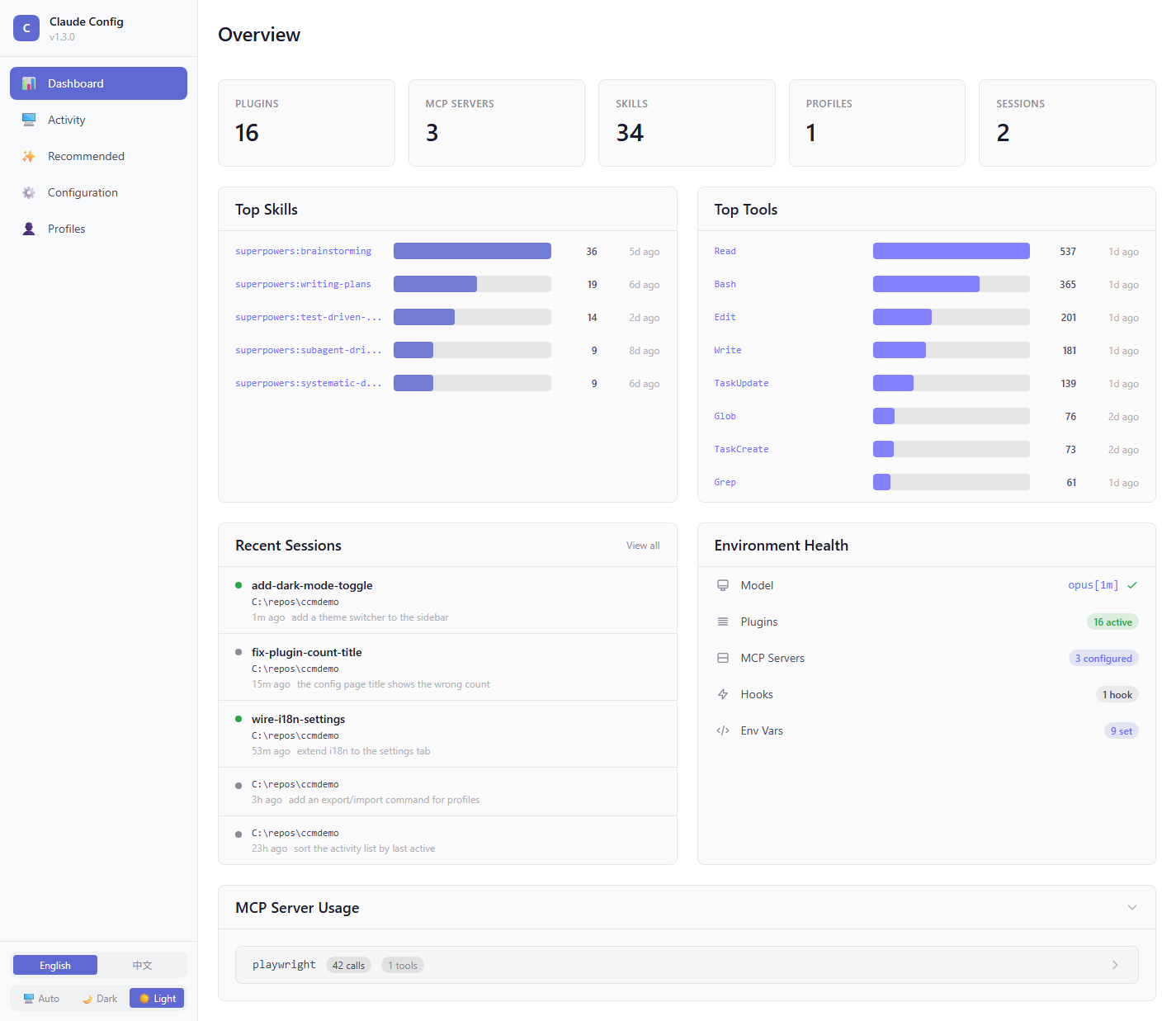
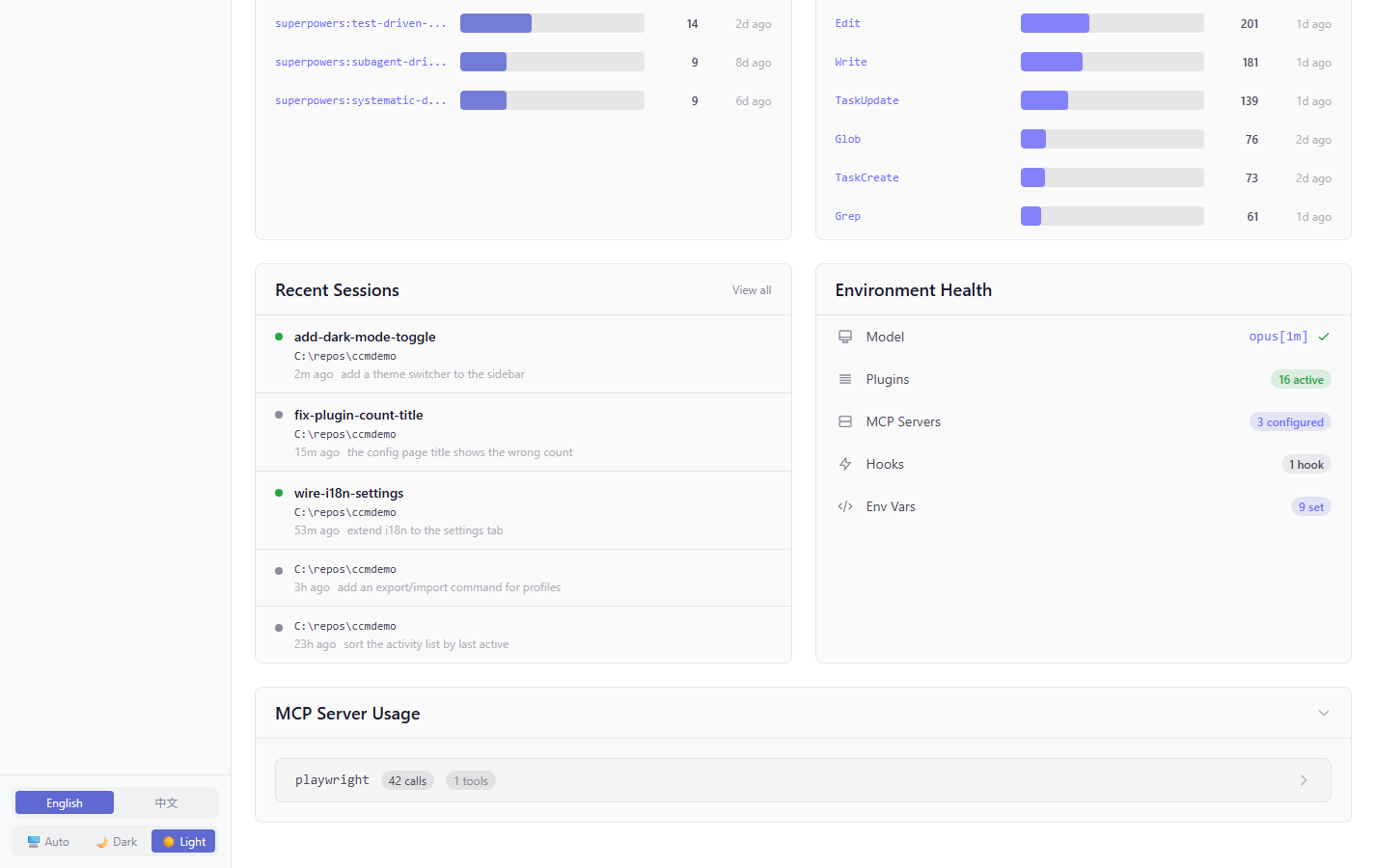
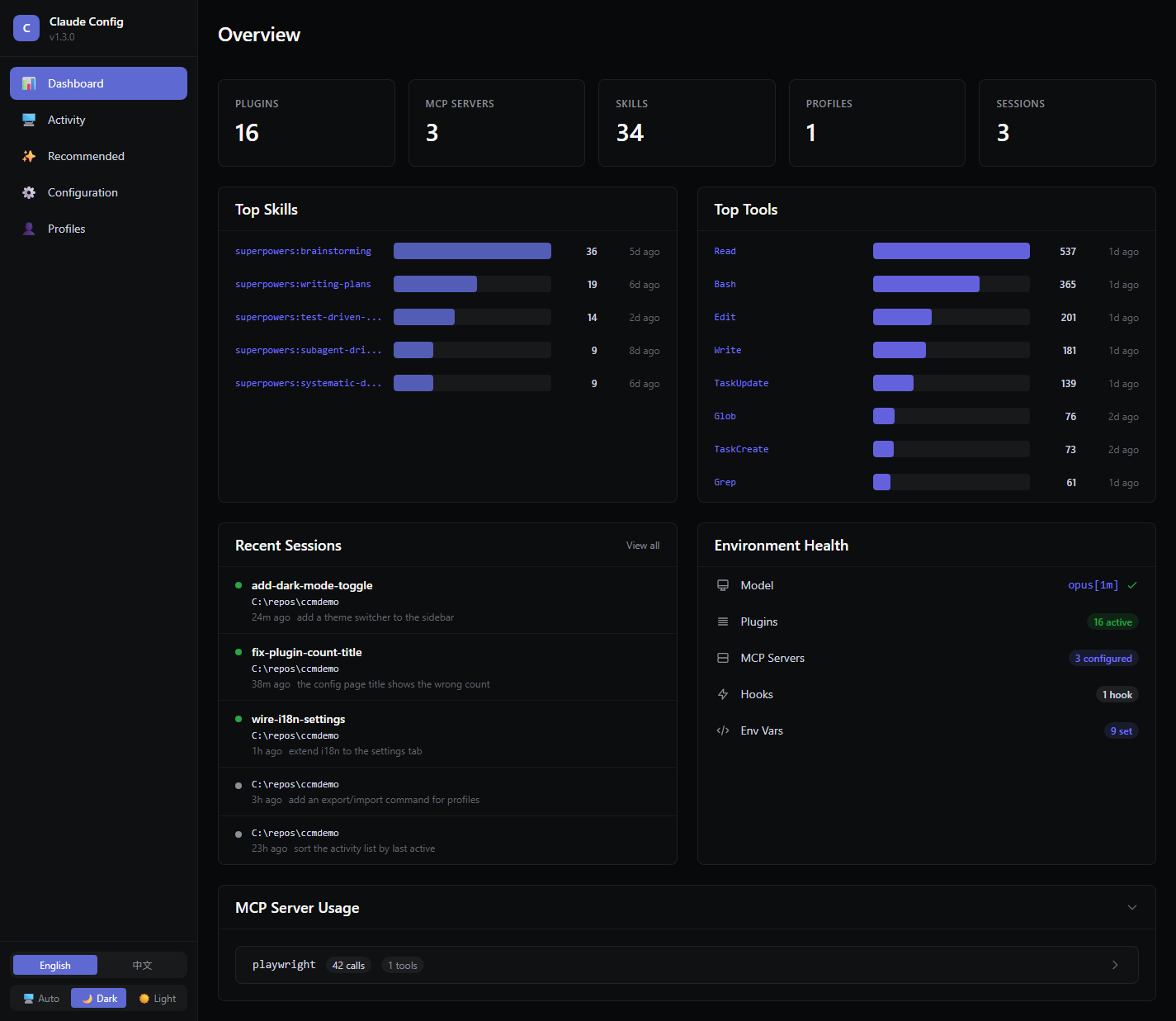
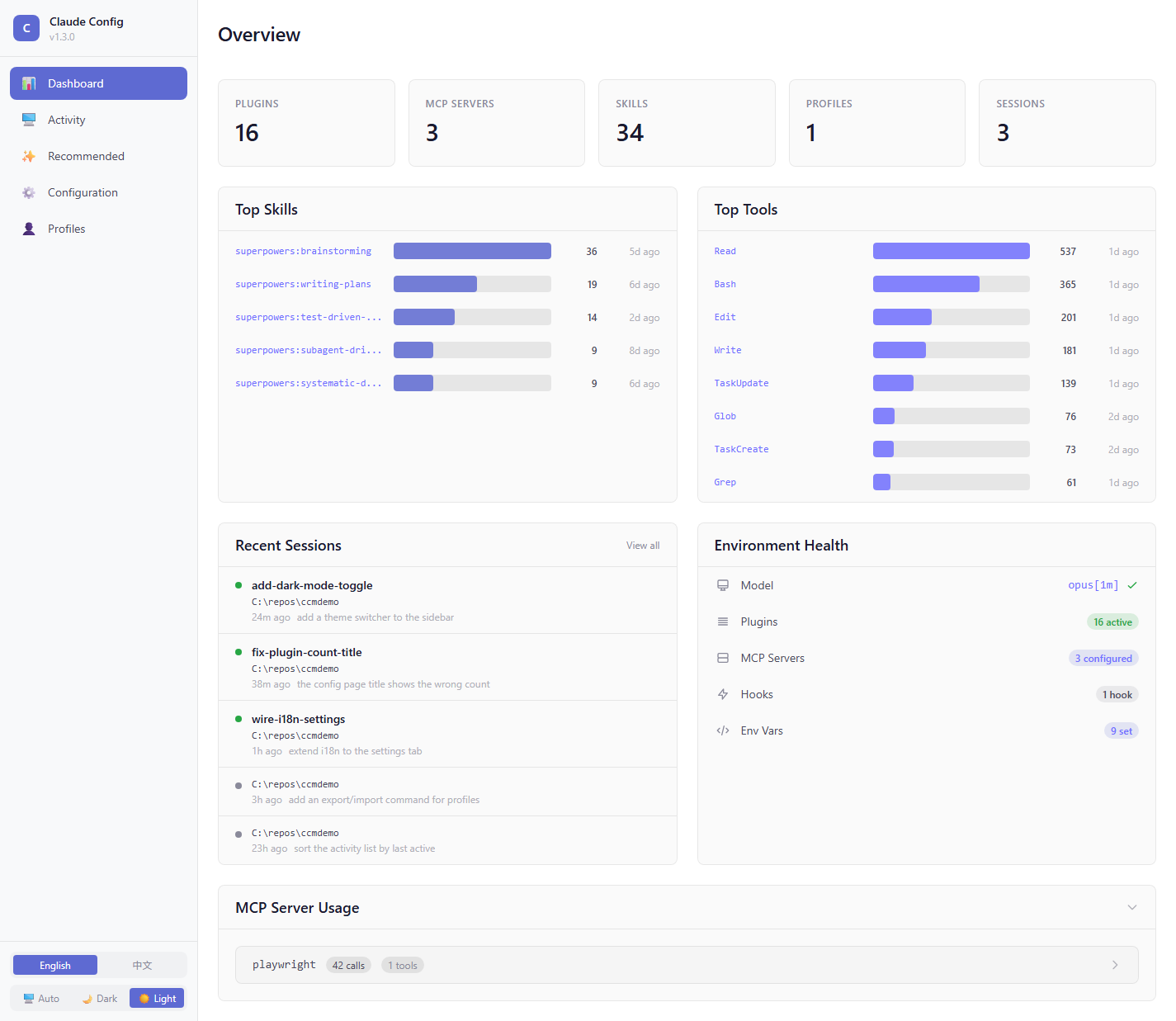
Homepage shows your installed plugins, MCP servers, recent sessions, token-burn chart, and environment health at a glance.
Personalized Recommendations
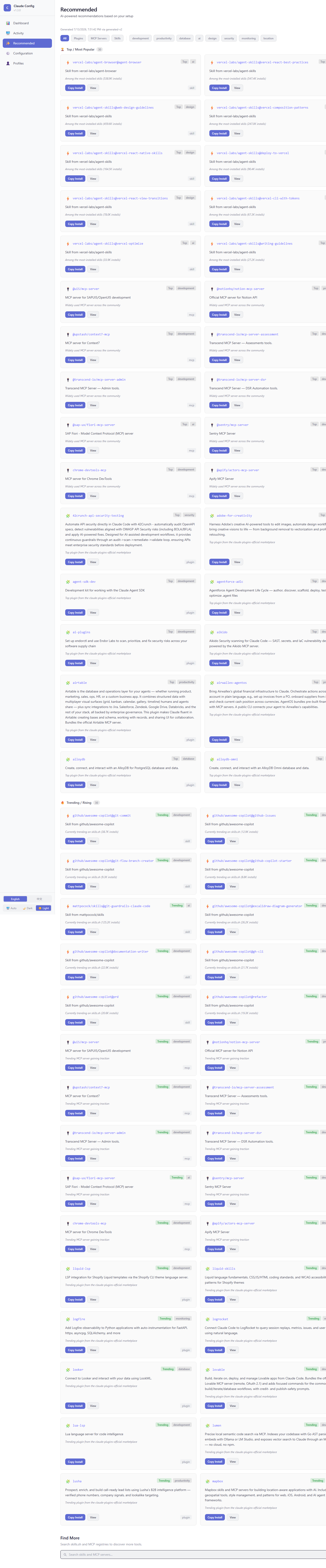
Runs /ccm-recommendations against your current setup to suggest plugins, MCP servers, and skills you haven't installed yet.
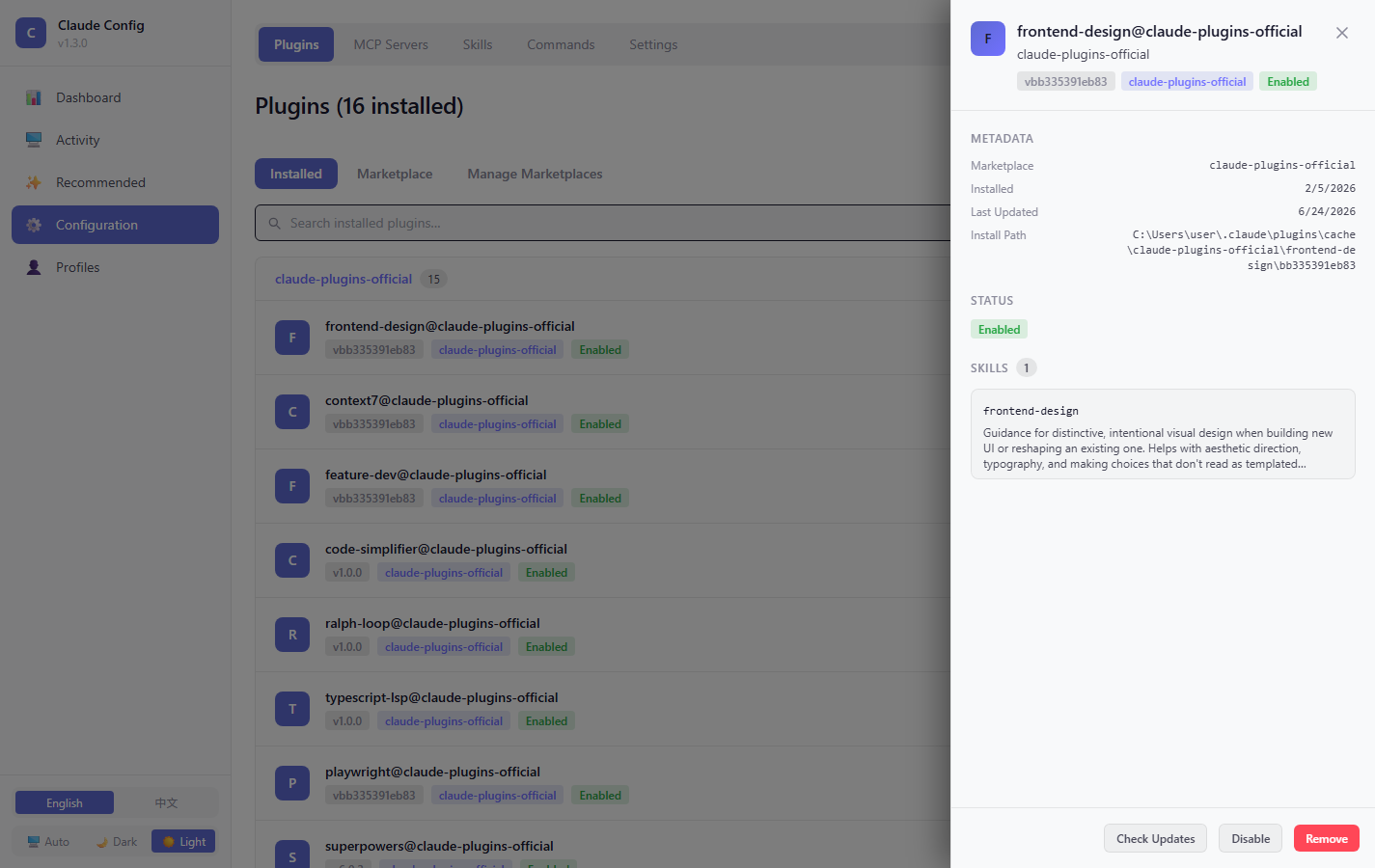
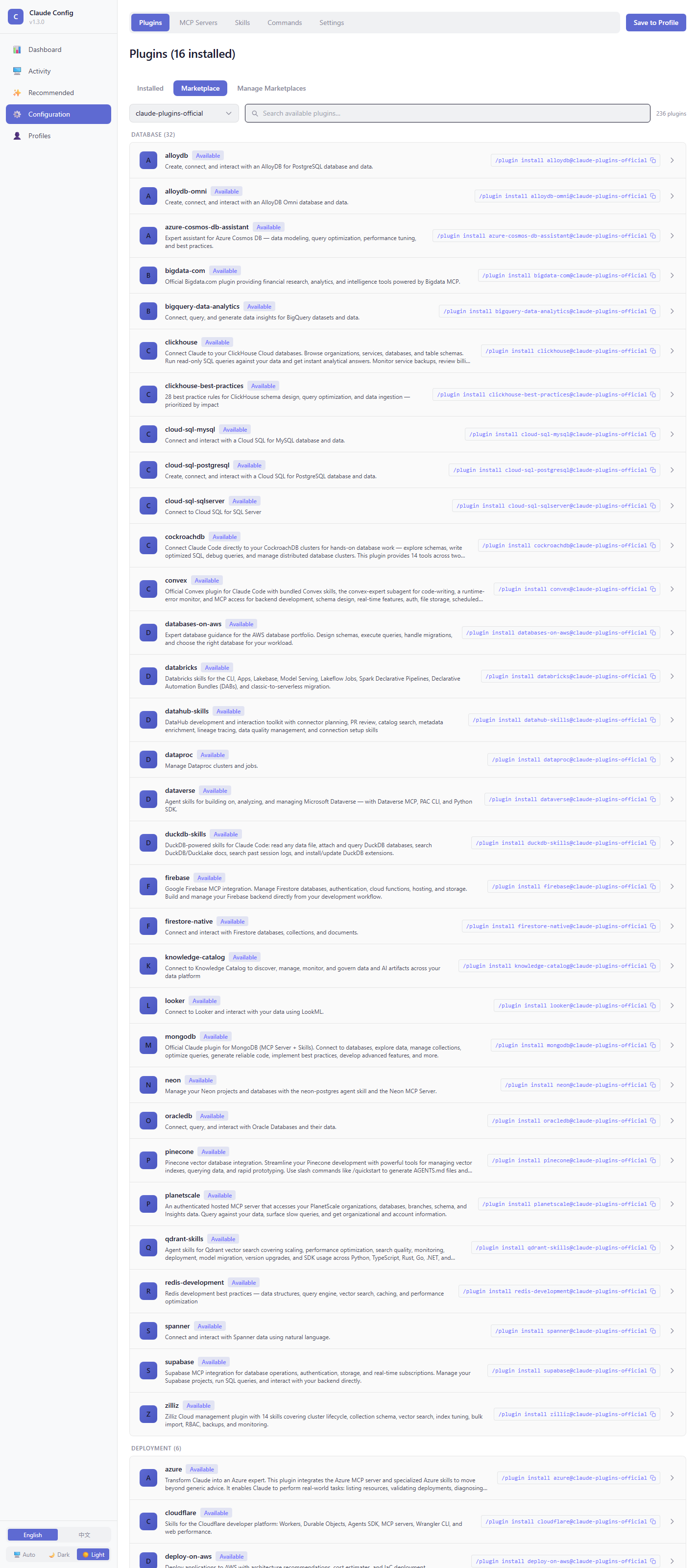
Plugin Management
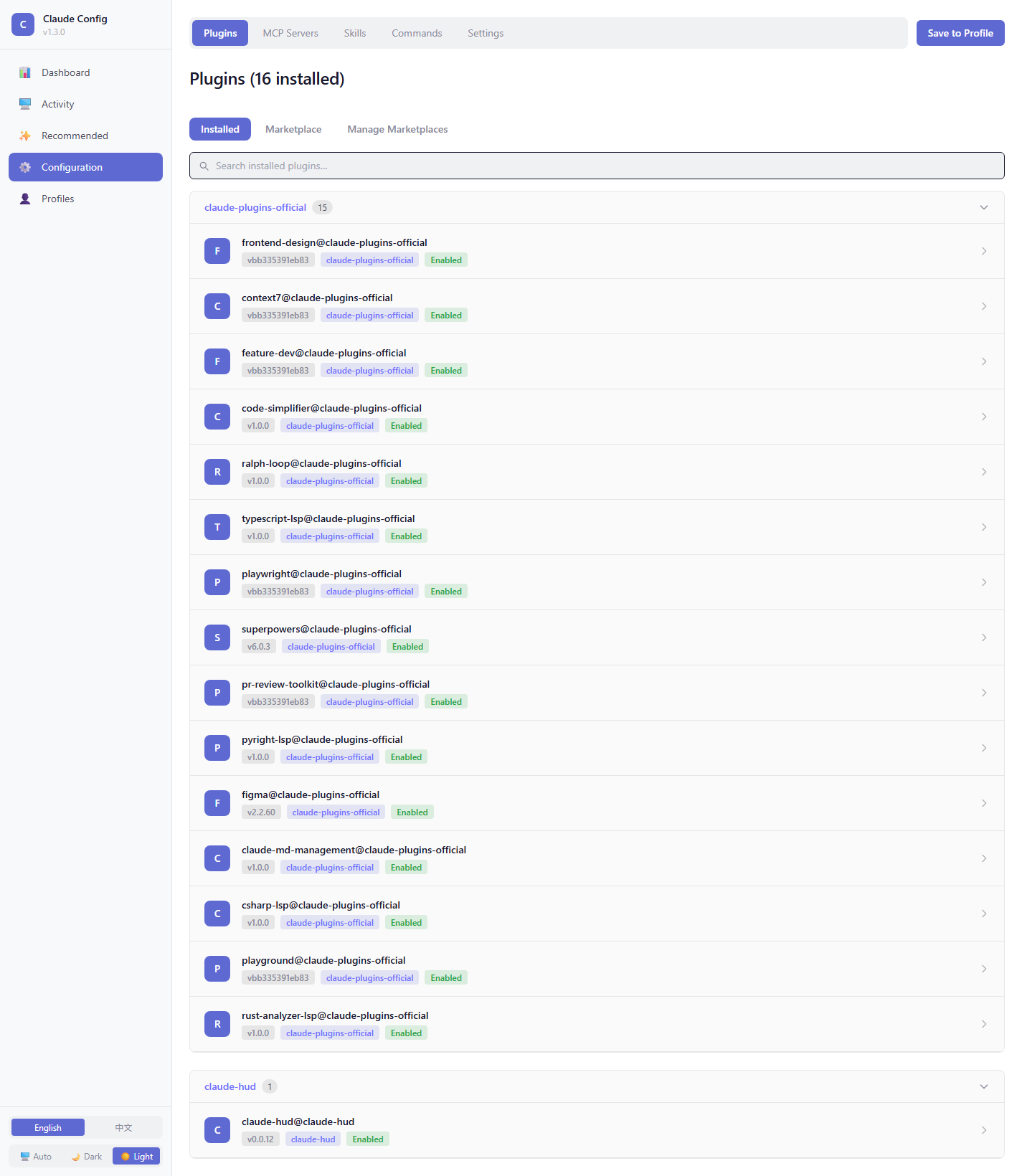
View installed plugins, browse marketplaces, drill into a plugin to see its commands, skills, and MCP servers.
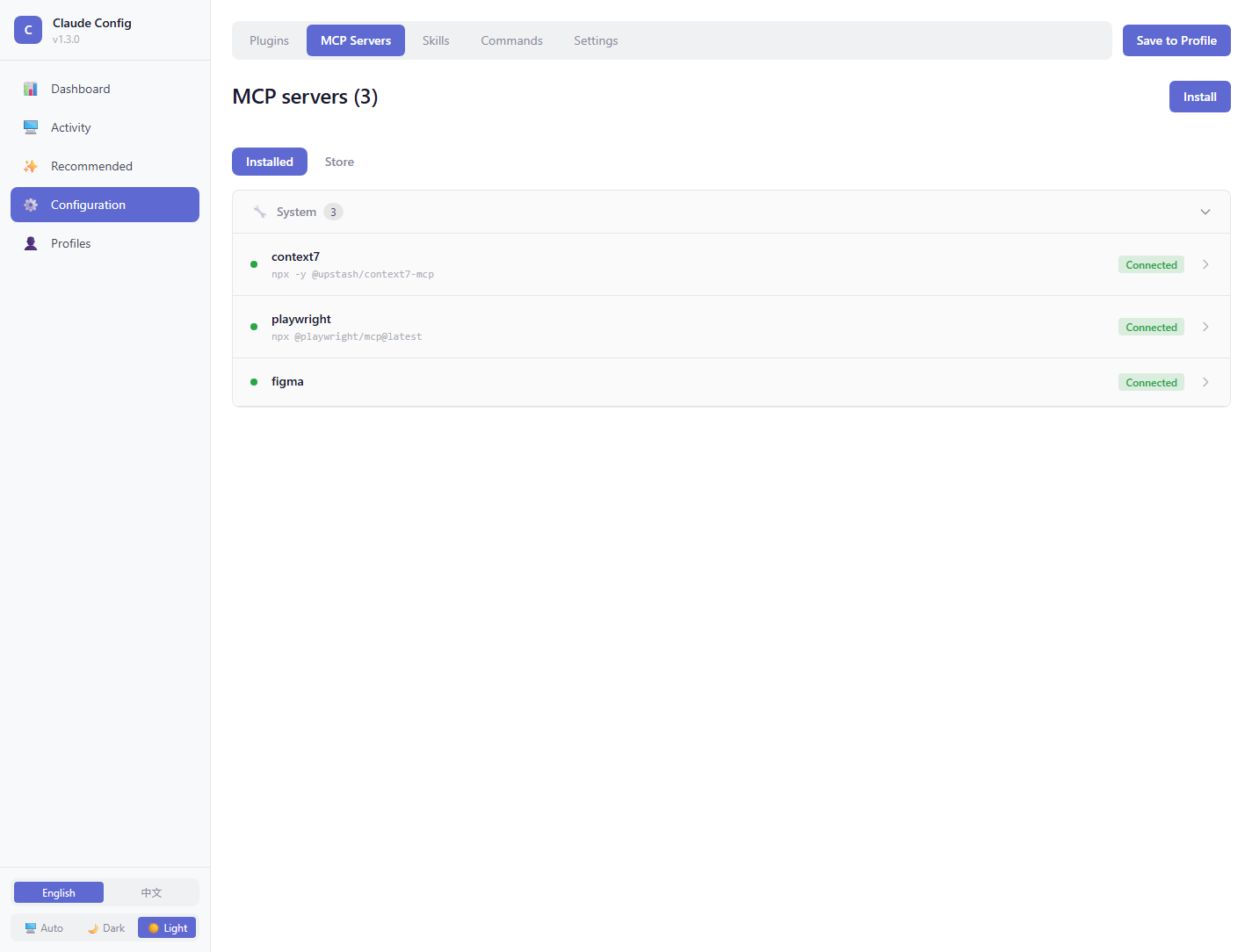
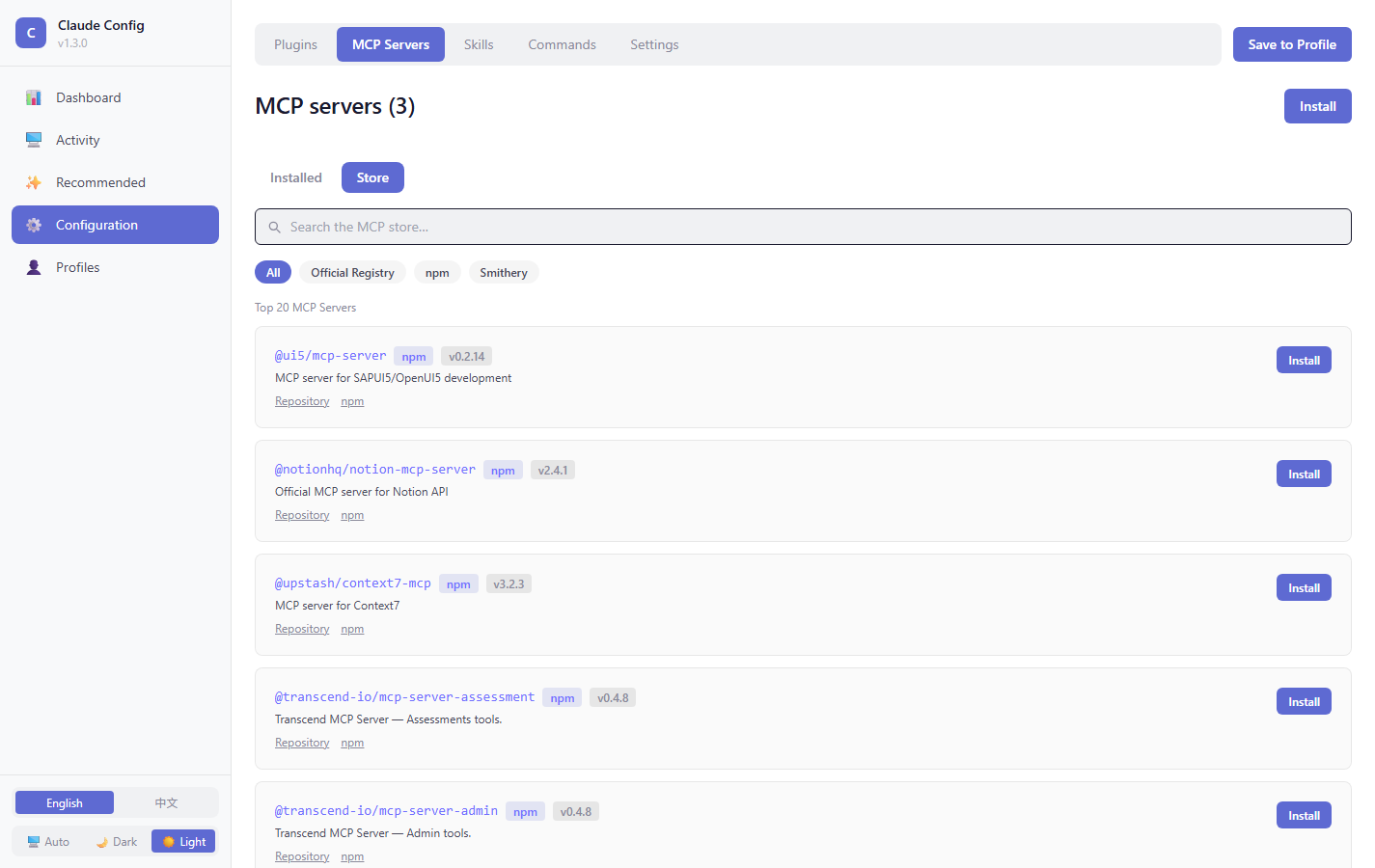
MCP Server Management
Add, remove, and inspect MCP servers. The MCP Store lets you install popular servers with one click.
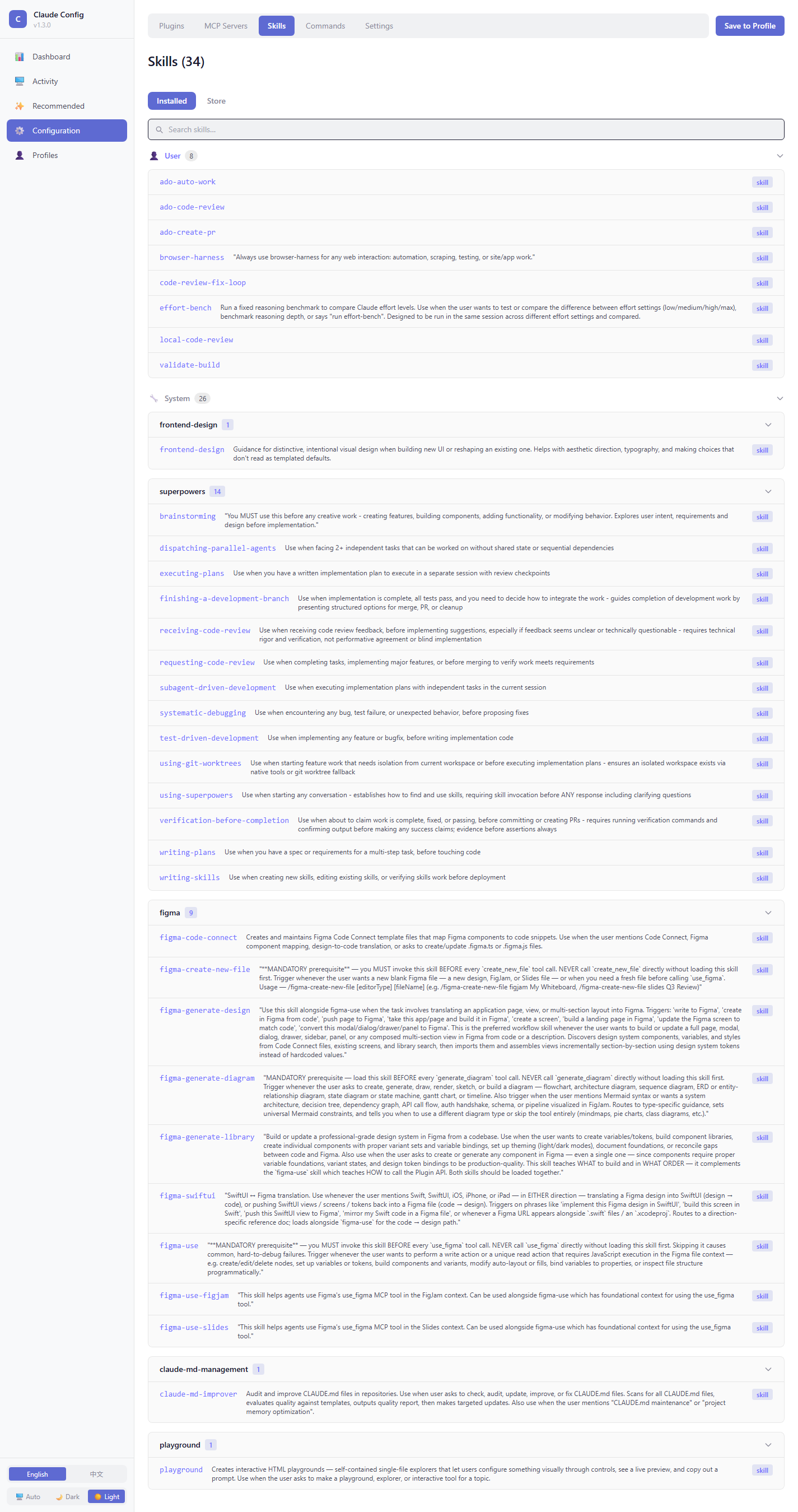
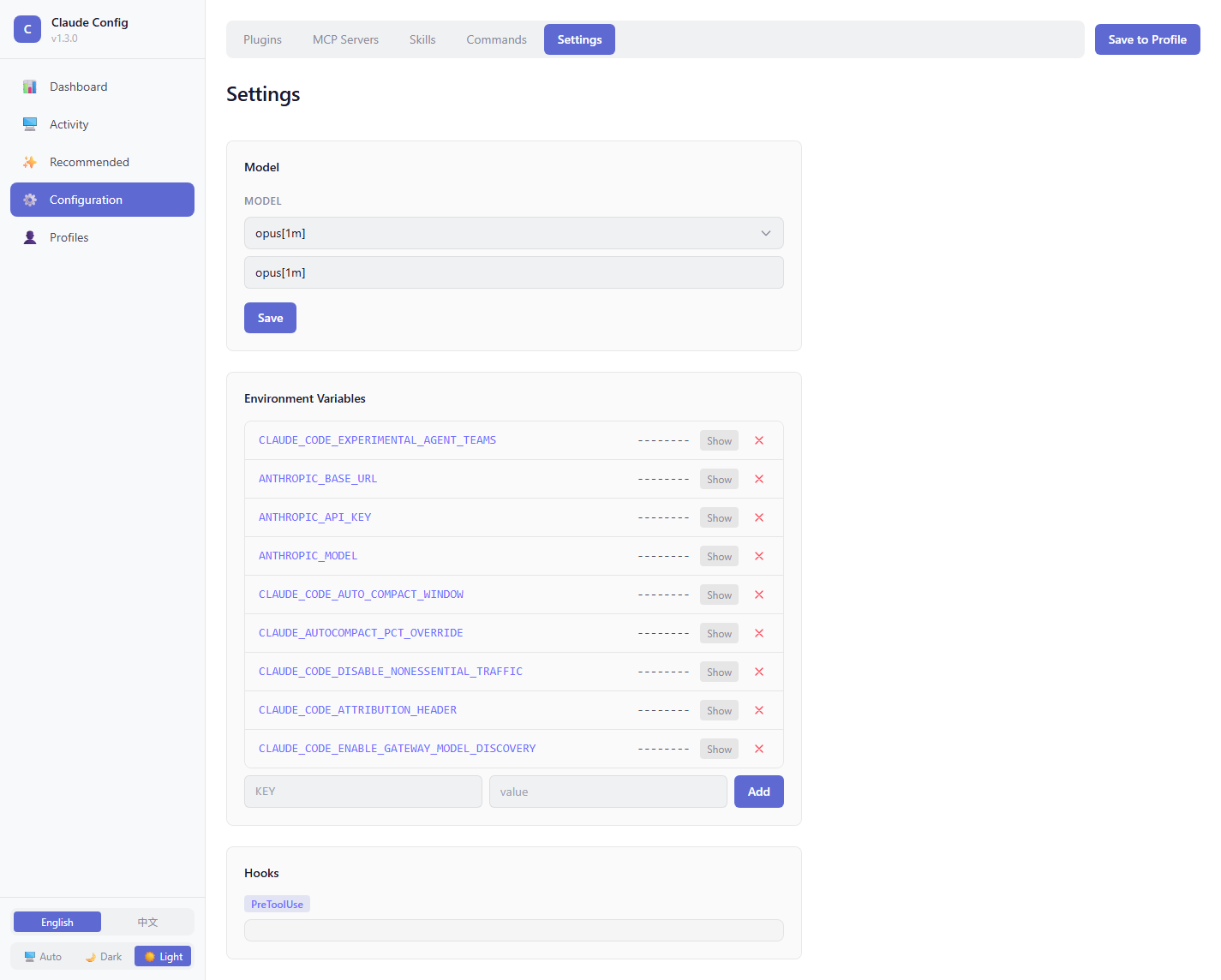
Skills, Commands, and Settings
Edit skill markdown in a full-screen viewer, manage slash commands, and tweak settings.json fields (model, hooks, env vars) without opening a text editor.
Profiles (Export / Import / Activate)
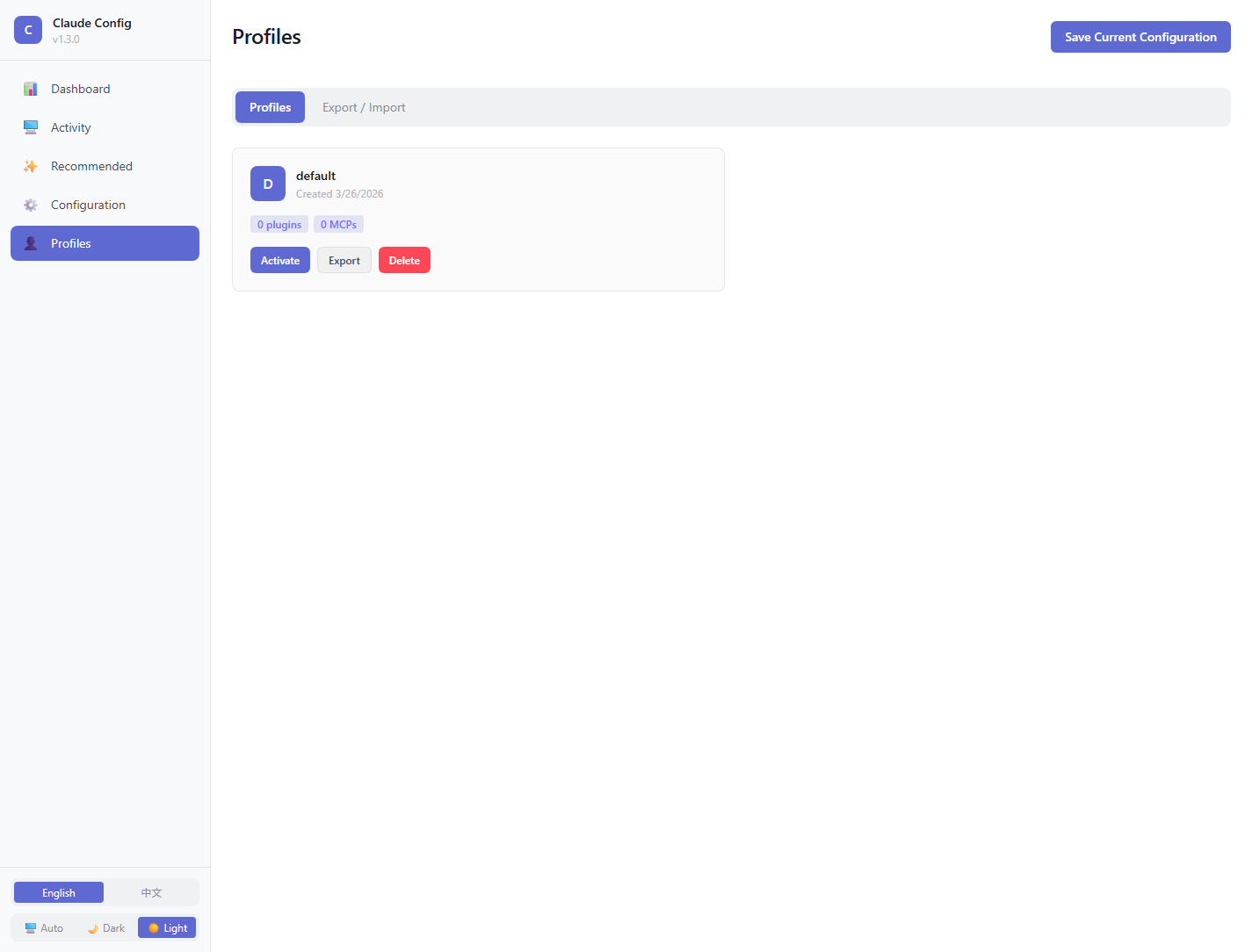
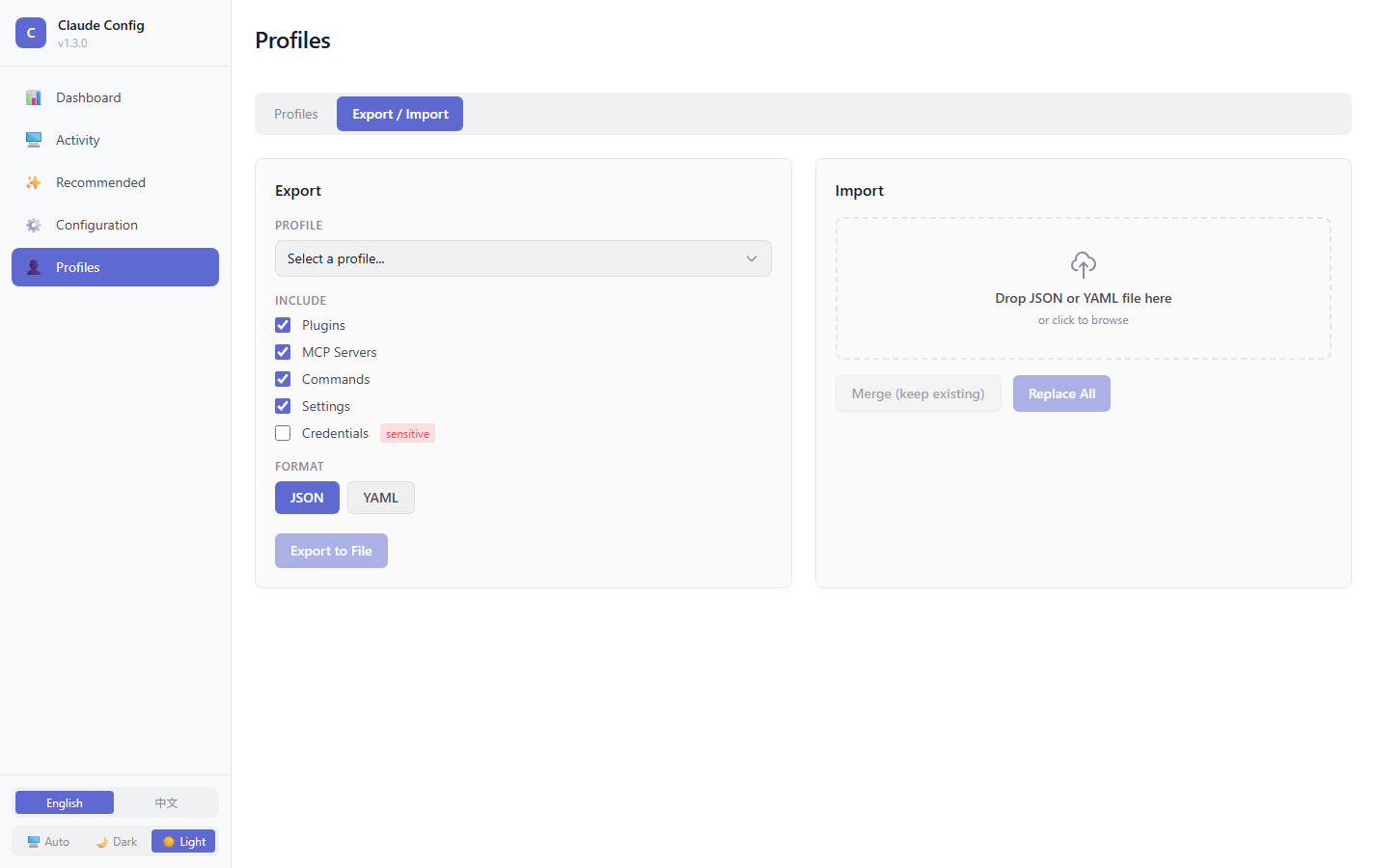
Snapshot your full configuration — plugins, MCP servers, skills, commands, hooks, settings — into a named profile. Switch profiles to swap your whole setup, or export a .json and share it with a teammate.
Session Activity
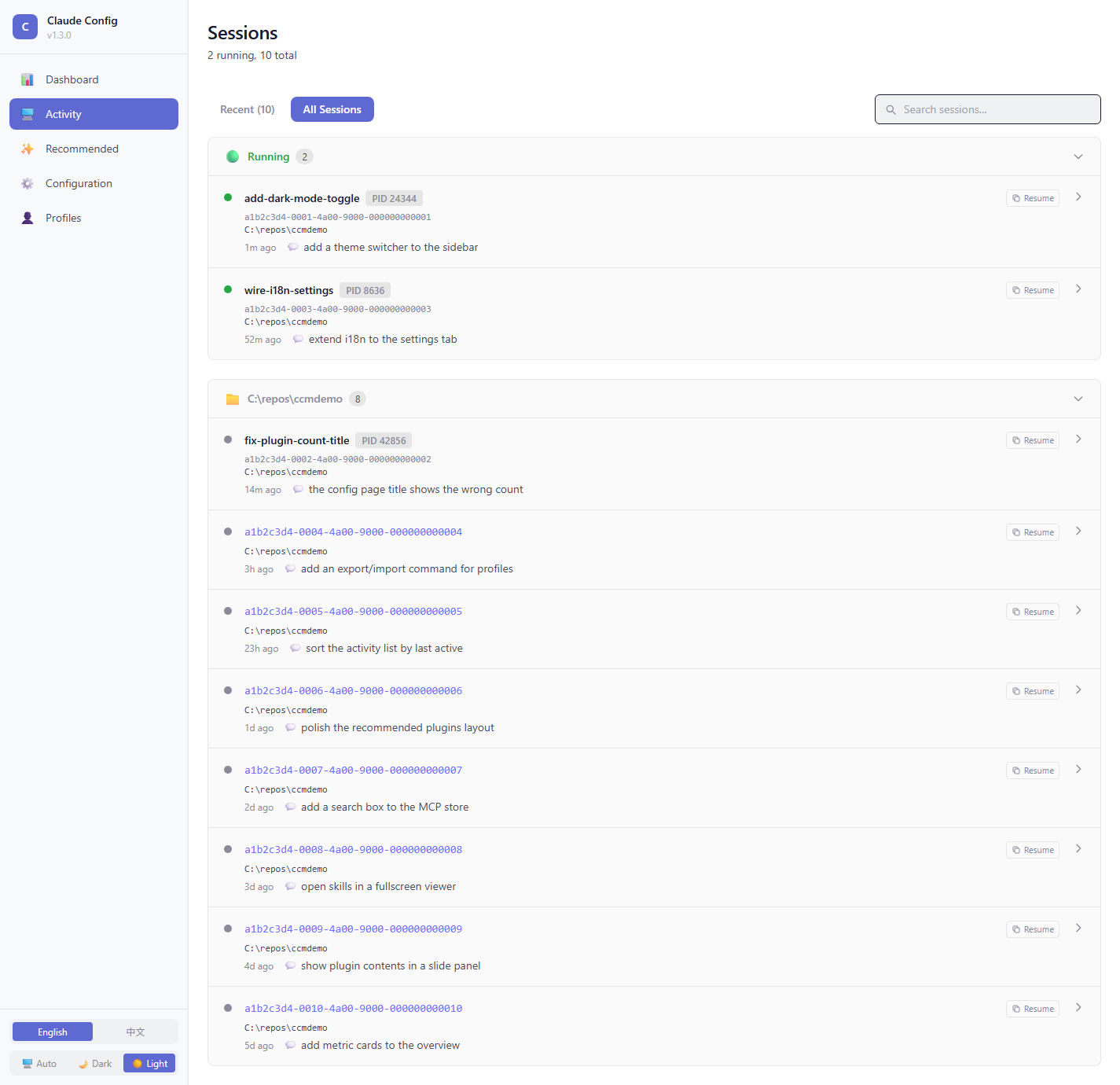
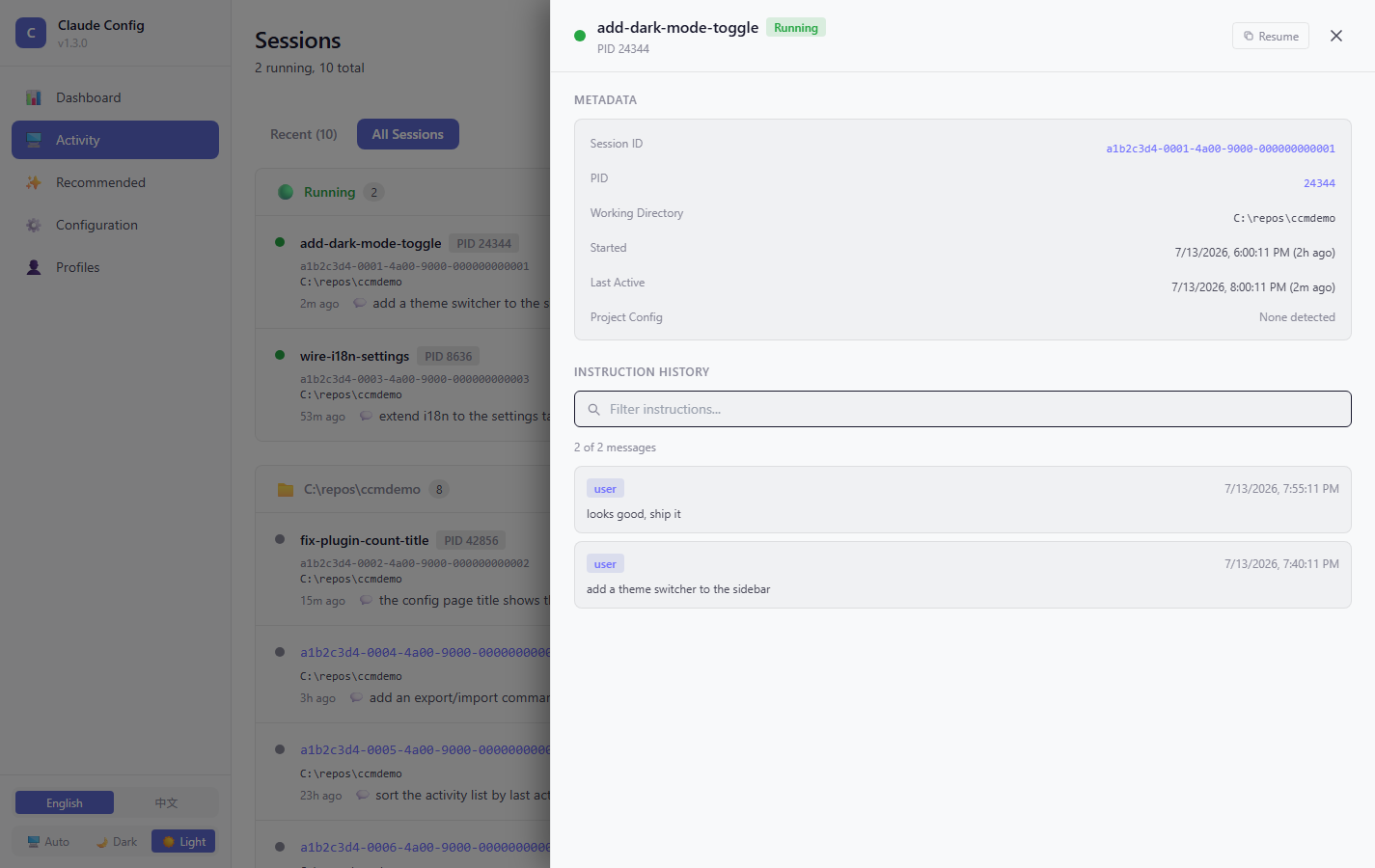
Browse past and live Claude Code sessions across all your projects. Click any session to inspect history; copy claude --resume <id> to resume in one click.
Dark / Light Theme
TUI (interactive terminal UI)
Run claude-config with no arguments to launch the in-terminal UI:
claude-configThe TUI mirrors the dashboard's browse + high-frequency actions — toggle plugins / MCPs / skills, switch profiles, copy session resume IDs, copy recommended install commands — without needing a browser or HTTP server.
Layout
┌─ ccm 1.1.4 · en · dashboard ○  (stopped) ──────────────────────────────┐
│                                                                         │
│  ┌─────────────┐  ┌───────────────────────────────────────────────────┐ │
│  │  Overview   │  │                                                   │ │
│  │  Config     │  │             (active page content)                 │ │
│  │▶ Sessions   │  │                                                   │ │
│  │  Recommend  │  │                                                   │ │
│  │  Settings   │  │                                                   │ │
│  │  Profiles   │  │                                                   │ │
│  └─────────────┘  └───────────────────────────────────────────────────┘ │
│                                                                         │
│ ↑↓/jk:nav  Enter:enter  Esc:back  Tab:switch focus  /:filter  ?:help   │
└─────────────────────────────────────────────────────────────────────────┘
Pages
Overview
 Active profile:
 work

 Plugins: 29
 MCPs: 13
 Skills: 86
 Commands: 0

 Recent sessions
 · /Users/me/repos/foo
 · /Users/me/repos/bar
 · /Users/me/repos/baz

 Dashboard: ○ stopped
Shows current profile, installed counts (plugins / MCPs / skills / commands), recent sessions, and dashboard status.
Config — Plugins
Plugins (6 installed)
▶ [✓] vercel@claude-plugins-official           0.40.0
  [✓] remember@claude-plugins-official         0.6.0
  [✓] superpowers@claude-plugins-official      5.0.7
  [✓] feature-dev@claude-plugins-official      1.0.0
  [✓] serena@claude-plugins-official           0.9.1
  [ ] experiment-plugin                        0.1.0

space:toggle  enter:toggle  /:filter  ?:help
Press space (or Enter) on the cursor row to toggle enabledPlugins in ~/.claude/settings.json.
Config — MCP servers
MCP servers (4)
▶ [✓] serena                         uvx serena
  [✓] context7                       npx context7
  [✓] chrome-devtools                npx chrome-devtools
  [ ] playwright                     npx playwright

space:toggle  enter:toggle  /:filter
Toggle enabledMcpServers map in ~/.claude/settings.json.
Sessions
 Sessions (3)

 ▶  ● feature work                     ┌──────────────────────────────────────────────────────────┐
   a3f9c2bd  /Users/me/repos/foo · 2h  │ Name:       feature work                                 │
   ○ bug fix                           │ Project:    /Users/me/repos/foo                          │
   b8e4f1a2  /Users/me/repos/bar · 1d  │ Session ID: a3f9c2bd-1111-2222-3333-444455556666         │
   ○ experiment                        │ Started:    2h ago (2026-04-30 14:03)                    │
   c1d9e3b4  /Users/me/repos/baz · 5d  │ Status:     ● live (pid 12345)                           │
                                       │                                                          │
                                       │ Recent inputs                                            │
                                       │ ─────────────                                            │
                                       │                                                          │
                                       │ 1. how do I add jwt auth to express                      │
                                       │ 2. fix the failing integration test                      │
                                       │ 3. refactor the user module                              │
                                       └──────────────────────────────────────────────────────────┘

 y:copy resume id  /:filter  ?:help
y copies the resume ID to clipboard. The detail pane shows recent user inputs from that session — fast confirmation that you're picking the right one.
Recommended
 Recommended (4)

 ▶ [MCP/Top] @modelcontextprotocol/server-postgres Postgres MCP server
   [MCP/Trending] kubernetes-mcp-server        Kubernetes MCP server
   [PLUGIN/Top] devtools-cli                 Suite of devtools
   [SKILL/Top] database-design              Schema design helper

 c/y:copy install cmd  /:filter
Read from the cache populated by the /ccm-recommendations skill. c or y copies the install command.
Settings
 TUI preferences

 ▶ language       en   (Enter to toggle en ↔ zh)
   theme         auto (terminal palette)
   quit-confirm  off
TUI preferences. Language toggle (en ↔ zh) takes effect immediately on the next render.
Keymap
| Key | Action |
|-----|--------|
| 1–6 | Jump sidebar to area N |
| ↑/↓ or j/k | Navigate the focused list |
| g / G or Home / End | Jump to top / bottom |
| h/l or ←/→ | Cycle inner tabs (Configuration page) |
| Tab / Shift+Tab | Toggle focus between sidebar and main pane |
| Enter | Activate / drill in / move focus from sidebar to main |
| Esc | Back; from main pane returns focus to sidebar |
| space | Toggle (on enable/disable rows) |
| / | Filter the current list |
| r | Force refresh |
| ? | Help overlay |
| q / Ctrl+C | Quit |
Auto-launch from Claude Code
If you have the /ccm slash command available (via the plugin marketplace), running /ccm in your Claude Code chat tries to auto-launch the TUI in a fresh terminal window:
- macOS — opens a new Terminal.app window
- Linux — tries gnome-terminal / konsole / alacritty / wezterm / kitty / xterm in order
- Windows — tries Windows Terminal (
wt) → PowerShell → cmd.exe
If no suitable terminal is found, the skill falls back to either telling you to run claude-config yourself, or starting the web dashboard at http://localhost:3399 — your choice.
For demos and rich detail views (charts, screenshots), the dashboard remains the better choice: claude-config start launches it on http://localhost:3399.
Slash Commands
| Command | Description |
|---------|-------------|
| /ccm | Quick access — status, profiles, open dashboard |
| /ccm-dashboard | Start the dashboard and open it in the browser |
| /ccm-export | Export the current configuration to a profile JSON |
| /ccm-import | Import a profile JSON and activate it |
| /ccm-profile | List, create, switch, or delete profiles |
Skills
| Skill | What it does |
|-------|-------------|
| ccm-dashboard | Starts and opens the dashboard |
| ccm-recommendations | Refreshes the Recommended page with personalized suggestions based on your setup |
MCP Tools
Only 2 tools exposed — intentionally minimal so the model's tool-selection surface stays small:
| Tool | Purpose |
|------|---------|
| ccm_dashboard_status | Read-only: is the dashboard up, on what port, under what PID |
| ccm_open_dashboard | Return the dashboard URL + start hint |
Everything else (profiles, plugins, MCP servers, skills, commands, settings) flows through the claude-config CLI — the single source of truth for operations. The /ccm-* slash commands shell into the CLI via Bash.
CLI
node packages/cli/dist/index.js --help # or via plugin: node ${CLAUDE_PLUGIN_ROOT}/packages/cli/dist/index.jsSurface:
claude-config start [--port <port>] [--no-open]
claude-config list [--plugins | --mcps | --skills | --commands] [--json]
claude-config profile list [--json]
claude-config profile create <name>
claude-config profile activate <name>
claude-config profile delete <name>
claude-config export <profile> [--output <file>] [--format json|yaml]
claude-config import <file> [--replace] [--activate] [--dry-run]
claude-config mcp-server                  # runs the MCP stdio server
Repository Layout
claude-config-manager/
  .claude-plugin/plugin.json         Plugin metadata
  .mcp.json                          MCP server wiring
  mcp-entry.mjs                      MCP server entrypoint
  commands/                          Slash commands (Skill.md files)
  skills/                            Skills (Skill.md files)
  hooks/                             Claude Code hook scripts
  packages/
    types/                           Shared TypeScript types
    core/                            Business logic (profiles, scanners, managers)
    mcp/                             MCP server (2 tools — dashboard status + open)
    dashboard/                       Express + Vite dashboard (UI + API)
    cli/                             `claude-config` CLI
  docs/                              Spec docs and screenshots
Development
Clone and run from source:
git clone https://github.com/wangcansunking/claude-config-manager
cd claude-config-manager
npm install
npm run dev                 # turbo dev across all packages
Other scripts:
npm run build
npm run test                # vitest unit tests
npm run test:e2e            # Playwright E2E
npm run type-check
npm run lint
npm start                   # serve built dashboard on :3399
Dashboard dev server runs on :3399 via turbo dev.
Changelog
See CHANGELOG.md.