@wauth/strategy
v0.0.19-1
Published
WAuth strategy for Arweave Wallet Kit

Maintainers
 ankushkun
Readme
@wauth/strategy
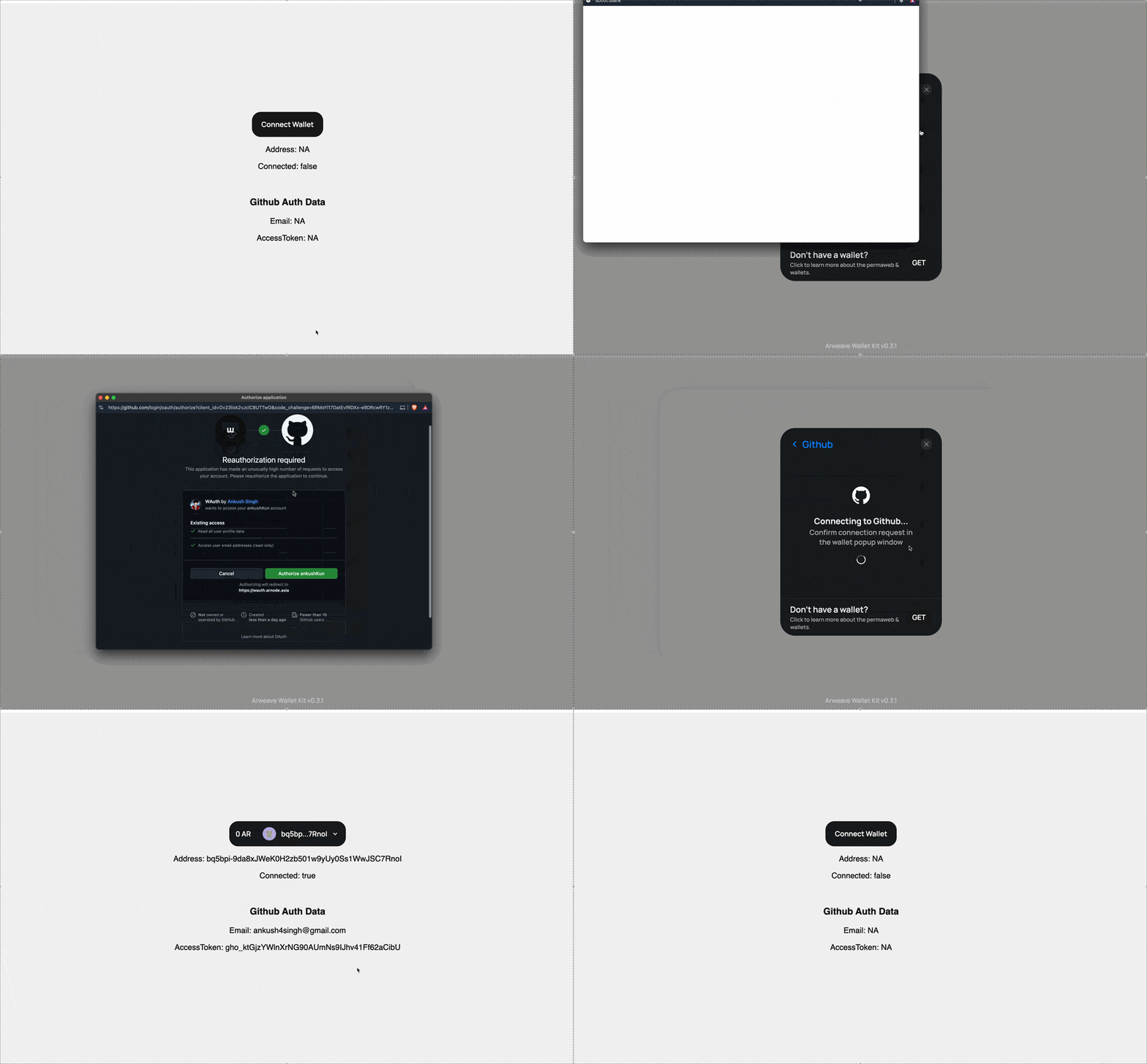
The WAuthStrategy is a wrapper around @wauth/sdk that makes the Social Auth SDK compatible with Arweave Wallet Kit. It provides a seamless integration for React applications to use Web2 social authentication with Arweave.
Installation
npm i @wauth/strategy@latestSetup & Usage
1. Create Strategy Helper
First, create a helper file to manage your social auth strategies:
// lib/strategy.ts
import WAuthStrategy, { WAuthProviders } from "@wauth/strategy";

const strategies: { [key: string]: WAuthStrategy } = {
    [WAuthProviders.Google]: new WAuthStrategy({ provider: WAuthProviders.Google }),
    [WAuthProviders.Github]: new WAuthStrategy({ provider: WAuthProviders.Github }),
    [WAuthProviders.Discord]: new WAuthStrategy({ provider: WAuthProviders.Discord })
}

export function getStrategy(provider: WAuthProviders): WAuthStrategy {
    return strategies[provider]
}

// Optional: Helper to get active provider
export function getActiveWAuthProvider(): WAuthProviders {
    let provider = localStorage.getItem("wallet_kit_strategy_id")
    if (!provider || !provider.startsWith("wauth")) return null

    provider = provider.split("-")[1]
    switch (provider) {
        case WAuthProviders.Google: return WAuthProviders.Google
        case WAuthProviders.Github: return WAuthProviders.Github
        case WAuthProviders.Discord: return WAuthProviders.Discord
        default: return null
    }
}
2. Add to Arweave Wallet Kit
Add the strategies to your Arweave Wallet Kit configuration:
// App.tsx or main.tsx
import { ArweaveWalletKit } from '@arweave-wallet-kit/react'
import { getStrategy } from './lib/strategy'
import { WAuthProviders } from '@wauth/strategy'
import type { Strategy } from '@arweave-wallet-kit/core/strategy'

export default function Main() {
    const strategies = [
        getStrategy(WAuthProviders.Github),
        getStrategy(WAuthProviders.Google),
        getStrategy(WAuthProviders.Discord)
    ]

    return (
        <ArweaveWalletKit
            config={{
                strategies: strategies as Strategy[],
                permissions: ["ACCESS_ADDRESS", "SIGN_TRANSACTION"],
                appInfo: {
                    name: "Your App",
                    logo: "your-logo-url"
                }
            }}>
            <App />
        </ArweaveWalletKit>
    )
}
3. Fix Connection State
Add the connection fix to your app component to handle page refreshes correctly:
// App.tsx
import { useActiveAddress, useConnection } from "@arweave-wallet-kit/react"
import { fixConnection } from "@wauth/strategy"

export default function App() {
    const address = useActiveAddress()
    const { connected, disconnect } = useConnection()

    // Fix connection state on page refresh
    useEffect(() => fixConnection(address, connected, disconnect), [address, connected, disconnect])

    return (
        // Your app content
    )
}
4. Using the Wallet Features
Access all wallet features through the Arweave Wallet Kit hooks:
import { useApi } from "@arweave-wallet-kit/react"

function YourComponent() {
    const api = useApi()

    // Sign transactions
    const signedTx = await api.sign(transaction)

    // Sign data
    const signature = await api.signature(data)

    // Use AO Protocol
    const signer = api.getAoSigner()
    const ao = connect({ MODE: "legacy" })
    const res = await ao.message({
        process: processId,
        data: "Hello AO!",
        tags: [{ name: "Action", value: "Info" }],
        signer: signer
    })

    // Manage connected wallets
    // This is just a QOL feature that allows users to declare any other wallets that they own
    const wallets = await api.getConnectedWallets()
    await api.addConnectedWallet(window.arweaveWallet)
    await api.removeConnectedWallet(walletId)
    console.log(wallets)
}
Demo
Check out our live demo to see all features in action: