
@webloomlabs/product-features
v0.1.1
Published
Medusa v2 plugin to manage a global catalog of product features (title, subtitle, icon) and assign them, ordered, to products.

Maintainers
 silham
Readme
Product Features (Medusa v2 plugin)
Adds a reusable product features concept to Medusa — the icon + title + subtitle list often shown on a product page (e.g. "Breathable / No AC, no sweat", "Pockets / Freedom for your hands").
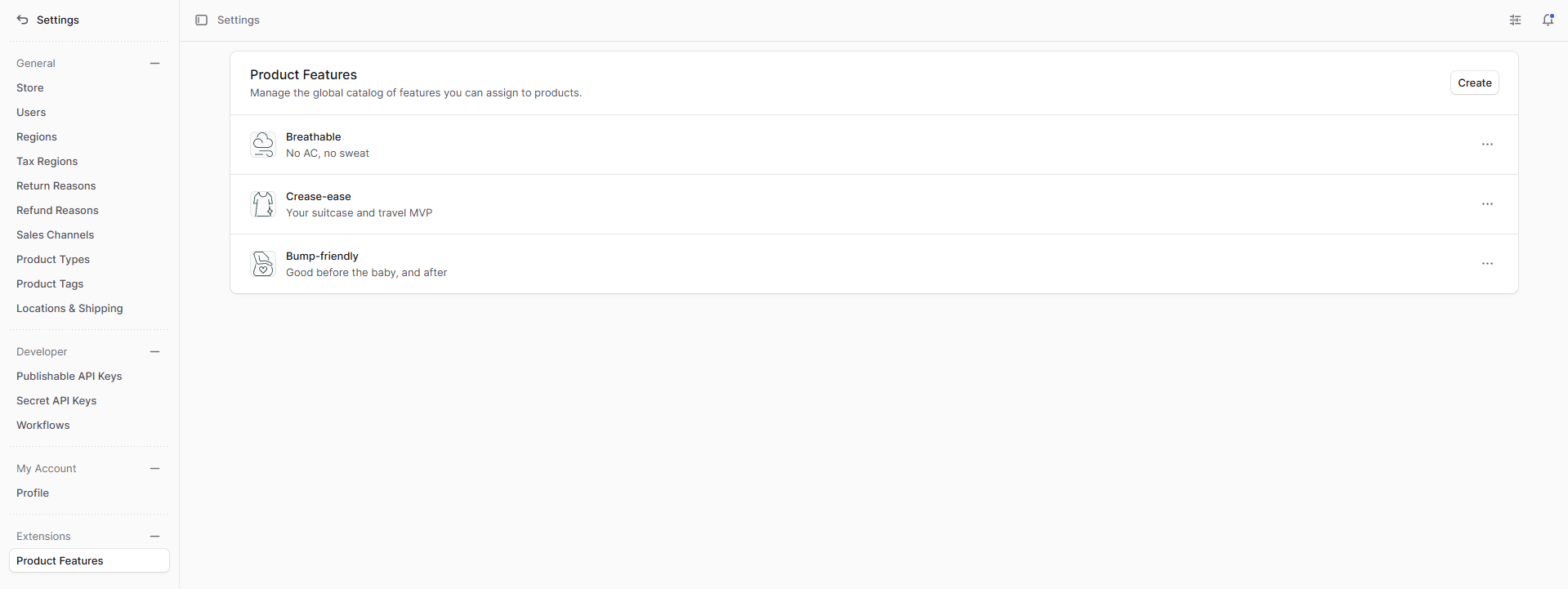
- Admins manage a global catalog of features from Settings → Product Features. Each feature has a title (required), an optional subtitle, and an optional icon image (uploaded via Medusa's File Module).
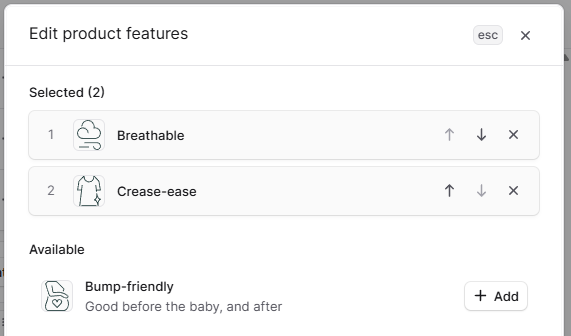
- On each product page, a Features widget lets admins pick features from the catalog and order them per product.
- Storefronts read a product's ordered features through a public store API route.
Screenshots
Global feature catalog — managed from Settings → Product Features (create, edit, delete features with title, subtitle, and icon):
Per-product assignment — pick features from the catalog and order them per product (reorder with the arrows, remove, or add from Available):
Architecture
- Module
productFeatures(src/modules/product-features) — a singleFeaturedata model (title,subtitle,icon). - Module link
src/links/product-feature.ts— many-to-many product ↔ feature with arankextra column holding the per-product order. - Workflows (
src/workflows) —createFeature,updateFeature,deleteFeature, andsetProductFeatures(replaces a product's feature links with a new, ordered set). - API routes (
src/api) — admin CRUD + per-product assignment, and a public store read route. - Admin UI (
src/admin) — a Settings page for the catalog and a product-detail widget for assignment/ordering.
Install into a Medusa app
- Build / publish the plugin locally (e.g.
npx medusa plugin:publish+yalc, ornpm run devto watch). - Add it to the app's
medusa-config.ts:module.exports = defineConfig({ plugins: ["product-features"], }) - In the app, run migrations to create the module table and the link table:
npx medusa db:migrate
Generating migrations (plugin development)
Migration files ship inside the plugin. Regenerate them after changing the data model — this needs a running Postgres:
npx medusa plugin:db:generate # generates migrations for all modules in the pluginAPI
| Method & path | Auth | Description |
| --- | --- | --- |
| GET /admin/product-features | admin | List catalog features |
| POST /admin/product-features | admin | Create a feature { title, subtitle?, icon? } |
| GET /admin/product-features/:id | admin | Retrieve a feature |
| POST /admin/product-features/:id | admin | Update a feature |
| DELETE /admin/product-features/:id | admin | Delete a feature |
| GET /admin/products/:id/features | admin | A product's features, ordered |
| POST /admin/products/:id/features | admin | Set a product's features { feature_ids: [] } (array order = display order) |
| GET /store/products/:id/features | publishable key | A product's features, ordered — { features: [{ id, title, subtitle, icon }] } |
Icons are uploaded through the built-in admin upload endpoint (sdk.admin.upload.create); the returned URL is stored on the feature.
Development
npm install
npm run dev     # medusa plugin:develop
npm run build   # medusa plugin:build