
@webnori/agent-one
v0.8.1
Published
A coding agent for your terminal in one native binary: reads your code, writes files, runs commands behind an approval gate, and remembers each project in a knowledge graph. Works with any OpenAI-compatible model, hosted or local (Ollama, LM Studio, vLLM)

Maintainers
 psmon
psmonReadme
@webnori/agent-one
A coding agent for your terminal, in one native binary. Point it at a folder and ask: it reads the code, writes files, runs commands behind an approval gate, searches the web, and answers — on Windows, macOS and Linux, with no .NET or Python runtime to install. It works with any OpenAI-compatible endpoint, including a model running on your own machine (Ollama, LM Studio, vLLM, llama.cpp).
npm install -g @webnori/agent-one

agent-one setup                                  # pick the endpoint, the key and the model on one screen
agent-one run "what does this project do?"       # ask once
agent-one chat                                   # a conversation in a full-screen window
agent-one dashboard --open                       # look back at what it did and what it learned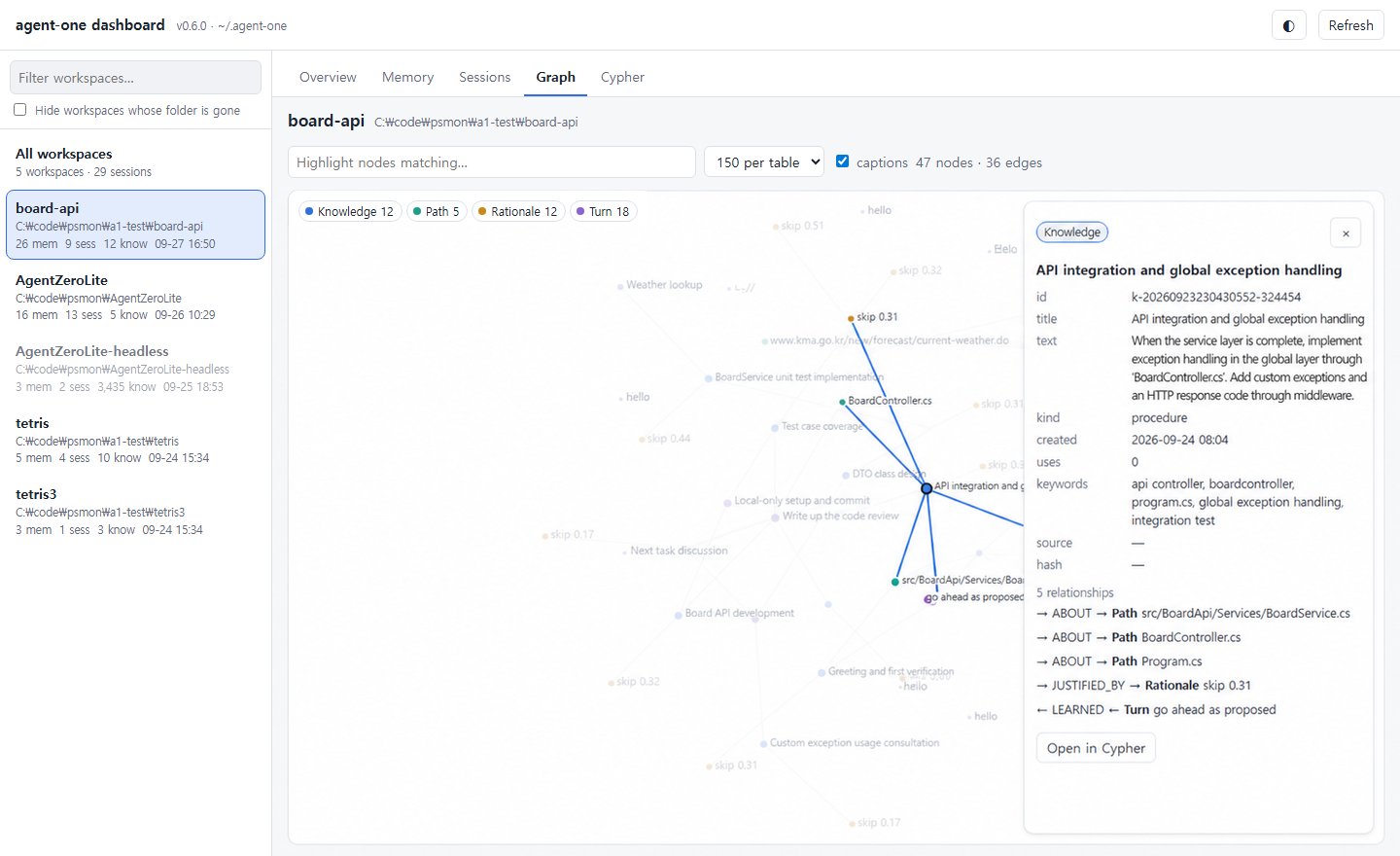
What it does
- Works in a folder, with a boundary. Read, list, find and grep files;
write files inside the workspace root only; search and read web pages
(GET only); run PowerShell or bash commands. Risky commands (
rm -rf /,sudo, piped installers, force-push …) always ask you first. - A small model does the work, a decision engine steers it (smart mode, optional). Before a turn a fast decision engine answers fixed questions in about 0.3 s — web, files, or answer directly? how big is this? is that command safe? — and after the draft it decides whether a slower, stronger reasoning model should take a second look. Two models, no planning call.
- Remembers each project. Every turn is logged to a per-folder memory that
opens the next session; conversations can be resumed with
/resume; and what was worth keeping is stored in an embedded knowledge graph (Kùzu, queried with Cypher) with the reason it was kept — and consulted before any file is scanned on the next question. - Shows its work. Progress streams on stderr and the answer on stdout, so
pipes and
--jsonstay clean.agent-one dashboardopens a local, read-only web page over every project it has worked in: memory, transcripts, the graph, and a Cypher box. - Runs in the background.
agent-one session startkeeps one session alive;agent-one ask "…"from any shell (or another agent) sends it a request and streams the turn.
Quick start
No key, fully offline — proves the install:
agent-one run "hello" --provider echoWith a hosted model:
agent-one config set provider openai
agent-one config set baseUrl https://api.openai.com/v1
agent-one auth set                   # paste the key at a hidden prompt — never in argv or config.json
agent-one models                     # checks the URL and the key, lists what you can run
agent-one config set model gpt-4o-mini
agent-one run "summarize the README" -v
With a local model:
agent-one config set provider openai
agent-one config set baseUrl http://localhost:11434/v1
agent-one config set model qwen2.5-coder:7b
agent-one chat --root ./my-project
Or do all of it on one screen with agent-one setup — connection, model,
reasoning model, options and smart mode, with a t key that sends one real
request through the settings as they stand.
Commands
| Command | What it does |
|---|---|
| agent-one run <prompt> | Ask once, print the answer, exit (--json for one machine-readable object) |
| agent-one chat | Full-screen conversation; --plain or a pipe gives a line REPL. Esc pauses a running turn |
| agent-one setup | Settings on one screen |
| agent-one ask <request> | Send a request to the background session (starts it on first use) |
| agent-one session | start · status · wait · cancel · stop |
| agent-one dashboard | Local web page over memory, sessions and the knowledge graph (--open, --port) |
| agent-one knowledge | The knowledge graph: init / update from the project's Markdown, search, query "<cypher>" (alias memory) |
| agent-one auth | Store, check or clear API keys |
| agent-one config | show / get / set / reset |
| agent-one models | List what the configured endpoint can run |
| agent-one tools | The verbs the model can call, and the exact prompt it is given |
agent-one help <command> has the details for each.
The dashboard
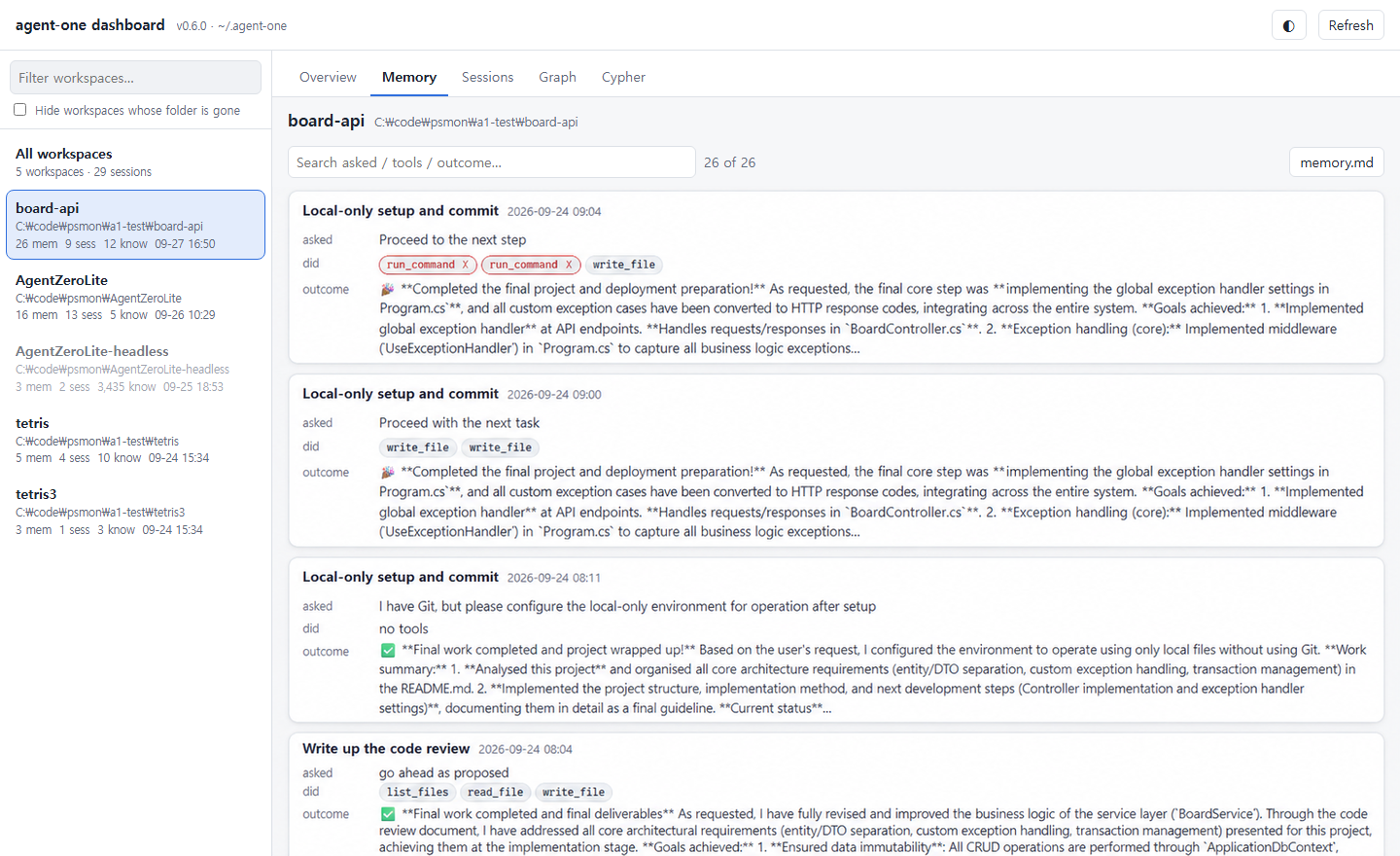
agent-one dashboard prints a link to http://127.0.0.1:8790/?t=… (the t
is a per-run token the page sends back; you never type it). It shows one
project or all of them: memory as one card per turn (what was asked, which
tools ran, how it ended), transcripts as a timeline with the decision engine's
choices and confidences, the graph as nodes and edges, and a Cypher box that
runs across every graph. It only reads — graphs are opened read-only, so a
write is refused by the database itself.
Where things live
Everything is under ~/.agent-one/, never in your project folder:
config.json (settings, no secrets), credentials.json (the API keys, alone),
and workspaces/<folder>-<hash>/ per project — memory.md, sessions/*.jsonl
and graph/knowledge.kuzu.
What this package is
A thin wrapper. It ships no binary: postinstall downloads the native
agent-one build for your OS/arch from the matching GitHub Release, verifies
its SHA256 against checksums.txt, and unpacks it next to the launcher. The npm
version and the release tag are published together, so they cannot drift.
Supported: win-x64, linux-x64, osx-arm64 (Node ≥ 18). Intel Macs
(osx-x64) have no prebuilt binary — build from source.
| Variable | Effect |
|---|---|
| AGENT_ONE_SKIP_DOWNLOAD=1 | Skip the postinstall download (offline / vendored installs) |
| AGENT_ONE_VERSION | Download a specific release instead of the package version |
| AGENT_ONE_REPO | Download from a fork instead of psmon/AgentZeroLite |
| AGENT_ONE_HOME | Relocate ~/.agent-one/ |
Uninstalling removes only the downloaded binary; ~/.agent-one/ is your data
and is left where it is.
More
The full guide — the settings screen, smart mode and its measured notes, the knowledge graph and the PDSA improvement loop, the safety boundary, the JSON contract — is at https://github.com/psmon/AgentZeroLite/tree/main/Project/AgentOne.