
@weed.js/engine
v0.7.924
Published
A multi-threaded 2D web game engine for high-entity-count browser games

Maintainers
 weed.js
Readme
WeedJS
A multithreaded 2D web game engine for high-entity-count browser games.
WeedJS is built around Web Workers, SharedArrayBuffer-backed component data, and a PixiJS renderer running on OffscreenCanvas. Spatial queries, physics, game logic, particles, render preparation, rendering, and audio mixing each have dedicated execution paths so busy scenes can stay responsive.
Live demo: https://multithreaded-game-engine.vercel.app/demos
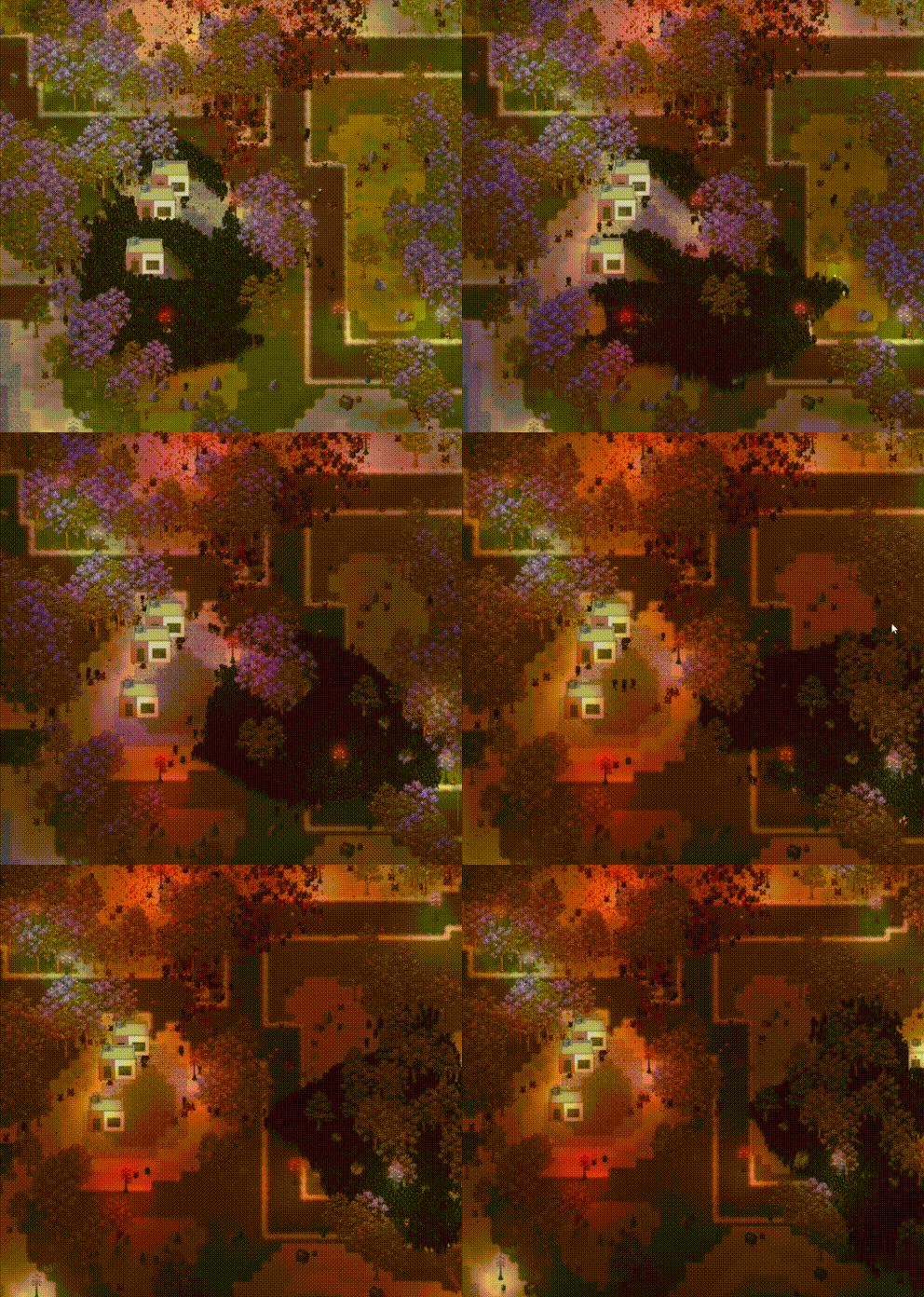
Why the Web
WeedJS is designed for developers who want the strengths of the browser as a game platform: open standards, instant URL-based distribution, inspectable source, and a runtime players already have installed.
The engine works with plain JavaScript and browser-native ES modules. Clone the repo and run npm run dev to load demos from src/. npm i @weed.js/engine installs only the bundled dist/ builds.
Architecture at a Glance
WeedJS brings console-style, data-oriented optimization patterns to the browser: pooled objects, dense memory, explicit worker ownership, and predictable frame pipelines. It does not pretend the browser is a console, but it treats the browser runtime with the same seriousness: keep hot data contiguous, avoid unnecessary allocation, move work off the main thread, and measure the result.
WeedJS splits work across specialized workers. Hot frame data lives in typed arrays on SharedArrayBuffer; control flow and setup still use postMessage and MessagePort where that is the right browser primitive.
| Worker | Count | Primary job |
| --------------------- | ----: | --------------------------------------------------------------------- |
| spatial_worker | 1..N | Spatial hash rebuilds and neighbor lists |
| physics (classic) | 1 | Box2D 3.0 WASM host (box2dWasm + physicsHostImpl), contacts, joints |
| logic_worker | 1..N | Entity tick(), lifecycle, collision callbacks |
| particle_worker | 1 | Particles, bullets, decals, navigation, visibility lists |
| pre_render_worker | 1 | Animation, Y-sorting, render queue assembly |
| pixi_worker | 1 | PixiJS rendering on OffscreenCanvas |
| AudioMixerProcessor | 1 | Real-time audio mixing on an AudioWorklet thread |
The core design rule is single-writer ownership for each shared data region. That keeps most hot paths lock-free and allocation-light while still allowing all workers to read the state they need.
Quick Start
git clone https://github.com/brotochola/MultithreadedGameEngine.git
cd MultithreadedGameEngine
npm install
npm run dev
Open http://localhost:8000/demos/, or use the port printed by the server if 8000 is already in use.
SharedArrayBuffer needs cross-origin isolation (COOP/COEP). Same headers unlock Box2D’s pthread pool. The included npm run dev server already sends them.
Demos
npm run dev (or the live demo) opens a scene picker; every scene runs on the same engine build, nothing is a separate app.
- 🔥 Burning Boxes — WebGPU compute layer: a fire/smoke fluid sim (advection, buoyancy, pressure, swirls) driven straight from packed Box2D collider geometry and LiquidFun oil particles, stepped in WGSL on the GPU.
demos/burningBoxesScene·docs/COMPUTE_LAYERS.md - 🌊 LiquidFun Fluid — six liquid tools (water, oil, cream, dulce de leche, rigid "ice" groups, elastic jelly) with distinct viscosity/tension/group flags, dynamic Box2D boxes falling into the tanks.
demos/liquidFunDemoScene·docs/LIQUIDFUN.md - 🧪 LiquidFun Stress (bench) — particle-count stress scene used by the benchmark harness.
- 💧 Water & Boxes — custom-layer metaball water (additive blend + threshold shader) next to regular Box2D boxes; CPU sprite density, no LiquidFun involved.
- 🐺 Predators, 🐦 Boids, 🐜 Ants — large-population entity/AI demos exercising spatial hashing and neighbor queries.
- 🚗 Car, 🔗 Constraints, 🐷 Bad Piggies, 🧱 Mamushka Dig — Box2D joints, constraint rigs, and destructible/dig terrain.
- ⛰️ Destructible Terrain — material+amount grid, marching squares, simplify + earcut, one Box2D body per island (
replacePolygons). Ship, brush, laser. No harpoon.demos/destructibleTerrainScene
The same picker also has Adobe Animate playback, tilemap navigation, ray casting, and QueryAABB demos.
Install from npm
npm i @weed.js/engineimport WEED from '@weed.js/engine';
const { GameEngine, Scene, GameObject, RigidBody, Collider, SpriteRenderer } = WEED;That default import is the production build: no debug overlay, smaller file. Develop with the debug build (panel, flags, DebugDraw), then switch before you ship:
import WEED from '@weed.js/engine/debug';Or, if you load a <script> / CDN URL, change weed.bundle*.min.js to weed.prod.bundle*.min.js. Same WEED gameplay API either way; new GameEngine({ debug: true }) is a no-op overlay on prod.
The published bundle is a default export only. Destructure from WEED. import { Scene } from '@weed.js/engine' may type-check (the .d.ts also exports class names) but fails at runtime.
SharedArrayBuffer needs cross-origin isolation (COOP/COEP) on the page that hosts the game.
CDN (jsDelivr)
No install — import the prod ESM build from a module script. Your page still needs COOP/COEP for SharedArrayBuffer.
<script type="module">
  import WEED from 'https://cdn.jsdelivr.net/npm/@weed.js/engine/dist/weed.prod.bundle.esm.min.js';

  const { GameEngine, Scene, GameObject } = WEED;
</script>
Or a classic script tag (UMD, sets window.WEED):
<script src="https://cdn.jsdelivr.net/npm/@weed.js/engine/dist/weed.prod.bundle.min.js"></script>Pin a version for real apps (@0.7.14/...). Bare /npm/@weed.js/engine/... tracks latest. package.json main / module / exports["."] are the uncompressed prod files. Debug is exports["./debug"] or weed.bundle*.min.js on the CDN. Gzip-embedded worker variants add .compressed before .min.js (smaller disk, inflate on first load).
Minimal Entity Example
You define pooled entities, attach fixed components, and implement lifecycle hooks.
import WEED from '@weed.js/engine';

const { GameObject, Scene, RigidBody, Collider, SpriteRenderer } = WEED;

class Zombie extends GameObject {
  static components = [RigidBody, Collider, SpriteRenderer];

  onSpawned({ x = 0, y = 0 } = {}) {
    this.collider.radius = 12;
    this.collider.visualRange = 160;
    this.rigidBody.linearDamping = 0.02;
    this.x = x;
    this.y = y;
    this.setSpritesheet('zombie');
    this.setAnimation('walk_down');
  }

  tick(dtRatio, deltaTime, accumulatedTime, frameNumber) {
    for (let n = 0; n < this.neighborCount; n++) {
      const neighborIndex = this.getNeighbor(n);
      // Neighbors are precomputed by the spatial worker.
    }
  }
}

class ZombieScene extends Scene {
  static config = {
    worldWidth: 5000,
    worldHeight: 3000,
    spatial: { cellSize: 128, maxNeighbors: 128 },
    logic: { numberOfLogicWorkers: 2 },
  };

  static entities = [[Zombie, 20000]];
  static queries = [[RigidBody, Collider]];

  // Always runs (new game and save load) — static world
  create() {}

  // New game only — serializable / dynamic entities
  createNewGame() {
    for (let i = 0; i < 20000; i++) {
      this.spawnEntity(Zombie, {
        x: this.rng() * 5000,
        y: this.rng() * 3000,
      });
    }
  }

  // After a save restore (optional)
  onLoadGame(payload) {}
}

const game = new WEED.GameEngine({ debug: true });
await game.loadScene(import.meta.url);
Keeping Zombie and ZombieScene in one file is fine for a small game. Workers import() that same file — no scriptUrl on entities.
Loading scenes
loadScene takes a module URL. Workers import that file; ESM loads every GameObject the scene already imports. Do not put static scriptUrl = import.meta.url on each entity.
await game.loadScene('/demos/predatorScene/predatorScene.js');Same file as the example above: await game.loadScene(import.meta.url).
Bundlers — pass a static URL so the chunk is emitted:
await game.loadScene(new URL('./scenes/dungeonScene.js', import.meta.url).href);loadScene(DungeonScene) still works (class sugar). The engine infers the file from loaded JS when it can.
Import the scene you are about to run. Do not barrel every level in main. A menu should only import() / loadScene the URL for the level you click.
Several scenes in the debug overlay: register { name, url } (same shape as demos/index.html).
game.debugUI.registerScenes([
  { name: 'Dungeon', url: new URL('./scenes/dungeonScene.js', import.meta.url).href },
  { name: 'Town', url: new URL('./scenes/townScene.js', import.meta.url).href },
]);
ESM modules already visited stay in the heap until reload. destroy() on a scene switch frees workers, shared buffers, and GPU resources — not the JS class. Cross-folder imports inside your scene (one level pulling entities from another) still load that subgraph; that is game code, not the catalog.
What's Included
WeedJS is intended to be a full 2D game runtime, not just a renderer. The major subsystems are all built around pooled objects, typed arrays, shared memory, worker ownership, and low-allocation hot paths.
- Pooled ECS-style entities:
GameObjectinstances are facades over typed arrays, with fixed component sets per entity type and reusable spawn/despawn pools. - SharedResource: one
SharedArrayBufferper class for world blobs (grids, scores) that are not SoA × entity count. Scene declaresstatic sharedResources; workers bind the class afterimport()of the scene module. Unmarked fields have one writer — pin it withforceProcessOnLogicWorker.atomic: true/mailbox: trueon an integer field binds a mailbox (GameState.score.add(1); raw view on.view). Details:docs/MEMORY_STRUCTURE.md. - Particle emitter:
ParticleEmitter.emit()supports sparks, smoke, blood, muzzle effects, floor decals, alpha/scale/tint controls, gravity, blending, and worker-side particle simulation. - Bullets and projectile trails:
BulletPoolandBulletComponentprovide lightweight projectile slots, impact reporting, damage payloads, trail rendering, and visibility culling without turning every shot into a full entity. - Decorations and attachments:
DecorationPoolhandles trees, rocks, props, child decorations attached to entities, sway animation, custom anchors, tint, alpha, and Y-sort ordering. - Physics (Box2D 3.0): real Box2D 3 — the C rewrite — compiled to multithreaded WASM (SIMD + pthreads), not a JS reimplementation. Phaser games usually run Arcade or Matter on the main thread; Weed keeps the solver off-thread. Pose and velocity live on the WASM HEAP (
bindBox2dHotFields), with sequenced contact/command rings feeding logic workers. Circles, boxes, polygons, sensors, sleeping, layers/masks/groupIndex, damping, friction, worldmaximumLinearSpeed, and WeedJoints (addDistance/addRevolute/addWeld). Runtime lives undersrc/box2d/;npm run make_bundleembeds glue + wasm intoweed.bundle*.min.js(no loosedist/box2d/). Smoke:dist/index.html. Details:src/box2d/README.md,docs/PHYSICS.md. - Fluids (LiquidFun):
liquidfun-c— a from-scratch C17 particle sidecar on Box2D 3's public C API (not Google's C++ pasted in), compiled into the same WASM as rigid bodies. Particle pose (count/x/y/alpha/weight) lives HEAP-bound likeTransform, no per-frame memcpy. Water, viscous/tensile liquids, andSOLID/RIGIDparticle groups two-way-couple with Box2D bodies;QueryAABB/RayCastwalk the particle spatial hash. Two render paths — sprite density (atlas splat) orLAYER_DENSITY_SOURCE.LIQUID_FUNbuffer density for large counts, straight from HEAP into a metaball-style layer. Details:docs/LIQUIDFUN.md. - Spatial hashing: row-owned spatial workers rebuild the grid, cache entity positions, reuse neighbor results when cells have not changed, and expose nearby entities through
this.neighborCount/this.getNeighbor(i). - Ray casting:
Ray.cast,Ray.castWithInfo,Ray.castAll,Ray.linecast, and line-of-sight helpers traverse the spatial grid with DDA and support collision layer masks. - Point lights and shadows:
LightEmitter,ShadowCaster,LightOccluder,Flash, andSunsupport point lights, glow sprites, temporary flashes, ambient lighting, day/night-style sun control, and shadow queues. - Layers: built-in layers handle backgrounds, decals, cast shadows, entities, and lighting. Custom layers can route entities, particles, decorations, bullets, trails, and glow sprites into separate render queues.
- Custom shader layers: custom layers can define fragment shaders, uniforms, blend modes, render-target resolution, and a two-render-texture pipeline for effects like metaballs, fog, heat distortion, glow accumulation, water, and other screen-space passes.
- Compute layers (WebGPU): generic compute on a custom layer — engine packs Box2D collider geometry and live LiquidFun particle poses into GPU storage buffers, dispatches scene-declared WGSL passes (ping-pong textures, iteration, camera/zoom-gated skips), and pins the last write as the layer's look texture. No built-in fire/fluid shader ships; the engine only does the plumbing (bind-layout inference,
FrameDataUBO, panel-driven uniforms).renderer: { backend: 'webgpu' }opt-in per scene. Details:docs/COMPUTE_LAYERS.md. - Tilemaps:
TileMaploads Tiled JSON maps, stores layer GIDs inSharedArrayBuffer, and answers allocation-freegetTileId/hasTilefrom any worker. The pixi worker uploads native GID page meshes (RGBA8, 2048-tile pages, GLSL + WGSL) once; the frame only moves the camera. There is no@pixi/tilemapchunk stream. Details:docs/TILEMAP.md. - Rendering: the pre-render worker builds double-buffered render queues, Y-sorts sprites, advances animations, prepares shadows/lights, and feeds a PixiJS renderer running on
OffscreenCanvas. - Animation:
SpriteSheetRegistry,AdobeAnimRegistry,AdobeAnimCompiler,SpriteRenderer, andAdobeAnimComponentcover spritesheets and Adobe Animate-style exports. - Navigation:
NavGridprovides SAB-backed walkability data, flowfield requests, and A* path requests computed off the logic hot path. - Audio:
SoundManageruses an AudioWorklet mixer with a shared slot buffer for low-overhead play requests from the main thread or workers, including pitch, volume, loop, pan, and distance attenuation. - Input and camera: keyboard, mouse, edge-triggered mouse events, camera follow, zoom, and shared input/camera buffers are available inside workers.
- FSM helpers:
FSMandFSMStatesupport behavior and animation state machines without imposing a specific gameplay architecture. - Debugging tools: the debug UI includes worker FPS stats, performance panels, scene/entity/decorations/layers/navigation panels, selected entity inspection, visual aids, physics debug rendering, navigation debug rendering, raycast debug drawing, and configurable debug flags.
- Save games: sparse snapshots of
static serializableactive entities (IndexedDB + DebugUI Saves tab). Scene hooks:create()(always),createNewGame()(fresh start),onLoadGame(payload)(after restore). Seedocs/SAVE_GAME.md.
Everything performance-critical is aggressively optimized: pooled allocation, dense typed-array component storage, SharedArrayBuffer data paths, single-writer regions, preallocated scratch buffers, compact active/visible lists, double-buffered render queues, worker-side broadphase/physics/render preparation, and benchmark scripts for measuring worker throughput.
Common APIs
// Input
Keyboard.isDown('w');
Mouse.isButton0Down;
Mouse.x;
Mouse.y;

// Camera
Camera.follow(this.x, this.y);
Camera.setZoom(1.5);

// Particles
ParticleEmitter.emit({
  texture: 'spark',
  x: this.x,
  y: this.y,
  speed: { min: 1, max: 3 },
  lifespan: 800,
});

// Flashes (see docs/FLASHES.md on GitHub) — castShadows defaults true; false = light only
Flash.spawn({
  x: this.x,
  y: this.y,
  z: 30,
  lifespan: 50,
  color: 0xffaa00,
  intensity: 10000,
  castShadows: false, // muzzle: skip point-shadow work
});

// Queries inside worker/entity code
const allEnemies = Query.query([RigidBody, EnemyComponent]);
const activeBodies = Query.queryActiveEntities([RigidBody]);
const activeEnemies = Query.queryActiveEntitiesSlow([RigidBody, EnemyComponent]);
Tests and Benchmarks
npm test
npm run test:bench
npm run test:visual
test:visual is a headed lockstep screenshot gate (tests/bench/run-lockstep-visual.mjs). Not part of npm test. LiquidFun demo + stress scenes are two-run pixel-exact after the H10 WASM. Methodology for the FPS harness: tests/bench/BENCHMARK_METHODOLOGY.md.
Documentation
Docs live in the GitHub repo, not in the npm tarball. Start with the docs index.
| File | Contents | | ---- | -------- | | docs/bible_of_weed_js.md | Practical quick reference and engine contracts | | docs/DEVLOG.md | Dated project journal (stories; fill gaps) | | docs/WORKERS_ARCHITECTURE.md | Worker roles, data flow, message protocols | | docs/MEMORY_STRUCTURE.md | Shared memory layout and ownership map | | docs/COMPONENT_STORAGE.md | Dense component storage policy | | docs/SPATIAL_HASHING.md | Spatial grid and neighbor query pipeline | | docs/PHYSICS.md | Box2D 3.0 worker pipeline and invariants | | docs/LIQUIDFUN.md | liquidfun-c fluids, HEAP-bound particle pose, body coupling | | src/box2d/README.md | Nested WASM runtime, rebuild, bundle embed | | docs/LAYER_ROUTING.md | Render layers, backgrounds, custom layer routing | | docs/COMPUTE_LAYERS.md | WebGPU compute layers, Box2D/LiquidFun GPU packing, WGSL passes | | docs/PARTICLES.md | ParticleEmitter modes and physics vs view | | docs/FLASHES.md | Flash.spawn, castShadows, light budget | | docs/TILEMAP.md | SAB-backed Tiled map API | | docs/RAYCASTING.md | Grid-based raycast API | | docs/ENTITY_TEMPLATE.js | Copy-paste entity starter |
Package Entry Points
| Import | Resolves to |
| ----------------- | -------------------- |
| @weed.js/engine | Bundled dist build |
License
ISC