
@wenmu/react-notification
v1.0.5
Published
react的一个通知提醒组件
Downloads
36

Maintainers
 wenmu
wenmuReadme
react-notification
开发一个通知提醒的组件。为了方便扩展,该组件只提供一个空的提醒框,内容完全自定义。避免 !
安装
npm i @wenmu/react-notification --save效果图
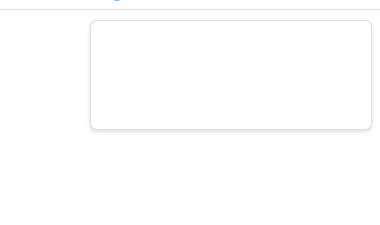
只是一个提示框,内容自定义。
使用
import ReactNotification from "@wenmu/react-notification";

const notificationObj;
function initNotification() {
  ReactNotification.newInstance(
    { style: { color: "red" }, duration: 3000, autoClose: false },
    (notification) => {
      notificationObj = notification;
      // 如果初始化时就需要显示内容,可以在这调用notice
      // notification.notice({
      //   render: <div style={{ width: "300px", height: "200px" }}>hello</div>,
      // });
    },
  );
}

// 创建一个通知
function createNotice(){
    notification.notice({
        render: <div style={{ width: "300px", height: "200px" }}>hello</div>,
      });
}

function showNotification(){
  notificationObj.show();
}


<button onClick={initNotification}>创建通知</button>;
API
Notification.newInstance(props, (notification) => void) => void
props 详情 |属性名|含义|默认值| |---|---|---| |getContainer|指定通知提醒的容器,一个 html 元素|空| |autoClose|是否自动关闭|true| |duration|自动关闭的时间间隔|4500(毫秒)| |style|设置提醒框容器的内嵌样式,设置提醒框的位置使用这个很方便|空| |className|设置提醒框容器的样式名称|空|
notification.notice(props)
创建一个通知。
props 详情 |属性名|类型|含义| |---|---|---| |render|React.Element|消息内容|
notification.component
消息组件的引用
notification.hidden()
隐藏提醒元素,建议使用这个,使用 destroy 会每次销毁和重建元素,造成资源浪费。
notification.show()
显示通知,内容不发生变化,如果需要显示一个新的通知,需要使用 notice。
notification.destroy()
销毁提醒元素
使用技巧
该组件提供了灵活的配置,可扩展性较强,满足各种需求;
初始化不显示
如果初始化时,不想显示提醒框,可以通过设置 style 的来实现
ReactNotification.newInstance(
  { style: { display: "none" }, duration: 3000, autoClose: false },
  (notification) => {
    notificationObj = notification;
  },
);
当使用 notice()方法添加消息时,会自动显示提醒框。不需要调用 show()方法。
自定义提醒框的位置
使用 style 也可以设置弹框的位置;