
@wisdom_dataplatform/wisdom-kedro-viz
v1.2.9
Published
[](https://circleci.com/gh/quantumblacklabs/kedro-viz/tree/main) [](https://badg


Readme
Kedro-Viz





Kedro-Viz shows you how your Kedro data pipelines are structured.
With Kedro-Viz you can:
- See how your datasets and Python functions (nodes) are resolved in Kedro so that you can understand how your data pipeline is built
- Get a clear picture when you have lots of datasets and nodes by using tags to visualise sub-pipelines
- Search for nodes and datasets
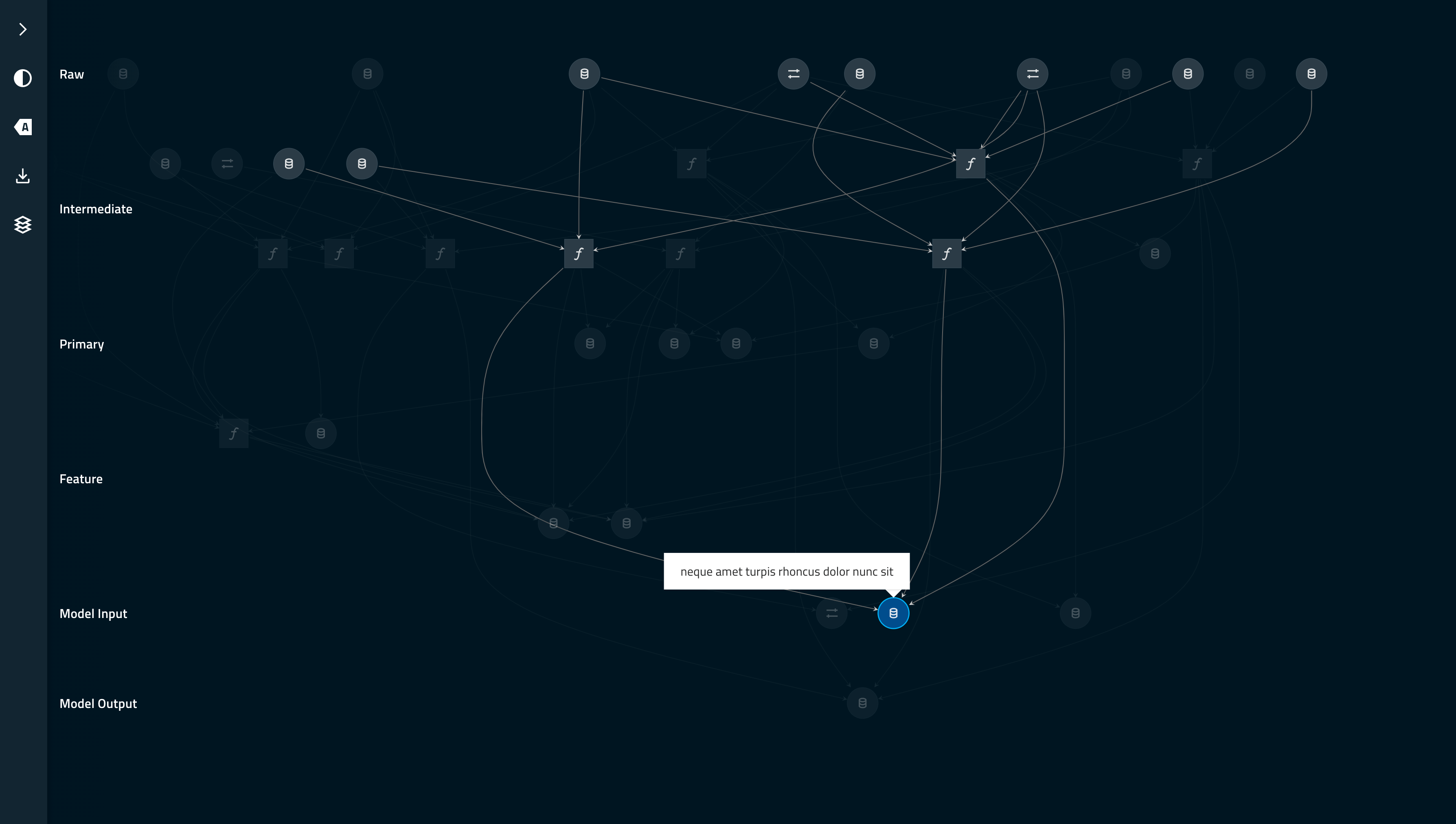
This project was bootstrapped with Create React App, for which more complete documentation is available on the project website.
How do I install and use Kedro-Viz?
For in-depth development and usage notes, see the Contribution Guidelines.
As a Kedro Python plugin
Kedro-Viz is available as a Python plugin named kedro-viz.
The following conditions must be true in order to visualise your pipeline:
- Your project directory must be available to the Kedro-Viz plugin.
- You must be using a Kedro project structure with a complete Data Catalog, nodes and pipeline structure.
To install it:
pip install kedro-vizThis will install kedro as a dependency, and add kedro viz as an additional CLI command.
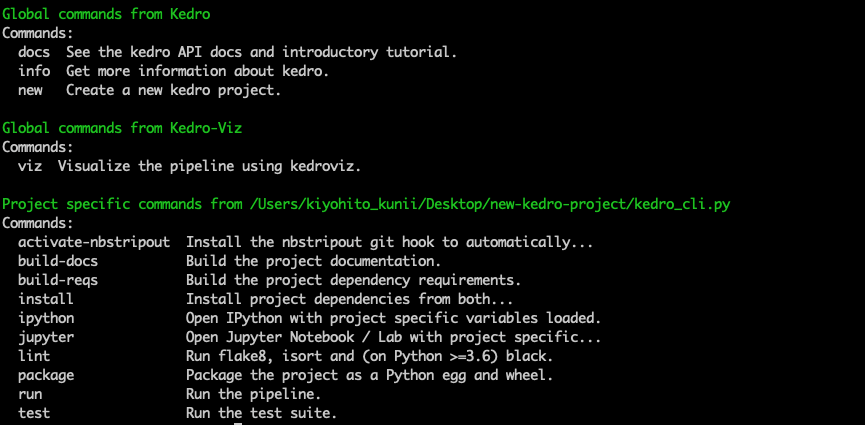
To visualise your pipeline, go to your project root directory and install the project-specific dependencies by running:
kedro installThis will install the dependencies specified in requirements.txt in your Kedro environment (see the Kedro documentation for how to set up your Python virtual environment).
Finally, run the following command from the project directory to visualise your pipeline:
kedro vizThis command will run kedro_viz.server on http://127.0.0.1:4141/ which cannot be accessed from another machine.
Kedro-Viz has a number of options to customise running the visualisation:
| CLI command | Description |
| ----------- | ----------- |
| --host | Host that viz will listen to. Defaults to 127.0.0.1. |
| --port | TCP port that viz will listen to. Defaults to 4141. |
| --browser/--no-browser | Whether to open viz interface in the default browser or not. |
| --load-file | Path to load the pipeline JSON file |
| --save-file | Path to save the pipeline JSON file |
| --pipeline | Name of the modular pipeline to visualise. If not set, the default pipeline is visualised. |
| --env, -e | Kedro configuration environment. If not specified, catalog config in local will be used. |
As a JavaScript React component
Kedro-Viz is also available as an npm package named @quantumblack/kedro-viz. To install it:
npm install @quantumblack/kedro-vizThen include it in your React application:
import KedroViz from '@quantumblack/kedro-viz';

const MyApp = () => <KedroViz data={json} />;
As a JavaScript React component, the project is designed to be used in two different ways:
Standalone application
Run
npm run buildto generate a production build as a full-page app. The built app will be placed in the/builddirectory. Data for the chart should be placed in/public/api/mainbecause this directory is markedgitignore.React component
Kedro-Viz can be used as a React component that can be imported into other applications. Publishing the package will run
npm run lib, which compiles the source code in/src, and places it in the/libdirectory.The React component exposes props that can be used to supply data and customise its behaviour. For information about the props, their expected prop-types and default values, see /src/components/app/index.js. For examples of the expected data input format, see the mock data examples in /src/utils/data, and compare the resulting demo.
Flags
The following flags are available to toggle experimental features:
newgraph- From release v3.4.0. Improved graphing algorithm. (defaultfalse)meta- From release v3.7.0. Show node metadata panel on click. (defaultfalse)
Setting flags
To enable or disable a flagged feature, add the flag as a parameter with the value true or false to the end of the URL in your browser when running Kedro-Viz, e.g.
http://localhost:4141/?data=demo&newgraph=true
The setting you provide persists for all sessions on your machine, until you change it.
Viewing flags
Kedro-Viz will log a message in your browser's developer console regarding the available flags and their values as currently set on your machine.
What licence do you use?
Kedro-Viz is licensed under the Apache 2.0 License.