
@wwind/native
v0.9.0
Published
Build native apps for Warmwind. TypeScript-first runtime + CLI for AI-controllable, time-travel-undoable, devtools-introspectable apps.

Maintainers
 max_ww
Readme
@wwind/native
A TypeScript SDK for building native apps that humans and AI agents can use, inspect, and undo with the same surface.
It is the runtime for WarmwindOS, open-sourced under MIT so you can use it anywhere Node.js 20+ runs.
npm install -g @wwind/native
warmwind init my-app     # prompts: empty starter or stopwatch demo
cd my-app && warmwind dev
App at http://127.0.0.1:5050. Devtools at /_warmwind/devtools.
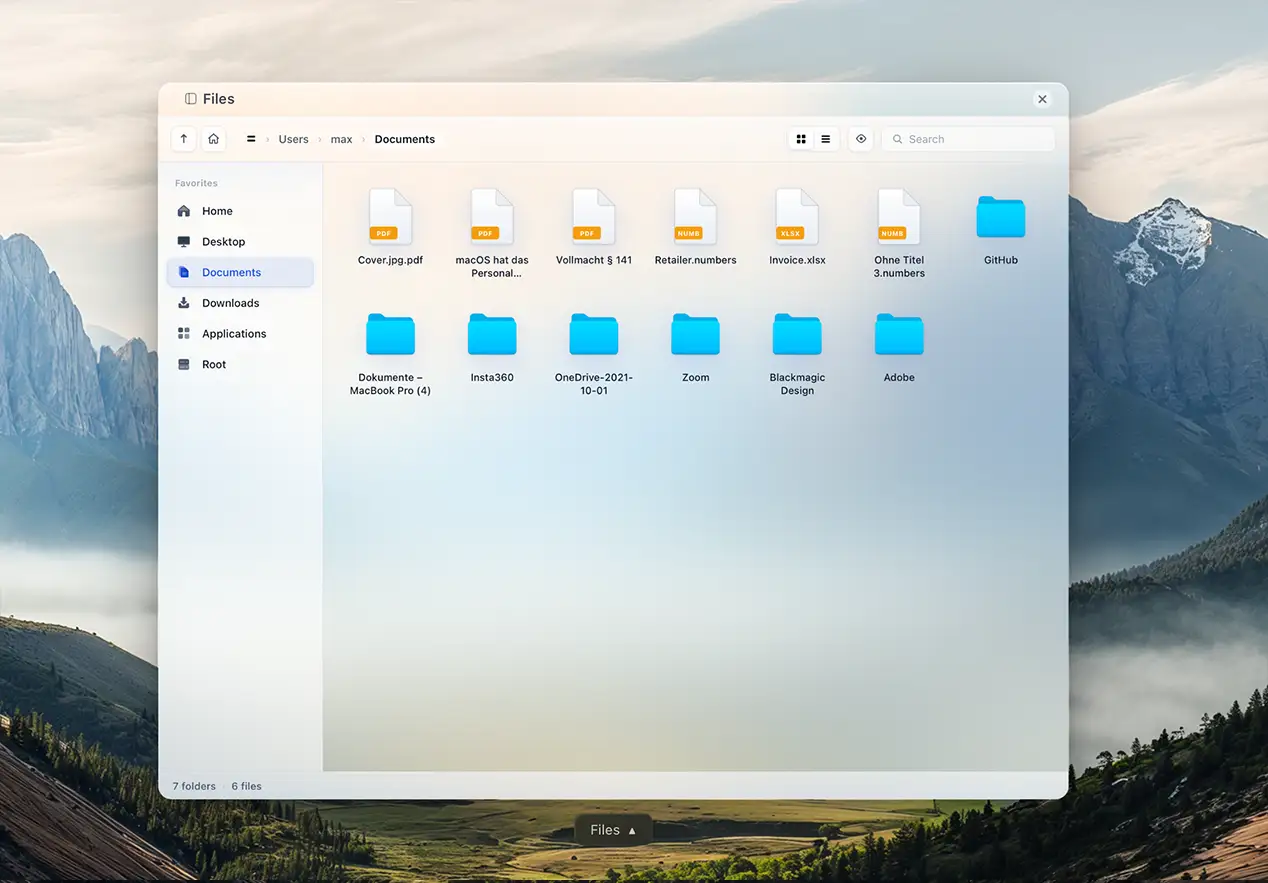
A complete file explorer (drag and drop, rename in place, trash, context menus) written as one @wwind/native app.
What it is
You write a component as three concerns: state (what it remembers), derived (pure functions of state), and actions (the only way state changes). The runtime turns that single declarative tree into:
- A live UI (a glass-morphism React host you get for free, or your own React renderer).
- A typed action catalog at
POST /api/invokethat AI agents can call. - A live devtools inspector at
/_warmwind/devtoolsshowing tree, state, derived, history, and the action catalog.
All three views read the same tree. There is no separate "AI integration" layer. The model an agent sees is the model the user clicks.
What it's for
- Apps that need AI agents to drive them as a peer, not a screen scraper.
- Apps that need real undo/redo across state and side effects (filesystem, network, OS dialogs).
- Native-feeling apps for WarmwindOS, or any local Node.js host.
- Internal tools where you want a real devtools tab without writing one.
What's actually different
One model, three audiences. The same state/derived/actions tree feeds the renderer, the agent endpoint, and the devtools. Add a button and the agent gets a new tool. Rename a state field and the inspector updates. Nothing duplicated.
Time travel by default. Every action is reversible. Side effects on the filesystem and other "world" surfaces are tracked as WorldEffect values that know how to undo themselves. Things that genuinely cannot be undone (an outbound email, an HTTP POST) are tagged irreversible and seal history at that point. undo is itself an action, so the same mechanism works for humans, agents, and devtools.
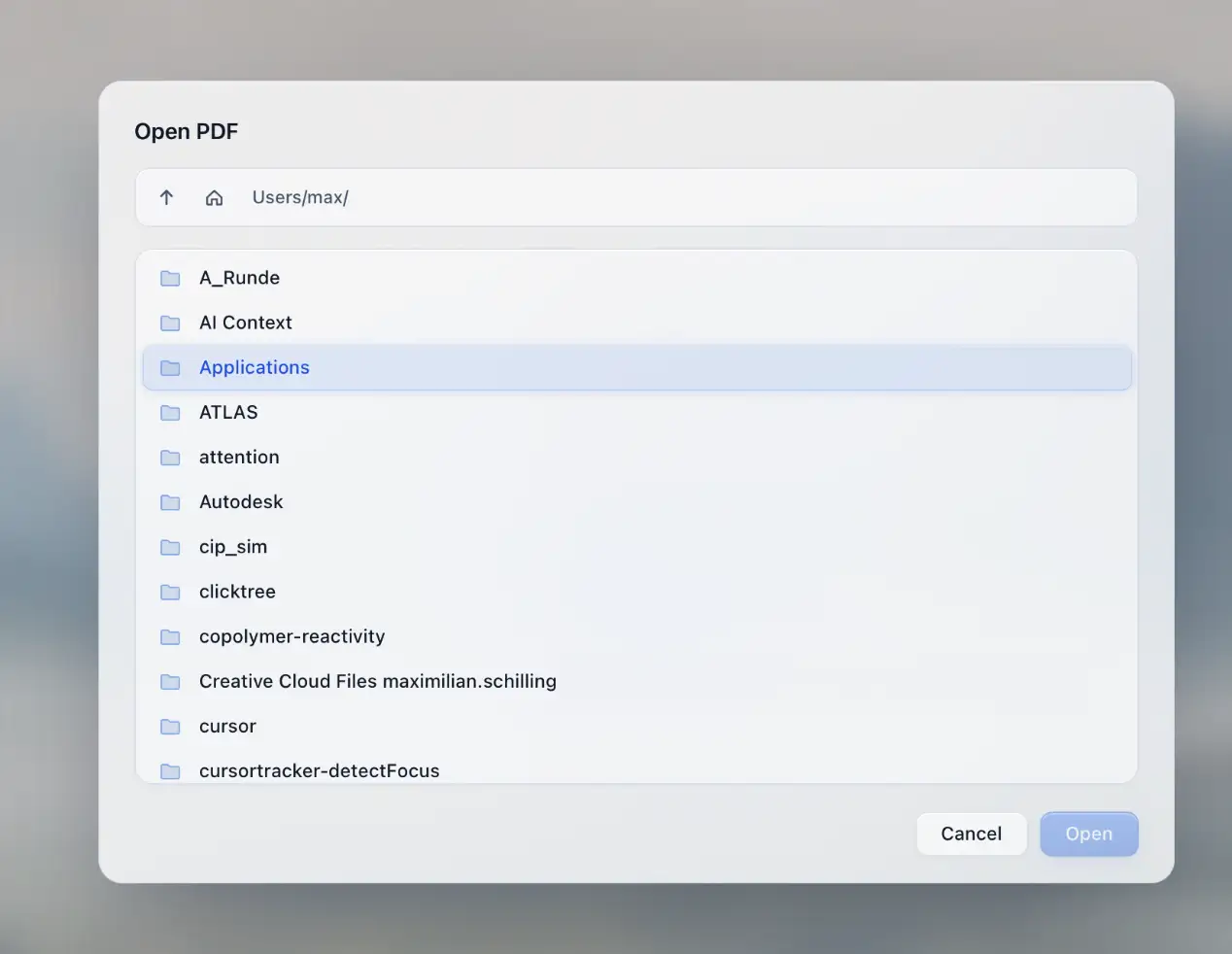
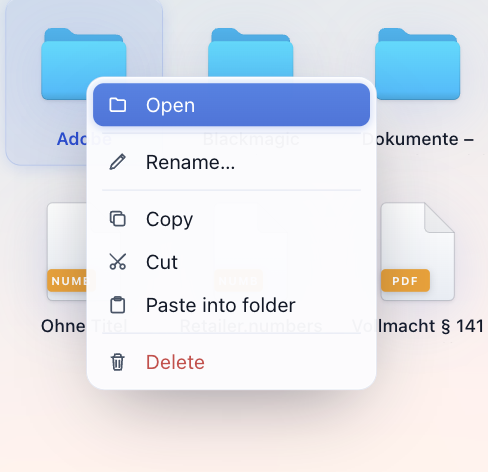
System components are built in. Modals, prompts, file picker, save picker, context menu, trash, and a sandboxed filesystem all ship inside the runtime. You return one as an effect from an action. They render consistently across every app, appear in the action catalog, and land in history.
Async without spaghetti. derived.async lets a derived value resolve over time. The runtime owns scheduling, cancellation, memoization, and history. Status (idle, running, ready, error) is part of the public derived shape, so renderers and agents both see loading state with no extra wiring.
The whole devtools is shipped. Tree view, state and derived inspector, action catalog with one-click invoke, full history with undo/redo timeline, snapshot diff, network log. No separate install.
Hello world
import { component, state, derived, action } from "@wwind/native";

export const Counter = component("Counter", {
  state:   { count: state.number(0) },
  derived: { doubled: derived(({ state }) => state.count * 2) },
  actions: {
    increment: action(({ state }) => { state.count += 1; }),
    decrement: action(({ state }) => { state.count -= 1; }),
    reset:     action(({ state }) => { state.count = 0; }),
  },
});
After warmwind dev, you have:
- A working UI with three buttons (no renderer code written).
- An undo stack covering every click.
- A devtools tab listing
count,doubled, and the three actions. POST /api/invoke { id: "increment" }running the same code path your buttons do.
What ships in the package
A 1.8 MB install with no peer dependencies.
| Layer | What it provides |
|---|---|
| Runtime | state, derived, derived.async, action, effect. Pure-function reactivity, transactional actions, snapshot and restore. |
| Data primitives | state.table (typed columns, formulas, .xlsx round-trip with chart/pivot preservation) and state.document (block-based rich text, .docx/.md round-trip). Both auto-generate their AI action surface. |
| History | Per-action snapshots, world-effect tracking, undo and redo, sealed entries for irreversible operations. |
| Default renderer | Pre-built React host that turns any component tree into a polished glass UI. No code required. |
| Custom renderers | Drop in your own React component per node when you want pixel control. Same data shape. |
| Devtools | Pre-built inspector at /_warmwind/devtools. Tree, state, derived, history, action catalog, network log. |
| System components | Alert, Confirm, Prompt, OpenFilePicker, OpenSavePicker, Menu, Trash, sandboxed Fs* effects. All sealed and AI-callable. |
| Server | Hono and WebSocket frame transport, hot reload, secrets proxy (wwFetch swaps ww_placeholder_* tokens at runtime). |
| CLI | init, dev, build, deploy, verify, smoke, register, manifest, doctor, explain. |
| Templates | empty (clean scaffold) and stopwatch (full demo with custom renderer). |
| Wallpapers | Nine default backgrounds so a fresh init does not boot to a black screen. |
Node 20 or later is the only requirement. No native bindings, no build step on the user's end.
Stack and compatibility
@wwind/native is a thin runtime that composes well-known tools:
- Language: TypeScript (apps and runtime).
- Server runtime: Node.js 20+, ESM only.
- Server framework: Hono (routing) and
@hono/node-server. - Transport: HTTP and WebSocket (
ws). - Bundler: esbuild for app builds.
- UI: React 18 inside the pre-built host bundle. Custom renderers can use any React component you write.
- Optional sidecar: A Python action runner is included for apps that want to call into Python.
If you have written a Node app with TypeScript and React before, you already know enough to use it.
Built for AI agents, not bolted on
Discovery. Every action carries label, description, and priority metadata. A single GET on the manifest gives the agent the entire tool catalog in machine-readable form.
Invocation. POST /api/invoke runs the same code path as a button click. The runtime validates inputs, executes the action, commits any WorldEffects atomically, appends a history entry, and broadcasts the new frame.
Observation. Agents read live frames over the same WebSocket the renderer uses. State, derived (including async status), and full history are all visible.
Safety. undo is an action too. If the agent makes a mistake, the runtime rolls back state and the world effects that action caused. Genuinely irreversible operations are tagged so the agent knows it cannot take them back.
markdown: derived.async({
  key:     ({ state }) => state.current_path,
  initial: "",
  fn:      async ({ key, signal }) => fetchMarkdown(key, signal),
  kind:    "irreversible",
}),
The agent can see markdown.async.status change from idle to running to ready, then read the value. No promise plumbing required.
System components in practice
You do not import a modal library. You return a system component from an action.
import { OpenFilePicker, Confirm, Menu } from "@wwind/native";

actions: {
  pick:    action(() => OpenFilePicker({ extensions: ["pdf"], on_confirm: "open" })),
  destroy: action(() => Confirm({ title: "Delete?", on_confirm: "really_delete" })),
  rclick:  action(({ inputs }) => Menu({ anchor: inputs, items: [/* ... */] })),
}
These render the same way in every app, are reachable from the action catalog, and land in history like any other action.
Three commands cover the lifecycle
warmwind init <name>     # interactive scaffold (empty | stopwatch)
warmwind dev             # local dev server with watch and hot reload
warmwind deploy          # build, register, ship
Run warmwind help --all for the rest. Every command takes --json for scripting.
Documentation
- GUIDE.md: the canonical developer guide. Hello world to a fully styled, AI-ready app in one read.
- PHILOSOPHY.md: the rules behind the framework, with case studies on
time.now(), popovers, file pickers, context menus, and external APIs. - Examples:
stopwatch,kanban,files,pdf-viewer. Real apps, 100 to 400 lines each.
What comes with the platform
The SDK is not just a component API. It brings the runtime pieces that normally make native apps hard to get right: action history, undo/redo, effect rollback, system dialogs, file picking, save picking, context menus, trash handling, devtools, hot reload, app manifests, deploy bundles, a secrets proxy, and a default renderer.
That also includes the smaller UI details that make an app feel native: focus behavior, keyboard escape paths, hover states, drag targets, modal layering, glass blur over wallpapers, and consistent close controls.
License
MIT © Warmwind. Built for WarmwindOS, open for everyone.