
@xl0/pi-lovely-dev-tools
v0.3.6
Published
Pi interactive debugging commands /tool /show-sysprompt /show-context /llm-stats
Downloads
148


Readme
@xl0/pi-lovely-dev-tools
Interactive debugging commands for Pi: run tools by hand, inspect the system prompt, and see why the models act stupid.
Install
pi install npm:@xl0/pi-lovely-dev-toolsOr load without installing:
pi -e npm:@xl0/pi-lovely-dev-toolsCommands
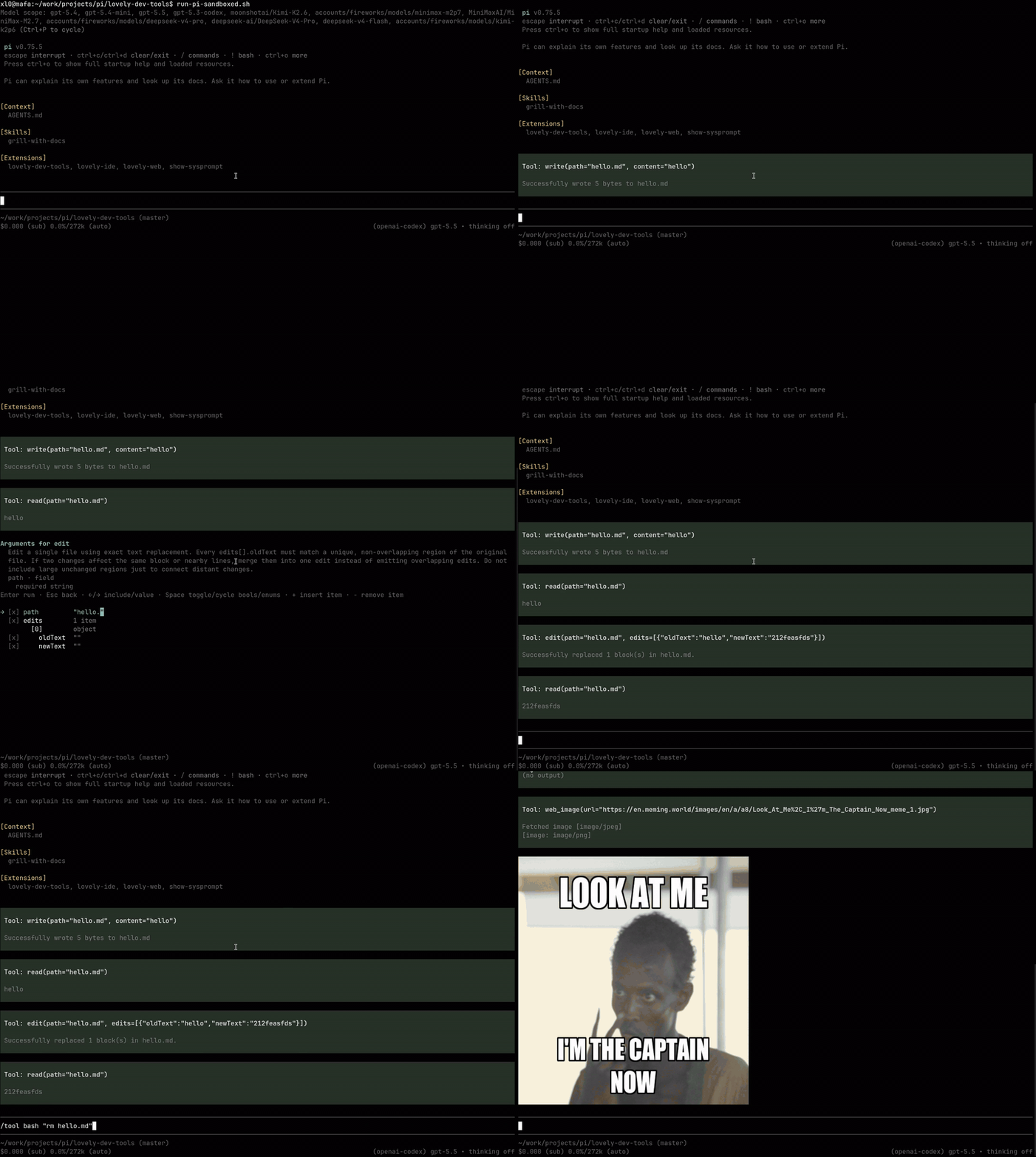
/tool [tool_name] [args...]
Run any tool yourself. The result is displayed for you to review, not sent to the LLM.
/toolalone opens a searchable tool selector and a schema-driven argument editor.- Positional args map onto the tool's top-level schema properties in order.
- Partial updates stream while the tool runs; Esc aborts.
- Inactive tools can still be run manually — active state only gates the agent's own calls.
/tool --liveruns session-affine tools (e.g. Lovely Agents'agent,task_list,task_output) against the live session instead of an isolated nested one. Dangerous: the tool observes the real session identity and control-plane actions can mutate the real session. Everything else stays isolated by default.
/tool
/tool read README.md
/tool bash "bun run check"
/tool bash "sleep 30"  # press Esc to abort
Manual runs intentionally bypass tool policy hooks.
/show-sysprompt
Show the rendered system prompt and active tool schemas — useful when the agent isn't behaving the way you expect.
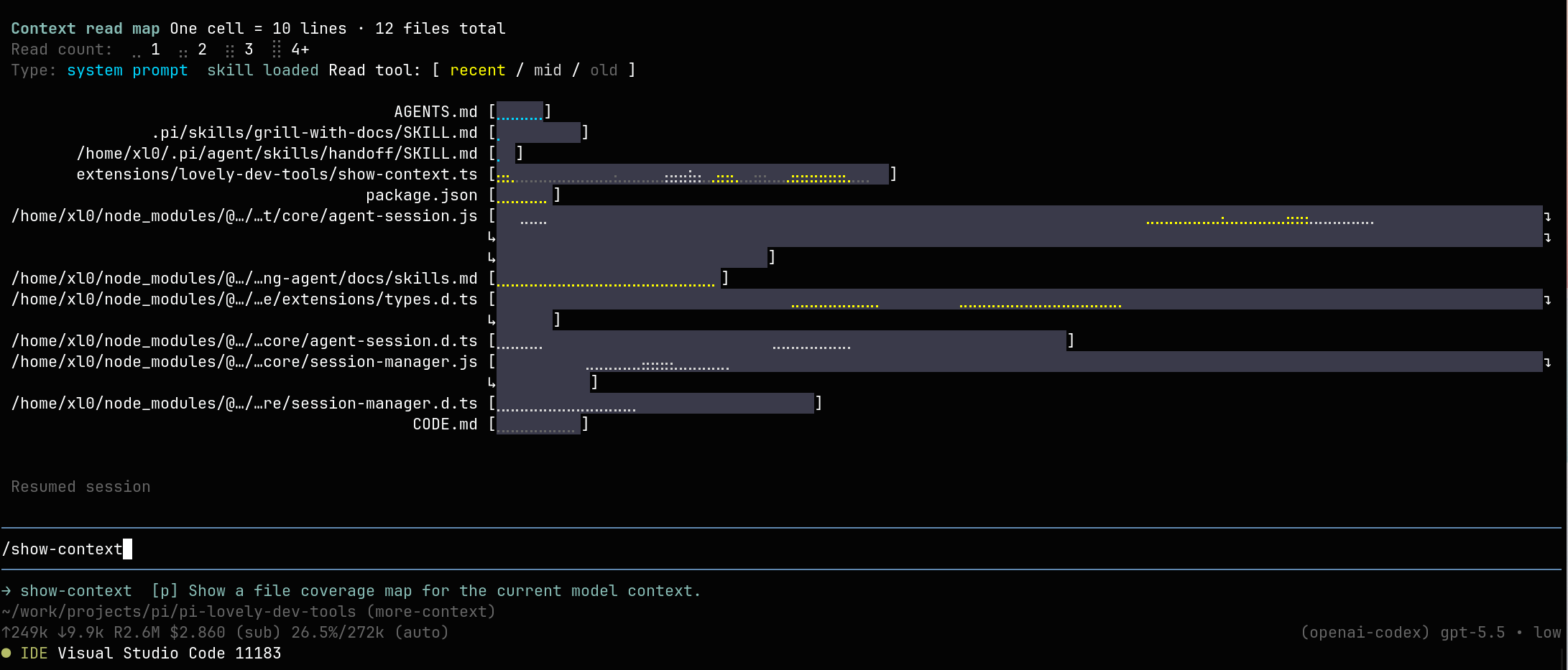
/show-context
Show an estimated token breakdown of the current context — system prompt, context files, skills, tool definitions, messages, thinking, tool calls and results (total and per tool), compactions, and more — plus a coverage map and compact token count for each file the model has actually seen: startup context files, skills, and read results that survived compaction.
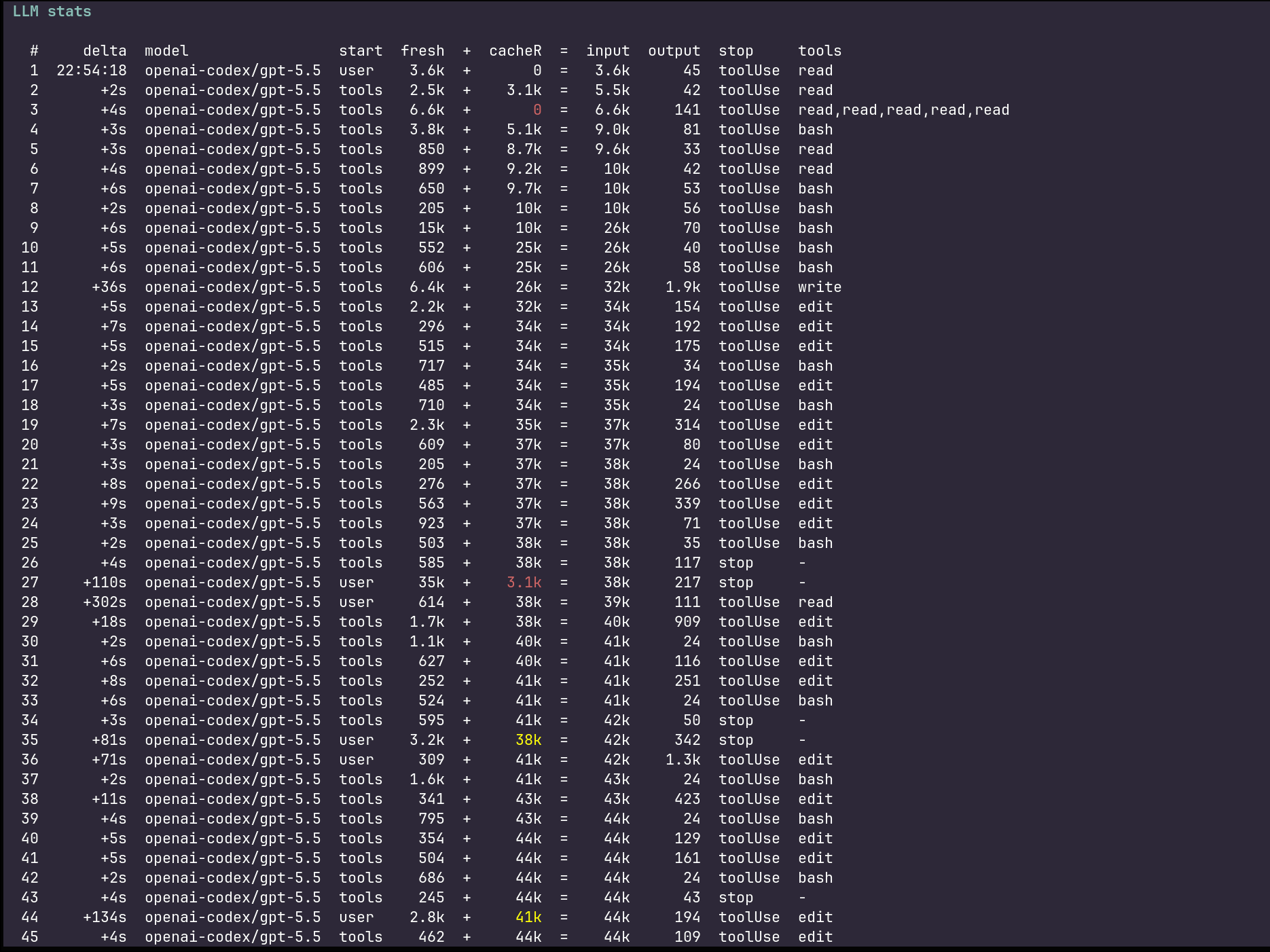
/llm-stats
Show one row per LLM call in the current branch: time since the previous agent message, model, what initiated the call, prompt tokens as fresh + cacheR (+ cacheW) = input, output tokens, thinking tokens (when the provider reports them), stop reason, and tool calls. Constrained calls are annotated with [json_schema], [grammar:lark], or [grammar:regex]. The cache-read column is highlighted when cache reads drop from the previous call — a sign you lost your prompt cache.
Related projects
| | |
| --- | --- |
| Pi Lovely Web | web_search, web_fetch, web_image tools |
| Pi Lovely Codex | GPT fast mode and Codex-style apply_patch tool |
| Pi Lovely IDE | IDE integration |
| Pi Lovely Config | scoped config helpers for Pi extensions |
| Pi Lovely Comment | open the last assistant message in your editor and sync edits back into the prompt |
| Pi Lovely Rename | automatic and manual session naming |
| Pi Lovely Ctx Reminder | notifies the model when context usage crosses 25/50/75/85/95% |
Like this work? Hire me