
@yangch/shield
v1.1.3
Published
File access protection with FUSE on macOS


Readme
Shield
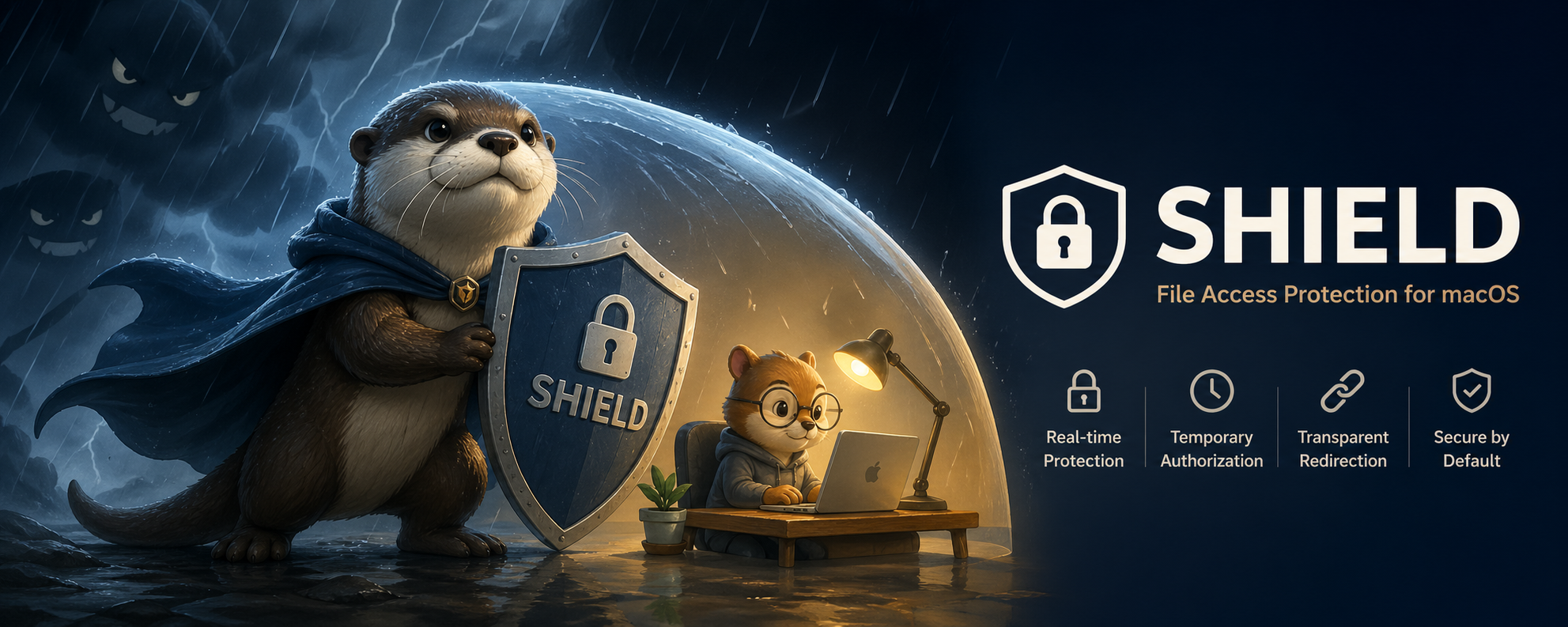
A FUSE-based file access protection tool for macOS.
Shield intercepts file read requests in real-time and prompts the user for authorization before allowing access, providing an interactive layer of protection for sensitive files.
Features
- 🔒 Real-time Access Control - Intercepts file reads via FUSE, prompts user with a native macOS dialog to allow or deny
- 🔐 Transparent Redirection - Protected files are moved to secure storage; original paths remain valid via symlinks
- 🚀 Background Daemon - Runs as launchd service, automatically starts on boot
- ⏱️ Temporary Authorization - Approved access is cached for 10 seconds to avoid repeated prompts
- 📋 CLI Management - Clean command-line interface for installation, control, and status
Requirements
- macOS 13.0+ (Ventura, Sonoma, Sequoia) - Intel and Apple Silicon supported
- fuse-t (recommended) or macFUSE
Installing FUSE
fuse-t (recommended, no kernel extension required):
brew install fuse-tmacFUSE (for older macOS versions):
brew install macfuse
# Note: Requires approving the system extension in System Settings > Privacy & Security
Installation
# Install globally
sudo npm install -g @yangch/shield

# Install and start the service
sudo shield install
Commands
| Command | Description |
|---------|-------------|
| shield install | Install as startup service and run |
| shield uninstall | Stop service and uninstall |
| shield start | Start the daemon |
| shield stop | Stop the daemon |
| shield status | Check service status |
| shield list | List all protected files |
| shield add <file> | Add file protection |
| shield remove <file> | Remove protection, restore original file |
Usage Examples
Add File Protection
sudo shield add ~/.ssh/id_rsa
sudo shield add /etc/hosts
When a process attempts to read a protected file, a native macOS dialog appears:
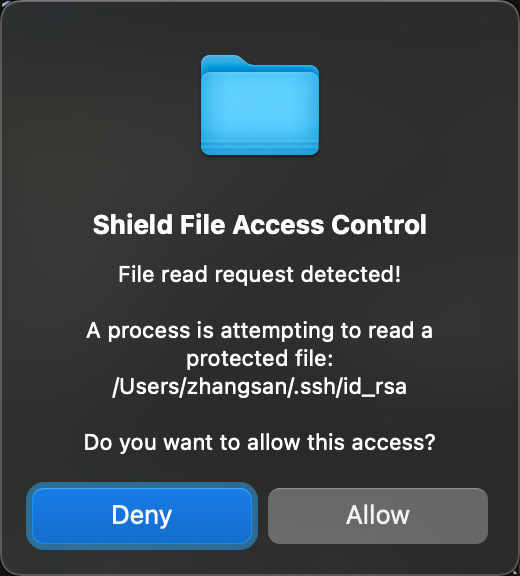
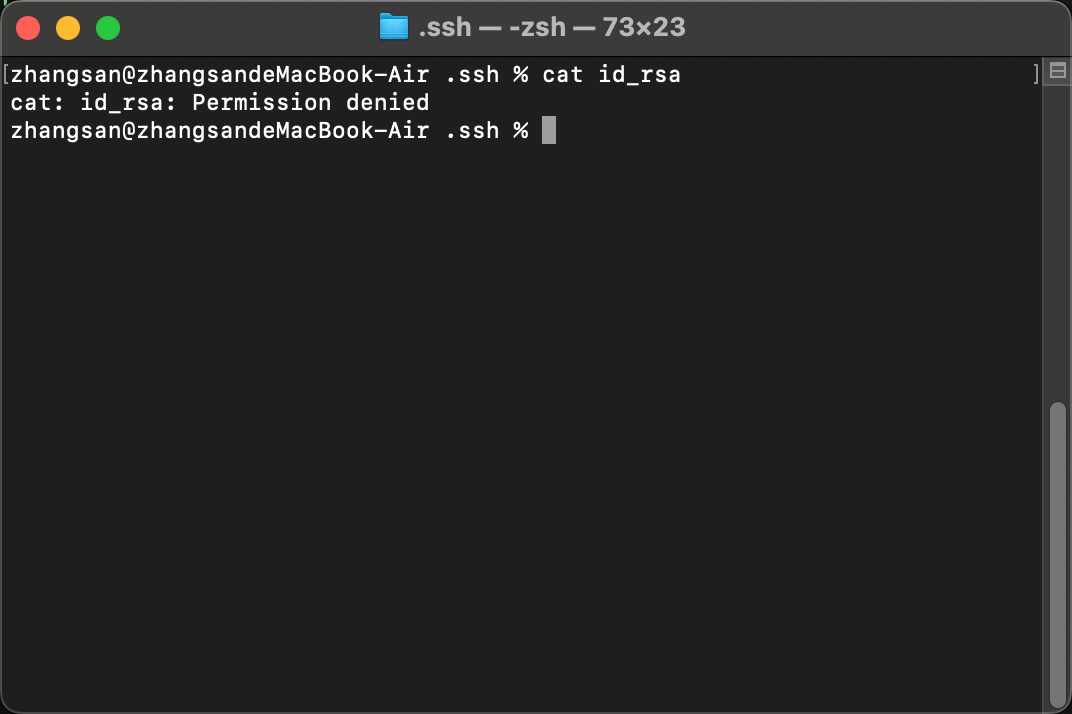
Choosing Allow grants temporary access (10 seconds). Choosing Deny blocks the read and an error is returned:
List Protected Files
shield listRemove File Protection
sudo shield remove ~/.ssh/id_rsaService Management
shield status        # Check status
sudo shield start    # Start service
sudo shield stop     # Stop service
sudo shield uninstall  # Full uninstall
How It Works
Storage Structure: Data is stored at
/usr/local/var/shield/by defaultstorage/- Actual file storage directorymount/- FUSE mount point
File Redirection: When running
shield add <file>:- Original file is moved to
storage/(mirrors the full path) - A symlink pointing to
mount/is created at the original location - File reads now go through the FUSE layer
- Original file is moved to
Access Control: When any process reads a protected file:
- The FUSE daemon intercepts the
open()call - A native macOS alert asks the user to allow or deny
- Approved access is cached for 10 seconds to avoid repeated prompts
- The FUSE daemon intercepts the
Daemon Process:
shield-daemonruns as a launchd service managing the FUSE filesystem
Configuration
| Variable | Default | Description |
|----------|---------|-------------|
| SHIELD_DATA_DIR | /usr/local/var/shield | Data directory for storage and mount |
Build from Source
npm install
npm run build    # Compiles shield-daemon (Universal 2: arm64 + x86_64)
Build requires:
- GCC or Clang with multi-arch support
- fuse-t or macFUSE development headers (
pkg-config fuse)
Uninstallation
# First remove all protected files manually
sudo shield remove <file>

# Then uninstall the service
sudo shield uninstall
macOS Compatibility
| macOS Version | fuse-t (User-space) | macFUSE (Kernel Extension) | |---------------|---------------------|-----------------------------| | 13 Ventura | ✅ Recommended | ✅ | | 14 Sonoma | ✅ Recommended | ⚠️ Requires system ext. approval | | 15 Sequoia | ✅ Recommended | ❌ Not supported |
Note: fuse-t is recommended for modern macOS as it operates in user-space without kernel extensions.
Troubleshooting
"Operation not permitted" when mounting
- Ensure fuse-t or macFUSE is properly installed
- Check System Settings > Privacy & Security for any pending approval prompts
Daemon not starting after reboot
- Verify launchd plist:
sudo launchctl list | grep shield - Check logs at
/usr/local/var/shield/shield-daemon.err
Files not accessible after install
- Run
shield statusto verify daemon is running - Check that symlinks point to
/usr/local/var/shield/mount/