
@yangzhe1991/dsh-code-review
v0.1.4
Published
DSH Web 插件:git diff 一键打开独立双列 Code Review 页,支持语法高亮、行内评论与中英双语 | DSH web plugin: one-click standalone two-column code review page for git diff, with syntax highlighting, inline comments & bilingual UI

Maintainers
 yangzhe1991
Readme
dsh-code-review




dsh-code-review 是 DSH (DeepSeek Harness) Web UI 的浏览器插件:把对话里的 git diff 输出变成一键打开的独立标签页 Code Review 页面 —— 双列、对人类友好的视图(左侧旧文件、右侧新文件,两侧都带行号),完全不受聊天窗口宽度/高度限制。
聊天窗口本身保持原样:只要出现 git diff,对应块(markdown diff 代码块、或产生 diff 的 bash 工具行——折叠状态也显示)上就自动出现一个**「在新标签页打开」**小按钮,点一下即打开审查页。
功能
- ⬅️➡️ 双列并排视图 —— 旧文件在左、新文件在右,两侧各自带行号,类似 GitHub 的 split review。
- 🟥🟩 增删配色 —— 删除行红底、新增行绿底;连续「删除块 + 新增块」逐行配对成同一行的「变更」(GitHub 对齐方式)。
- 🔎 行内字符级高亮 —— 同一行只改几个字符时,精确高亮那几个字符(更深一档的红/绿背景,公共前后缀剥离)。
- 💡 基础语法高亮 —— 关键字、字符串、注释、数字着色,颜色复用官方 shiki 主题变量(按文件扩展名推断语言,未知语言自动跳过)。
- 🧷 hunk 感知 —— 每个
@@hunk 头保留为分隔行(含 section 名);一个 diff 里的多个文件拆成独立文件段,带状态徽章(修改 / 新增文件 / 删除文件 / 重命名 / 二进制)。 - 🗂️ 文件导航侧栏 —— 左侧列出所有文件,点击跳转。
- 📊 统计条 —— 顶部吸顶显示
+N −M · F 个文件,带「复制原始 diff」按钮,页面底部有可折叠的原始文本区。 - 🎨 主题一致 —— 打开时继承 DSH 当前主题色,深浅色模式自动跟随。
- 📜 整页滚动 —— 无高度限制,几千行自然滚动,超长行折行显示。
- 💬 行内评论 —— 悬停任意行号点击即可在该行提评论(类似 GitHub review),行号旁显示评论数徽章;攒齐后一次性提交 —— 可选 Looks Good To Me ✓ 或纯评论,提交后自动写入 DSH 对话框(
文件名:行号 — 评论逐条列出),直接发给 agent。 - 🌐 中英双语 —— 跟随 DSH 界面语言(官方 locale 服务):中文界面显示中文按钮与审查页,其他语言一律英文。
截图
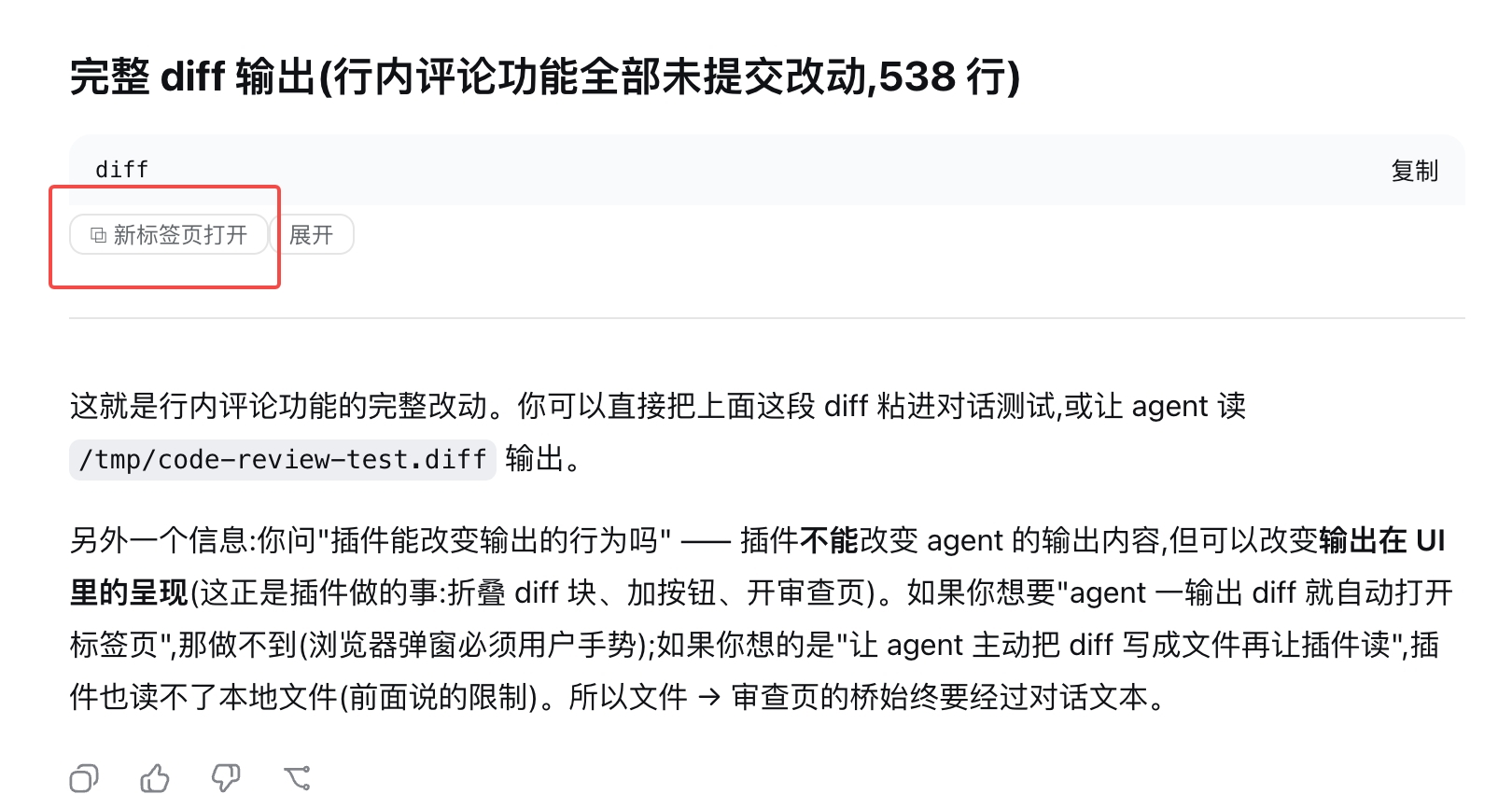
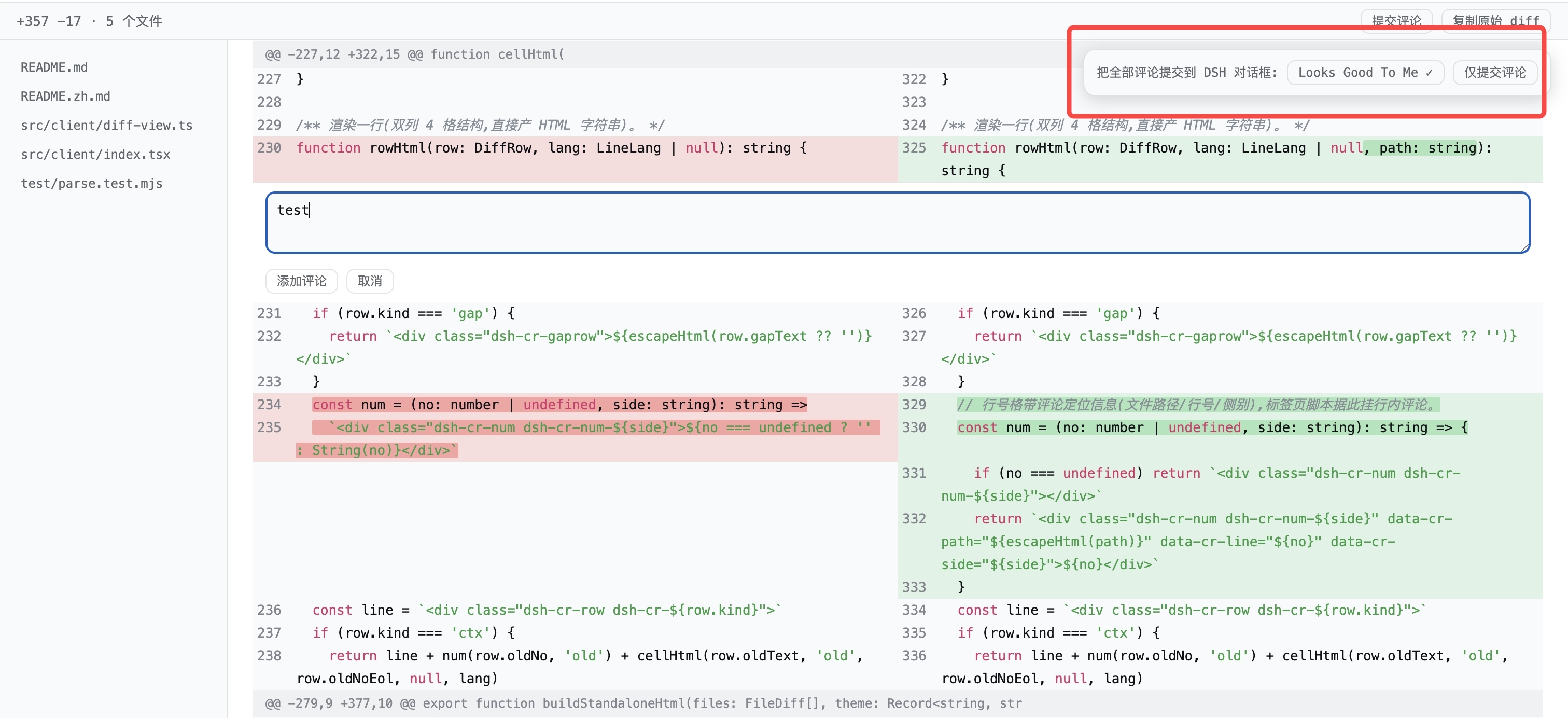
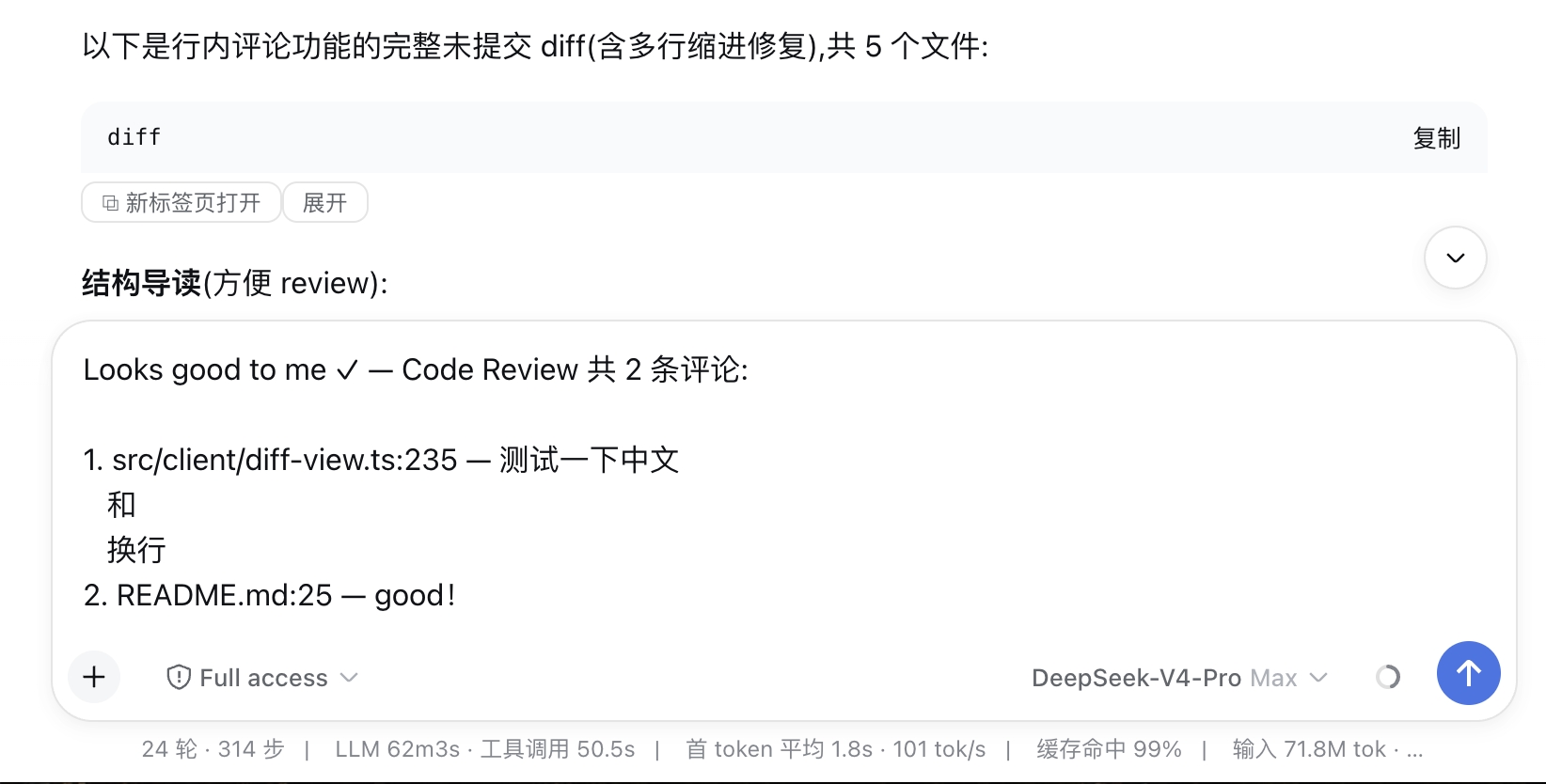
按钮出现的位置
- assistant 消息里的 markdown 代码块 ——
```diff/```patch语言标签,或内容形似 git diff 的任意代码块(比如贴在text围栏里)。代码块默认折叠(只留标题行 + 按钮),带「展开/收起」开关,想看原始文本就内联展开。 - bash 工具行 —— agent 在 bash 工具里跑
git diff后,按钮加在工具行上(折叠状态也可见;折叠行 DOM 里没有输出内容,从会话数据层检测)。详情面板里的终端卡片同样支持。
流式输出有专门处理:内容稳定约 1 秒后按钮才出现,半截 diff 不会产生残缺页面。
安装(30 秒)
dsh plugin --profile web add @yangzhe1991/dsh-code-review重启 Web GUI(Ctrl+C 停掉 dsh web 再重新运行)并刷新浏览器标签页。(dsh plugin 会执行 pnpm add 并自动把 bundle 追加进 dsh.profile.bundles。)
本地开发用路径安装 —— link: 规范保持实时软链,改完代码重新构建 + 重启即可生效:
dsh plugin --profile web add link:/path/to/@yangzhe1991/dsh-code-review工作原理
插件注册一个 root 作用域的 shell.overlay 席位,自身渲染 null,用 MutationObserver 监听全文档。对每个 .md-code-block 和 [data-terminal] 元素做「稳定去抖」检测,候选块会在官方 banner/header 上追加一个小按钮(只追加、不改写官方节点,React 协调安全)。折叠的 bash 工具行走数据层:session 作用域组件订阅会话快照,把输出形似 diff 的已落地 bash 结果记录进文本表,扫描器给对应工具行加按钮。
点击按钮时,在用户手势内同步构建自包含 HTML 页面(内联样式 + 继承的主题变量 + 双列内容,全部 HTML 转义),通过 Blob URL 打开 —— 不依赖服务器任何路由,同步调用的 window.open 也不会被弹窗拦截。解析器是纯模块(src/client/diff-parse.ts,test/parse.test.mjs 有单测),支持:多文件 diff、带行号跟踪的 hunk、删除/新增配对成变更行(数量不等时多出的行退化为单侧行)、\ No newline at end of file 标记、新增/删除/重命名/二进制文件、无 diff --git 头的裸 patch、git show 的提交说明前缀。
开发
npm install
npm run build   # esbuild → lib/index.js(node 半)+ lib/client.js(浏览器半)
node test/parse.test.mjs         # 解析器 + 独立页 HTML 单测
node test/client-smoke.test.mjs  # bundle 冒烟测试(mock __ModuleLoader__)
浏览器侧改动只需重新构建;宿主实时读 lib/,硬刷新(⌘+Shift+R)即可生效。profile 级改动(包名/bundles)需要重启 dsh web。