npm package discovery and stats viewer.

Discover Tips

  • General search

    [free text search, go nuts!]

  • Package details

    pkg:[package-name]

  • User packages

    @[username]

Sponsor

Optimize Toolset

I’ve always been into building performant and accessible sites, but lately I’ve been taking it extremely seriously. So much so that I’ve been building a tool to help me optimize and monitor the sites that I build to make sure that I’m making an attempt to offer the best experience to those who visit them. If you’re into performant, accessible and SEO friendly sites, you might like it too! You can check it out at Optimize Toolset.

About

Hi, 👋, I’m Ryan Hefner  and I built this site for me, and you! The goal of this site was to provide an easy way for me to check the stats on my npm packages, both for prioritizing issues and updates, and to give me a little kick in the pants to keep up on stuff.

As I was building it, I realized that I was actually using the tool to build the tool, and figured I might as well put this out there and hopefully others will find it to be a fast and useful way to search and browse npm packages as I have.

If you’re interested in other things I’m working on, follow me on Twitter or check out the open source projects I’ve been publishing on GitHub.

I am also working on a Twitter bot for this site to tweet the most popular, newest, random packages from npm. Please follow that account now and it will start sending out packages soon–ish.

Open Software & Tools

This site wouldn’t be possible without the immense generosity and tireless efforts from the people who make contributions to the world and share their work via open source initiatives. Thank you 🙏

© 2026 – Pkg Stats / Ryan Hefner

@zhuweiyou/dsh-holdem

v0.1.7

Published

德州扑克:6 人桌、超员自动观战、多局排行榜;牌桌可跑在本机或 Cloudflare Worker 上。

Readme

德州扑克 · dsh-holdem

DeepSeek Harness 的德州扑克面板插件:6 人无限注德州,超员自动观战,多局累计排行榜。

牌桌有两种跑法,建房时选一个:

| 开桌位置 | 说明 | | --- | --- | | 公网 · Cloudflare(默认) | 牌桌跑在 Cloudflare Worker + Durable Object 上,关掉你的电脑也能玩。点一次「授权 Cloudflare」→ 自动部署,地址自动拿到 | | 本机 | 牌桌跑在你自己的 dsh 进程里,同一 Wi-Fi 的朋友用局域网链接加入 |

加入牌桌只认邀请链接:链接里带着房号、邀请凭证和这桌在哪里(本机 / 局域网 / Cloudflare), 把链接发给朋友,用浏览器打开就能玩——对方不需要安装这个插件。

安装

Desktop 版

在 DSH 桌面端的插件安装入口里直接填写插件名称 @zhuweiyou/dsh-holdem 即可。

Web 版

dsh plugin --profile web add @zhuweiyou/dsh-holdem

包内已包含编译产物(lib/),装完即用,不需要再构建。升级同样是再执行一次 add。

两版装完都刷新页面,「德州扑克」图标会出现在侧栏面板栏里。

界面
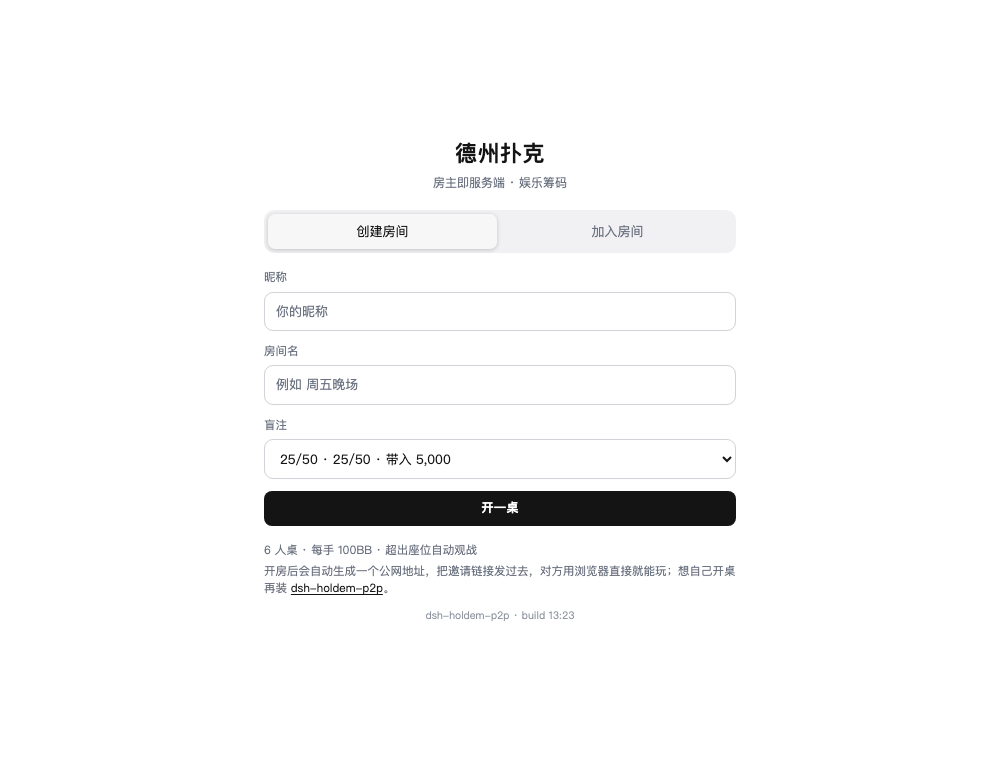
大厅

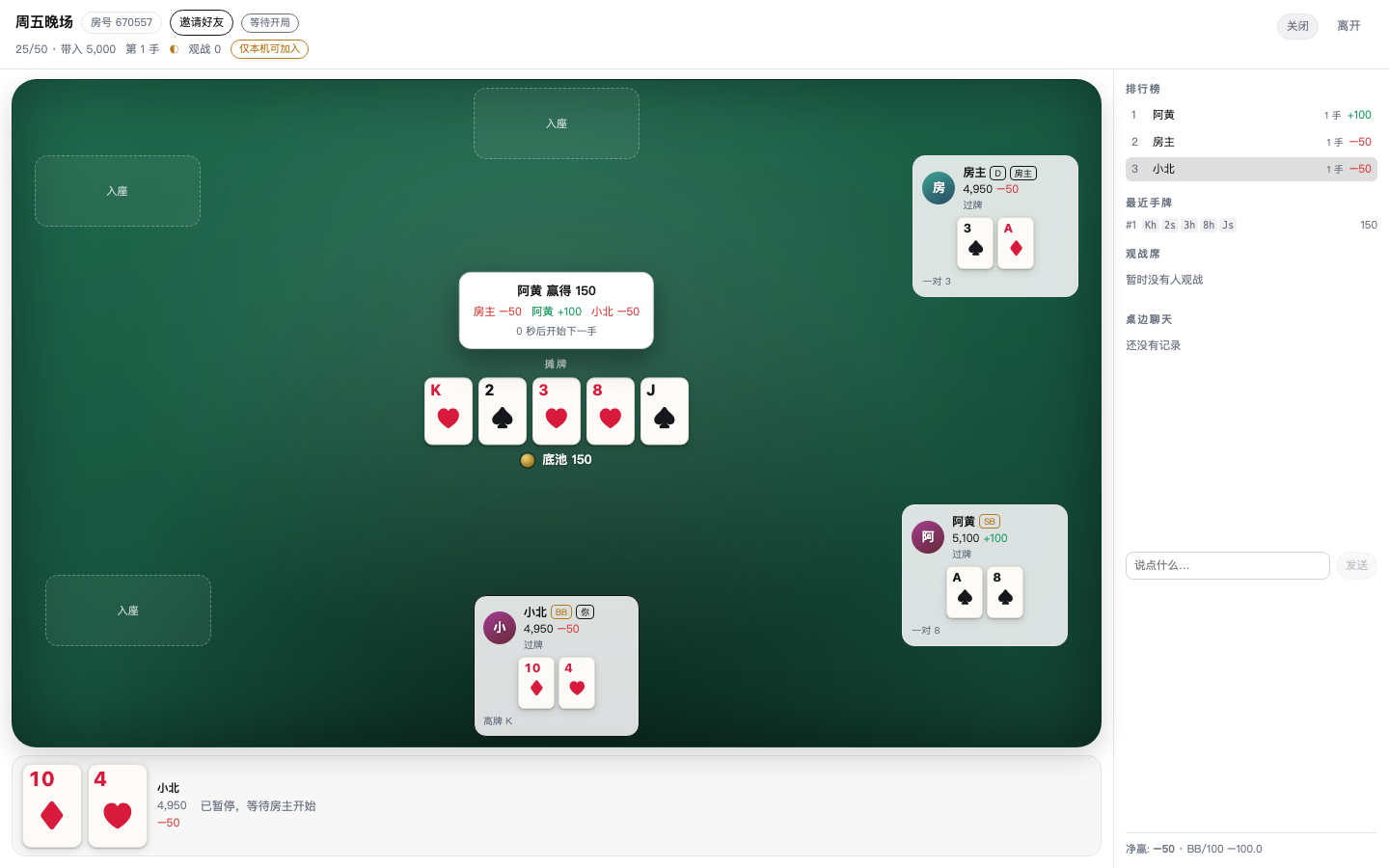
牌桌

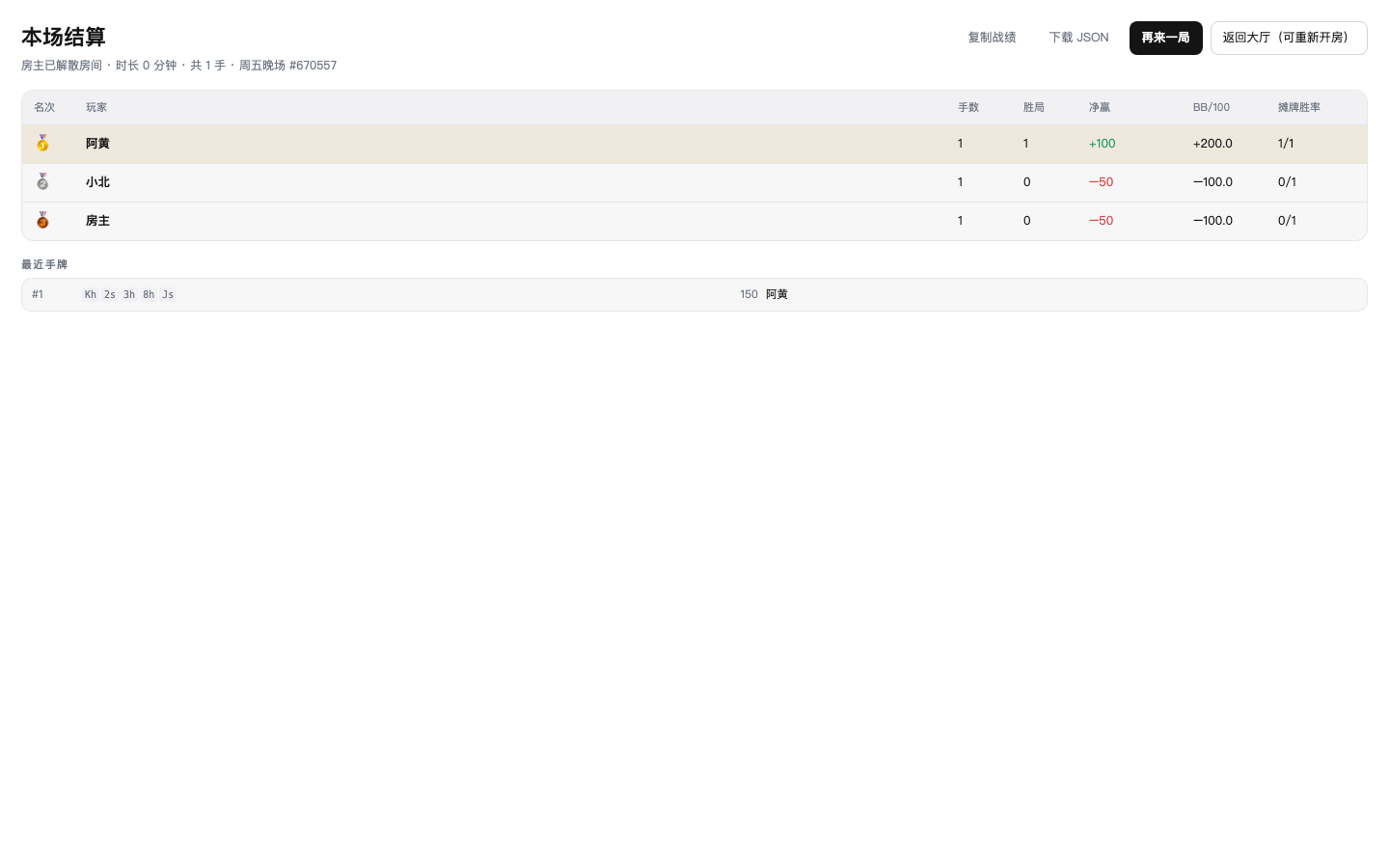
本场结算

怎么玩

  1. 点侧栏的德州扑克图标 → 选「开桌位置」→ 填昵称、房间名、盲注 → 开一桌。
  2. 弹出来的邀请面板里复制链接,发给朋友。
  3. 大家「准备」,房主点「开始」;每手结束会自动开下一手。
  4. 房主点「解散并结算」(或离开)后,所有人看到本场结算:名次、手数、胜局、净赢、BB/100、摊牌胜率。

房间规则:

  • 6 人上限,坐满后新来的人自动观战;观战者可以在等待阶段补位。
  • 一手进行中离开等于弃牌,这手牌会照常打完,只是不再开新局。
  • 每个行动 30 秒(可调 15–90 秒),超时自动过牌/弃牌;连续三次超时进入托管。
  • 有人掉线不影响其他人:轮到他会照常走计时,回来还能接上原来的座位和牌。
  • 房主离开或失联(默认 10 分钟)会结算整场。

设置

Settings → Plugins → 德州扑克:

| 字段 | 说明 | 默认 | | --- | --- | --- | | defaultBlindLevel | 新房间的默认盲注档位 | 25/50 | | turnTimeoutSec | 每个行动的时限(15–90 秒) | 30 | | autoAdvanceSec | 一手结束后自动开下一手(2–30 秒) | 6 | | allowSpectators | 是否允许观战 | 开 | | maxSpectators | 每桌观战席位上限(0–64,0 等于不接观战) | 16 | | chatEnabled | 是否允许桌边聊天 | 开 | | maxRooms | 同时存在的房间上限 | 8 | | hostIdleDissolveMin | 房主失联多久后自动结算(分钟) | 10 | | routePrefix | HTTP 前缀 | /holdem |

规则细节

  • 盲注档位 10/20、25/50、100/200,带入固定 100BB,每手重置。
  • 单挑时按钮位下小盲、翻前先行动,翻后大盲先行动。
  • 最小加注为「上一次满额加注量」;短筹码全下不会重新开放加注。
  • 边池按投入分层,弃牌者的钱留在池里但没有资格;未被跟注的部分原路退回。
  • 奇数筹码从按钮左手第一个赢家开始逐个分配。
  • 全员全下时按 1.2 秒间隔逐街发完公共牌再摊牌。

已知限制

  • 房主进程天然可信(能改自己的代码),不承诺防作弊。
  • 牌桌状态在内存里:重启 dsh(本机模式)或 Durable Object 被回收(Cloudflare 模式)后房间消失。
  • 筹码是娱乐分,没有真实价值,也没有跨房间钱包。
  • 观战席位默认 16,可用 maxSpectators 调整;房间上限见设置。