
@ziweiwu/folio
v0.4.2
Published
Read markdown in your terminal, properly. Real typography, Shiki syntax highlighting, vim keys, search, a table of contents, link following, and scrolling that keeps up with your keyboard.
Downloads
619

Maintainers
 ziweiwu
Readme
folio


Read markdown in your terminal, properly. Real typography, real syntax highlighting, and scrolling that keeps up with your keyboard.
npm install -g @ziweiwu/folio
folio README.md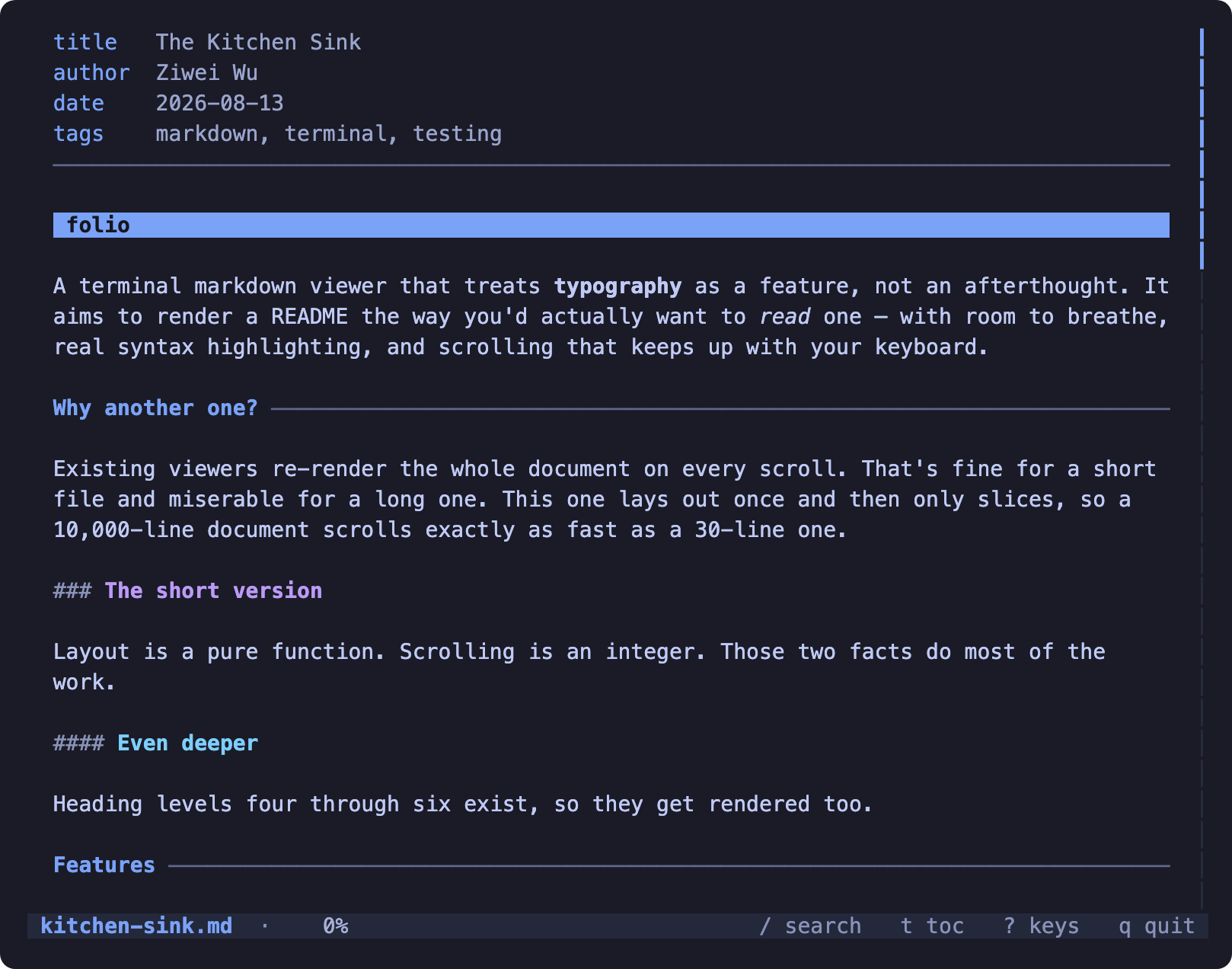
What it feels like to use
It opens instantly, it scrolls like a native app, and the keys are the ones you already know. Nothing to configure — point it at a file and read.
- Scrolling never lags.
jkfor a line,dufor half a screen,spacefor a full one,gGfor the ends. Hold a key and it stays smooth instead of falling behind and then lurching. The mouse wheel works too. - You always know where you are. The status bar shows the file, how far through you are, and which section you're currently inside — not just a percentage.
- Resize without losing your place. Widen the window and you stay on the paragraph you were reading.
What it does
Code you can actually read
Syntax highlighting through Shiki — the same TextMate grammars and themes VS Code uses, so keywords, types, functions and strings are all distinct rather than uniformly coloured.
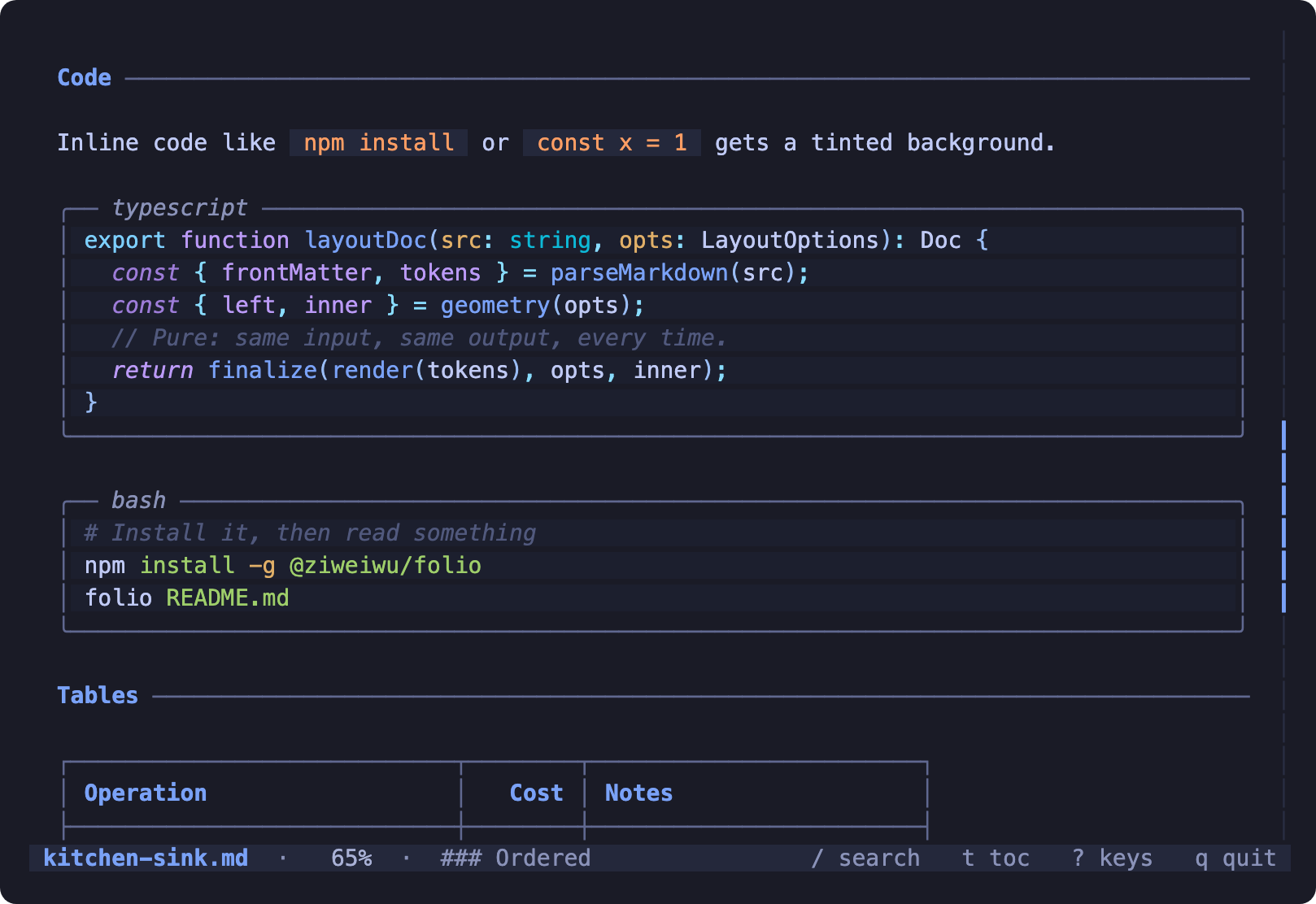
Press y to copy the code block on screen to your clipboard. It goes over
OSC 52, so it works through SSH and inside tmux where pbcopy can't reach.
Find your way around
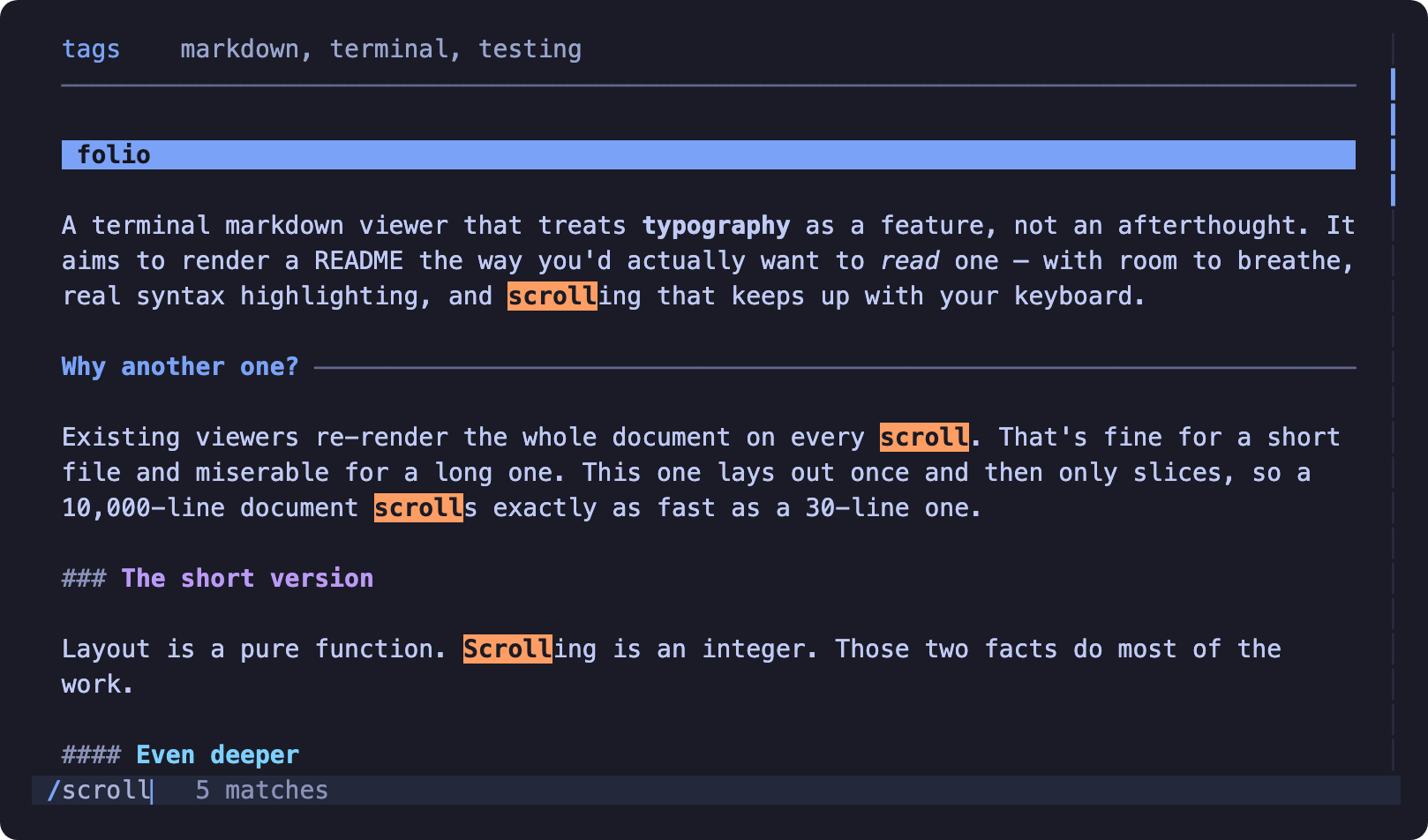
/ searches, n and N step through matches. Search is smartcase —
lowercase matches anything, a capital means you meant it — and a hit lands a
third of the way down the screen so you keep the context above it. Every jump
says which match you are on out of how many, so you can tell three hits from
thirty and see the wrap when it comes back round to the first.
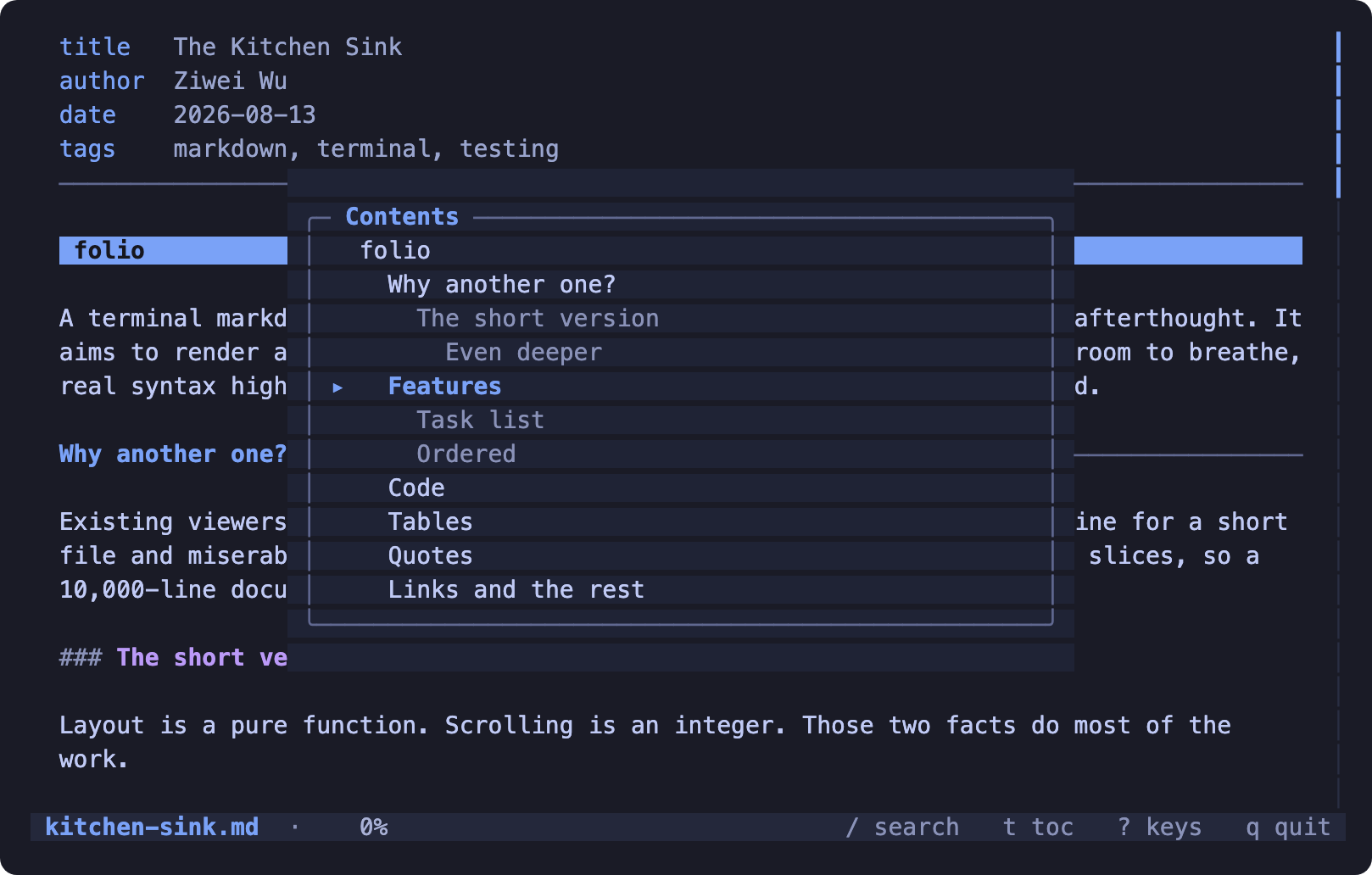
t opens the table of contents. Pick a heading and jump straight to it.
Nothing gets chopped
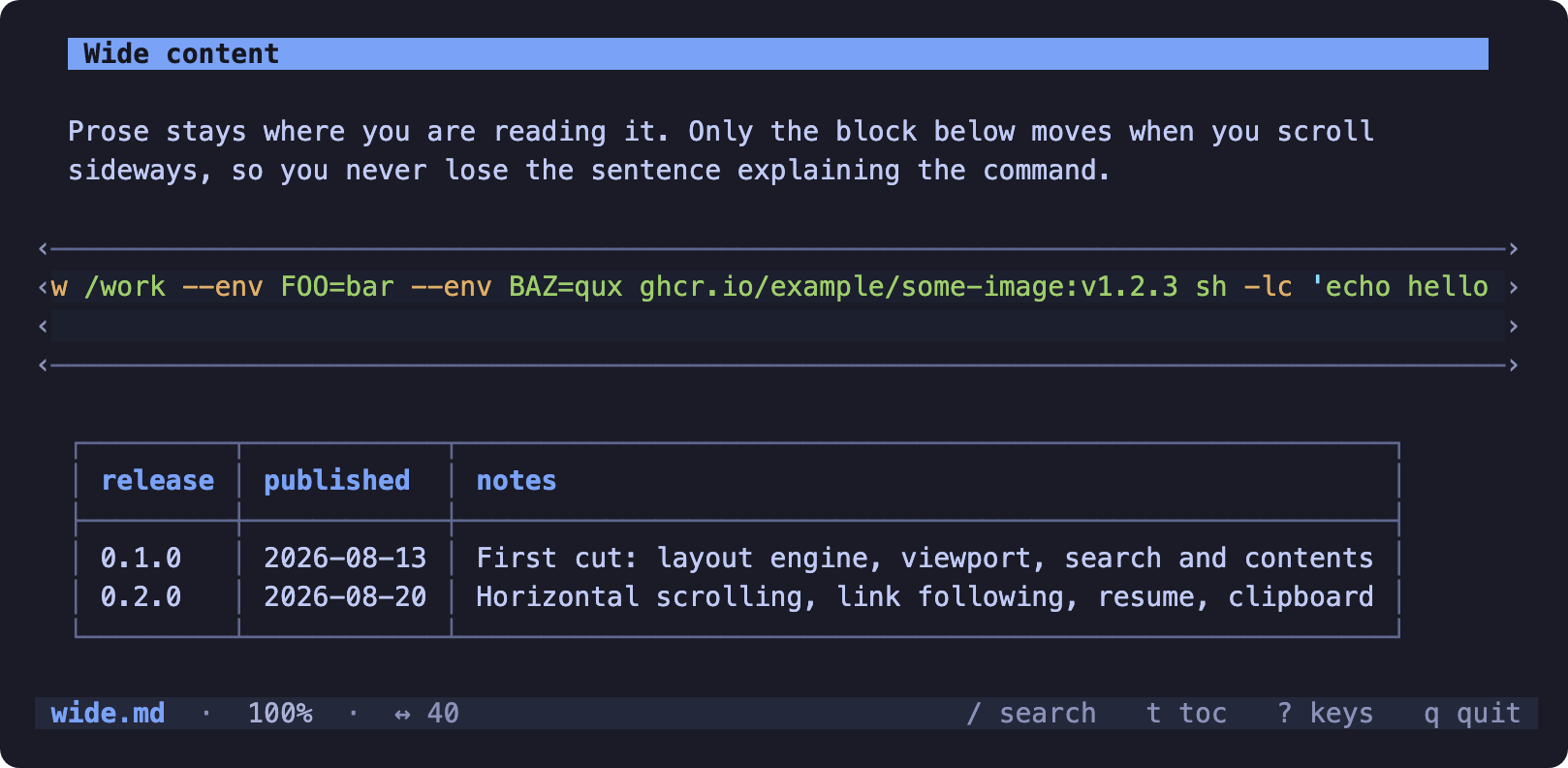
A long command or a wide table is laid out at its full width, and h l
move the viewport over it. Only the wide rows move — the prose around them stays
exactly where you were reading it, so you never lose the sentence explaining the
command. ‹ and › mark whichever edge continues.
Links go somewhere
Tab picks the next link and scrolls it into view, Enter follows it,
Backspace goes back. Or just click it — a click follows the link under
the pointer, and the wheel scrolls.
- Relative paths open that file —
./guide.md,guide, or a directory with anindex.mdinside #anchorsjump to the heading, using the same slugs GitHub links with[[Wikilinks]],[[target|label]]and[[target#heading]]work, so an Obsidian or Foam vault reads properly- External URLs are shown rather than opened — a pager that launches a browser is a surprise, and they're already clickable via OSC 8
It remembers where you were
Close a long document and reopen it later and you're back at the same place.
What's stored is the block, not the line number, so it survives being reopened
in a different-sized window. --no-resume opens at the top.
Light and dark
Picked automatically from your terminal, or forced with --theme.
Formats it doesn't parse
.org, .txt, .rst and logs are shown verbatim rather than misread as
markdown — Org's * headings aren't emphasis, and pretending otherwise
misrepresents the file.
So are source and configuration files — .py, .ts, .json, .yaml,
dotfiles, a Makefile. Markdown joins consecutive lines into a paragraph, so
parsing one of those doesn't merely style it wrongly, it deletes the
indentation that is the file. --markdown forces the parser anyway, and
--text forces verbatim on anything.
A directory or a binary file is refused with a reason, not rendered as pages of caret notation.
See it for yourself
examples/ in the
repository is a guided tour — nine documents covering every construct folio
draws, from nested lists to mermaid blocks to right-to-left text. Clone it and
read the tour in the viewer itself:
git clone https://github.com/ziweiwu/folio && cd folio
folio examples/README.md      # then Tab, Enter, Backspace to walk the tour
Keys
The full guide
walks through all of this in order; ? lists the keys without leaving the
viewer.
j k ↓ ↑      one line              d u          half a screen
f b space    a full screen         g G          top, bottom
h l ← →      sideways              0            back to the left edge
wheel        three lines           click        follow the link under it

tab ⇧tab     pick a link           enter        follow it
backspace    go back               y            copy the code block on screen
/            search                n N          next, previous match
t            contents              r            reload from disk
?            all keys              q esc ^C     quit
Options
-w, --width N       Text column width (default 88). 0 fills the terminal.
    --theme NAME    auto, dark or light (default auto, read from COLORFGBG)
-p, --plain         No colour at all. NO_COLOR does the same.
-n, --line-numbers  Number the lines inside code blocks
    --links MODE    osc8 (clickable, default), ref (numbered), plain (URL inline)
    --wrap          Chop wide code and tables to fit, rather than scrolling
    --no-resume     Always open at the top
    --no-pager      Print and exit even on a terminal
    --watch         Re-render when the file changes on disk
    --text          Show the file verbatim, with no markup parsing
    --markdown      Parse as markdown even if the extension says otherwise
It behaves like a Unix tool
folio README.md            # a pager
folio README.md | cat      # plain text, no escape codes
FORCE_COLOR=3 folio R.md | less -R
cat NOTES.md | folio       # still interactive, via /dev/tty
folio --watch spec.md      # re-renders as you edit
folio spec.md | head -20   # closing the pipe early is not an error
Exit status is 0 for success, 1 for a document that could not be read, 2 for bad usage. Piping a document in still opens a real pager: the content comes from stdin and the keyboard is borrowed from the controlling terminal.
A reader that stops reading is not a failure: head, grep -q and quitting out
of less all close the pipe mid-write, and folio treats that as the job being
done rather than printing a broken-pipe trace. Printed output is also clamped to
the width of your terminal, so a table wider than the screen is cut with a mark
instead of wrapping into noise.
A document is content, never instructions. Control bytes in a file — an escape
sequence that would clear your screen, a forged OSC 8 link target, a \r that
overwrites the line above — are shown in caret notation (^[, ^G) the way
less shows them, rather than handed to your terminal. Pointing folio at a
README you have not read is safe.
Why not glow
| | glow | folio |
|---|---|---|
| Scrolling a long file | re-renders the document each scroll | lays out once, then slices |
| Cost per frame | grows with the document | 0.10 ms on a 6,246-row document |
| A held key | queues renders and falls behind | coalesced to one update per frame |
| Resize | loses your place | re-anchors to the block you were reading |
| Position | a percentage | percentage and the section you are inside |
| Wide code | folds it | scrolls sideways over it |
| Links | not followable | Tab to pick, Enter to open, Backspace to go back |
| Wikilinks | no | [[target|label]] and [[target#heading]] |
| Reopening a file | at the top | where you left off |
| Highlighting | Chroma | Shiki — the grammars and themes VS Code uses |
Design philosophy
Three things, in this order, whenever they conflict.
Simplicity. Seven runtime dependencies, no configuration file, no plugin system, no stash. It opens a file and shows it to you.
Clarity. An 88-column text measure, hanging indents, real hierarchy, and
colour used as a redundant signal rather than the only one. NO_COLOR output
stays fully legible — headings keep their rules, tasks their boxes, code its
frame.
Speed. Layout runs once per document, not once per scroll. Opening a file never waits for syntax highlighting.
How it works
The whole design rests on one split:
source ──parse──▶ tokens ──layout──▶ Line[]   once, per (source, width, theme)
                                       │
                            offset ────┴──▶ compose ──▶ frame   per scroll
layoutDoc is a pure function returning an array of fully-styled rows.
Scrolling only changes an integer, and the Ink tree is one Text node per
visible row — so a 6,246-row document costs exactly what a 30-row one costs.
Measured on an M1:
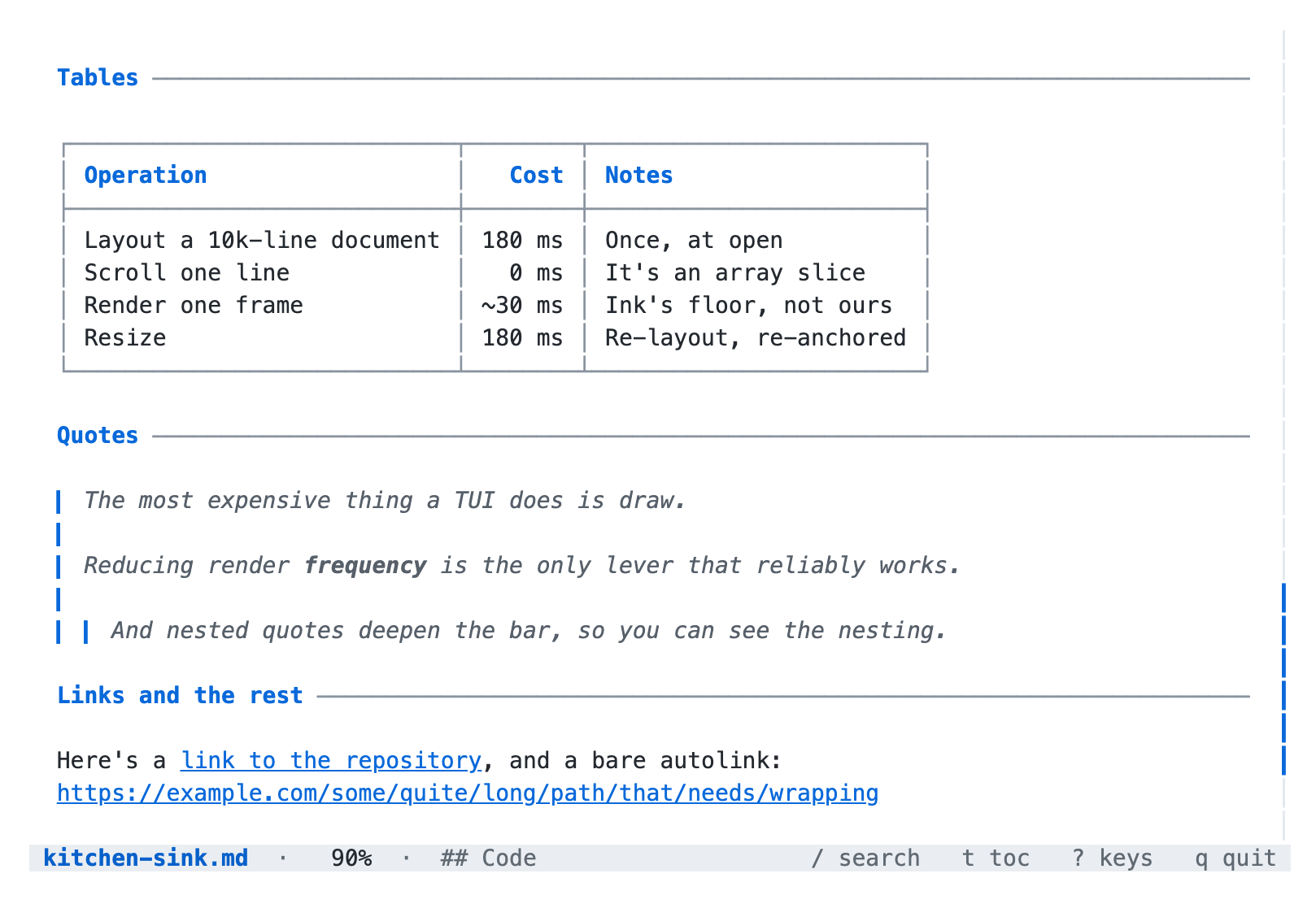
| | | |---|---| | Lay out a 6,246-row document | 135 ms, once, at open | | Compose one frame of it | 0.10 ms | | Ink drawing that frame | ~30 ms |
Highlighting is the expensive part of layout, so the first frame is drawn without it and replaced when the grammars are ready. Only the languages a document actually uses are loaded.
Development
See AGENTS.md for the working agreement, and INVARIANTS.md for the contract this is built against.
npm test                    # 500 unit and property tests
npm run lint && npm run typecheck && npm run build
npm run verify:smoke        # the no-terminal paths
npm run verify:screenshots  # do docs/*.png still match what the app draws?
npm run verify:pty          # a real pty: drive it, signal it, check what it restored
npm run preview -- test/fixtures/kitchen-sink.md 100   # layout only, no TUI
npm run screenshots         # regenerate docs/*.png from real frames
Everything but verify:pty also runs from a Stop hook in .claude/, so a
change that leaves the tree failing is refused rather than summarised. CI runs
the same list, and carries verify:pty on a macOS runner because it needs a
real pty and takes minutes.
Licence
MIT