
@zsee/msync
v1.0.1
Published
Sync real data to mock server


Readme
msync
能做什么?
做的事情很简单,将测试环境相关接口的返回数据自动同步到easy mock平台上。
为什么这样做
目的也很简单,需要更真实的开发场景。easy-mock平台虽然能够对接口的返回值进行mock,但返回的都是一些随机的数据。这些数据在大多数开发情况下都能够帮助我们开发,提升我们的开发效率。为了得到更真实的开发场景,我们有必要把我们测试服务器接口的返回值同步到easy-mock平台上。
怎么用
npm install @zsee/msync -g查看使用帮助
msync -hUsage: msync [options] [command]
Options:
-V, --version 输出版本号
-c, --check 检查当前环境是否满足同步环境 (default: false)
-h, --help 查看使用帮助
Commands:
login [options] 登录easy-mock <https://mock.u51-inc.com> 服务器
whoami 查看当前登录的easy-mock用户
Run msync <command> --help for detailed usage of given command.怎么做
很简单,项目根目录下添加配置文件sync.config.js,并作如下配置
export default {
  mappings: [
    {
      // 需要同步的 swagger地址 需要返回json格式的swagger数据
      swagger: 'http://swagger.json',
      // 需要同步到 easy-mock平台下哪个项目下,这个就是对应的项目id
      id: '5d74fcc890851c9701075bdd'
    }
  ],
  // 测试环境用于鉴权的 userId
  userId: '',
  // 测试环境用于鉴权的 token
  token: ''
}
userId和token会放在request header中{userId: '', Authorization: encrypt token}。其它鉴权方式目前还未作兼容处理。
然后运行
msync start运行这个命令的时候,如果发现不符合同步环境,程序会退出并给予相应的提示。
结果如何
接口同步进行中...
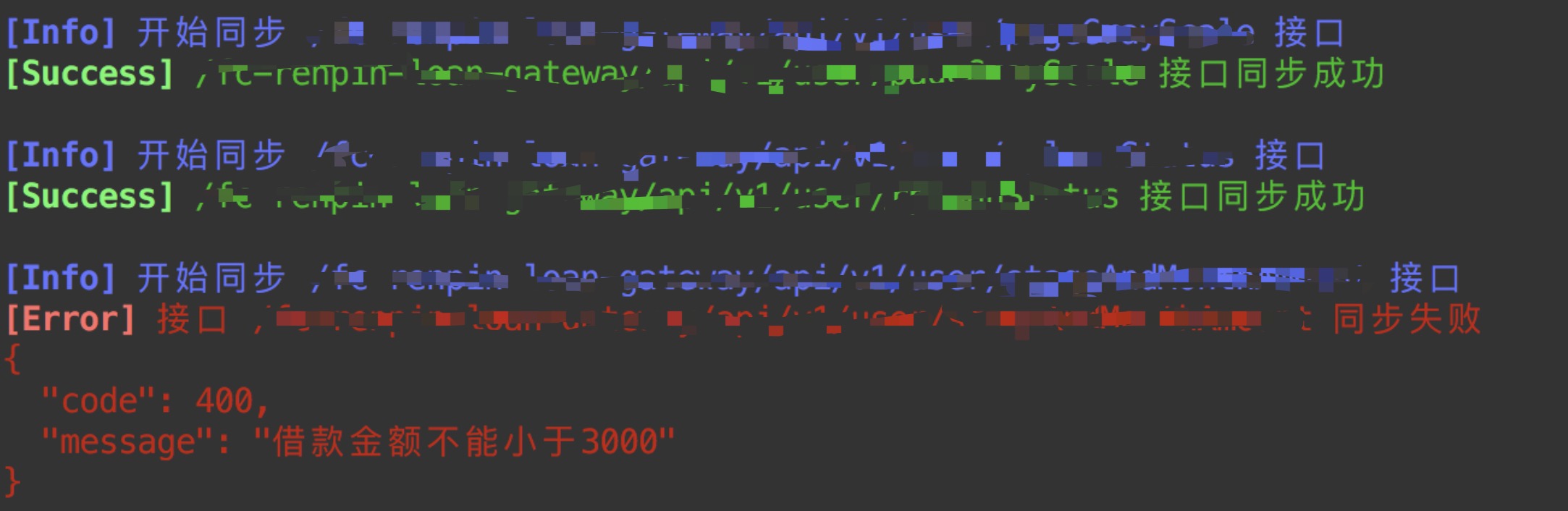
接口同步前的mock数据
{
  "userInfoDto": {
    "availableLimit": "@integer(60, 100)",
    "baseLimit": "@integer(60, 100)",
    "gainLimit": "@integer(60, 100)",
    "isCertificated": "@boolean",
    "limitStatus": "@integer(60, 100)",
    "maxLimit": "@integer(60, 100)",
    "minLimit": "@integer(60, 100)",
    "remainBaseLimit": "@integer(60, 100)",
    "remainGainLimit": "@integer(60, 100)",
    "userLabelType": "@integer(60, 100)",
    "userLabelTypeList": [
      "@integer(60, 100)"
    ]
  }
}接口同步后的mock数据
{
  "userInfoDto": {
    "minLimit": 3000,
    "maxLimit": 200000,
    "isCertificated": true,
    "limitStatus": 1,
    "baseLimit": 8000,
    "gainLimit": 0,
    "availableLimit": 8000,
    "remainBaseLimit": 8000,
    "remainGainLimit": 0,
    "userLabelType": 0,
    "userLabelTypeList": [
      0
    ]
  }
}
TODO
- [x] 更完善的错误判断
- [x] 完善命令行程序
- [x]
easy-mock自动登录 - [ ] 自定义参数传递
- [ ]
controller黑/白名单 - [ ] 单接口同步
- [x] 多
swagger同步