
@zuaque/mini-package
v1.0.11
Published
Multiple mini packages to get started
Downloads
25


Readme
Mini-Package
This Project is created for beginners to create multiple things given below with super ease and full control. Made with Love 💖 By Zuaque.
Articles
- Sort Array
- Prettify Milliseconds
- Insert CSS Code
- Insert Box Shadows
- Add Border Radius
- Is Prime Number
- Is Odd Number
- Square Root
- Cube Root, any number root
- Round Off
- Loading
- Skeleton Loading User Template
- Custom Loader
- UUID
Getting Started
npm i @zuaque/mini-packageor Use CDN
https://unpkg.com/@zuaque/[email protected]/<file>.jsMethods of Usage
In Modular Javascript or React Js, Next Js, etc.
import {package} from "@zuaque/mini-package";In Non-Modular Javascript or Node JS, etc.
var { package } = require("@zuaque/mini-package");Without NPM or With CDN
https://unpkg.com/@zuaque/[email protected]/<file>.jsDocumentation
Sort Array
Sorting the Array in Ascending, Descending Order
Example:
var { sortArray } = require("@zuaque/mini-package");
const sampleArray = ["Orange", "Mango", "Apple"];
sortArray(sampleArray, "asc");

// Expected Output: ["Apple", "Mango", "Orange"]
or
<script
  script="https://unpkg.com/@zuaque/[email protected]/index.js"
></script>
<!-- Use Function sortArray -->
Syntax:
sortArray(array, type);Type - It can be asc desc init-asc init-desc
ascmeans Ascending Orderdescmeans Descending Orderinit-descmeans Ascending Order of Integersinit-descmeans Descending Order of Integers
Prettify Milliseconds
Convert Milliseconds into Human Readable String
Example:
var { pretty_ms } = require("@zuaque/mini-package");
const milliseconds = 60000;
pretty_ms(milliseconds);

// Expected Output: 1 Minutes
// For example if milliseconds = 600718718718700;
// Output is 19313 years
or
<script
  script="https://unpkg.com/@zuaque/[email protected]/index.js"
></script>
<!-- Use Function pretty_ms -->
Syntax:
pretty_ms(milliseconds);Expected Output Value can be in
- years
- months
- days
- hours
- Minutes
- seconds
The Output will be given in the nearest Output Value
Insert CSS Code
Insert CSS code in Style Tag inside of Head tag.
Example:
  var {insertCss} = require("@zuaque/mini-package/css)
  const code = `
    .border{
        border: 5px solid red;
    }
  `
  insertCss(code);

  // Expected Output: true
or
<script script="https://unpkg.com/@zuaque/[email protected]/css.js"></script>
<!-- Use Function insertCss -->
Syntax:
insertCss(code);Box Shadow
Add Box Shadow with Super ease without any prerequisite.
  var {boxShadow} = require("@zuaque/mini-package/css)
  boxShadow("medium", "gray", "box");

  // Expected Output: true
or
<script script="https://unpkg.com/@zuaque/[email protected]/css.js"></script>
<!-- Use Function boxShadow -->
Syntax:
boxShadow(type, color, className);Type - It can be the type of Box Shadow.
smallx-smallmediumlargeColor - It can be the color of the Box Shadow.
className - Add the class of the element on which you want to add Box Shadow.
Border Radius
Add Border Radius with Super Ease.
Example:
  var {borderRadius} = require("@zuaque/mini-package/css)
  boxShadow("10", "sample");

  // Expected Output: true
or
<script script="https://unpkg.com/@zuaque/[email protected]/css.js"></script>
<!-- Use Function borderRadius -->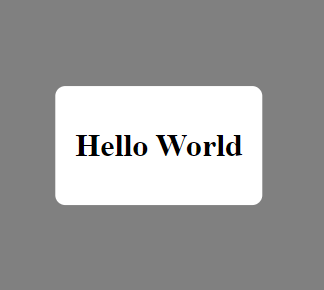
Syntax:
boxShadow(radius, className);Radius - Radius of the Border.
className - Add the class of the element on which you want to add Border Radius.
Is Prime Number
Syntax:
var { is_prime } = require("@zuaque/mini-package/maths");
is_prime(n);

// Here n is the number and output is true or false
or
<script
  script="https://unpkg.com/@zuaque/[email protected]/maths.js"
></script>
<!-- Use Function is_prime -->
Is Even Number
Syntax:
var { is_even } = require("@zuaque/mini-package/maths");
is_even(n);

// Here n is the number and output is true or false
or
<script
  script="https://unpkg.com/@zuaque/[email protected]/maths.js"
></script>
<!-- Use Function is_even -->
Is Odd Number
Syntax:
var { is_odd } = require("@zuaque/mini-package/maths");
is_odd(n);

// Here n is the number and output is true or false
or
<script
  script="https://unpkg.com/@zuaque/[email protected]/maths.js"
></script>
<!-- Use Function is_odd -->
Square Root
Syntax:
var { sqrt_root } = require("@zuaque/mini-package/maths");
sqrt_root(n);

// Here n is the number and output is the number
or
<script
  script="https://unpkg.com/@zuaque/[email protected]/maths.js"
></script>
<!-- Use Function sqrt_root -->
Any Root
Syntax:
var { any_root } = require("@zuaque/mini-package/maths");
sqrt_root(n, root);

// Here n is the number, root can be square as 2, cube as 3, ... and output is the number
or
<script
  script="https://unpkg.com/@zuaque/[email protected]/maths.js"
></script>
<!-- Use Function anyy_root -->
Round Off
Syntax:
var { round_off } = require("@zuaque/mini-package/maths");
round_off(n, decimal_digit);

// Here n is the number
// decimal_digit is the digit till you want to round off.
// Output is Rounded off Number
or
<script
  script="https://unpkg.com/@zuaque/[email protected]/maths.js"
></script>
<!-- Use Function round_off -->
Loading
Syntax:
var { loading } = require("@zuaque/mini-package/loading");
loading(type);
or
<script
  script="https://unpkg.com/@zuaque/[email protected]/loading.js"
></script>
<!-- Use Function loading -->
type - Can be start or end.
startmeans start loadingstopmeans stop loading
Skeleton Loading User Template
Syntax:
var { skeleton_div_user_template } = require("@zuaque/mini-package/loading");
loading(parent_div_id, color, count);
or
<script
  script="https://unpkg.com/@zuaque/[email protected]/loading.js"
></script>
<!-- Use Function skeleton_div_user_template -->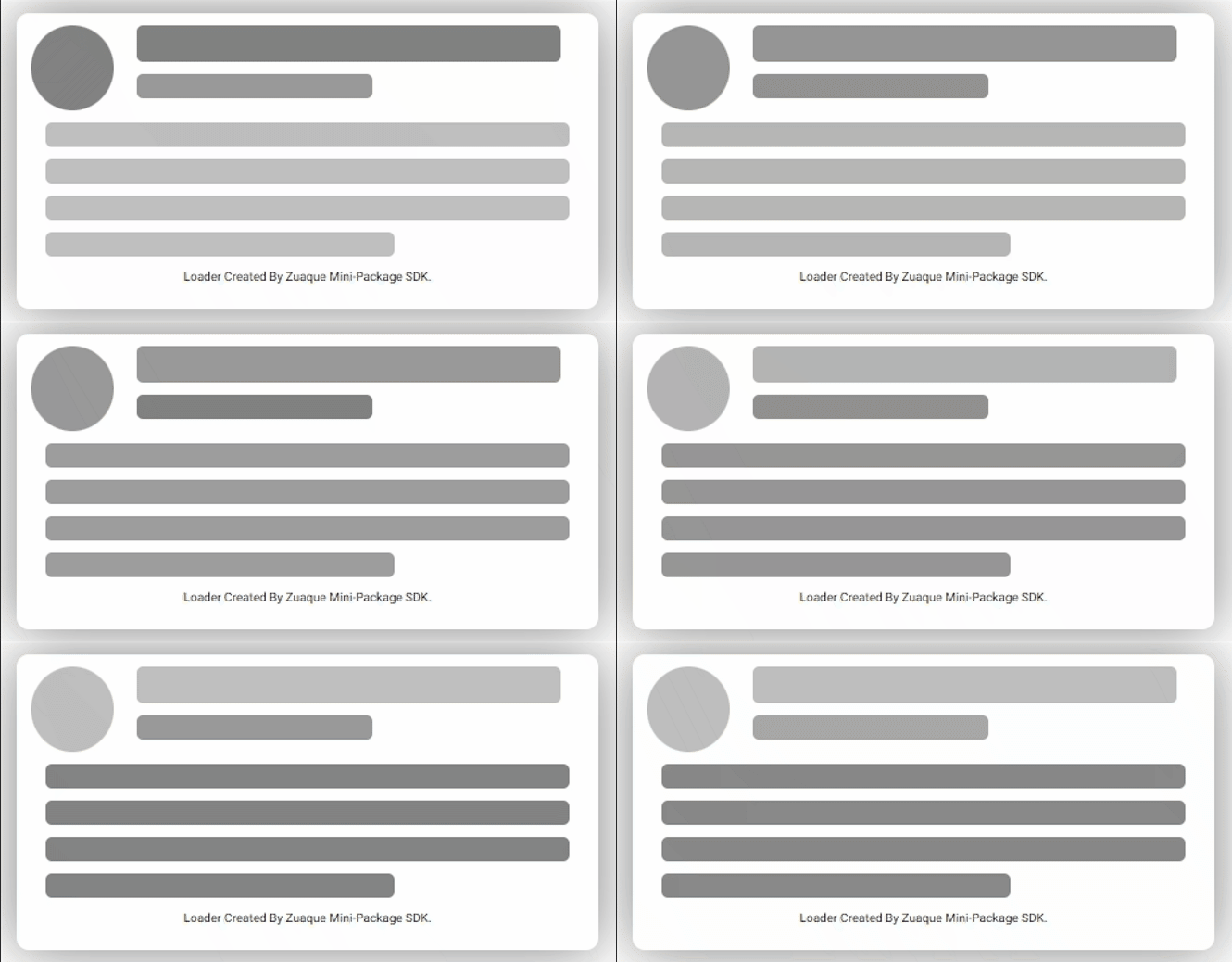
parent_div_id - Means the id in which you want to add it.
color - Means the color of the Loader
count - Means the number of loaders you want.
Custom Loader
Syntax:
var { customLoader } = require("@zuaque/mini-package/loading");
loading(code, style, count);
or
<script
  script="https://unpkg.com/@zuaque/[email protected]/loading.js"
></script>
<!-- Use Function customLoader -->
Code - Your HTML code of the Loader.
Style - Your CSS style of the code
Count - Number of Loaders you want for the same.
UUID
It will generate Random Secure Id Tokens.
Syntax:
var uuid = require("@zuaque/mini-package/uuid");
uuid();
or
<script script="https://unpkg.com/@zuaque/[email protected]/uuid.js"></script>
<!-- Use Function uuid -->