
ab-gradient-picker
v1.2.6
Published
Simple gradient picker


Readme
ab-gradient-picker
Simple gradient picker, with no dependencies.
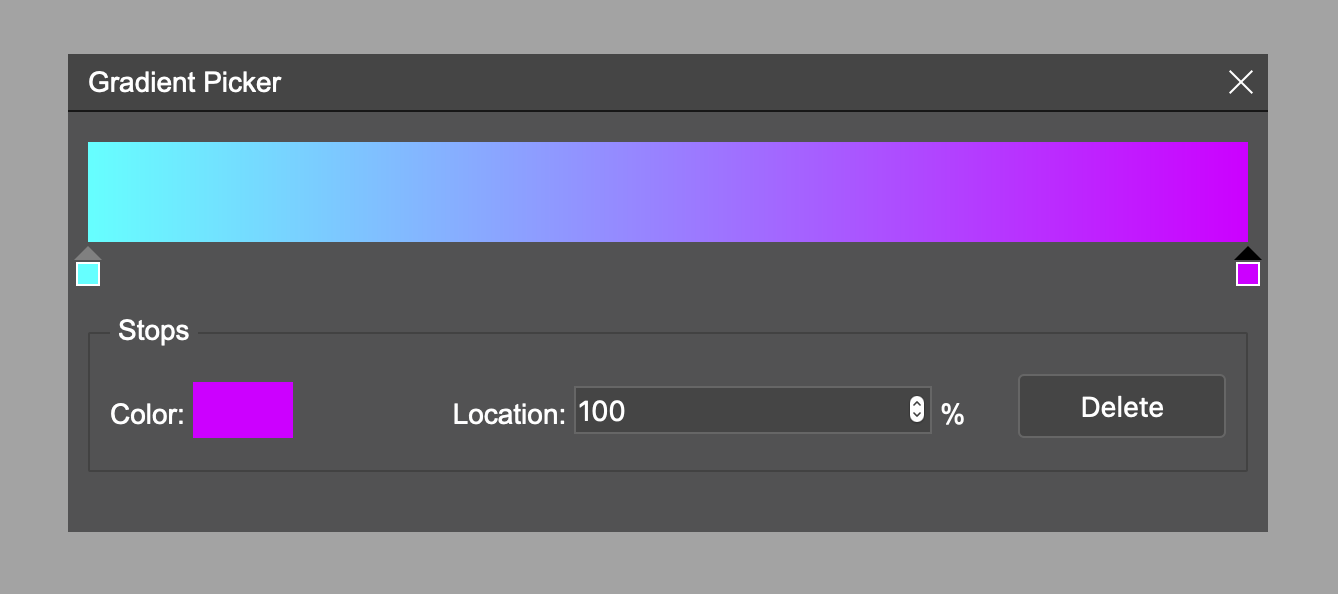
Download
Install npm i ab-gradient-picker
Usage
    const gp = createGradientPicker({
            initColors: [
                {
                    color: '#000000',
                    position: 0
                },
                {
                    color: '#ffffff',
                    position: 100
                }
            ]
    });

    // Do stuff on change of the gradient
    gp.on('change', colors => {
        console.log(colors);
    })
Configurations
initColors- array of colors and positions (default:
[
    {
        color: '#ffffff',
        position: 0,
    },
    {
        color: '#000000',
        position: 100,
    }
]
)
zIndex- zIndex of popup (default: 999)isCustomColorPicker- if custom color picker is to be used; by default native browser one is used (default: false)
Add custom color picker
ab-gradient-picker color picker is independent and uses the browser's native one by default, just to make it more accessible, but you can easily switch it with one of your choices (recommended as not all browsers support properly input[type=color]).
In the example below we use a-color-picker just as the proof of concept
import {createGradientPicker, IGradientPickerConfig} from 'ab-gradient-picker';
import * as AColorPicker from 'a-color-picker';

const config: IGradientPickerConfig = {
    initColors: [
        {
            color: '#000000',
            position: 0,
        },
        {
            color: '#ffffff',
            position: 100,
        }
    ],
    zIndex: 1001,
    isCustomColorPicker: true
}

const gp = createGradientPicker(config);
gp.on('change', v => console.log('change', v));
gp.on('drag:start', v => console.log('drag:start', v));
gp.on('drag:end', v => console.log('drag:end', v));
const colorInput = gp.getInputElement();
colorInput.addEventListener('click', (e) => {
    const picker = AColorPicker.createPicker(colorInput, {color: gp.getActiveColor()});
    picker.on('change', (p: AColorPicker.ACPController, color) => {
        gp.setActiveColor(color);
    });
    picker.element.addEventListener('click', e => e.stopPropagation());

    document.addEventListener('click', (e) => {
        if (e.target !== colorInput && picker.element?.parentNode) {
            picker.element.parentNode.removeChild(picker.element);
        }
    });
    e.preventDefault();
})
Events
Available events
change- gradient is changeddrag:start- started dragging the handlerdrag:end- stopped dragging the handler
API
Methods
setActiveColor(color: string)- change active colorgetInputElement():HTMLElement | null- get color input element to override its behaviour. If isCustomColorPicker set to true there is just div with background color.getActiveColor():string- get color of active stopshow()- show pickerhide()- hide picker
License
MIT