
action-mat-button
v0.0.1
Published
>__used in angular project__

Maintainers
 ihgazni2
Readme
ActionMatButtonComponent
used in angular project
- action-mat-button is a extends of material mat-button
- define your actions,such as double-click triple-click,press-down, throttle
Install
npm install action-mat-button
Usage
(stackblitz example)
ACTION PROP
action :
     D                  mouse-down
     U                  mouse-up
    (start,end)         duration  start default 0, end default Infinity
     click              D-()-U

condition:
     throttle(min,max)  round-throttle  min default 0, max default Infinity

examples:

    1s-2s-press                 D-(1000,2000)-U
    double-click-between-1s     click-(,1000)-click && throttle(,1100)
                                //&& throttle(,1100) is necessary
                                //because in browser click-time is not predictable
    triple-click                click-()-click-()-click
triple-click-in-2s click-(0,1500)-click-(0,1500)-click && throttle(,2000) 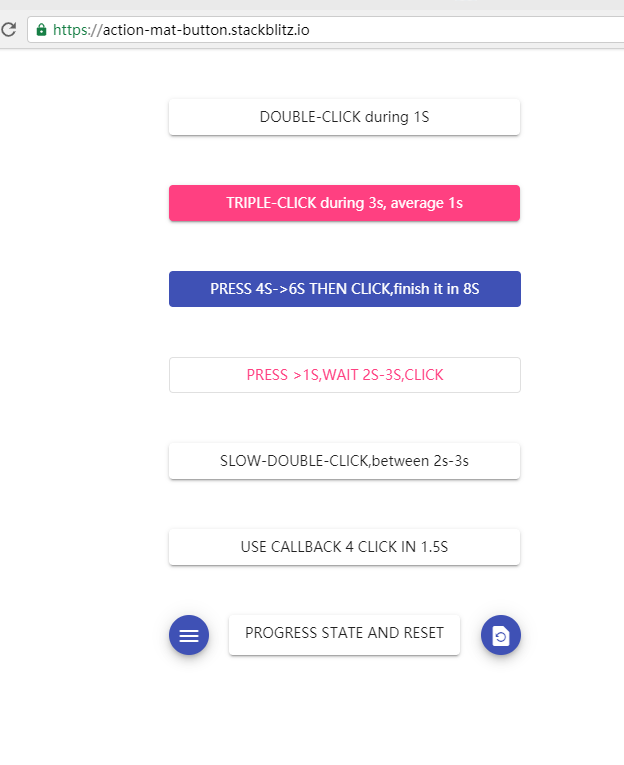
USEAGE SCREENSHOOTS
app.module.ts
import {ActionMatButtonModule} from "action-mat-button";
@NgModule({
  imports: [
    ...
    ActionMatButtonModule.forRoot(),
    ....
  ],
  ....
})
export class AppModule {}
in your page
/*
action =  "click-(,1000)-click && throttle(,1100)"
     ----Mandatory: action rule

//choose listen-mode or callback-mode , or both
//listen mode
    (listen) = "your_listener_function($event)"
         ----Madatory-in-listen-mode:
         ---- EventEmitter reciever
         ---- listen mode will send full-info,including error/success
    id
    -----------Optional:define a id for EventEmitter using

    ////callback-mode
    [callback] = "your_callback_function"
         ----Madatory-in-callback-mode:
    [callback_params]= "your_callback_params"
         ----Optional: callback_function params


disable_interval
    ---------Optional:disbaled-time after each action-round
    ---------default 100ms


*/


<action-mat-button
    mat-raised-button
    id="double-click during 1 sec"
    action = "click-(,1000)-click && throttle(,1100)"
    (listen) = "listen($event)"
    [disabled]="disabled"
>
    DOUBLE-CLICK during 1S
</action-mat-button>
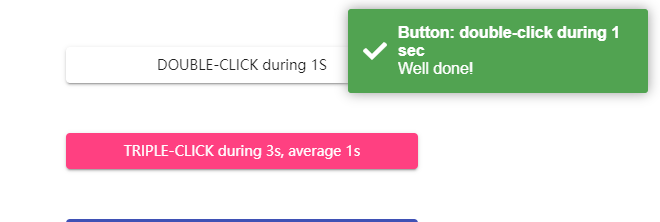
double click
<action-mat-button
    mat-raised-button
    id="double-click during 1 sec"
    action = "click-(,1000)-click && throttle(,1100)"
    (listen) = "listen($event)"
    [disabled]="disabled"
>
    DOUBLE-CLICK during 1S
</action-mat-button>

##ts example for self-defined listner


    public listen = ($event) => {
      simple_throttle(this);
      if ($event.error) {
         error_handler(this,$event);
      } else {
         success_handler(this,$event);
      }
    };


    function success_handler(instance,$event) {
          instance.toastr.success(
            'Well done!',
            'Button: '+$event.id,
            {timeOut: 5000}
          );
    }


    function error_handler(instance,$event) {
          instance.toastr.error(
            JSON.stringify($event.error),
            'Button: '+$event.id,
            {timeOut: 5000}
          );
    }


    function simple_throttle(instance) {
      instance.disabled = true;
      let tmout = setTimeout(() => {
        instance.disabled = false;
        instance.cdr.detectChanges();
        clearTimeout(tmout);
        tmout = null;
      }, instance.disable_interval);
} 
triple click
    <action-mat-button
        mat-raised-button
        color="accent"
        id="triple-click during 3 sec"
        action = "click-(,1000)-click-(,1000)-click && throttle(,3000)"
        (listen) = "listen($event)"
        [disabled]="disabled"
    >
        TRIPLE-CLICK during 3s, average 1s
    </action-mat-button>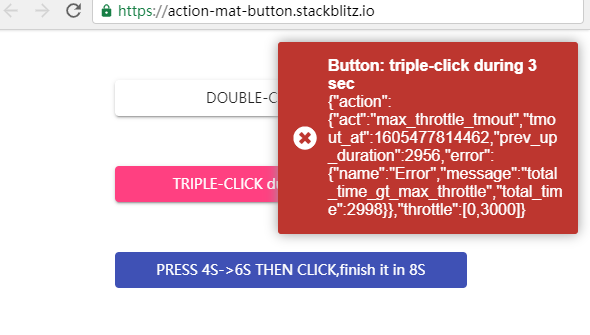
long press
    <action-mat-button
        mat-flat-button
        color="primary"
        id="press 4s-6s then click"
        action = "D-(4000,6000)-U-()-click && throttle(,8000)"
        (listen) = "listen($event)"
        [disabled]="disabled"
    >
        PRESS 4S->6S THEN CLICK,finish it in 8S
    </action-mat-button>
min-throttle
    <action-mat-button
        mat-raised-button
        color="warning"
        id="finish slow double click between 2s-3s"
        action = "click-()-click && throttle(2000,3000)"
        (listen) = "listen($event)"
        [disabled]="disabled"
    >
        SLOW-DOUBLE-CLICK,between 2s-3s
    </action-mat-button>
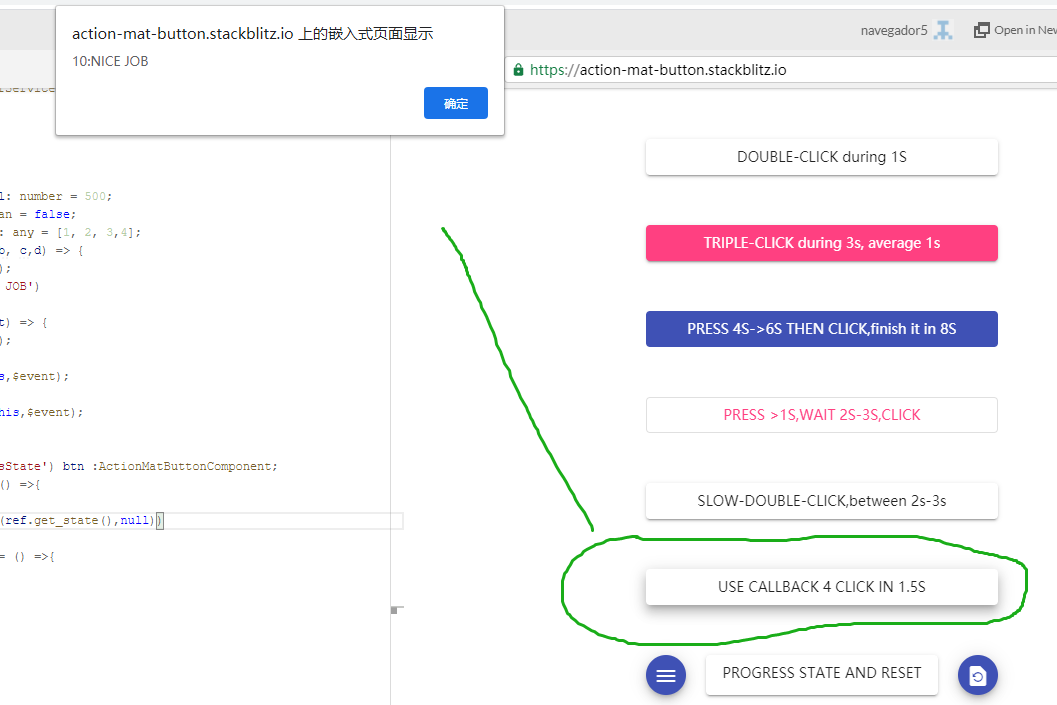
callback
    <action-mat-button
        mat-raised-button
        id="use callback 4 click in 1.5s"
        action = "click-(,500)-click-(,500)-click-(,500)-click && throttle(,1500)"
        [disable_interval] = "disable_interval"
        [callback] = "callback"
        [callback_params]= "callback_params"
        [disabled]="disabled"
    >
        USE CALLBACK 4 CLICK IN  1.5S
    </action-mat-button>

    //ts
    public callback_params: any = [1, 2, 3,4];
    public callback = (a, b, c,d) => {
      simple_throttle(this);
      alert(a+b+c+d+':NICE JOB')
    };
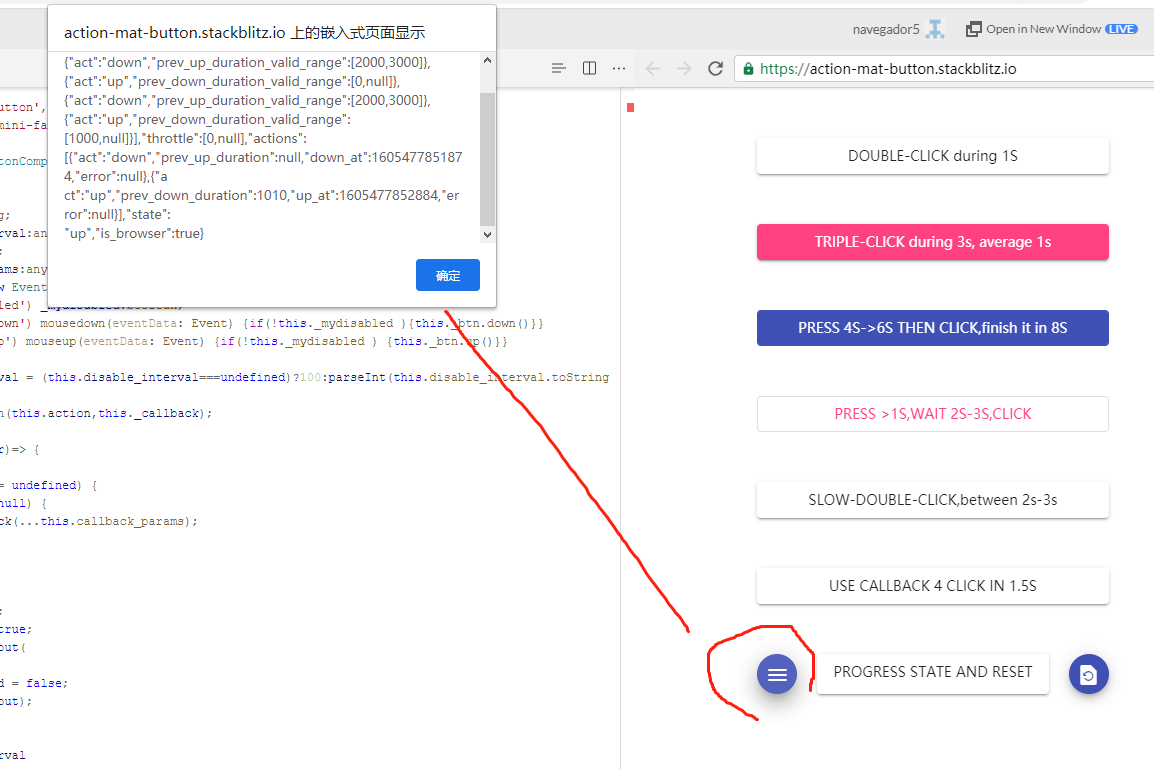
advance observe the action progress
    <div fxLayout="row" fxLayoutGap="20px">
        <button mat-mini-fab color="primary" (click)="get_progress()"><mat-icon>menu</mat-icon></button>
        <action-mat-button
            mat-raised-button
            id="get-progress-state"
            action = "D-(1000,)-U-(2000,3000)-click-(2000,3000)-D-(1000,)-U "
            (listen) = "listen($event)"
            [disabled]="disabled"
            #getProgressState
        >
            PROGRESS STATE AND RESET
        </action-mat-button>
        <button mat-mini-fab color="primary" (click)="reset_progress()"><mat-icon>restore_page</mat-icon></button>
    </div>

  //ts
  import { ActionMatButtonComponent } from '../../_components/action-mat-button/action-mat-button.component';

  @ViewChild('getProgressState') btn :ActionMatButtonComponent;

    public get_progress = () =>{
      let ref = this.btn
      alert(JSON.stringify(ref.get_state(),null))
    }
    public reset_progress = () =>{
      let ref = this.btn
      ref.reset();
} 
API
ActionMatButtonComponent.listen($event)
$event.id
$event.error
    - null
    -
    {
      action: {
        act: 'max_throttle_tmout',
        tmout_at: 1605466254553,
        prev_up_duration: 798,
        error: {
          name: 'Error',
          message: 'total_time_gt_max_throttle',
          total_time: 2002
        }
      },
      throttle: [ 0, 2000 ]
    }
ActionMatButtonComponent.get_state()
{
  policy: [
    { act: 'down', prev_up_duration_valid_range: [Array] },
    { act: 'up', prev_down_duration_valid_range: [Array] },
    { act: 'down', prev_up_duration_valid_range: [Array] },
    { act: 'up', prev_down_duration_valid_range: [Array] },
    { act: 'down', prev_up_duration_valid_range: [Array] },
    { act: 'up', prev_down_duration_valid_range: [Array] }
  ],
  throttle: [ 0, null ],
  actions: [
    {
      act: 'down',
      prev_up_duration: null,
      down_at: 1605476352648,
      error: null
    },
    {
      act: 'up',
      prev_down_duration: 1874,
      up_at: 1605476354522,
      error: null
    }
  ],
  state: 'up',
  is_browser: true
}

//policy entry
[
   ...
   { act: 'down', prev_up_duration_valid_range: [ 2000, 3000 ] }
   ...
]
ActionMatButtonComponent.reset()
GIT
- https://github.com/navegador5/nv-angular-action-mat-button.git