
active-page-vue
v0.1.8
Published
A Vue-based visual page editor component

Maintainers
 ahong
ahongReadme
active-page-vue
介绍
基于 Vue 2.x 的可视化页面编辑器组件。提升前端开发效率,可集成至移动端项目作为通过定义 JSON 直接生成 UI 界面的组件。
文档地址:http://qiniu-program.juroom.cn
在线体验:http://qiniu-plat.juroom.cn
安装与使用
安装
npm install active-page-vue --save全局注册
import Vue from 'vue'
import ActivePageVue from 'active-page-vue'

Vue.use(ActivePageVue)
局部注册
import { ActivePage } from 'active-page-vue'

export default {
  components: {
    ActivePage
  }
}
基本用法
<template>
  <div class="app-container">
    <active-page
      :enable-transition="true"
      :transition-name="'slide'"
      @mounted="handleMounted"
      @reloaded="handleReloaded"
    >
      <template #before-content>
        <!-- 在路由视图前插入内容 -->
        <div class="header">页面头部</div>
      </template>

      <template #after-content>
        <!-- 在路由视图后插入内容 -->
        <div class="footer">页面底部</div>
      </template>
    </active-page>
  </div>
</template>

<script>
export default {
  methods: {
    handleMounted() {
      console.log('ActivePage组件已挂载')
    },
    handleReloaded() {
      console.log('ActivePage组件已重新加载')
    }
  }
}
</script>
API
Props
| 参数 | 说明 | 类型 | 默认值 | | --- | --- | --- | --- | | enableTransition | 是否启用页面过渡动画 | Boolean | false | | transitionName | 过渡动画名称 | String | 'fade' | | containerClass | 自定义容器类名 | String/Object/Array | '' |
事件
| 事件名称 | 说明 | 回调参数 | | --- | --- | --- | | mounted | 组件挂载完成时触发 | - | | reloaded | 页面重新加载完成时触发 | - |
插槽
| 插槽名称 | 说明 | | --- | --- | | before-content | 路由视图前的内容 | | after-content | 路由视图后的内容 |
方法
通过 ref 可以获取到 ActivePage 实例并调用实例方法
this.$refs.activePage.reload() // 重新加载页面内容| 方法名 | 说明 | 参数 | | --- | --- | --- | | reload | 重新加载页面内容 | - |
本地开发
- npm install (安装 node_modules 模块)
- npm run serve (运行)
- npm run build (打包)
- npm update (用于更新包到基于规范范围的最新版本)
注:在新版本的npm中,默认情况下,npm install遇到冲突的peerDependencies时将失败。 可使用:npm install --legacy-peer-deps
使用说明
使用教程
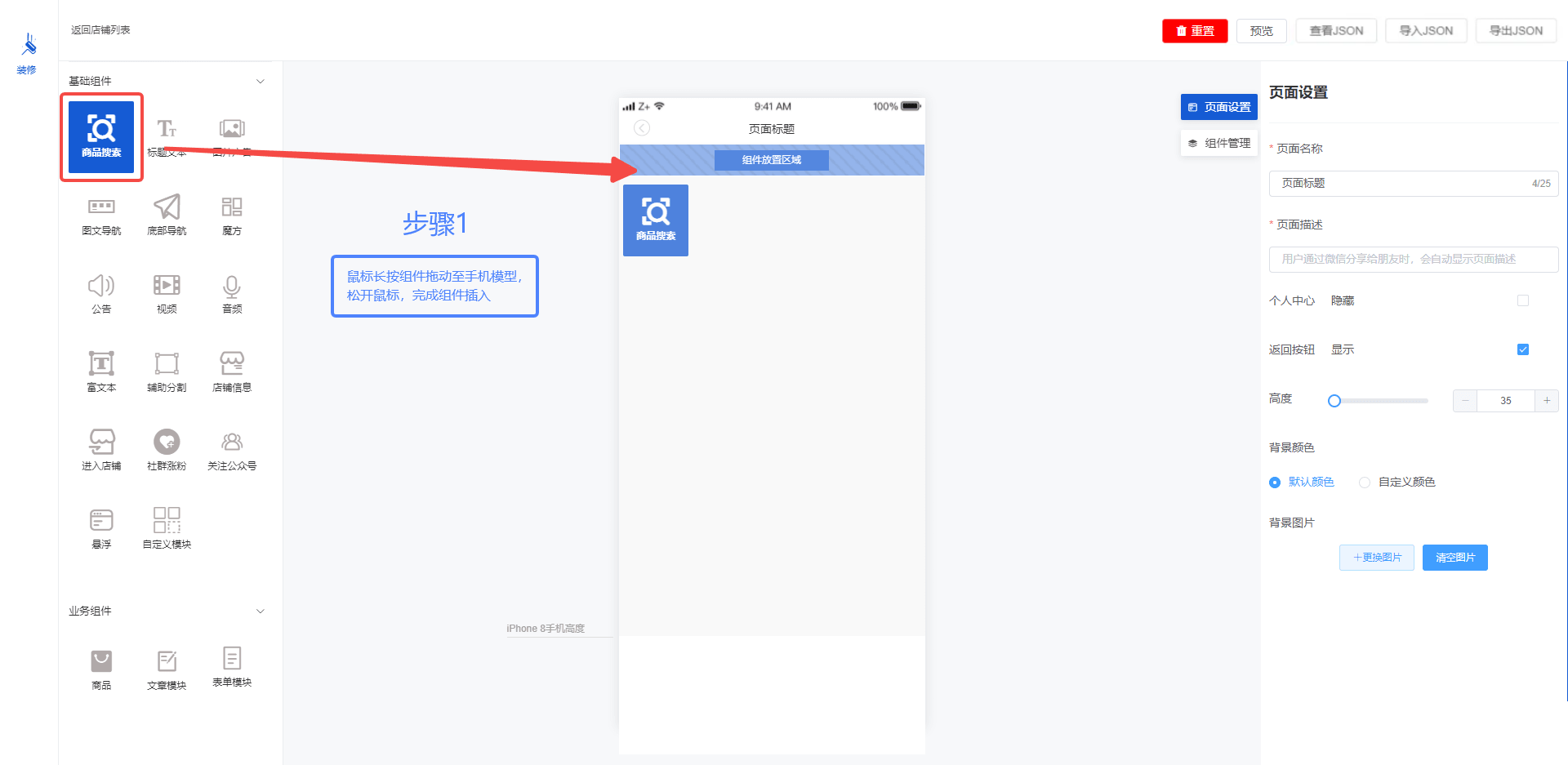
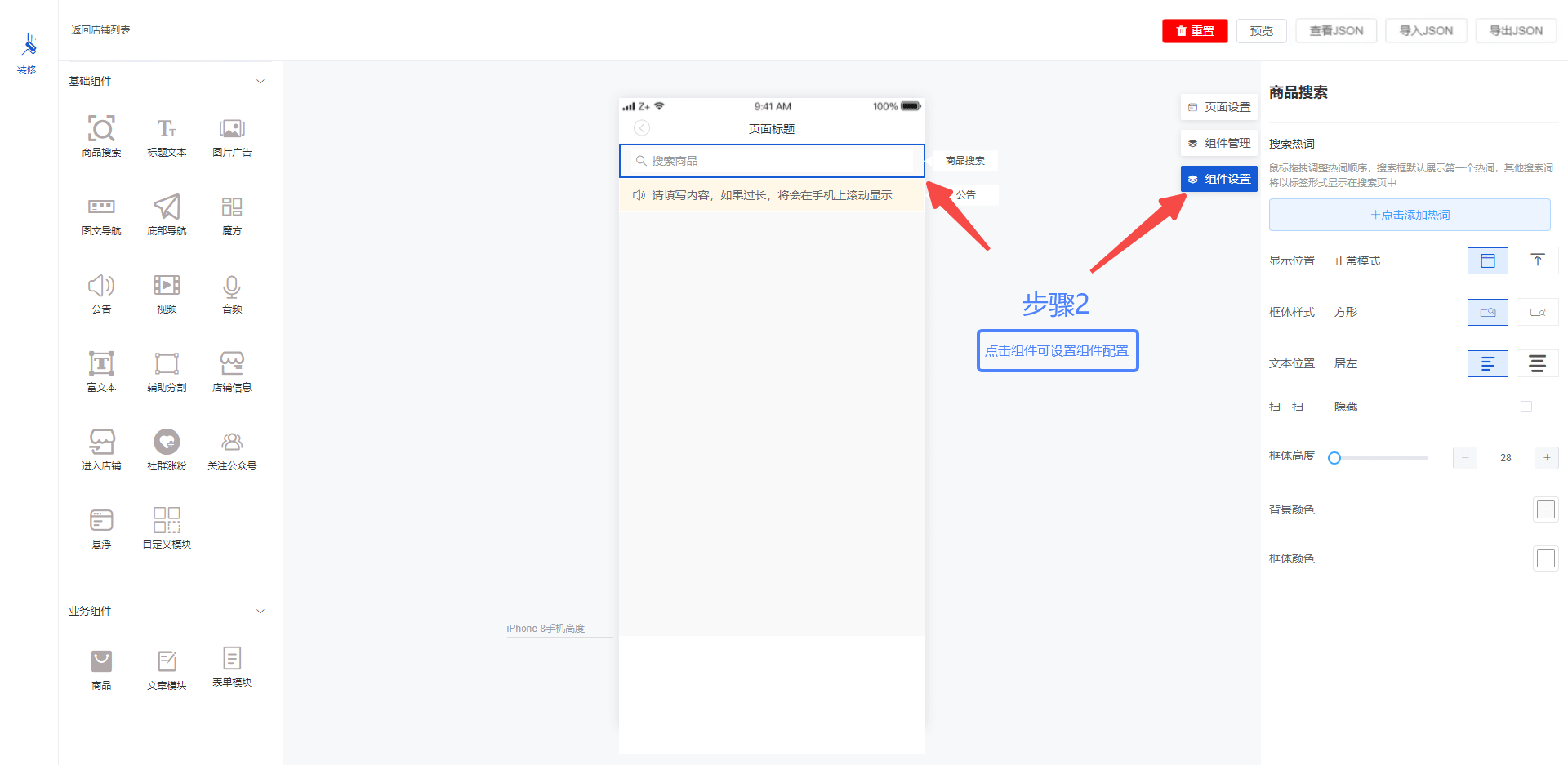
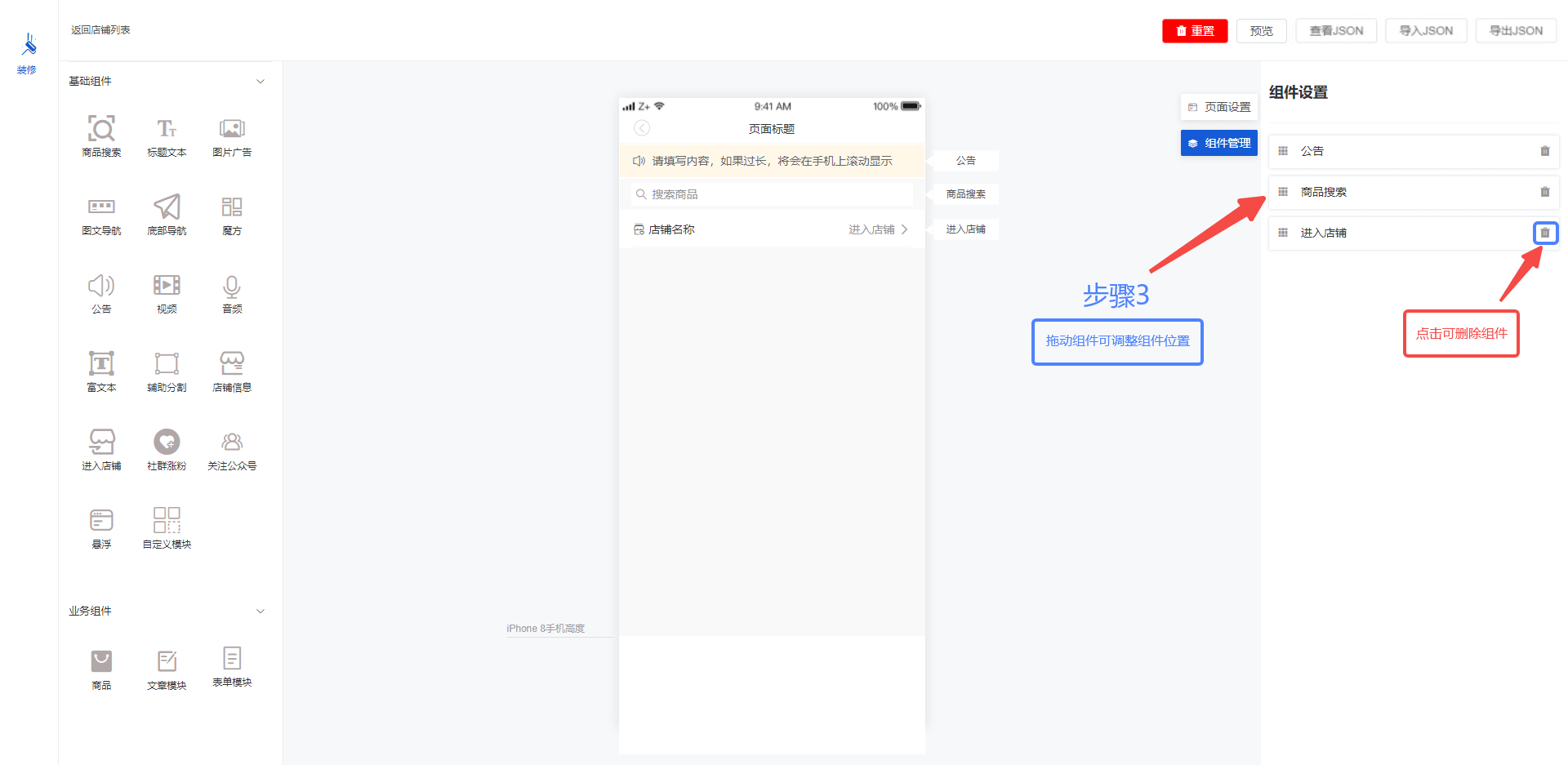
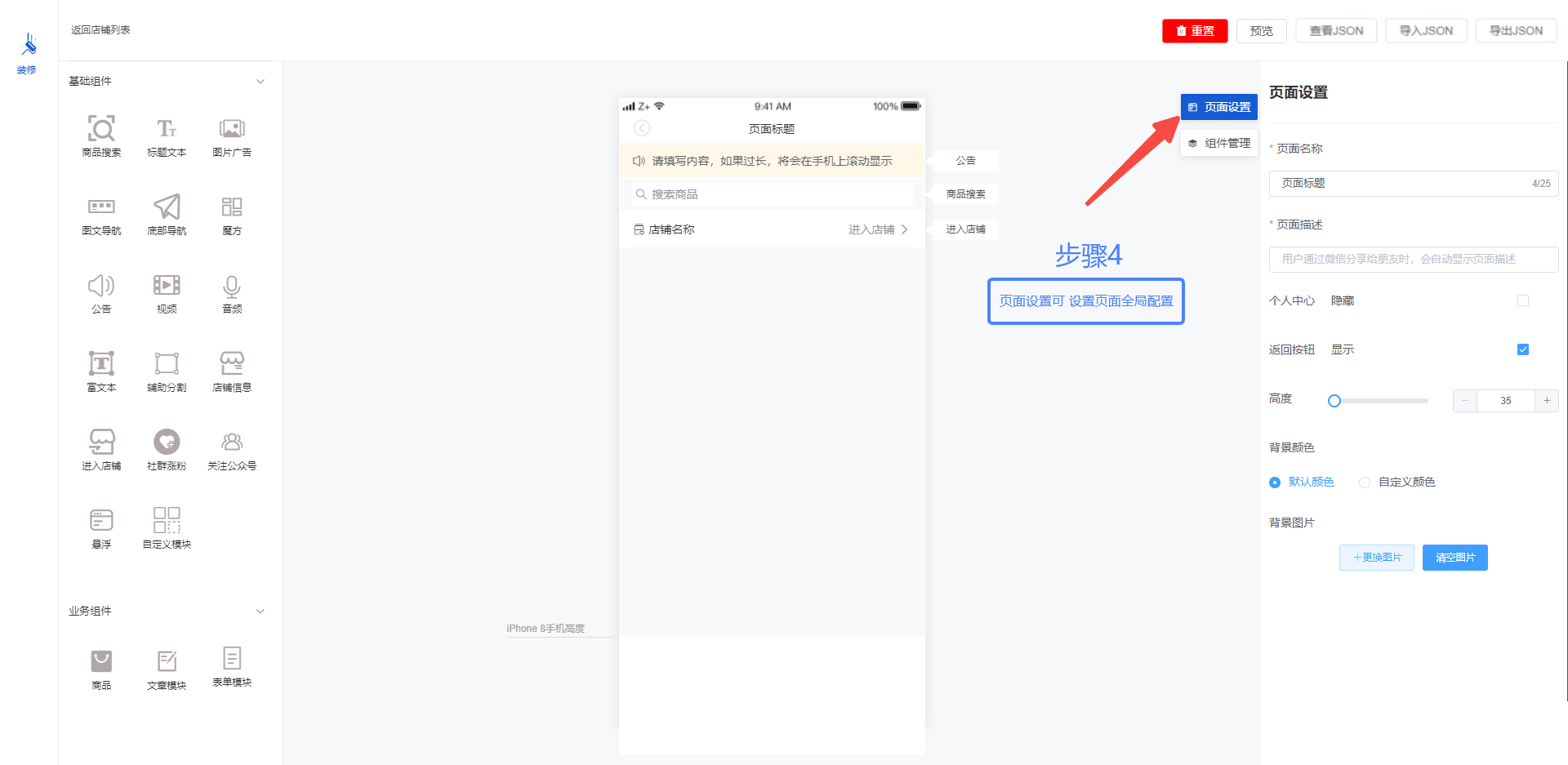
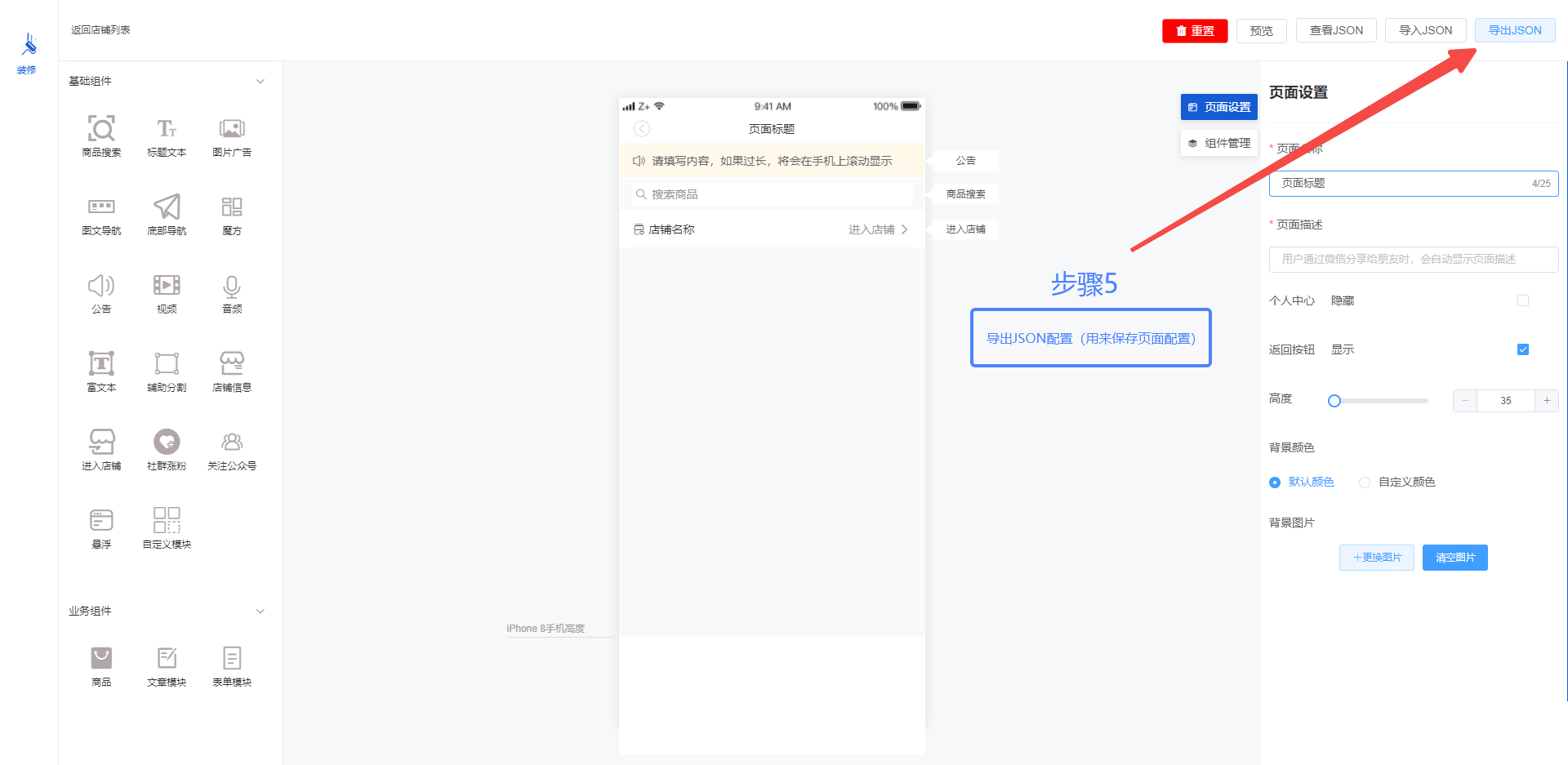
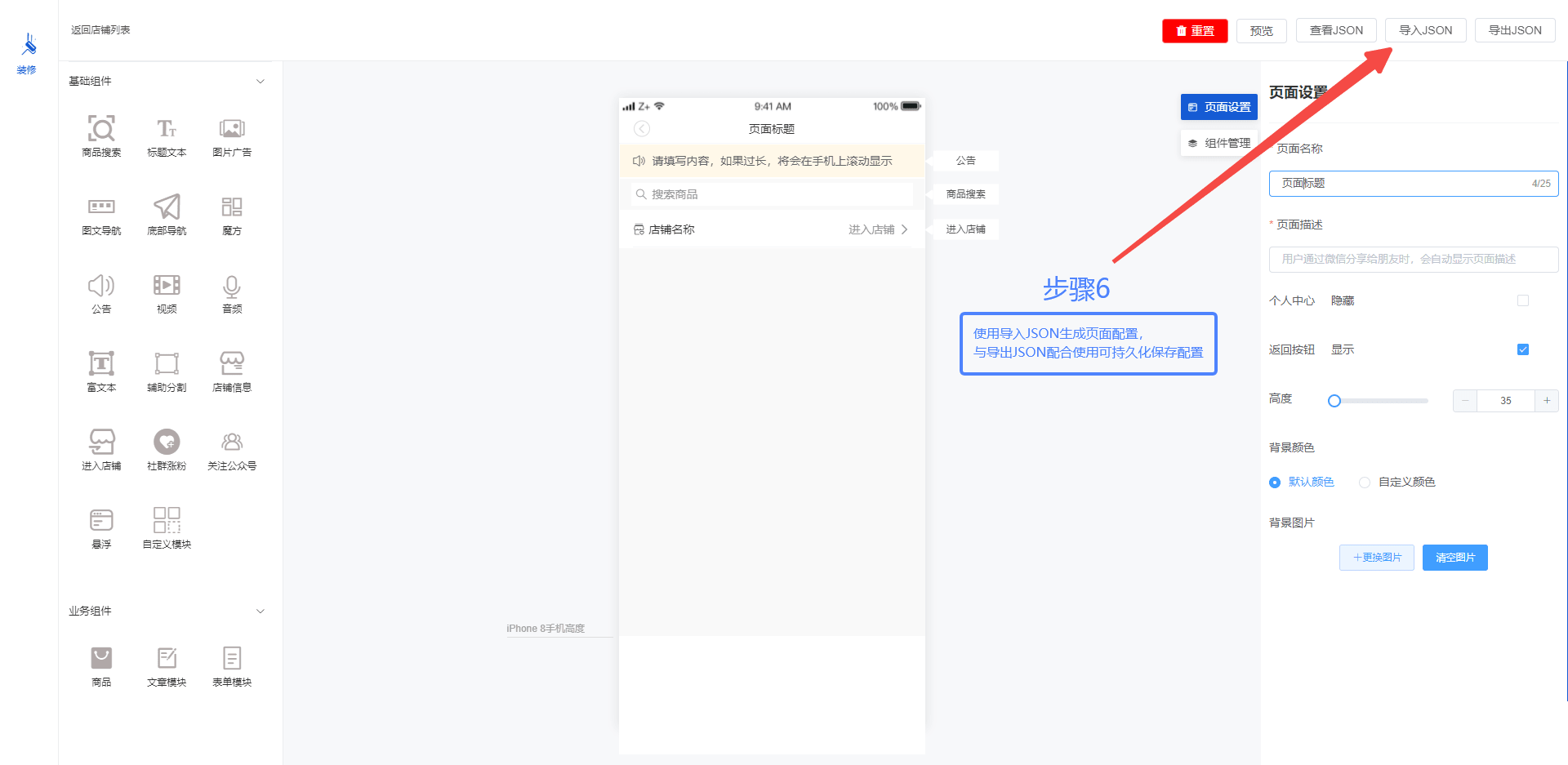
自定义组件可以看
src / layout / home / index.vue                 // 编辑页面文件
src / components / sliderassembly / index.vue   // 左侧组件大全文件
src / components / componentscom                // 左侧组件目录
src / components / rightslider                  // 右侧组件目录
src / utils / componentProperties.js            // 组件数据
componentProperties(组件数据)字段注解
{
  component: 'custommodule',    // 中间部分手机组件的name
  text: '自定义模块',            // 组件文字描述
  type: '1-14',                 // data-tpye
  active: true,                 // 是否选中
  style: 'custommodulestyle',   // 右边组件设置的name
  setStyle: {}                  // 组件动态数据
}
官方生态
| 项目 | 描述 | | --- | --- | | AS-Editor Vue2版 | 基于 Vue2 的 AS-Editor | | AS-Editor Vue3版 | 基于 Vue3 的 AS-Editor | | AS-Editor-H5 | AS-Editor-H5 是移动端 Vue 模版,可以通过定义的 JSON 生成 Vue 页面 |
感谢捐赠
| 有育哥 | 邓跃辉 |hackchen | 狼牙 | 许中杰 |RainbowParadise |神秘的凯 | |---|---|---|---|---|---|---|
参与贡献
- Fork 本仓库
- 新建 Feat_xxx 分支
- 提交代码
- 新建 Pull Request