
adash-cli
v0.0.4
Published
ADASH Cli for ADASH Services


Readme
ADASH Cli
ADASH Cli is a tool for ABAP developers. It allows easy monitoring of packages tests and integration of ABAP tests into CI/CD pipelines. It works in conjunction with ADASH Services installed and set up at your(s) ABAP backend(s).
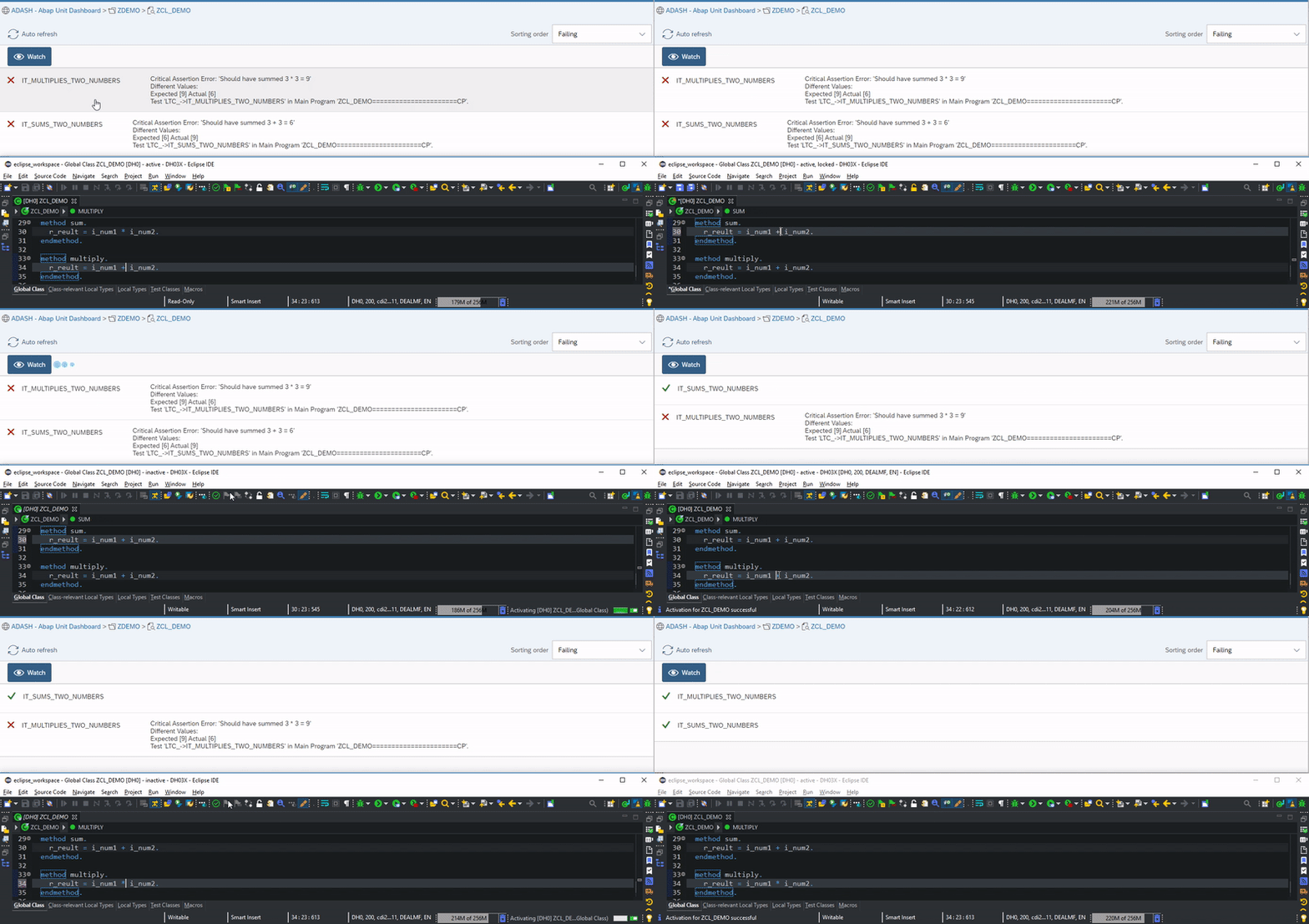
Its intention is to help teams monitor and nurture their code bases, enable CI/CD pipelines by providing an easy way of running ABAP Unit tests from anywhere. It also provides a cool watch feature for your code under test!
Install
# with npm
npm install adash-cli -g
Usage
Monitor/Watch
adash adds dev -host https://dev-abap.org:8200 -a sap/zadash -c 200
adash addp zbc_adash -s dev
...
adash addp zdemo -s dev
adash mon dev
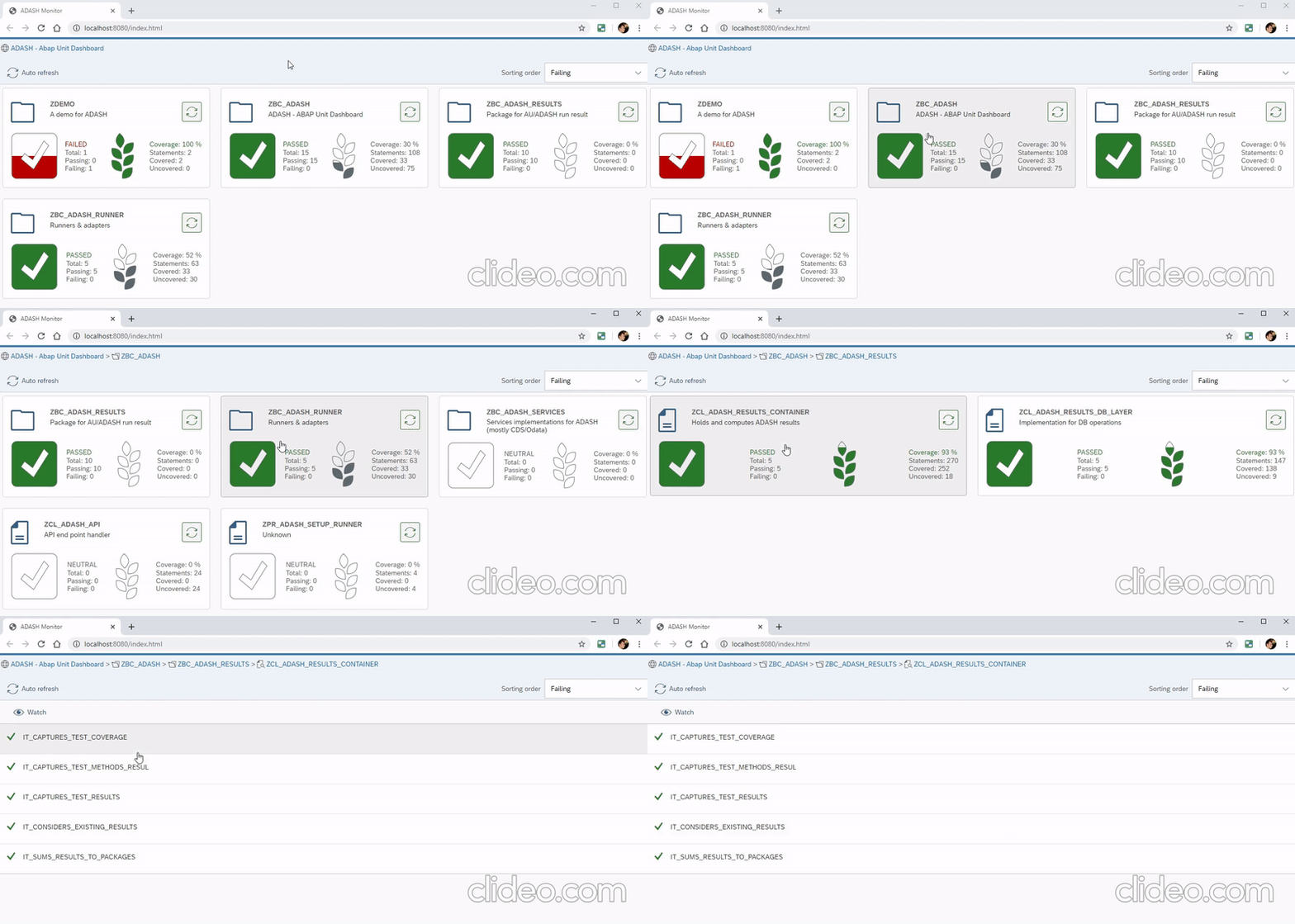
Monitor
Watch
CI/CD Pipelines
Use a simple command for validating your ABAP packages:
adash adds dev -host https://dev-abap.org:8200 -a sap/zadash
adash testp zadash -s dev -u user -p secret -i
Or relly on environment variables for a direct
adash testp zadash -i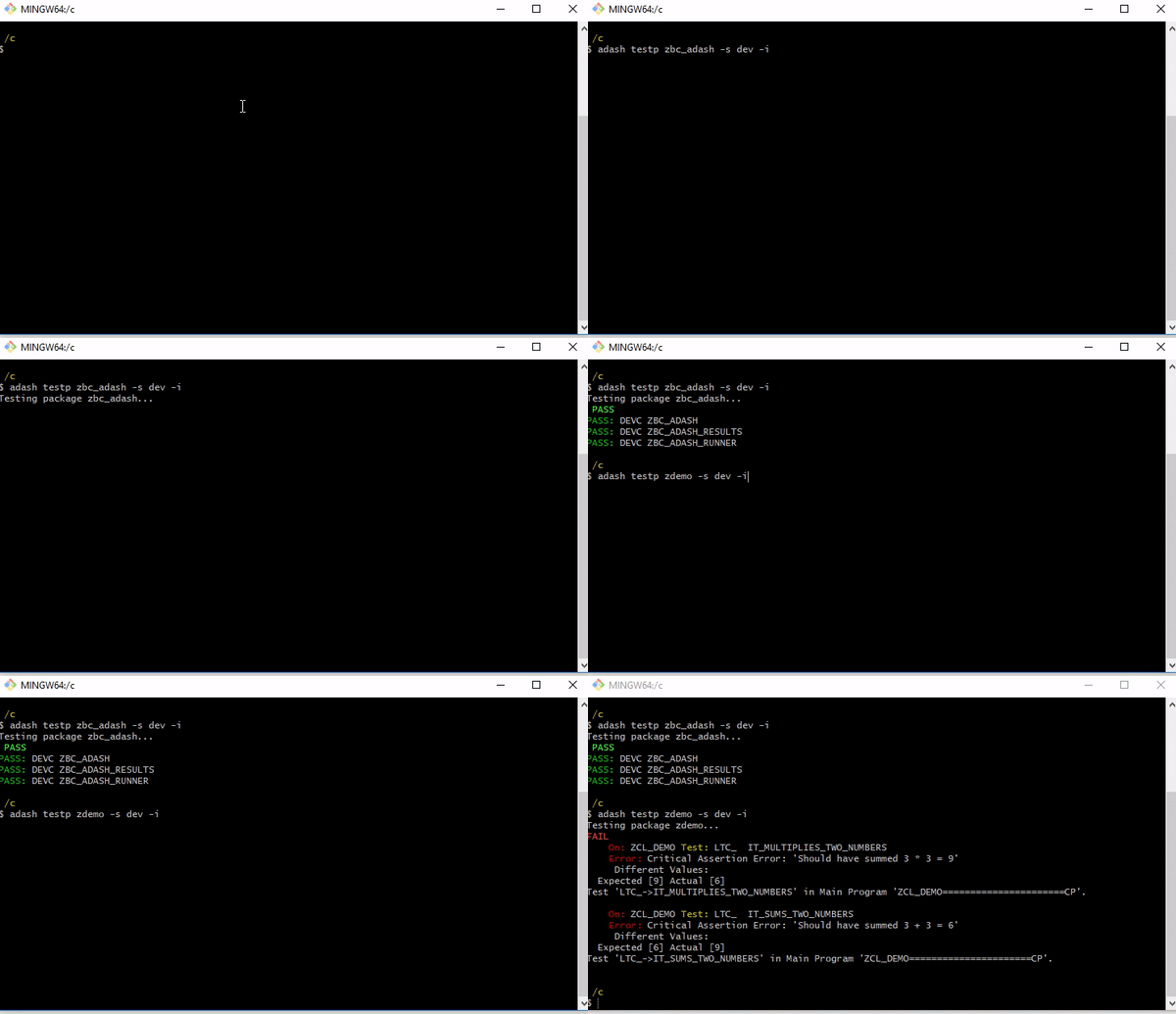
Commands
-i --insecureIs available at most of the commands that require communication, as most of dev systems have self signed certificates ;)
testp|tp
Usage: testp|tp <package> [options]
Tests a <package> in the given system.
Examples
adash testp ZADASH -s DEVOptions:
-s, --system [system] System to test the package
or
-u, --username [username] User for ADASH Services endpoint
-p, --password [password] Password for ADASH Services endpoint
-h, --host [host] Host:port for ADASH Services endpoint
-a, --adash [adash] Endpoint for ADASH services, default /sap/zadash
-c, --client [client] System client if services not tagged to a default one
testg|tg
Usage: testg|tg <group> [options]
Tests a <group> of packagse in the given system.
Examples
adash testg myPackages -s DEVOptions:
-s, --system [system] System to test the group
or
-u, --username [username] User for ADASH Services endpoint
-p, --password [password] Password for ADASH Services endpoint
-h, --host [host] Host:port for ADASH Services endpoint
-a, --adash [adash] Endpoint for ADASH services, default /sap/zadash
-c, --client [client] System client if services not tagged to a default one
addsys|adds
Usage: addsys|adds <system> [options]
Adds a <system> that has ADASH Services\
Examples
adash adds dev -h https://my-server.com:8200 -a sap/zadash -u john -p secretOptions:
-u, --username [username] User for ADASH Services endpoint
-p, --password [password] Password for ADASH Services endpoint
-h, --host [host] Host:port for ADASH Services endpoint
-a, --adash [adash] Endpoint for ADASH services, default /sap/zadash
-c, --client [client] System client if services not tagged to a default one\
Systems are stored at HOMEDIR/.adash/systems.json
addpackage|addp
Usage: addpackage|addp <package> [options]
Adds a <package> to the monitoring services of ADASH Services.
Examples
adash addp zadash -g teamA -s devOptions:
-g, --group [group] Test group for monitoring
-s, --system [system] System to add package for monitoring
or
-u, --username [username] User for ADASH Services endpoint
-p, --password [password] Password for ADASH Services endpoint
-h, --host [host] Host:port for ADASH Services endpoint
-a, --adash [adash] Endpoint for ADASH services, default /sap/zadash
-c, --client [client] System client if services not tagged to a default one
[group]:
Creates a group inside the system configuration and allow split monitoring of packages.\
group 1:
** package a
** package bgroup 2:
** package c
** package a
Backend will always store all added packages for monitoring.
monitor|mon
Usage: monitor|mon [group] [options] Opens the [group] of packages for monitoring. When no group is provided, the monitor will list all packages being monitored by ADASH in the backend. It requires the addition of a system widh adds (for now).
Examples
adash mon myPackages -s devor, to monitor all packages added to adash
adash mon -s devOptions:
-s, --system <system> System for the monitoring.
Monitors a group. It uses ADASH Monitor, connecting to the target system and displaying the last test results for the given group.
Environment variables
ADASH Cli will look for the following environment variables when not provided trough the command line.
ADASH_USERNAME
ADASH_PASSWORD
ADASH_HOST
ADASH_ENDPOINT
ADASH_CLIENT
This happens individually, meaning that your system setup may have the host and end point, the user is through -u and the password through ADASH_PASSORD environment variable.
Help/Contribution
Help Needed!
Any help or even suggestions are welcome. Specially on downporting the services as they currently relly on too many new syntax elements...anyone knows any abap transpiler? ;)