address-service-angular
v0.0.10
Published
hoppysearch - AngularJS client for AddressService


Readme
Address Service
hoppysearch - AngularJS client for AddressService
Installation
This project was generated with Angular CLI version 17.2.0
For Angular.js
What You Get:
- Simplify your integration process with this user-friendly Angular component.
- Automatic suggestions for the Address input field.
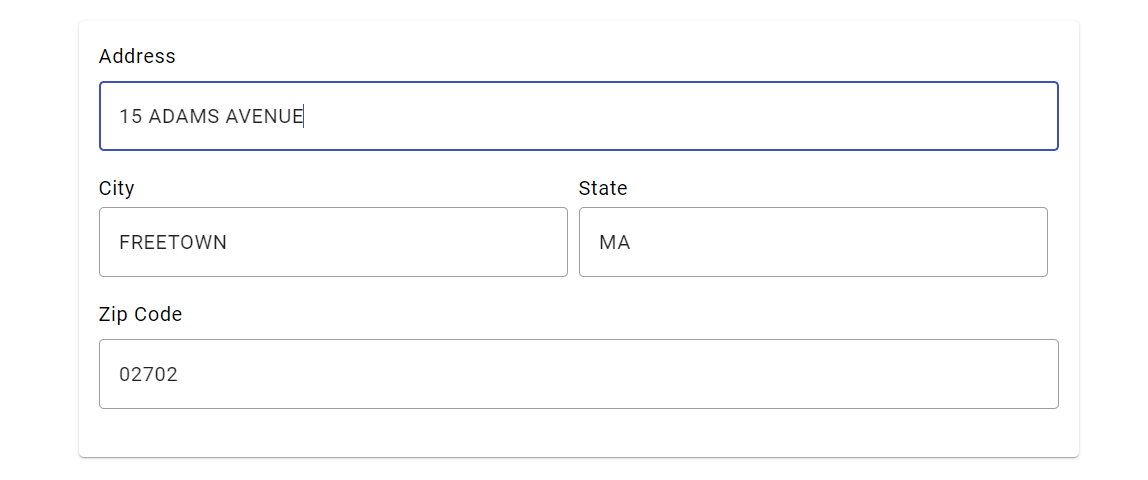
- Address fields auto-populate upon users selection.
- Editable data fields allowing users to easily update their information, including the option to input addresses effortlessly.
To preview the future appearance of the Angular Component, visit the following website:Address Service Angular Demo
npm
Proceed with the installation by following these steps:
npm install address-service-angular --saveGetting Started
Please follow the installation instructions and execute the following AngularJS code:
Begin with the initial setup process:
- Add Angular Material to your project:
cmd
ng add @angular/material- Install the required Axios library:
cmd
npm i axios- Install the address-service-angular package in your Angular project:
cmd
npm i address-service-angular- Import the AddressServiceAngularComponent in your Angular component:
typescript
import { AddressServiceAngularComponent } from 'address-service-angular';- Add the component to your Angular module imports:
typescript
@Component({
        imports: [RouterOutlet, AddressServiceAngularComponent],
})- Add the component tag in your HTML file:
HTML
<lib-address-service-angular></lib-address-service-angular>- If you want to access/modify the selected adderess, then create a function and bind that function to component tag in HTML file like below.
typescript
<!-- Full Code -->
import { Component } from '@angular/core';
import { RouterOutlet } from '@angular/router';
import { AddressServiceAngularComponent } from 'address-service-angular';

@Component({
        selector: 'app-root',
        standalone: true,
        imports: [RouterOutlet,AddressServiceAngularComponent],
        templateUrl: './app.component.html',
        styleUrl: './app.component.css'
})
export class AppComponent {
        title = 'address-service';
        handleAddressChange(data: any) {
                console.log('Received data from child:', data);
        }
}
HTML
<lib-address-service-angular (onAddressChange)="handleAddressChange($event)"></lib-address-service-angular>- And Run ng serve for a dev server. Navigate to http://localhost:3000/. The application will automatically reload if you change any of the source files.
cmd
ng serveIf you need video help to install Address Service Angular package then watch this video:Address Service Angular Demo
You will get such a result:
- You can type the address you want to search here.
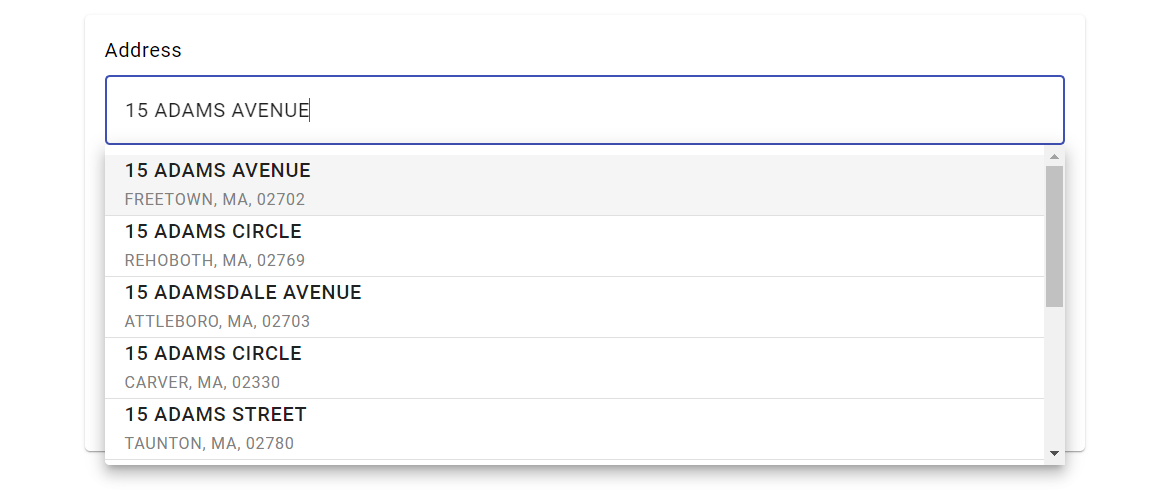
- Now click on the address you want.