
aditum
v2.0.6
Published
A accessible component library to manage focus in React single page applications


Readme
aditum

Aditum is a custom React component library to support developers in writing accessible and WAI-ARIA compliant single page applications (SPAs). In React SPAs, there is no page load after the initial one. When the content gets updated without a page load, screen reading software has no idea by default, leading to a confusing experience and potential lost customers for users interacting with the site via a screen reader.
Setting the focus manually can be tedious, especially for larger applications. Aditum provides a more automated solution to guide focus across your application to provide a better experience for users accessing your site via a screen reader.
The following components are currently included:
- AccessBarWithRouter - for applications using React Router
- AccessBarWithRouter - for applications without React Router
- Original AccessBar - version of the application without React Hooks
- FocusWrapper - a HOC that switches focus to any component you supply as an argument
Installation
Simply use npm to install the package:
// npm
$ npm install aditum
// Yarn
$ yarn add aditum
You can then include the components you need in your project:
import AccessBarWithRouter from 'aditum';Usage
AccessBar
AccessBar is an accessibility bar that becomes visible with the command Alt + / and allows users to jump between active components on the page via a dynamically populated dropdown menu.
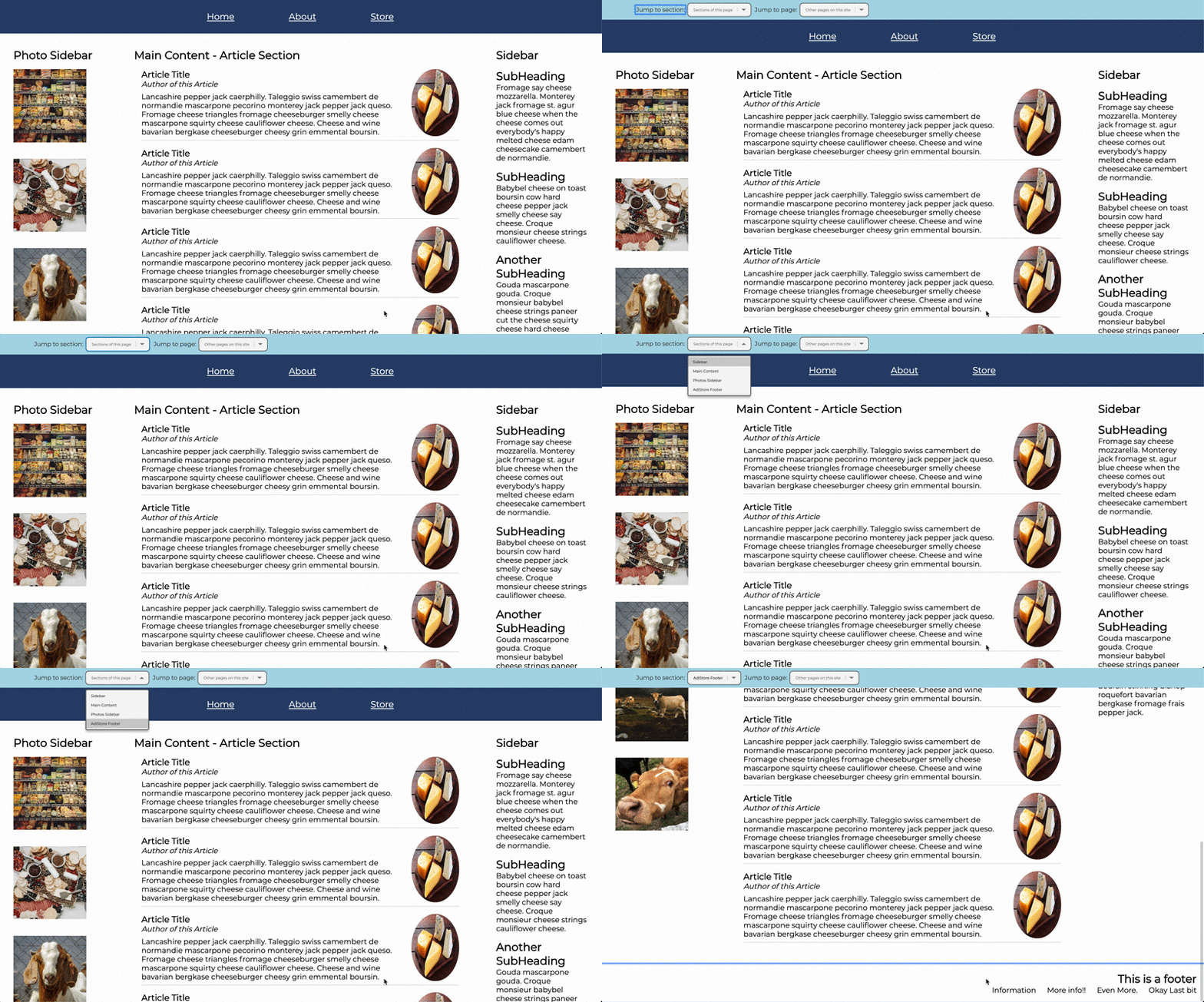
How to use (both with and without React Router versions):
- Add an "aria-labelledby" property to all HTML/JSX elements you want to show up in the first dropdown menu and set the value to the name you would like the user to see/hear/have read aloud. For example:
<section id='photo-sb' aria-labelledby="Photos Sidebar">
</section>
Note: While AccessBar is hidden, an invisible <h1> element is rendered as the first element on the page, which will prompt users using a VoiceOver assistive device to press the command to toggle the AccessBar. For reference:
if (isHidden) return <h1 id='hiddenH1' style={hiddenH1Styles}>To enter navigation assistant, press alt + /.</h1>;Note for non-English/US keyboards: The command Alt + / works on the US keyboard, but at this time will not work on keyboards that require a shift, command or other additional key to make the forward-slash.
Using AccessBar with React Router
- Add the
<AccessBarWithRouter />component above the top most component in your main container, for example above your navbar or header. - To populate the second dropdown menu with other pages on your site, add a
classNameproperty with the valueaccessNavLinkto each React Router<Link>. For example:
<Link className='accessNavLink' to="/">
  <li>Home</li>
</Link>
Using AccessBar without React Router
- Add the
<AccessBarNoRouter />component above the top most component in your main container, for example above your navbar or header.
FocusWrapper
FocusWrapper is a higher order component that adds focus management capabilities in conjunction with React Router. It moves focus to your page content on route transition.
FocusWrapper works by wrapping a div around your specified component and imperatively shifting focus to that div.
How to use:
- Pass any child component into the FocusWrapper, for example:
const focusedComponent = focusWrapper(ChildComponent)

<Route component = { focusedComponent }/>
Note: FocusWrapper only works with React-Router.
Authors
Contributing
We love changes and are always looking to make our project better! For major changes, please open an issue first to discuss what you would like to change. Pull requests are welcome.
Currently on our to-do list:
- Better support for non-English/US keyboards
- Setting the page title dynamically
- Increased support for React Hooks in testing
License
This project is licensed under the MIT License - see the LICENSE.md file for details.