
agent-usage-stat
v2.2.2
Published
A local usage analytics portal for Claude Code and Codex

Maintainers
 yiliangs
Readme
Agent Usage Stat
A private desktop analytics app for understanding how Claude Code, OpenAI Codex, and GitHub Copilot CLI use tokens, time, and API-equivalent cost.
Weekly and monthly session timeline
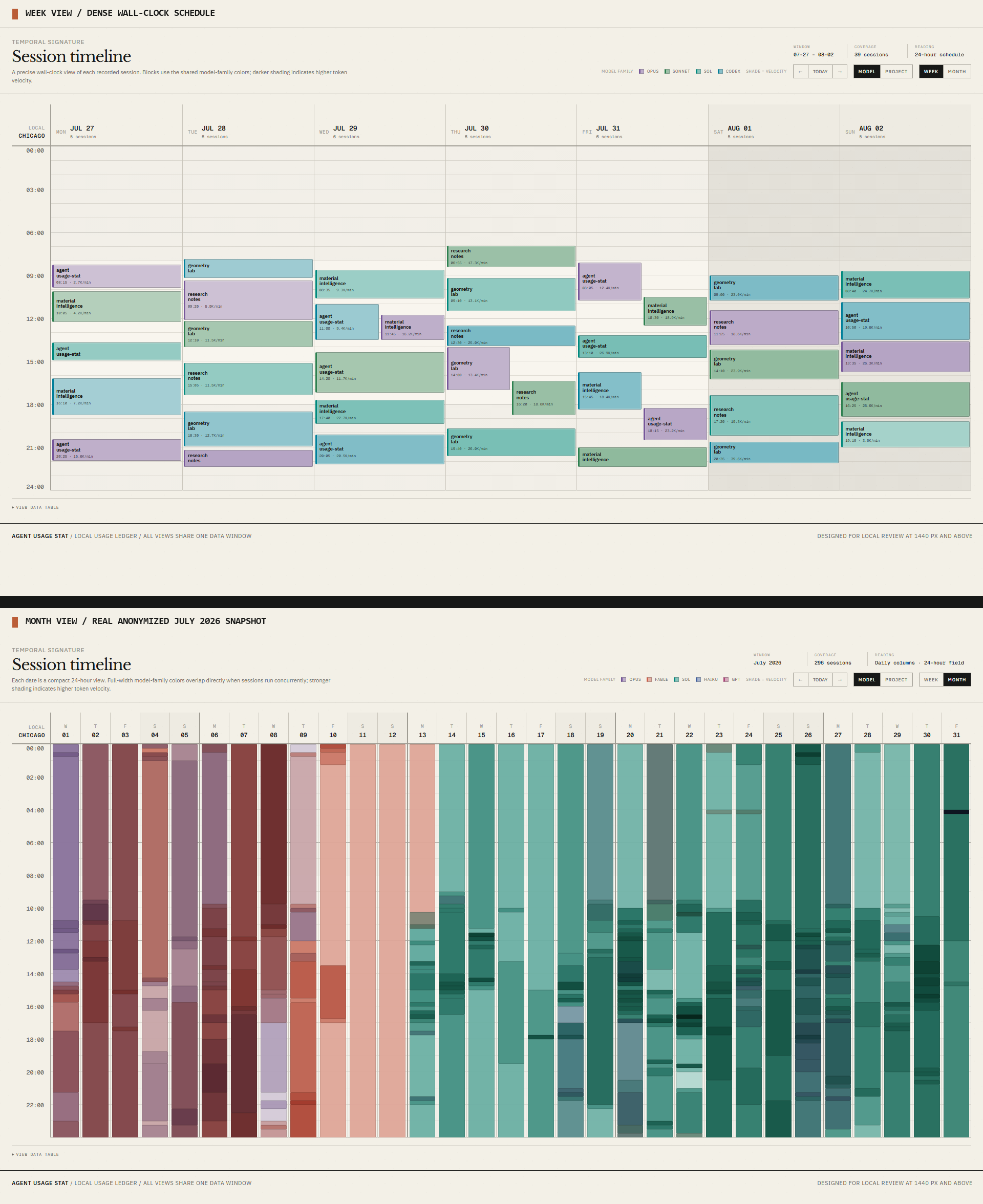
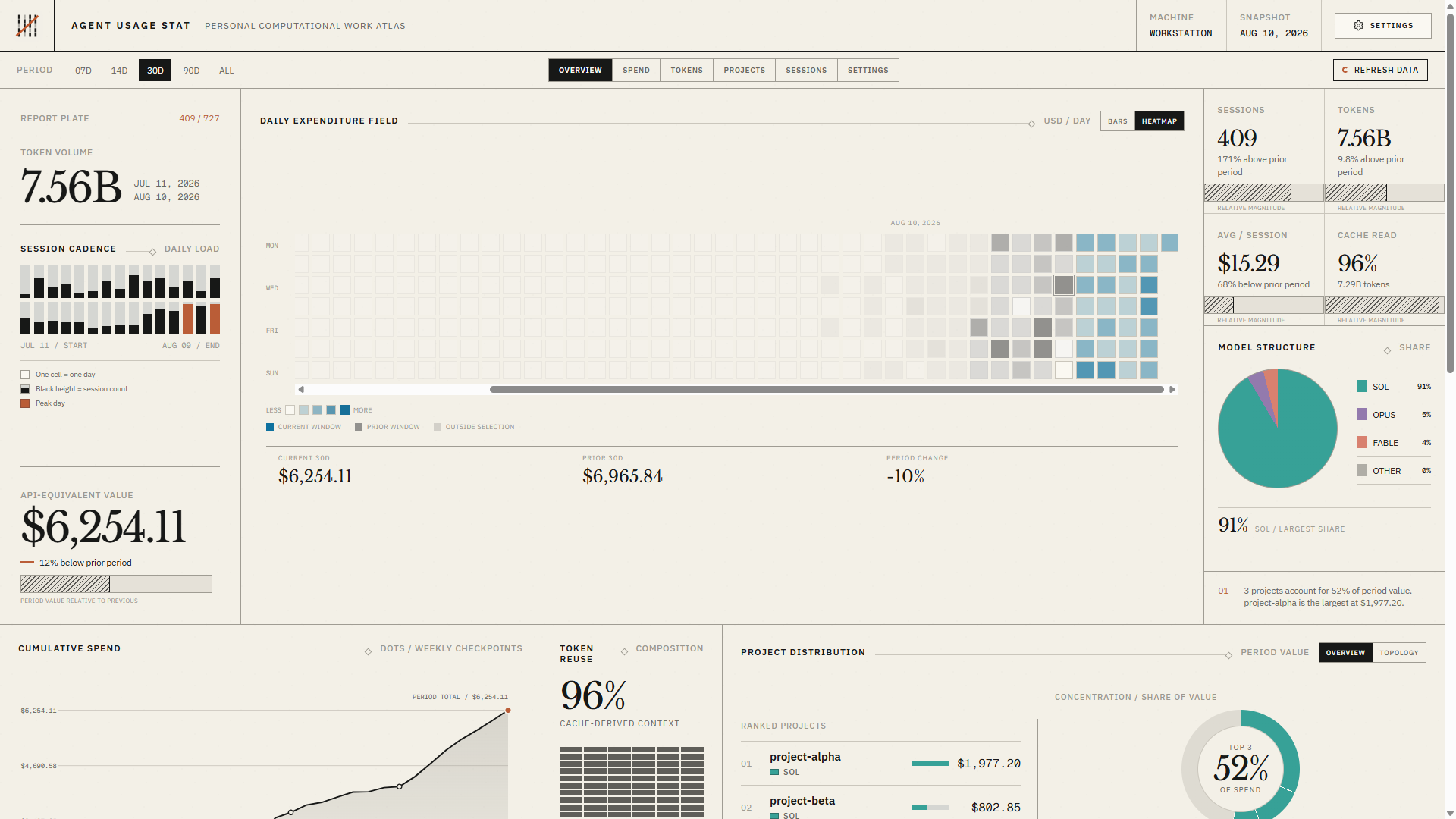
Agent Usage Stat turns local coding-agent transcripts into one searchable usage ledger. Compare providers and models, follow spend and token volume, inspect projects and sessions, and see when work happened. Prompt and response text never enters the ledger.
Supported
- Windows and macOS
- Claude Code
- OpenAI Codex, including Codex sessions used through ChatGPT
- GitHub Copilot CLI
Agent Usage Stat does not read general ChatGPT or Claude.ai chats. All usage data stays on the local machine or in the folder selected by the user.
Install
Download the current installer from GitHub Releases:
- Windows installer:
Agent-Usage-Stat-Setup.exe - Windows portable:
Agent Usage Stat-win32-x64-*.zip - macOS:
Agent-Usage-Stat.dmg
No separate Node.js or npm installation is required.
On first launch, choose where to keep the durable usage ledger and how sessions should be captured. Agent Usage Stat then reconciles existing sessions and opens the dashboard. The recommended local ledger is %LOCALAPPDATA%\Agent Usage Stat\ledger on Windows and ~/Library/Application Support/Agent Usage Stat/ledger on macOS.
To combine usage from multiple computers, choose a folder in Google Drive, OneDrive, Dropbox, or another synchronized drive, then select the corresponding local folder on each computer.
Explore the data
Every view uses the same date window, so cost, token, project, and session totals stay comparable as you move through the app.
Data and privacy
Each completed session becomes one JSON file under <data-root>/logbook.d/. This ledger is the only spend source and can be synchronized across Windows and macOS machines.
The ledger contains usage totals, model names, project names, branches, machine names, and local project paths. It does not contain prompt or response text. Parsing and dashboard caches remain local and disposable.
Costs are API-equivalent list-price estimates. They are not charges added to a ChatGPT, Claude, or Copilot subscription.
Capture and settings
Continuous capture is recommended. It installs best-effort hooks for detected agents so usage can be checkpointed while the application is closed. Opening the application and choosing Sync now also reconciles every discoverable transcript. Codex requires one security confirmation after its hook is first installed: open /hooks in Codex and trust the Agent Usage Stat hook when prompted.
Batch sync installs no Agent Usage Stat hooks. It reconciles discoverable local transcripts whenever the application opens or Sync now is selected, but it cannot recover a session deleted by an agent before the next sync.
Settings reports the last hook attempt and the last successful checkpoint separately. The default capture policy and per-agent overrides can be changed at any time. Changing the ledger folder merges existing history into the selected ledger without replacing newer records, and preserves the original ledger as a backup by default.
Advanced agent locations normally resolve from CLAUDE_CONFIG_DIR, CODEX_HOME, and COPILOT_HOME, then fall back to each provider's standard per-user directory. Explicit overrides only change where Agent Usage Stat scans and manages its hook. They never move or delete provider-owned data.
Application architecture
Claude / Codex / Copilot hooks (continuous policy, best effort)
  -> installed standalone helper
  -> provider-specific transcript parser and pricing
  -> logbook.d/<session-id>.json

Provider transcript discovery (all modes)
  -> launch / refresh reconciliation
  -> logbook.d/<session-id>.json

Agent Usage Stat desktop application
  -> Electron lifecycle and user workflows
  -> HelperRuntime -> stable installed helper
  -> PortalRuntime -> generated snapshot -> aus:// renderer
The production application opens no localhost server. The sandboxed renderer reads packaged assets and generated data through the aus:// application protocol.
Development
Node.js 20 or newer is required for development only.
npm install
npm test
npm run test:desktop
npm start
npm run make
npm testruns the core and portal regression suite.npm run test:desktoppackages the application and exercises the standalone helper, first-run hook installation, custom protocol, refresh, and renderer.npm startbuilds and launches the development desktop application.npm run makecreates platform installers underdist/forge/make/.
Tagged releases are built for Windows and macOS by .github/workflows/desktop-release.yml. Published releases require signing credentials. Local npm run make artifacts are unsigned development builds; published releases are signed, and macOS releases are notarized.
The npm package does not expose a supported JavaScript library API.
Licensed under MIT.