
agent4discord
v0.3.0
Published
Remote Claude Code sessions through Discord

Maintainers
 tree-some
Readme
Agent4Discord (A4D) is a self-hosted Discord bot that lets you interact with Claude Code through Discord channels. Each session maps to a dedicated channel, tool calls appear in threads, and permission requests show as interactive buttons.
Your PC. Your bot. Your Claude Code sessions.
How It Works
- You run the bot on your PC with your own Discord bot token
/a4d initsets up channels in your Discord server- Pick a working directory and start a Claude Code session
- Chat with Claude through Discord — streaming, tool calls, and permissions all work
Features
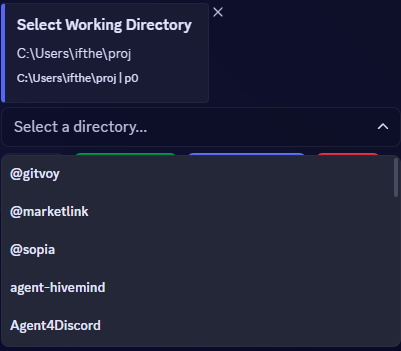
- Directory Browser — Navigate your filesystem with select menus, buttons, and create directories
- Model & Permission Mode — Choose opus/sonnet/haiku and permission level (default, auto-accept edits, full auto) when starting a session
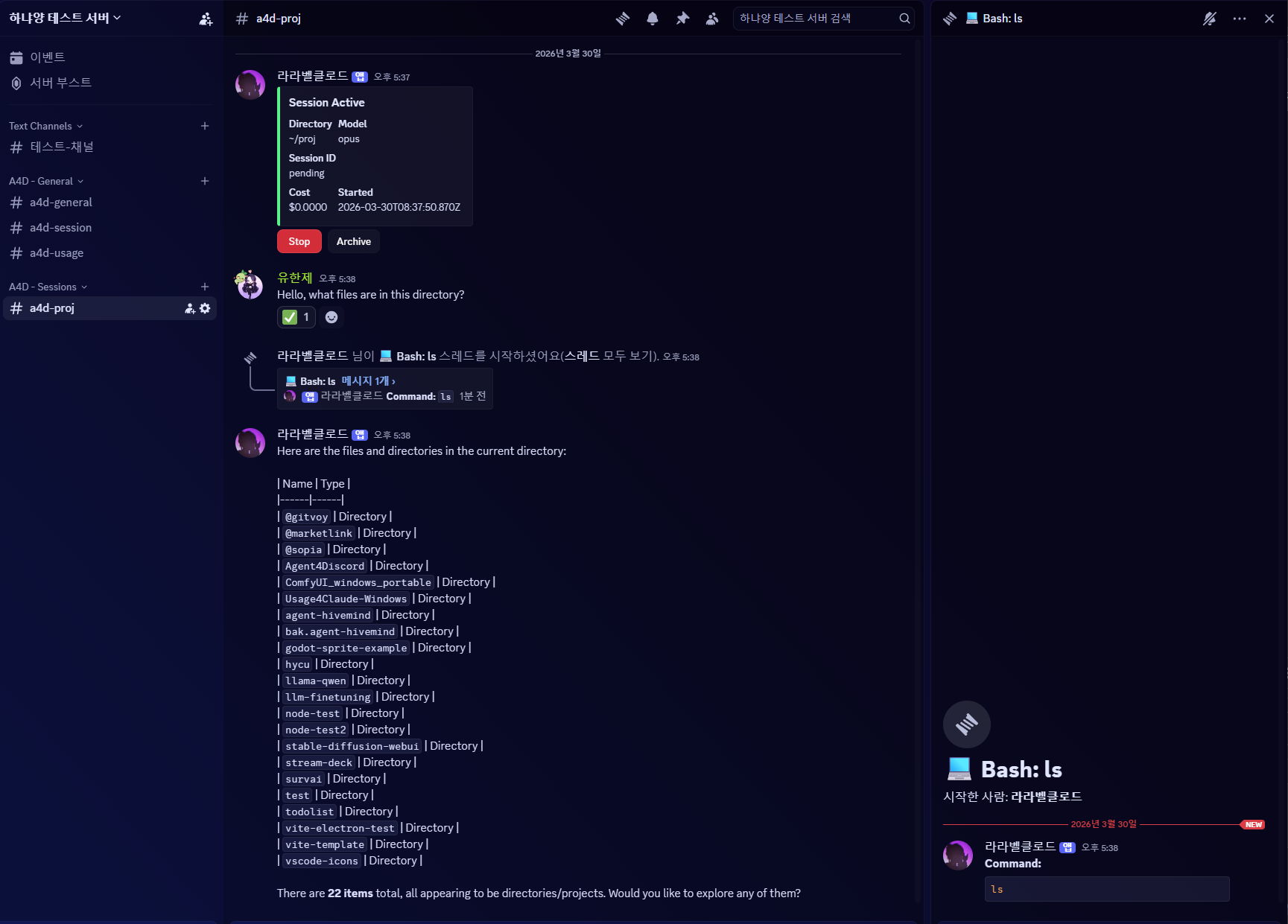
- Real-time Streaming — Live-updating embeds for text output, thinking, and tool progress
- Tool Call Threads — Each tool execution gets its own thread with formatted input/output
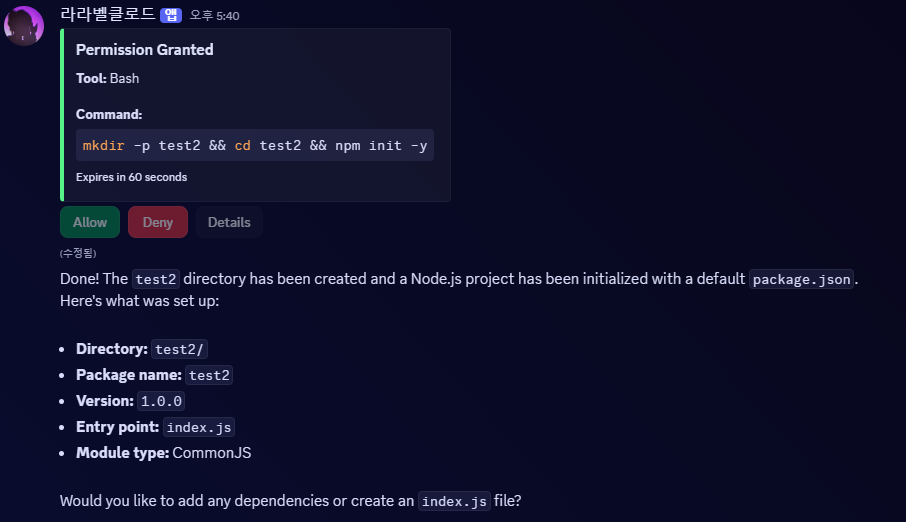
- Permission Control — Allow/Always Allow/Deny buttons for dangerous operations (auto-allow for safe tools)
- File Attachments — Send files to Claude via Discord attachments, Claude can send files back
- Completion Notification — @mentions you when Claude finishes responding
- Session Resume — Resume CLI-created sessions or stopped sessions with
/a4d resume - Usage Tracker —
#a4d-usagechannel shows session costs, tokens, and rate limits - Plugin Support — Auto-loads your installed Claude Code plugins (skills, hooks)
- CLI Interop — Sessions share the same JSONL storage as the CLI
Directory Browser
Session with Streaming
Permission Request
Quick Start
Prerequisites
- Node.js >= 20.x
- Claude Code authenticated (
claude loginorANTHROPIC_API_KEY) - Discord bot token (create one here)
Setup
npx agent4discord@latest --setupThe setup wizard will:
- Ask for your Discord bot token
- Ask for your Client ID
- Verify Message Content Intent is enabled
- Generate an invite URL and open it in your browser
Run
npx agent4discord@latestIn Discord
- Run
/a4d initin your server - Go to
#a4d-sessionand browse to a directory - Click Session Start, pick a model, and start chatting
Commands
| Command | Description |
|---|---|
| /a4d init | Set up A4D channels in your server |
| /a4d resume | Resume a stopped session in the current channel |
| /a4d model <opus\|sonnet\|haiku> | Change model mid-session |
| /a4d close | Stop the session and delete the channel |
Channel Structure
A4D - General
├── #a4d-general      — Status messages
├── #a4d-session      — Directory browser & session start
└── #a4d-usage        — Usage & rate limit tracker

A4D - Sessions
├── #a4d-myproject    — Active session channel
└── #a4d-another      — Another session
Configuration
Config is stored at ~/.agent4discord/config.json:
{
  "discordToken": "your-bot-token",
  "discordClientId": "your-client-id",
  "claudeModel": "opus",
  "permissionMode": "default",
  "logLevel": "info"
}
Development
git clone https://github.com/raravel/Agent4Discord.git
cd Agent4Discord
npm install

# Dev mode with auto-reload
npx tsx watch src/cli.ts

# Type check
npx tsc --noEmit
Project Structure
src/
├── cli.ts                    # Entry point
├── setup.ts                  # Interactive setup wizard
├── config.ts                 # Config loading (~/.agent4discord/)
├── bot.ts                    # Discord client & event handlers
├── guild.ts                  # Guild config persistence
├── commands/
│   ├── index.ts              # Slash command registry
│   ├── init.ts               # /a4d init
│   ├── resume.ts             # /a4d resume
│   ├── model.ts              # /a4d model
│   └── close.ts              # /a4d close
├── interactions/
│   ├── index.ts              # Interaction router
│   ├── directoryBrowser.ts   # Directory browser UI
│   └── permissionHandler.ts  # Allow/Always Allow/Deny buttons
├── sessions/
│   ├── sessionManager.ts     # SDK query() lifecycle
│   ├── sessionStore.ts       # Session persistence
│   ├── eventHandler.ts       # SDK events → Discord
│   ├── streamHandler.ts      # Streaming text/thinking embeds
│   ├── toolProgress.ts       # Tool execution progress
│   └── usageTracker.ts       # Rate limit & cost tracking
├── tools/
│   └── discordTools.ts       # MCP tools for Discord (file attachments)
├── formatters/
│   ├── embedBuilder.ts       # Discord embeds
│   ├── chunker.ts            # Message chunking
│   └── toolFormatter.ts      # Tool-specific formatting
└── utils/
    ├── filesystem.ts         # Directory listing
    ├── attachments.ts        # Discord attachment processing
    ├── plugins.ts            # Plugin auto-loader
    └── logger.ts             # Logging
License
MIT