
agenthint
v0.5.0
Published
Detect AI agent runtimes and adapt CLI output.

Maintainers
 danjdewhurst
Readme
agenthint





Detect AI agent runtimes and adapt CLI output.
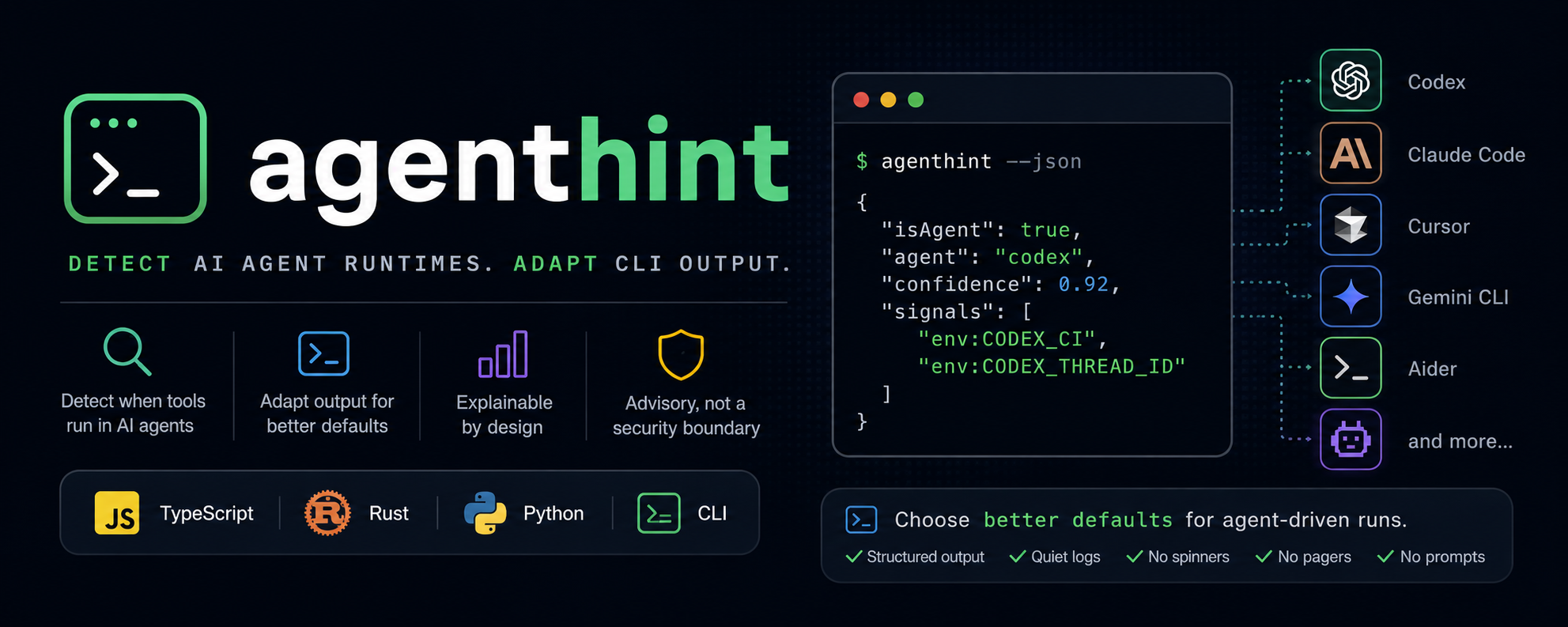
agenthint is a small detection spec, CLI, and multi-language library for developer tools that want to know when they are probably being run by an AI agent such as Codex, Claude Code, Cursor, Gemini CLI, Aider, or another automated coding environment.
Use it to choose better defaults for agent-driven runs: structured output, quiet logs, no spinners, no pagers, no interactive prompts, and clearer diagnostics.
Detection is advisory.
agenthintis for user experience decisions, not authentication, authorization, sandboxing, or policy enforcement.
Quick Start
Install the CLI:
npm install -g agenthint
# or
cargo install agenthint
# or
python3 -m pip install agenthint
Use its exit code in scripts:
if agenthint >/dev/null; then
  exec my-tool --json --no-progress --no-pager "$@"
else
  exec my-tool "$@"
fi
Prefer the explicit convention when you control the agent or wrapper:
AI_AGENT=codex my-tool
AI_AGENT=claude-code my-tool
AI_AGENT=my-custom-agent my-tool
Why
Humans and agents often need different CLI behavior.
| Humans often prefer | Agents often prefer | | --- | --- | | Colors, spinners, prompts | Stable, parseable output | | Pagers and browser launches | Non-interactive execution | | Decorative progress UI | Line-oriented diagnostics | | Friendly summaries | Explicit sections and exit codes |
agenthint gives tools a shared, explainable way to switch modes without each project inventing its own agent detection logic.
CLI
agenthint             # exit 0 if an agent is likely detected, otherwise 1
agenthint --json      # print the structured detection result
agenthint --explain   # print a short human-readable explanation
agenthint doctor      # print detection details and setup advice
agenthint doctor --json
agenthint init codex  # print the recommended AI_AGENT value
agenthint --version   # print the version
Example JSON:
{
  "isAgent": true,
  "agent": "codex",
  "confidence": 0.92,
  "signals": ["env:CODEX_CI", "env:CODEX_THREAD_ID"]
}
Exit codes:
| Code | Meaning |
| --- | --- |
| 0 | Agent runtime likely detected |
| 1 | Agent runtime not detected |
| 2 | Invalid usage or detection error |
Setup-only commands such as agenthint init <agent> exit 0.
Libraries
TypeScript
import { detectAgent } from "agenthint";

const result = detectAgent();

if (result.isAgent) {
  // Prefer structured, quiet, non-interactive output.
}
Rust
use agenthint::detect_agent;

let result = detect_agent();

if result.is_agent {
    // Prefer structured, quiet, non-interactive output.
}
Python
from agenthint import detect_agent

result = detect_agent()

if result.is_agent:
    # Prefer structured, quiet, non-interactive output.
    pass
Install
npm
npm install -g agenthint
agenthint --json
crates.io
cargo install agenthint
agenthint --json
PyPI
python3 -m pip install agenthint
agenthint --json
Native binary
curl -fsSL https://raw.githubusercontent.com/forjd/agenthint/main/install.sh | shThe install script downloads the latest agenthint-v* GitHub Release asset for your platform and verifies it against SHA256SUMS.
Override the install directory or version:
AGENTHINT_INSTALL_DIR=/usr/local/bin sh install.sh
AGENTHINT_VERSION=agenthint-vX.Y.Z sh install.sh
AGENTHINT_ALLOW_MISSING_CHECKSUM=1 sh install.sh
Detection Model
Every detection result includes:
| Field | Description |
| --- | --- |
| isAgent | Whether an agent runtime is likely detected |
| agent | Known or custom agent name, when available |
| confidence | A number from 0 to 1 |
| signals | Diagnostic signal names, never secret values |
Detection priority:
AGENTHINT_DISABLEAGENTHINT_FORCE(optionally named viaAGENTHINT_AGENT)- Explicit
AI_AGENT - Known environment signals
- Documented filesystem signals
- Low-confidence parent process signals
- Low-confidence stdio hints
Known agents include Codex, Claude Code, Cursor, Gemini CLI, Aider, Augment CLI, AMP, OpenCode, OpenClaw, GitHub Copilot, Replit, Devin, Google Antigravity, Pi, Kiro CLI, Windsurf, Cline, Roo Code, Kilo Code, Mistral Vibe, v0, and Cowork.
Some signals are weak. For example REPL_ID is present in every Replit workspace, including human-driven sessions, so it reports a low confidence. Exit-code consumers that want to avoid false positives can read confidence from agenthint --json and apply their own threshold.
Custom agents are supported through any non-empty AI_AGENT value.
Docs
- Agent integration notes: recommended
AI_AGENTvalues - Integration snippets: Bash, Zsh, Fish, Node.js, Rust, and Python examples
- Signal registry: known signals and confidence levels
- Detection spec: the portable detection contract
Principles
- Prefer explicit
AI_AGENTsupport over heuristics. - Return confidence, not false certainty.
- Print signal names, not environment variable values.
- Keep filesystem probes documented and configurable.
- Keep requested machine-readable output quiet and stable.
- Treat detection as a hint, never as a security boundary.
Development
mise install
mise exec -- npm run check
Useful scripts:
npm run build
npm run format
npm run lint
npm run test
npm run check
cargo test --workspace
Contributions are welcome. Please keep detection results explainable, avoid printing secret-bearing environment values, and update the docs when adding or changing signals.