
agmux
v0.0.7
Published
A local, terminal-based orchestration interface for managing, running, and observing multiple AI agents concurrently

Maintainers
 twitecki
Readme
agmux - Agent Multiplexer TUI
A local, terminal-based orchestration interface for managing, running, and observing multiple AI agents concurrently.
Built with React Ink (TypeScript/React) for a modern CLI experience.
Inspired by k9s and designed for developers using local AI agents (Claude, Codex, Cursor, etc.).
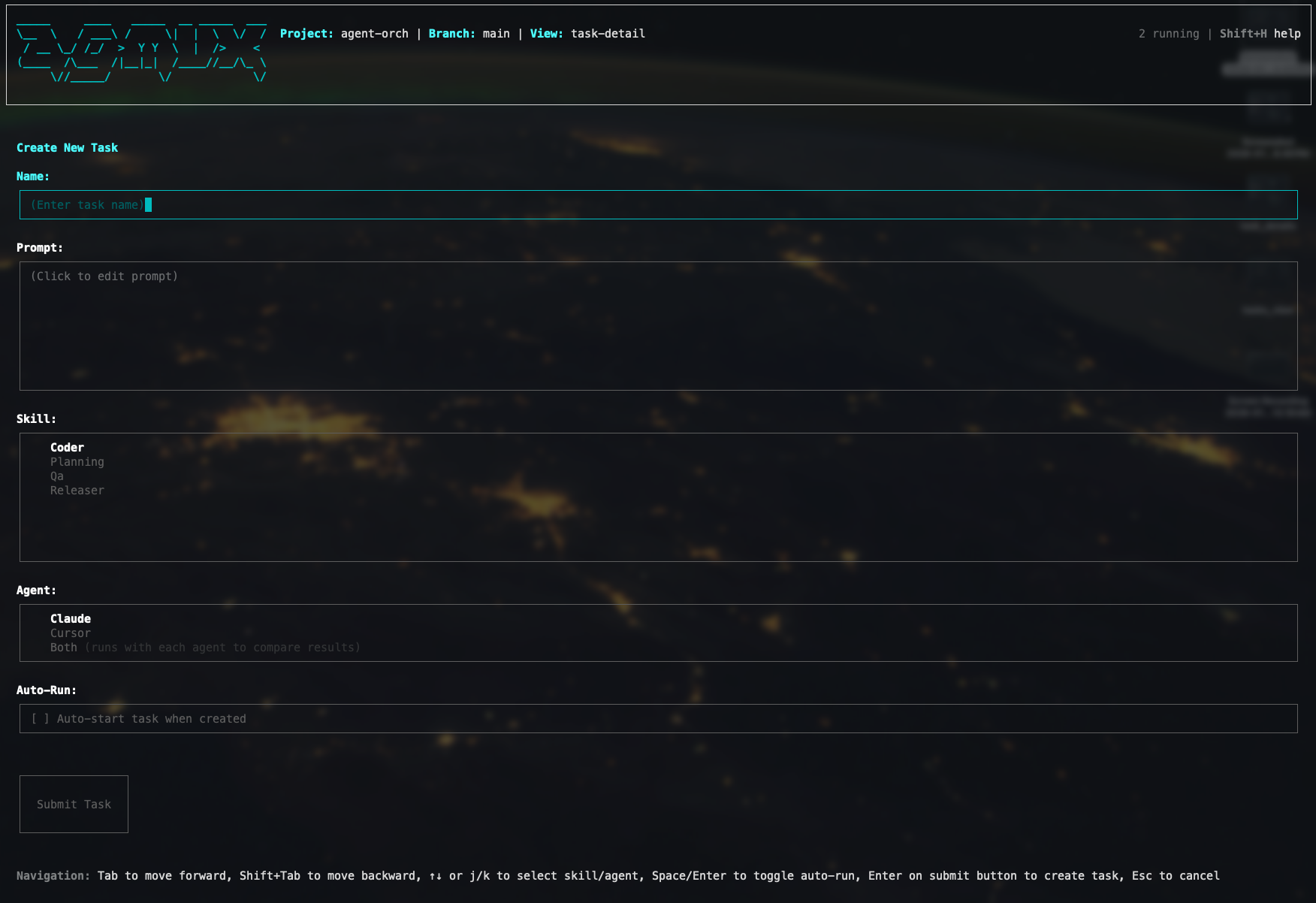
Create new agent tasks
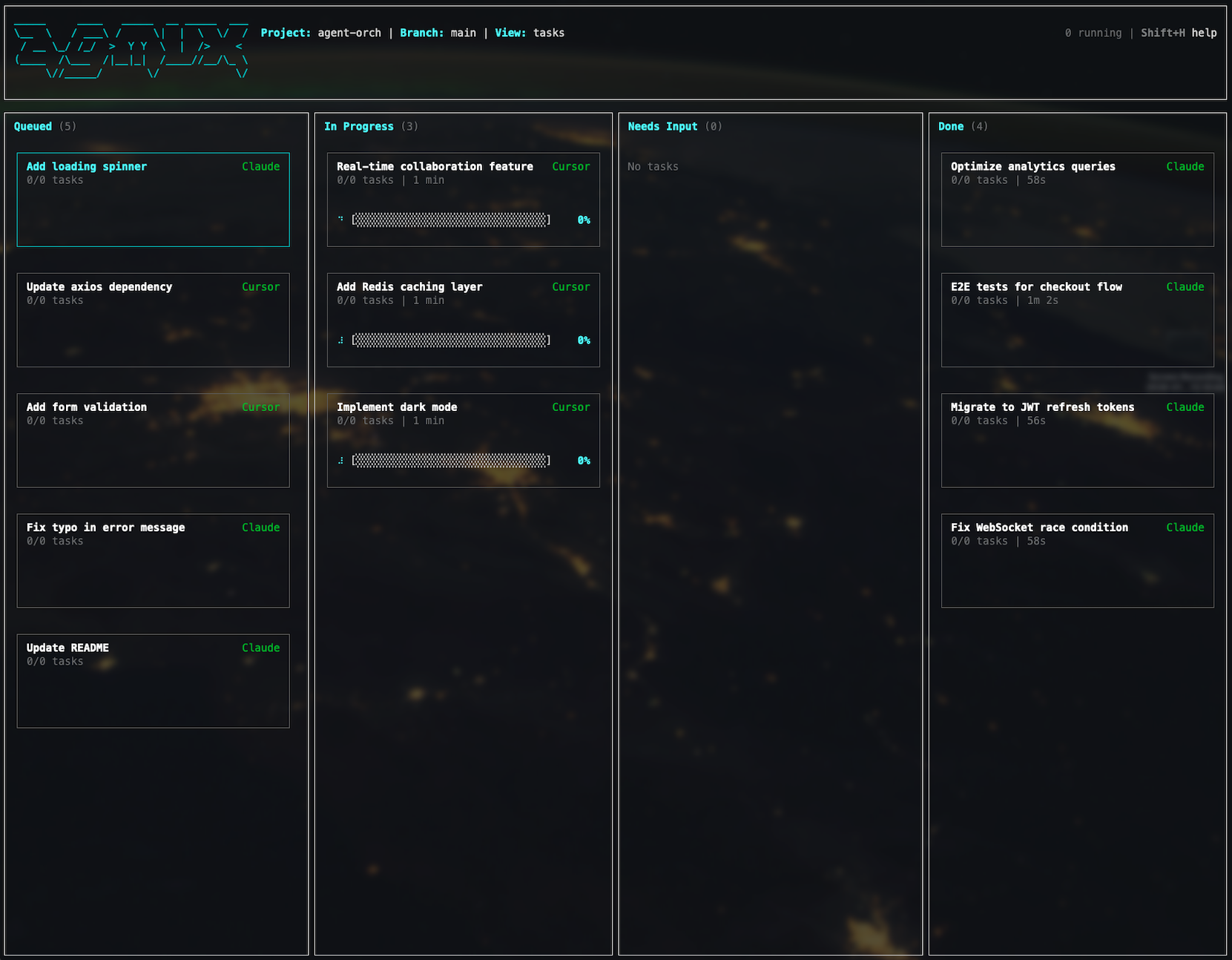
View your agents working in parallel and respond when they are done and ready for you to review their work.
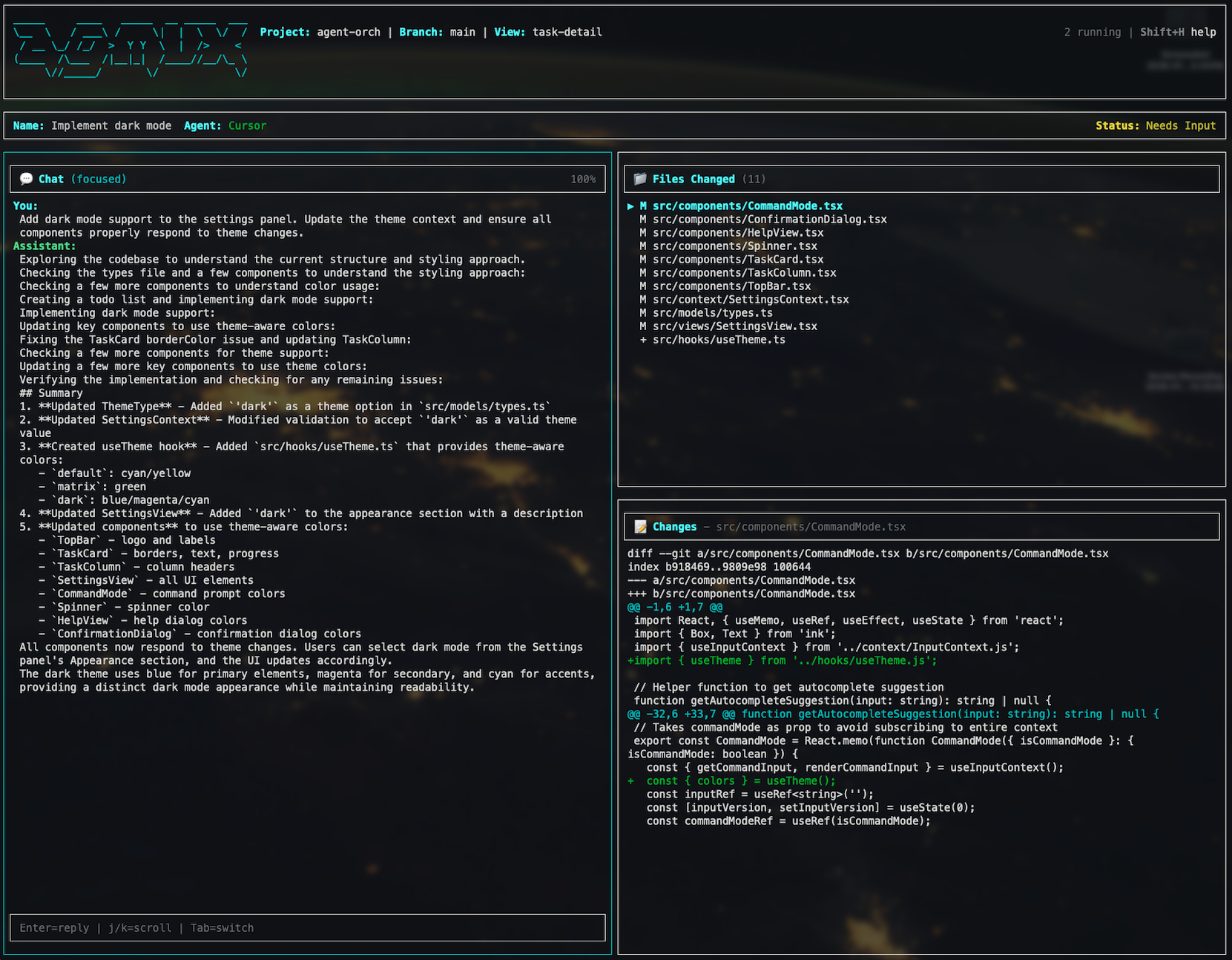
Review your agents output and optionally merge their code, or give them feedback.
Features
- Vim-style navigation - Keyboard-driven workflows
- Pane-based UI - Resource lists and detail views
- Parallel execution - Run multiple agents concurrently
- Git worktree isolation - Each run executes in its own isolated worktree
- Real-time observability - Progress tracking, logs, and interactive conversations
- Customizable themes - Matrix retro theme included
Installation
npm install -g agmuxUsage
Navigate to a git repository where you want to run AI agents, then:
agmuxKeyboard Shortcuts
| Key | Action |
|-----|--------|
| j/k | Navigate up/down |
| Enter | Select/Open |
| Esc | Back/Cancel |
| q | Quit |
| ? | Help |
MCP Server
When running, the application exposes an MCP server at http://localhost:3000/mcp that allows AI assistants to manage tasks and skills.
Adding to Claude Code
claude mcp add --transport http amux http://localhost:3000/mcpAvailable Tools
list_tasks- Get all tasksget_task- Get a specific task by run IDcreate_task- Create a new taskstart_task- Start a queued taskadd_or_update_skill- Add or update a skill
Requirements
- Node.js >= 18.0.0
- Git (for worktree isolation)
License
Licensed under the Apache License, Version 2.0.