
ai-agent-workflow
v2.2.0
Published
Transform your repository into an AI Specialist Team. One command to install role-based AI agents for any tech stack.

Maintainers
 ranveersequeira
Readme
AI Agent Workflow
Standardize your AI Development Workflow.
AI Agent Workflow forces your AI tools (Cursor, OpenCode, Gemini CLI) to behave like a structured Team of Specialists rather than a generic chatbot.
Video Tutorials
Installation Guide
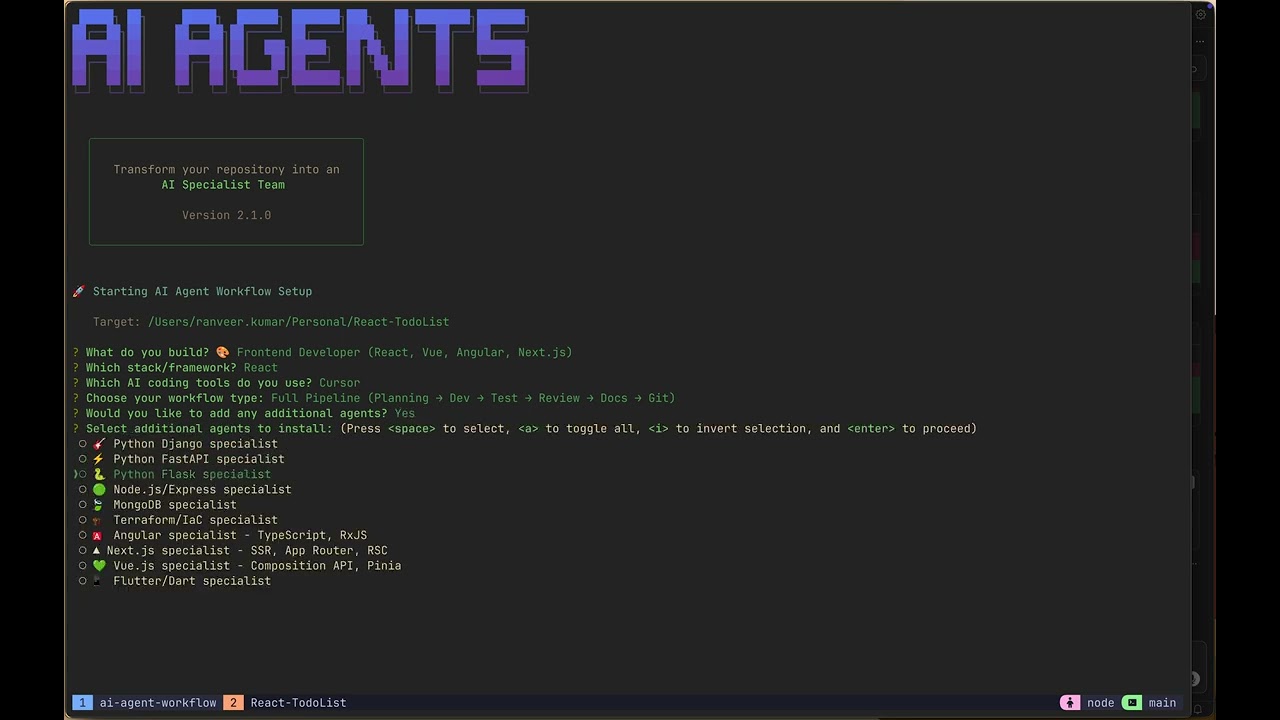 Learn how to install and set up AI Agent Workflow in 5 minutes.
Cursor Usage Guide
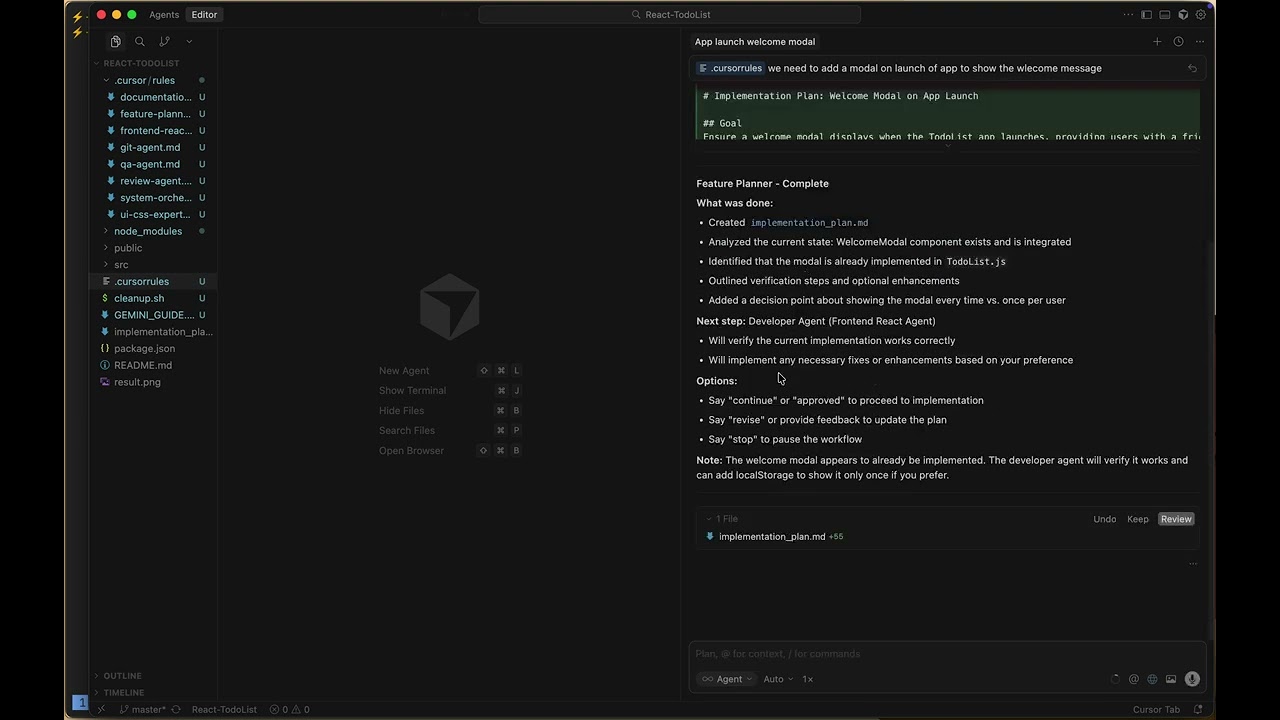 Master AI Agent Workflow with Cursor IDE - Complete tutorial with real-world examples.
New in v2.1
Multi-Tool Support
Configure agents for your preferred AI coding tools:
- Cursor - IDE with AI integration
- OpenCode - Open source AI coding CLI
- Gemini CLI - Google's AI command line tool
Workflow Types
Choose your development workflow:
- Standard: Planning → Development → Review
- Full Pipeline: Planning → Dev → Test → Review → Docs → Git Commit
- Minimal: Development → Review (for quick fixes)
Vercel Skills Integration
Frontend developers can install Vercel's React Best Practices:
npx add-skill vercel-labs/agent-skillsGit Agent
Automatic commit proposals with conventional commit messages after review approval.
Mix & Match Agents
Add any agent regardless of your role. Backend developer needs UI help? Add the UI/CSS Expert agent!
Checkpoint-Based Workflow
Strict enforcement with user checkpoints between each agent. You control when to proceed, redo, or stop.
The Goal
We inject specific Rules and System Prompts into your repository to enforce:
- Plan: Understand requirements before coding.
- Architect: Define file structures explicitly.
- Execute: Strict adherence to project guidelines.
- Review: Mandatory verification steps.
- Commit: Structured git commits (Full Pipeline).
The Team
When you run the setup, you install these personas into your repo:
- System Orchestrator: The Boss. Enforces the workflow loop.
- Feature Planner: The Architect. Produces
implementation_plan.md. - Specialists: Frontend, Backend, Mobile, DevOps agents.
- UI/CSS Expert: Design systems, Tailwind, shadcn/ui (Frontend default).
- QA Agent: Test coverage and quality assurance.
- Review Agent: Code quality and security review.
- Documentation Agent: Keeps docs in sync with code.
- Git Agent: Proposes commits after review approval.
Getting Started
1. Installation
In your target repository (e.g., ~/Projects/my-app), run:
npx ai-agent-workflow2. Setup Flow
The setup will guide you through:
- What do you build? - Choose your role (Frontend, Backend, Mobile, DevOps, Full-Stack)
- Which stack/framework? - React, Vue, Node.js, Flask, etc.
- Which AI tools do you use? - Cursor, OpenCode, Gemini CLI
- Choose your workflow type - Standard, Full Pipeline, or Minimal
- Add additional agents? - Mix in agents from other roles (e.g., UI/CSS Expert for backend devs)
- Install Vercel skills? (Frontend only) - React Best Practices
3. What Gets Installed
Based on your selections:
For Cursor:
.cursor/rules/*.md- Agent definitions.cursorrules- IDE configuration
For OpenCode:
.opencode/agents/*.md- Agent definitions.opencode/opencode.json- CLI configuration
For Gemini CLI:
.gemini/system.md- System prompt (Orchestrator).env- GEMINI_SYSTEM_MD=true
Common:
GEMINI_GUIDE.md- Project-specific guidelinescleanup.sh- For removal
4. Don't See Your Stack?
No problem! Create custom agents for any technology:
- Check the guide:
docs/CREATE_CUSTOM_AGENT.md - Create
agents/your-stack-agent.md - Define stack-specific best practices
- Run
npx ai-agent-workflowagain
The workflow is stack-agnostic — if you can code it, you can create an agent for it.
5. Usage
With Gemini CLI:
gemini "Your task"The configured system prompt will make it act as the Orchestrator.
With Cursor:
Open Cursor and start chatting. The .cursorrules file keeps the agents in context.
With OpenCode:
opencode "Your task"OpenCode reads agents from .opencode/agents/.
Enhancing with Skills
Install additional skills to make your agents smarter:
# Install Vercel React Best Practices (40+ rules)
npx add-skill vercel-labs/agent-skills

# List available skills
npx add-skill vercel-labs/agent-skills --list
Uninstallation
To remove all traces from your repo:
./cleanup.shDocumentation
- Available Agents - Browse all pre-built agents
- Create Custom Agent - Make your own stack-specific agent
- Setup Guide - Installation instructions
- Usage Guide - How to use the workflow
- Local Testing - Testing during development
Built for the Agentic Future.