
ai.muna.muna
v0.0.48
Published
Run AI inference in Unity Engine.

Maintainers
 olokobayusuf
Readme
Muna for Unity Engine

Run AI inference in your Unity applications. In a few steps:
Installing Muna
Add the following items to your Unity project's Packages/manifest.json:
{
  "scopedRegistries": [
    {
      "name": "Muna",
      "url": "https://registry.npmjs.com",
      "scopes": ["ai.muna"]
    }
  ],
  "dependencies": {
    "ai.muna.muna": "0.0.48"
  }
}
Retrieving your Access Key
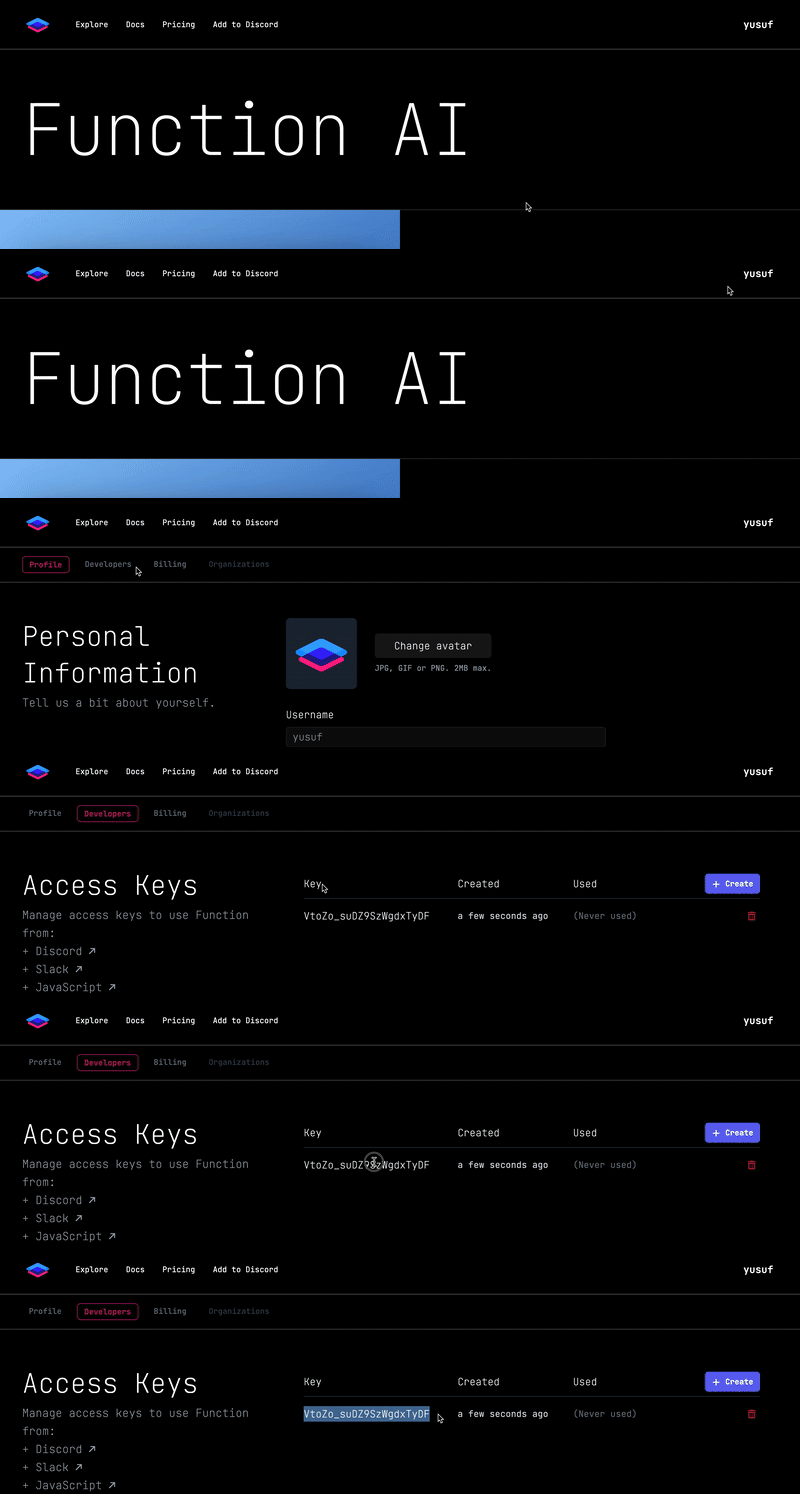
Head over to muna.ai to create an account by logging in. Once you do, generate an access key:
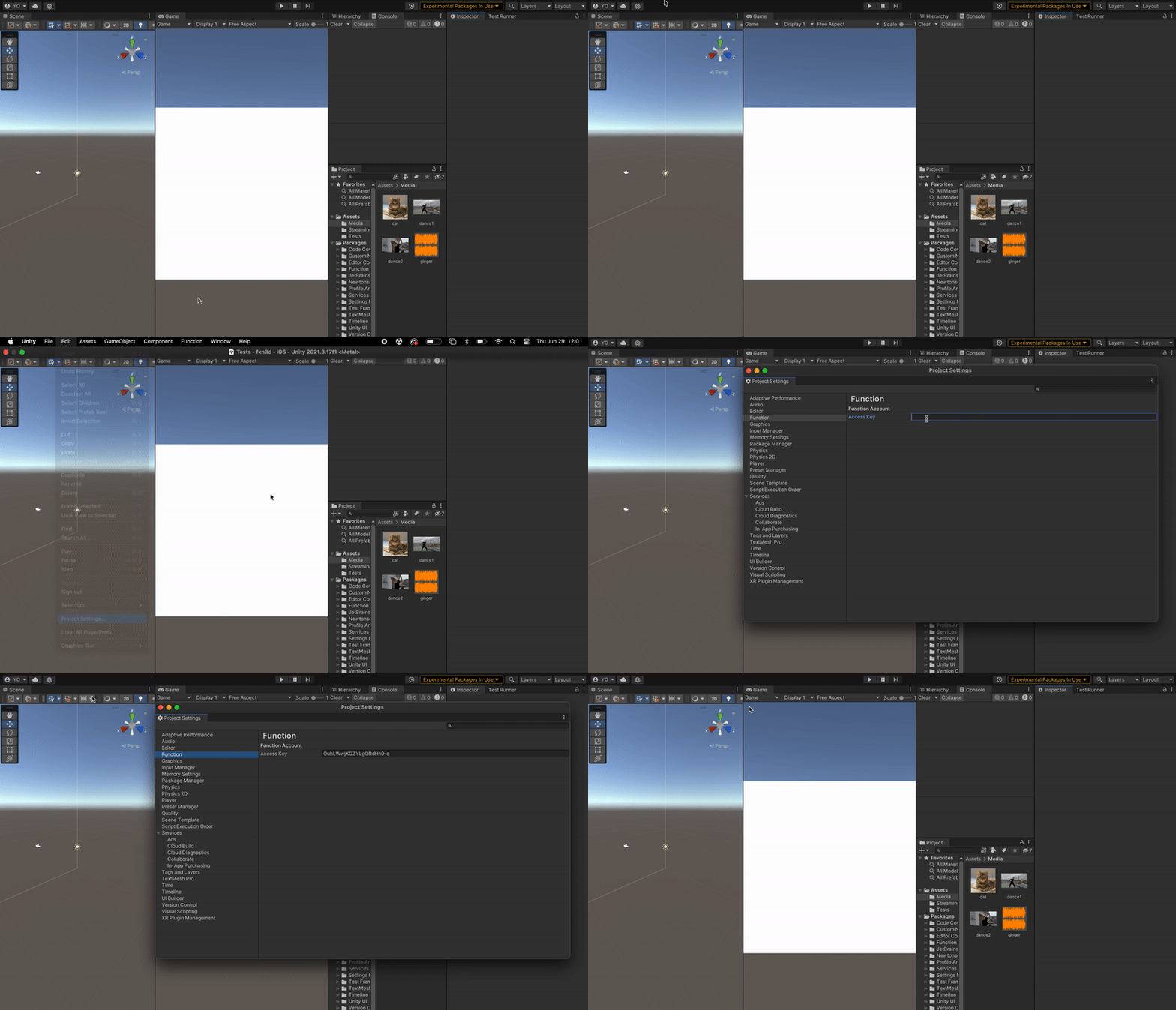
Then add it to your Unity project in Project Settings > Muna:
Making a Prediction
First, create a Muna client:
using Muna;

// 💥 Create a Muna client
var muna = MunaUnity.Create();
Then make a prediction:
// 🔥 Make a prediction
var prediction = await muna.Predictions.Create(
    tag: "@fxn/greeting",
    inputs: new () { ["name"] = "Roberta" }
);
Then use the results:
// 🚀 Use the results
Debug.Log(prediction.results[0]);
Requirements
- Unity 2022.3+
Supported Platforms
- Android API Level 24+
- iOS 14+
- macOS 12+ (Apple Silicon and Intel)
- Windows 10+ (64-bit only)
- WebGL:
- Chrome 91+
- Firefox 90+
- Safari 16.4+
Useful Links
- Discover predictors to use in your apps.
- Join our Discord community.
- Check out our docs.
- Learn more about us on our blog.
- Reach out to us at [email protected].
Thank you very much!