
aksha-md-editor
v1.0.7
Published
A highly optimized production-ready Markdown Editor for React with preview and VS Code style tabs.

Maintainers
 akash_halder
Readme




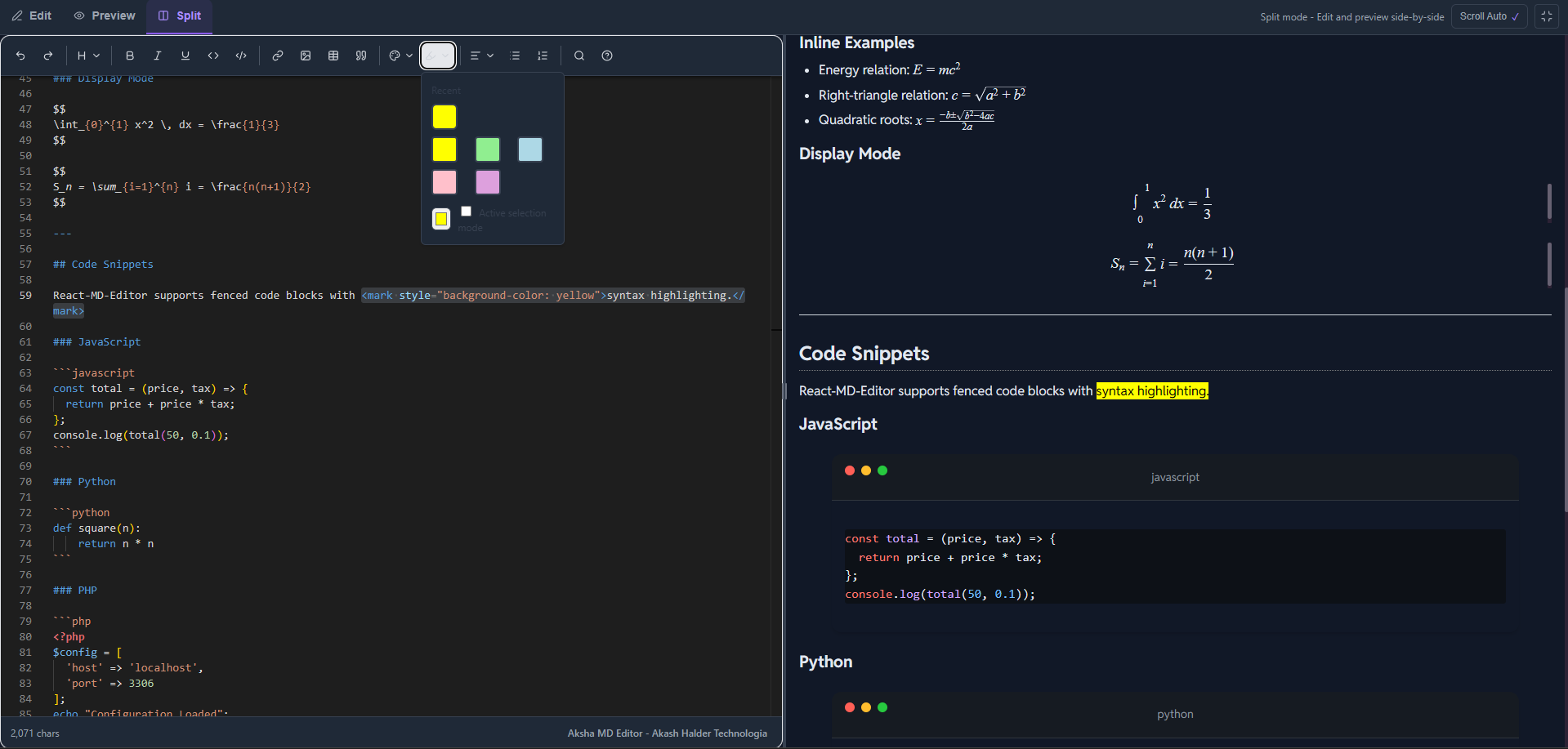
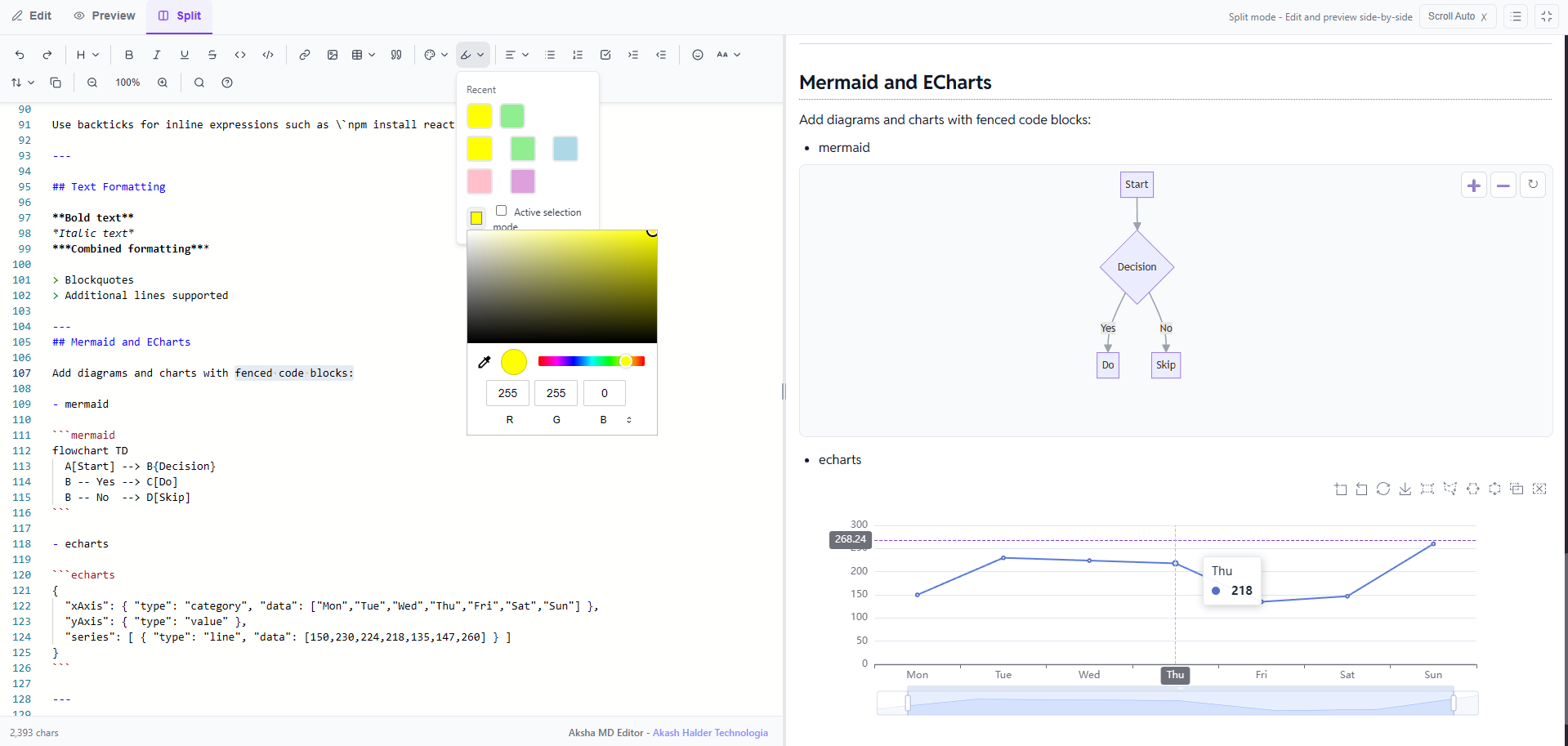
📸 Preview
| Light theme | Dark Mode | Features Demo |
| --- | --- | --- |
|  |
|  |
|  |
|
✨ Features
- 🎯 Monaco Editor Integration - The same powerful editor that powers VS Code
- 📝 GitHub Flavored Markdown - Full GFM support with tables, task lists, and more
- 🧮 Math Equations - LaTeX syntax with KaTeX rendering (inline
$...$and block$$...$$) - 🎨 Syntax Highlighting - Code blocks with 100+ language support
- 🌗 Theme Support - Light, dark, and auto (system preference) themes
- 👁️ Multiple View Modes - Edit-only, Preview-only, or Split view
- ⌨️ Keyboard Shortcuts - Familiar shortcuts for productivity
- 🛠️ Rich Toolbar - Comprehensive formatting options
- 📱 Responsive - Works seamlessly on all screen sizes
- ⚡ Performance Optimized - Debounced updates and efficient rendering
- 🎯 TypeScript - Full type safety with comprehensive type definitions
- 📦 Tree-shakable - Import only what you need
📖 Documentation
Complete guides, API reference, and examples are available in our documentation site: Visit the full documentation →
📦 Installation
> npm install aksha-md-editor> yarn add aksha-md-editor> pnpm add aksha-md-editor🚀 Quick Start
import { useState } from 'react';
import { MarkdownEditor } from 'aksha-md-editor';
import 'aksha-md-editor/styles.css';

export default function App() {
  const [markdown, setMarkdown] = useState("# Hello World\n\nStart editing!");

  return (
    <div
      style={{
        borderRadius:"10px",
      }}
    >
      <MarkdownEditor
        value={markdown}
        onChange={setMarkdown}
        theme="light"
        height="600px"
        defaultViewMode="split"
      />
    </div>
  );
}
📚 Props
| Prop | Type | Default | Description |
|------|------|---------|-------------|
| value | string | - | Controlled value |
| defaultValue | string | "# Hello, Markdown!" | Initial value (uncontrolled) |
| onChange | (value: string) => void | - | Change handler |
| theme | "light" \| "dark" \| "auto" | "auto" | Editor theme |
| defaultViewMode | "edit" \| "preview" \| "split" | "split" | Initial view mode |
| height | string | "600px" | Editor height |
| onSave | (value: string) => void | - | Save handler (Ctrl+S) |
| readOnly | boolean | false | Read-only mode |
| wordWrap | "on" \| "off" | "on" | Word wrap setting
Using Individual Components
import { Editor, Preview, EditorTabs } from 'aksha-md-editor';
import 'aksha-md-editor/styles.css';

function CustomLayout() {
  const [markdown, setMarkdown] = useState('# Custom Layout');
  const [viewMode, setViewMode] = useState<'edit' | 'preview' | 'split'>('split');

  return (
    <div>
      <EditorTabs
        viewMode={viewMode}
        onViewModeChange={setViewMode}
      />

      {viewMode !== 'preview' && (
        <Editor
          value={markdown}
          onChange={setMarkdown}
          height="500px"
        />
      )}

      {viewMode !== 'edit' && (
        <Preview content={markdown} />
      )}
    </div>
  );
}
Read-Only Preview Mode
function ReadOnlyPreview() {
  const content = '# Documentation\n\nThis is read-only content.';

  return (
    <MarkdownEditor
      value={content}
      readOnly={true}
      defaultViewMode="preview"
      enableToolbar={false}
    />
  );
}
Performance Mode for Large Documents
function LargeDocumentEditor() {
  const [largeDoc, setLargeDoc] = useState('');

  return (
    <MarkdownEditor
      value={largeDoc}
      onChange={setLargeDoc}
      performanceMode={true}
      minimap={false}
      height="100vh"
    />
  );
}
🎨 Supported Features
- ✅ GitHub Flavored Markdown - Tables, task lists, strikethrough
- ✅ Math Equations - Inline
$E=mc^2$and block$$...$$with KaTeX - ✅ Syntax Highlighting - 100+ languages via highlight.js
- ✅ Diagrams - Mermaid flowcharts via fenced blocks
- ✅ Charts - Apache ECharts via fenced blocks
- ✅ Emoji - Noto Color Emoji font support
- ✅ Live Preview - Real-time markdown rendering
- ✅ Multiple Themes - Light, dark, and auto (follows system)
- ✅ View Modes - Edit, Preview, or Split view
- ✅ Auto Scroll - Preview follows editor scroll in split view
- ✅ Keyboard Shortcuts - Standard shortcuts (Ctrl+B, Ctrl+I, etc.)
- ✅ Fully Typed - Complete TypeScript support
🎯 Keyboard Shortcuts
| Shortcut | Action |
|----------|--------|
| Ctrl/Cmd + B | Bold text |
| Ctrl/Cmd + I | Italic text |
| Ctrl/Cmd + K | Insert link |
| Ctrl/Cmd + S | Save (if onSave provided) |
| Ctrl/Cmd + Z | Undo |
| Ctrl/Cmd + Y | Redo |
Example
import {Preview}  from 'aksha-md-editor';
import 'aksha-md-editor/styles.css';

function MarkdownPreview() {
  const markdown = `
# Math Example

Inline math: $E = mc^2$

Block math:
$$
\\int_{-\\infty}^{\\infty} e^{-x^2} dx = \\sqrt{\\pi}
$$
  `;

  return <Preview content={markdown} theme="light" />;
}
Mermaid and ECharts
Add diagrams and charts with fenced code blocks:
```mermaid
flowchart TD
  A[Start] --> B{Decision}
  B -- Yes --> C[Do]
  B -- No  --> D[Skip]
```

```echarts
{
  "xAxis": { "type": "category", "data": ["Mon","Tue","Wed","Thu","Fri","Sat","Sun"] },
  "yAxis": { "type": "value" },
  "series": [ { "type": "line", "data": [150,230,224,218,135,147,260] } ]
}
```
Mermaid and ECharts are loaded on-demand from CDN and respect the current theme.
Download Markdown
A Styled Download Button to download the markdown.
function DownloadButton({ text }) {
  const handleDownload = () => {
    const blob = new Blob([text], { type: "text/markdown" });
    const url = URL.createObjectURL(blob);
    const a = document.createElement("a");
    a.href = url;
    a.download = "document.md";
    a.click();
    URL.revokeObjectURL(url);
  };
  return (
    <button
      onClick={handleDownload}
      style={{
        padding: "8px 16px",
        background: "#7c3aed",
        color: "white",
        border: "none",
        borderRadius: "6px",
        cursor: "pointer",
        fontWeight: "500",
        marginTop: "10px",
      }}
    >
      Download .md
    </button>
  );
}
⌨️ EditorTabs
View mode switcher component.
Props
| Prop | Type | Default | Description |
|------|------|---------|-------------|
| viewMode | 'edit' \| 'preview' \| 'split' | Required | Current view mode |
| onViewModeChange | (mode: ViewMode) => void | Required | View mode change callback |
| isFullscreen | boolean | false | Fullscreen state |
| onFullscreenToggle | () => void | undefined | Fullscreen toggle callback |
🪝Hooks
useTheme
Custom hook for theme management with system preference detection.
import {useTheme} from 'aksha-md-editor';

function MyComponent() {
  const { theme, resolvedTheme, setTheme } = useTheme();

  return (
    <button onClick={() => setTheme('dark')}>
      Current theme: {resolvedTheme}
    </button>
  );
}
Returns:
theme: Current theme setting ('auto' | 'light' | 'dark')resolvedTheme: Actual theme in use ('light' | 'dark')setTheme: Function to change theme
useDebounce
Custom hook for debouncing values.
import { useDebounce } from 'aksha-md-editor';

function SearchComponent() {
  const [searchTerm, setSearchTerm] = useState('');
  const debouncedSearch = useDebounce(searchTerm, 300);

  useEffect(() => {
    // API call with debouncedSearch
  }, [debouncedSearch]);

  return <input onChange={(e) => setSearchTerm(e.target.value)} />;
}
🅰️ Types
ViewMode
type ViewMode = 'edit' | 'preview' | 'split';ThemeMode
type ThemeMode = 'auto' | 'light' | 'dark';WordWrap
type WordWrap = 'on' | 'off' | 'wordWrapColumn';ToolbarGroup
type ToolbarGroup = 'undo-redo' | 'formatting' | 'lists' | 'insert';🖼️ Styling
The library automatically includes pre-built styles for markdown rendering (tables, code blocks, math formulas, etc.) when you import the component. No additional CSS imports are required.
Custom Styling
You can override styles using CSS custom properties:
.markdown-editor {
  --editor-bg: #ffffff;
  --editor-text: #000000;
  --editor-border: #e5e7eb;
  --editor-toolbar-bg: #f9fafb;
}

.markdown-editor.dark {
  --editor-bg: #1f2937;
  --editor-text: #f9fafb;
  --editor-border: #374151;
  --editor-toolbar-bg: #111827;
}
⚡ Performance Tips
- Use performanceMode: For documents > 10,000 characters
- Disable minimap: Reduces memory usage
- Debounce onChange: Already implemented (300ms)
- Use controlled mode sparingly: For large documents, consider uncontrolled mode
🤝 Contributing
Contributions are welcome! Please feel free to submit a Pull Request. For major changes, please open an issue first to discuss what you would like to change.
- Fork the repository
- Create your feature branch (
git checkout -b feature/AmazingFeature) - Commit your changes (
git commit -m 'Add some AmazingFeature') - Push to the branch (
git push origin feature/AmazingFeature) - Open a Pull Request
📝 License
This project is licensed under the MIT License - see the LICENSE file for details.
🙏 Acknowledgments
- Built with Monaco Editor
- Markdown parsing powered by unified
- Math rendering by KaTeX
- Syntax highlighting by highlight.js