
amarisearch-slack-feedback
v2.0.1
Published
React component for gathering user feedback to send to slack.
Downloads
27


Readme
React Slack Feedback
React component for gathering user feedback to send to slack.
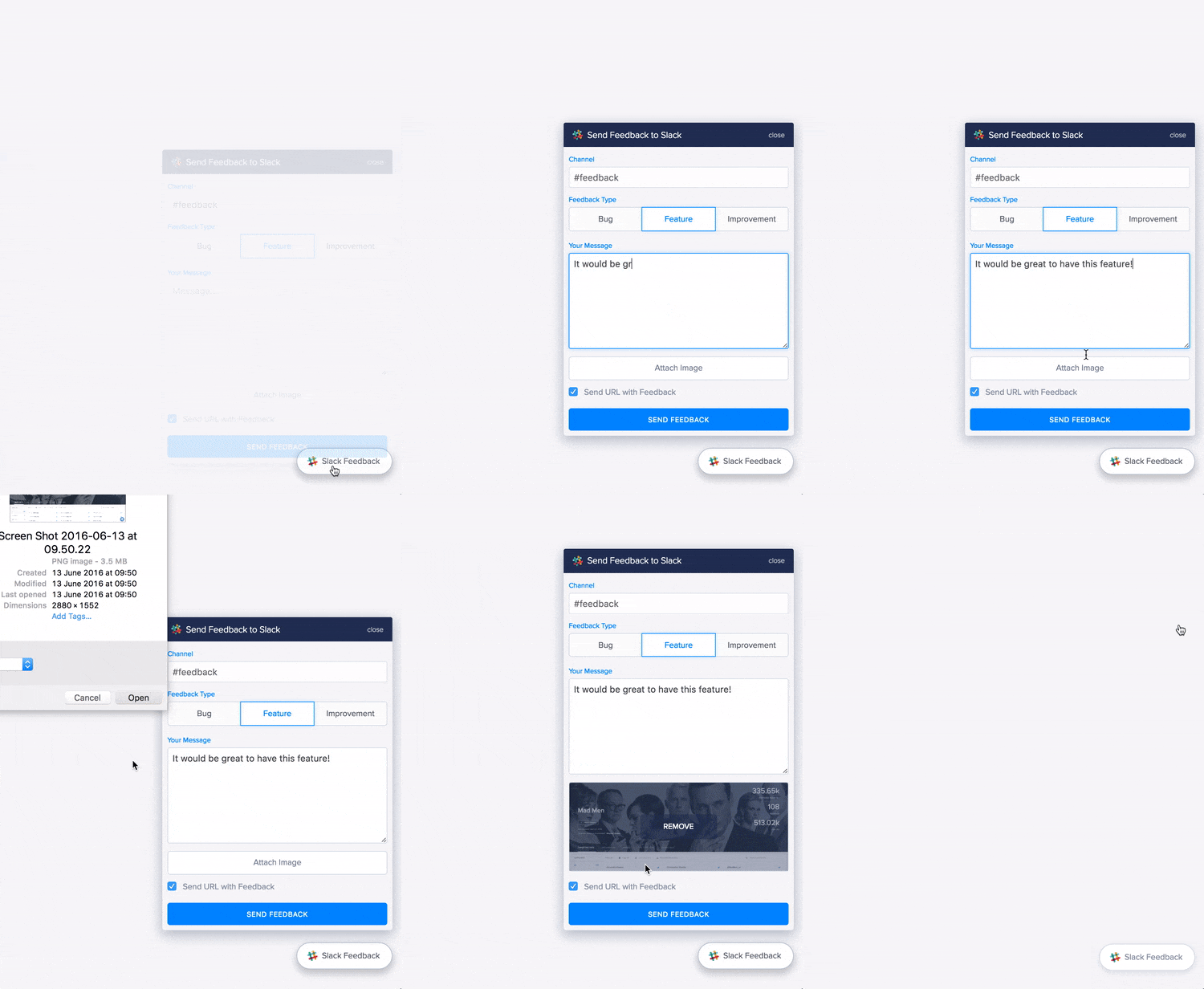
Usage
Install via NPM:
npm install react-slack-feedback --saveTo use the component, import it and render in your app's global component, or individual components (if you don't want it on every page).
NOTE Your Slack Webhook URL should never be available on the front end. For this reason you must have a server which sends the request to slack. This component will produce the JSON object to send to Slack but it won't send the request for you.
import SlackFeedback from 'react-slack-feedback';

<SlackFeedback
  // required
  channel="#general"
  // NOTE: The `onSubmit` method is called with the SlackFeedback context which
  // allows you to call `this.sent()` in the sendToSlack function. If you use
  // `payload => sendToSlack(payload)` or `sendToSlack.bind(this)` then you must
  // use a ref to call the sent method. i.e `this.refs.SlackFeedback.sent();`
  onSubmit={sendToSlack}
  onImageUpload={uploadImage}
  disabled={true} // completely disable the component (default = false)
  user="Users Name" // The logged in user (default = "Unknown User")
  emoji=":bug:" // default = :speaking_head_in_silhouette:
/>

/**
 * Send the Slack message to your server
 * @param  {Object} payload
 * @return {null}
 */
function sendToSlack(payload) {
  $.post('/api/slack', {
    data: payload
  }).then(res => {

    // The `onSubmit` prop function is called with the SlackFeedback component
    // context (this.props.onSubmit.call(this, payload)), meaning the component
    // methods are available from this function. You should call the `sent`
    // method if the request was successfully sent to Slack.
    this.sent();
  }, error => {
    this.error(error.statusText);
  });
}

/**
 * Upload image to server
 * @method uploadImage
 * @param  {File} image
 * @return {null}
 */
function uploadImage(image) {
  var form = new FormData();
  form.append('image', image);

  $.post('/api/upload', { data: form })
    .then(
      // It is important that you call the `imageUploaded` method or
      // the component will load indefinitely.
      //
      // If you've called the `uploadImage` function with `image => uploadImage(image)`,
      // you'll have to use a ref on the SlackFeedback component to access the
      // 'imageUploaded' and 'error' methods
      url => this.imageUploaded(url),
      err => this.error(err)
    );
}
Props
| Prop | Type | Default | Required | Description | |----------|--------|--------------|:-------------:|-------------| | channel | string | | required | The Slack channel to send messages. Note: All slack channels are lowercase. The string should be identical to the channel name e.g '#feedback' | | onSubmit | function | | required | A JSON payload object will be returned when the user submits the form. | | onImageUpload | function | | | Method that will be called with a file argument | | user | string | "Unknown User" | | The logged in user's name (if applicable) | | emoji | string | 🗣 | | The emoji that will show in place of the users avatar on Slack | | buttonText | string | "Slack Feedback" | | The text for the trigger button | | disabled | boolean | false | | Disable the component entirely. Returns null. Can be used to disable the component on specific pages |
Callback Functions
| Function | Arguments | Description |
|-----------|-----------|-------------|
| sent() | | Should be called when the payload has been successfully sent to your sever. The submit button will display a Sent! message and reset the loading state. |
| error() | error (string) | Should be called if there's an error sending the slack payload to your server. Pass the statusText of the response to update the submit button. |
| imageUploaded() | url (string) | Should be called if an image is successfully uploaded to your server. This adds the image url to the payload JSON and resets the loading state of the component. |
| uploadError() | error (string) | Should be called if there's an error uploading an image. |
Running Locally
To run this module locally:
- Clone the repo:
git clone https://github.com/markmur/react-slack-feedback.git- Install the node modules
npm install- Create an ENV file with your
WEBHOOK_URL
./env.js
module.exports = {
  WEBHOOK_URL: 'YOUR_SLACK_WEBHOOK_URL'
};- Run the
Procfilewithforeman:
nf startThis will start the webpack-dev-server and an express backend server.
The component will be available at http://localhost:3000