
angular-vscode
v1.0.3
Published
Useful VSCode plugins for Angular Development


Readme
Transform VSCode Into Best Angular Dev Environment
Angular is built to be toolable.
This packages transforms VSCode into the best editor for Angular development.
How to Use It
ng add angular-vscode
or
npx angular-vscode
How It Works
The package adds Angular Language Service and Angular Console to your project's list of recommended plugins. This doesn't just make your development experience better. Everyone on your team who uses VSCode will get the same plugins installed.
Plugins
Angular Language Service
This extension provides a rich editing experience for Angular templates.
Angular Console
This extension is a generic UI for the Angular CLI.
Angular CLI is a command-line tool, which works great when you want to serve an application or generate a simple component. But it falls short once you start doing advanced things.
- Exploring custom schematic collections is hard in the terminal, but it's easy using Angular Console.
- Using rarely-used flags is challenging. Do you pass absolute or relative paths? You don't have to remember any flags, names, or paths -- Angular Console will help you by providing autocompletion and validating your inputs.
- Finding the right Angular CLI extension can take a long time. When using Angular Console, you can find and install an extension in minutes.
Angular Console does more than that:
- It visualizes the results of a build or a test run.
- It visualizes how different projects in your workspace depend on each other.
- It shows dry run results as you create your command
- It shows remembers you most recent cli commands and saves their output for your reference
TSLint
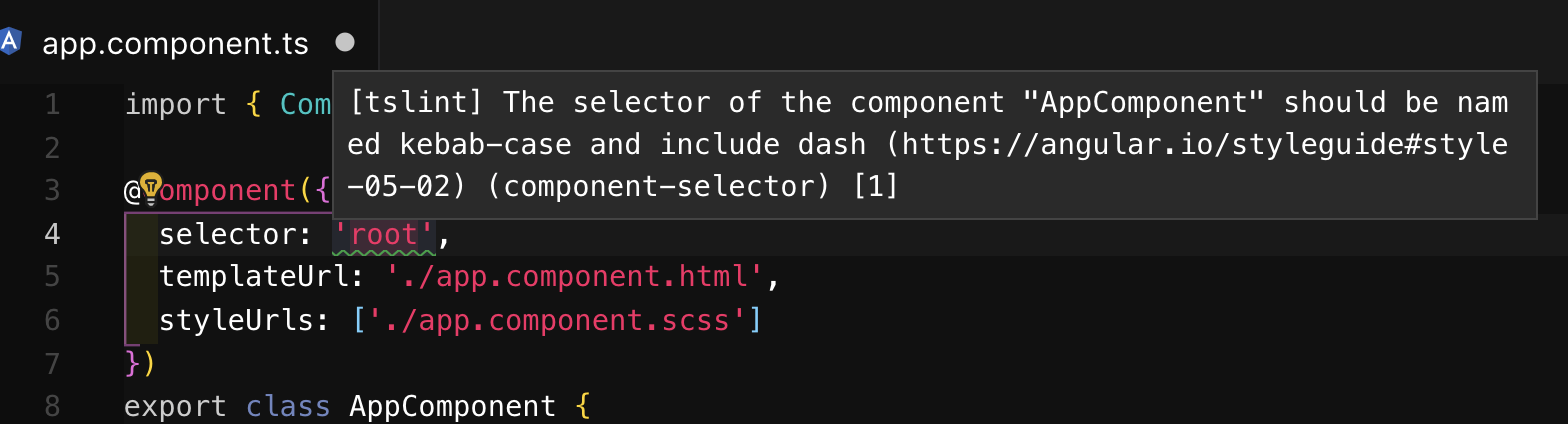
This extension displays linting errors and can also automatically fix them most of the time.
Linting rules help enforce coding standards and having this extension allows developers to easily align to coding standards before pushing code.
Prettier
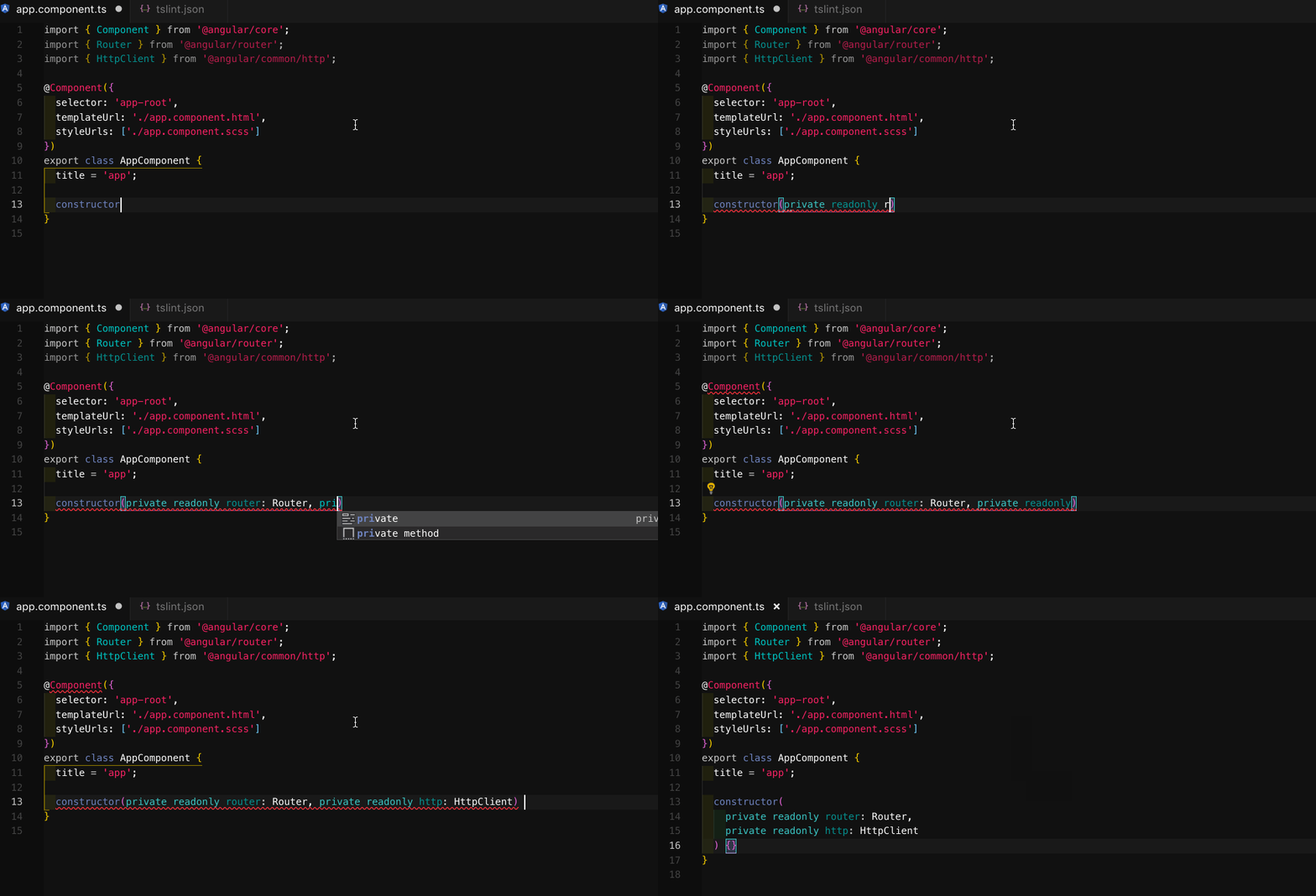
This extension automatically formats code consistently throughout the workspace.
Code Format is a major factor in code readibility and having it automated saves developer's time spent formatting, reviewing code, and reading code.