
angular2-number-picker-jf
v0.8.10
Published
A generic number picker Angular component (v. 2.0.0+) for Twitter Bootstrap

Maintainers
 jfsr24
Readme
angular2-number-picker


A generic number picker Angular component (v. 2.0.0+) for Twitter Bootstrap
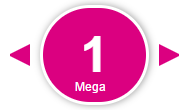
Requirements
- Angular (2.0.0+)
UI Dependency
- Twitter Bootstrap (3.3.5+)
Installation
npm install angular2-number-picker -saveBasic usage
Import the NumberPickerComponent in your app.module and add it to the declarations array.
Alternatively, you can import the NumberPickerComponent to a shared module, to make it available across all modules in your Angular application.
...
import { NumberPickerComponent } from 'angular2-number-picker/components';
import { AppComponent } from './app.component';

@NgModule({
  declarations: [
    AppComponent,
    NumberPickerComponent
  ],
  imports: [
    ...
  ],
  providers: [],
  bootstrap: [AppComponent]
})
export class AppModule { }
Add the angular2-number-picker directive to the page where you want to use the number picker.
<angular2-number-picker [min]="1" [max]="6" [step]="1" [precision]="1" [inputDisabled]="true" (onChange)="onNumberChanged($event)"></angular2-number-picker>Directive Inputs and Outputs
| Attribute | Type | Required | Description | | :------------- |:-------------| :-----:| :-----| | min | [input] Number | No | The minimal number limit on the number picker. 0 by default | | max | [input] Number | No | The maximum number limit on the number picker. 100 by default | | step | [input] Number | No | The step value for the number picker. 1 by default | | precision | [input] Number | No | The decimal precision for the number picker, if the step input value is a decimal value. 1 by default | | inputDisabled | [input] Boolean | No | Defines if the input input should be disabled / editable by the user. false by default | | onChange | (output) Number | No | The onChange event of the component. Emits the value of the number picker, every time the user has clicked the - or + button. |