
animateplus_ts
v1.0.3
Published
It's so cool to make elements move in browser.
Downloads
15


Readme
It's so cool to make elements move in browser.
一个简洁的H5补间动画库,基于rAF,彻底抛弃setTimeout和setinterval。
你可以基于任何HTML或SVG元素的任意数值型属性做动画,包括16进制的颜色属性。
install
npm i animateplus_ts -Suse
import animate from 'animateplus_ts';- 改变一个dom元素的css属性,比如改变一个绝对定位的小球的
left属性,让它水平向右移动一百个像素。
await animate({
  elements: '.ball',
  duration: 2000,
  optimize: true,
  'left': ['0px', '100px']
})
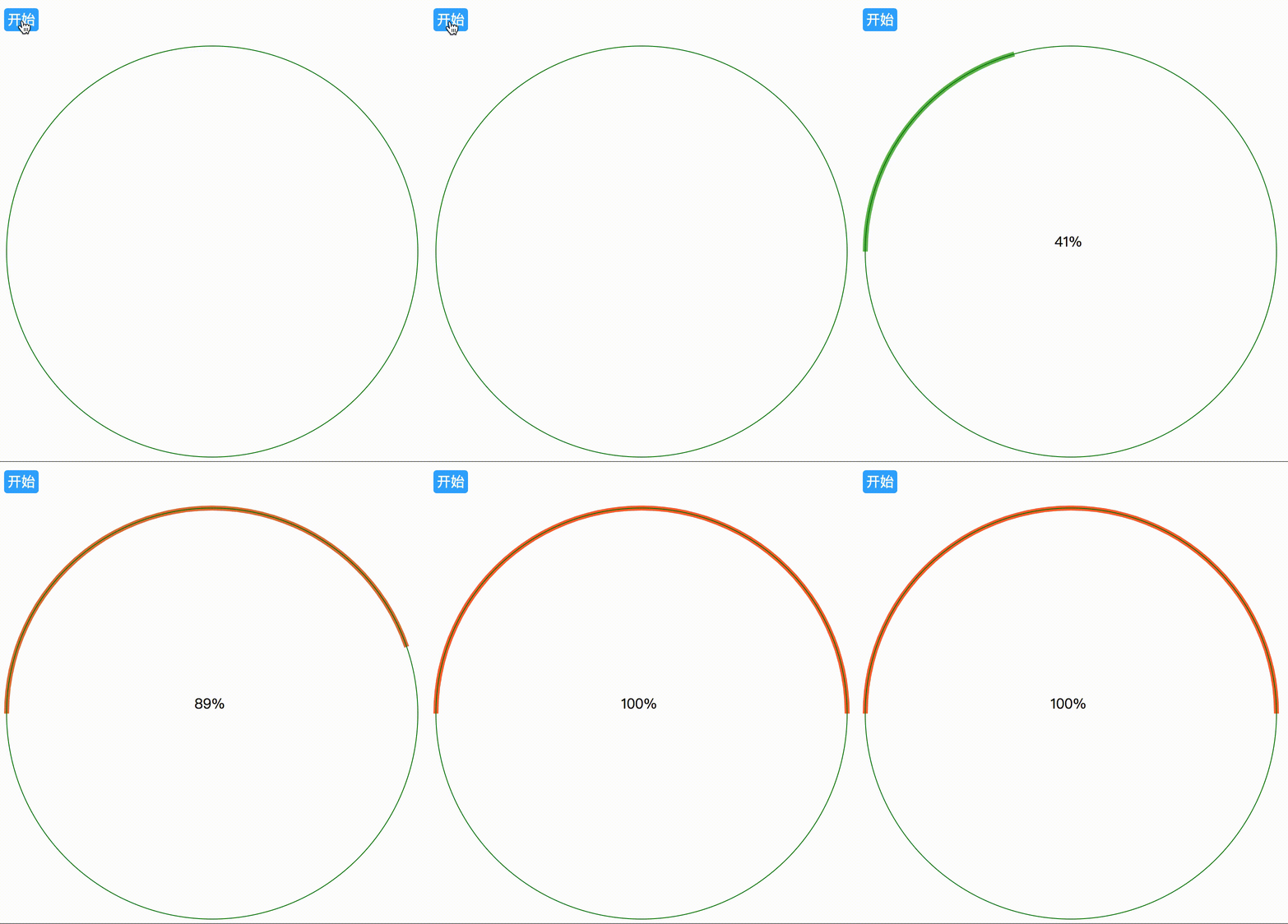
- 改变一个svg元素的属性
const svgPlay = async () => {
  await animate({
    elements: '.path3',
    duration: 3000,
    optimize: true,
    'stroke-dasharray': [`0 ${ARC_LENGTH}`, `${ARC_LENGTH} ${ARC_LENGTH}`],
    'stroke': ["#00f76e", "#ff6633"],
    change: progress =>
      progressEle.textContent = `${Math.round(progress * 100)}%`
  })
}
对于想要做动画的属性,你需要用一个数组来表示动画的开始值和结束值[start_value, end_value],例如上面的例子,我们需要改变left属性,在这里我们开始值设为0px,结束值是100px,那这个动画就是在2秒内把目标元素移动到距初始位置100px的地方。
为了方便使用,你可以忽略掉end_value参数里的除了数字外其他内容。这在某些属性值比较复杂时,提供一些便利。'left': ['0px', '100px']的效果和'left': ['0px', '100']是一样的。transform: ["rotate(0turn)", 1']和transform: ["rotate(0turn)", 'rotate(1turn)']也是一样的效果。
configs
elements
- 类型:Dom elements | css selector | NodeList ,指示做动画的元素。
await animate({
 elements: '.ball'
})
duration
- 类型:number,动画持续时间,单位为毫秒。
await animate({
  elements: '.ball',
  duration: 2000
})
optimize
- 类型:boolean,是否需要利用css的
will-change属性进行性能优化,默认不开启。
await animate({
  elements: '.ball',
  duration: 2000,
  optimize: true
})
loop
- 类型:boolean,是否需要循环动画。
await animate({
  elements: '.ball',
  duration: 2000,
  loop: true
})
direction
类型:string,默认值为‘normal’表示正向进行动画,值为‘reverse’表示反向进行动画。
await animate({
  elements: '.ball',
  duration: 2000,
  direction: 'reverse'
})
easing
类型:string,过渡动画,默认值为‘linear’,线性匀速动画。
匀速 | 加速 | 减速 | 先加速-后减速 |
-- | :--: |:--: | :--:
linear | in-cubic | out-cubic | in-out-cubic
await animate({
  elements: '.ball',
  duration: 2000,
  easing: 'in-cubic'
})
delay
类型:number,动画延迟执行时间,单位毫秒。
await animate({
  elements: '.ball',
  duration: 2000,
  direction: 'reverse',
  delay: 1000
})
change
类型:function,在动画的每一帧执行的回调函数,回调函数的接收一个progress参数,值在0~1之间,表示动画的进度。完成某些进度条方面的动画比较有用。
animate({
  elements: '.ball',
  duration: 2000,
  optimize: true,
  direction: 'normal',
  'left': ['10px', '110px'],
  change: progress =>
    progressEle.textContent = `${Math.round(progress * 100)}%`
})
Promise
animate(object)会在动画执行完成后返回一个promise对象。这个promise会resolve调用animate函数时传入的object对象,这样就能让动画的链式调用很方便。
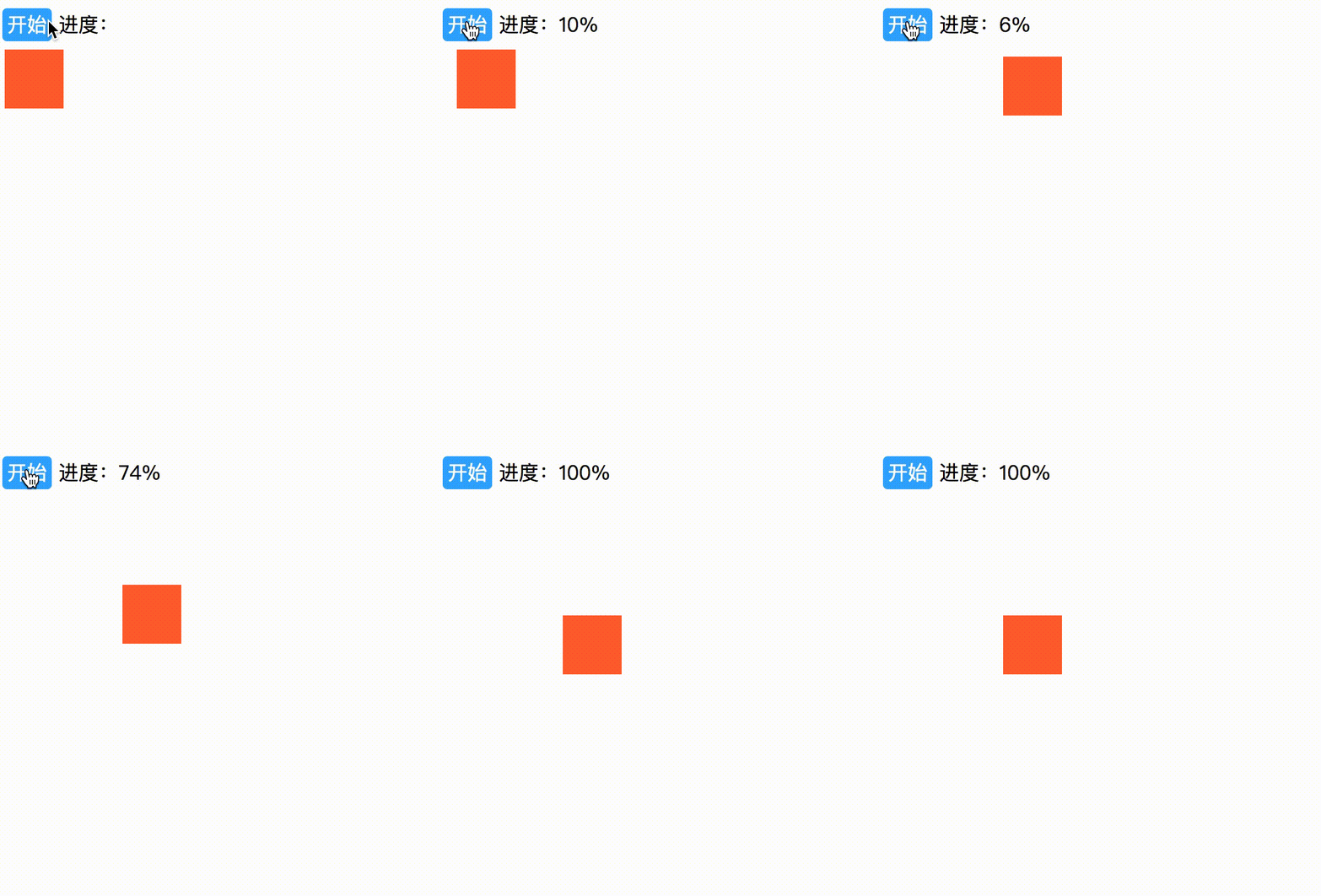
下面是一个链式调用的例子,可以看到搭配async await语法,代码逻辑十分清晰。
我们下面让我们的小方块先向右平移100px,然后向下平移100px,最后转一个圈。
const play = async ()=>{
  // 左移100px
  const options = await animate({
    elements: '.ball',
    duration: 2000,
    optimize: true,
    direction: 'normal',
    'left': ['10px', '110px'],
    change: progress =>
      progressEle.textContent = `${Math.round(progress * 100)}%`
  });
  // 下移100px
  await animate({
    elements: '.ball',
    duration: 3000,
    optimize: true,
    direction: 'normal',
    'top': ['50px', '150px'],
    change: progress =>
      progressEle.textContent = `${Math.round(progress * 100)}%`
  });

  // 转个圈圈
  await animate({
    elements: '.ball',
    duration: 1000,
    optimize: true,
    direction: 'normal',
    transform: ["rotate(0turn)", 1],
    change: progress =>
      progressEle.textContent = `${Math.round(progress * 100)}%`
  });
}
额外辅助功能函数
delay
提供一个定时触发器的功能,你可以理解成setTimeout函数,但因为是基于rAf的,所以更加精确。delay(500)表示延时500ms执行,返回一个promise对象。
下面这个例子我们让小方块先平移,然后延时1000ms后在转圈。
import { delay } from 'animateplus_ts';
const play = async ()=>{
// 左移100px
const options = await animate({
  elements: '.ball',
  duration: 2000,
  optimize: true,
  direction: 'normal',
  'left': ['10px', '110px'],
  change: progress =>
    progressEle.textContent = `${Math.round(progress * 100)}%`
});

// 在这里暂停一秒
await delay(1000);

// 转个圈圈
await animate({
  elements: '.ball',
  duration: 1000,
  optimize: true,
  direction: 'normal',
  transform: ["rotate(0turn)", 1],
  change: progress =>
    progressEle.textContent = `${Math.round(progress * 100)}%`
});
}
stop
停止某些正在做动画的元素。
import { stop } from 'animateplus_ts';
stop('.ball);
todo
- 丰富eases函数,了解其背后公式。
- 丰富辅助函数。
- 优化api,让使用更简单。
author
zhuyunhe,在美团点评搬砖。