
apex-explorer
v1.0.2
Published
Browse, search, and analyse Salesforce Apex classes with a Monaco editor, global search, and KPI dashboard — straight from the CLI.

Maintainers
 mohanchinnappan
Readme
Apex Explorer
A world-class browser, search engine, and analytics dashboard for your Salesforce Apex codebase — served locally from the command line.
Opens a full-featured web UI at http://localhost:3000 with a Monaco editor, global search, and KPI dashboard — all running against your local files or a live org.
Screenshots
Features
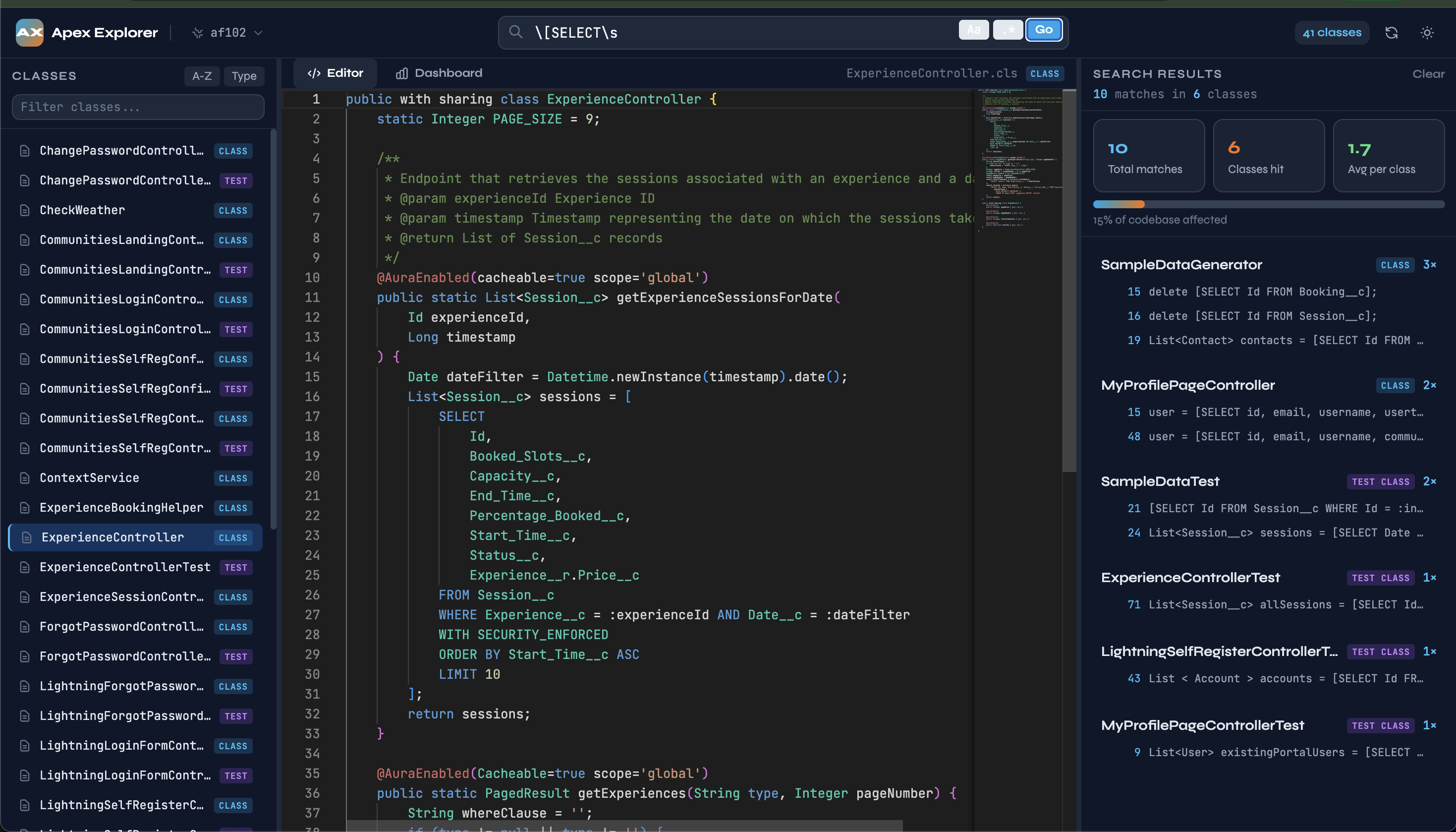
Three-pane layout
- Left — filterable, sortable class tree with colour-coded type badges (
Batch,Test Class,Schedulable,Queueable,Trigger Handler,Interface,Enum,Class) - Centre — Monaco editor (the same engine as VS Code) with Apex syntax highlighting, minimap, and line numbers; read-only so you never accidentally edit production source
- Right — live search results panel with class name, type, line number, and a code-snippet preview for every match
Global search
Search every .cls file simultaneously, straight from the top bar.
| Option | Shortcut | Description |
|---|---|---|
| Case-sensitive | Aa toggle | Exact case matching |
| Regular expressions | .* toggle | Full JS regex syntax |
| Jump to line | click result | Opens the class and scrolls Monaco to the exact line |
Search summary KPIs update instantly: total matches, classes affected, average matches per class, and a progress bar showing what percentage of the codebase contains the pattern.
KPI Dashboard
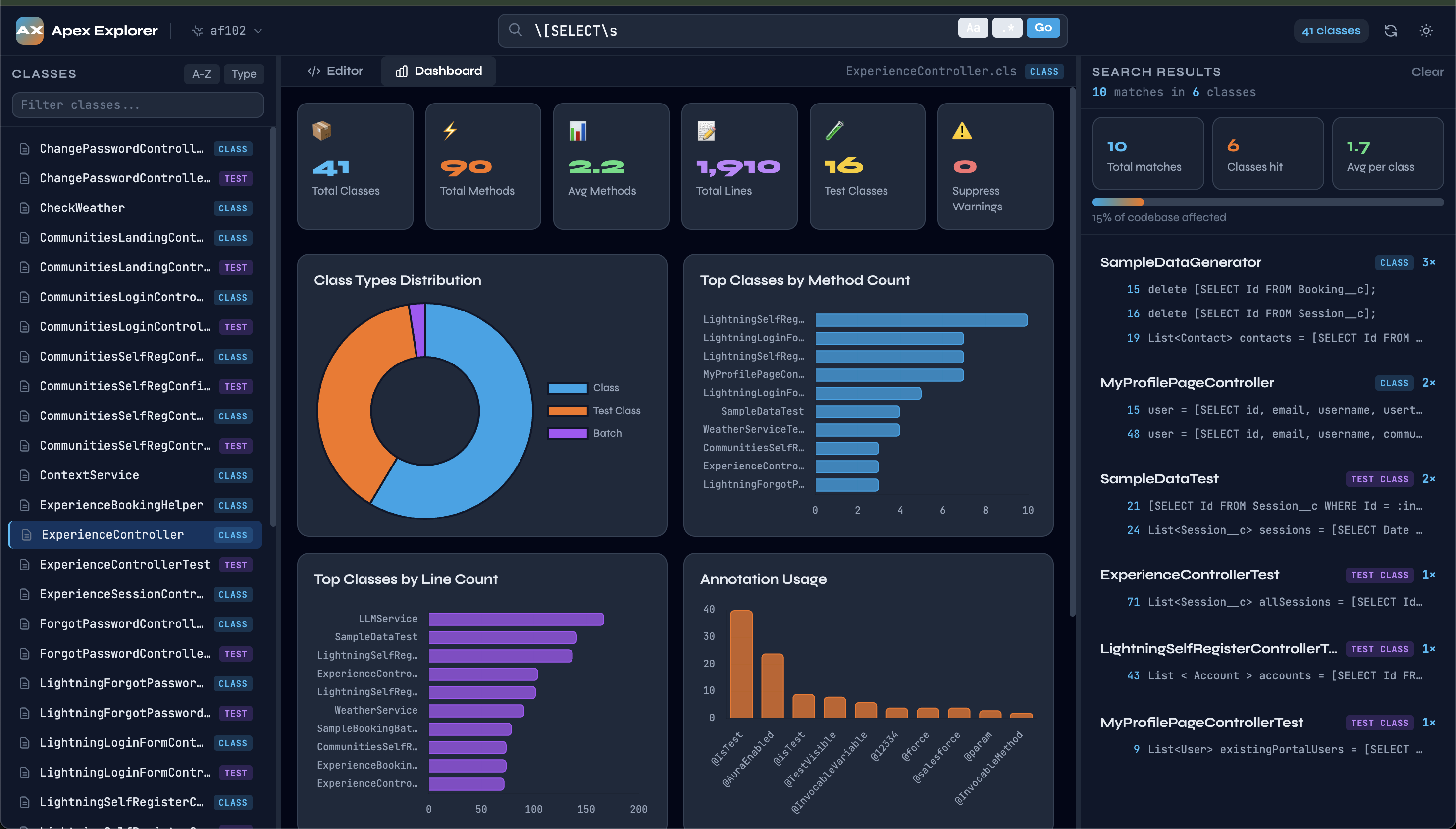
Switch to the Dashboard tab for Chart.js-powered analytics over your entire codebase:
| Chart | What it shows |
|---|---|
| Class Types (doughnut) | Distribution across all detected class types |
| Top by Method Count (bar) | The 10 most method-heavy classes |
| Top by Line Count (bar) | The 10 longest classes |
| Annotation Usage (bar) | Every @Annotation ranked by frequency |
| SOQL Usage (bar) | Classes with the most inline queries |
Six headline KPI cards: total classes, total methods, average methods per class, total lines of code, test class count, and @SuppressWarnings count.
Everything else
- Dark / light theme — toggle in the top-right corner; Monaco and all charts follow
- Resizable panels — drag the dividers between any two panes
- Hot reload — hit the reload button to re-fetch from org or re-read from disk without restarting
- Auto-open — the browser opens automatically when the server starts
- Pagination — fetches org classes in batches of 200, so orgs with thousands of classes work correctly
Requirements
- Node.js 18 or later
- For
-o(org) mode: Salesforce CLI (sf) installed and authenticated
Installation
npm install -g apex-explorerUsage
Load from an SFDX project folder
apex-explorer -c /path/to/your/sfdx-projectReads .cls files from force-app/main/default/classes. If that path does not exist, it falls back to the folder itself, so you can also point directly at a classes directory.
Load from a live Salesforce org
apex-explorer -o <username-or-alias>Requires sf or sfdx to be installed and the org to be authenticated. Classes with Status = 'Active' are fetched via the Tooling API in a single paginated bulk query.
All options
Options:
  -o, --org <username>    Salesforce org username or alias
  -c, --classes <folder>  SFDX project root folder path
  -p, --port <port>       Web server port (default: 3000)
  -V, --version           Print version
  -h, --help              Show help
Either -o or -c is required. If both are supplied, -o takes precedence.
Authenticating with Salesforce CLI
# Install the modern SF CLI
npm install -g @salesforce/cli

# Authenticate via browser
sf org login web --alias my-org

# Verify the alias is listed
sf org list

# Then run Apex Explorer
apex-explorer -o my-org
Search examples
@SuppressWarnings('PMD')        →  find every class that suppresses PMD warnings
implements Database.Batchable   →  all batch classes
\[SELECT\s                      →  regex: every inline SOQL query
System\.debug                   →  debug statements to clean up
without sharing                 →  sharing model audit
@AuraEnabled                    →  all LWC / Aura-exposed methods
REST API
The local server exposes a small API you can call directly if needed.
| Method | Path | Description |
|---|---|---|
| GET | /api/status | Source mode, class count, any load error |
| GET | /api/classes | List of all classes with stats (no bodies) |
| GET | /api/classes/:name | Full class including source body |
| POST | /api/search | { query, caseSensitive?, regex? } → results |
| GET | /api/dashboard | Aggregated analytics payload |
| POST | /api/reload | Re-fetch/re-read all classes |
License
MIT (c) Mohan Chinnappan