
applydjinn-mcp
v1.0.0
Published
Official ApplyDjinn MCP server: tech jobs, companies, news, engineering lessons, interview practice and user-authorized profile editing for AI agents.

Maintainers
 sergii-ziborov
Readme
ApplyDjinn MCP — jobs, company research, engineering lessons and your profile
The official ApplyDjinn Model Context Protocol server connects an AI assistant to ApplyDjinn: tech vacancies, hiring companies, attributed company news, engineering courses, interview preparation and your own candidate profile.
Search with tools and receive structured information plus direct ApplyDjinn page links. Connect your account in the browser when you want the agent to read or edit your information. The server runs locally over stdio, uses the official MCP SDK, and works with modern and 2025-era MCP clients.
Setup and full documentation · Explore the website · Engineering courses · iPhone app and screenshots · Support
What you can do
- Find active technology vacancies by keywords, skills, locations, category and work format.
- Get a role summary with its canonical ApplyDjinn URL, company context and source dates.
- Research company hiring activity and compare technology demand.
- Read attributed company news summaries with direct article and company links.
- Explore engineering courses, search lessons and retrieve worked code examples and prepared results.
- Practise original self-check and interview questions; request answers when you want to review them.
- Find career guides, company interview preparation and worked engineering exercises.
- Connect your account to read your profile, CV text, experience, skills, education and portfolio.
- Fill or edit your name, phone, job preferences, profile text and profile records with explicit editing permission.
- Optionally read saved application documents with a separate permission.
- Revoke a connection on the website or disconnect from the MCP client.
This package does not call an AI model itself. Your chosen MCP host decides which model to use and which tools to call.
Quick start
Requires Node.js 20 or later. No ApplyDjinn password belongs in a configuration file or an AI conversation.
npx -y [email protected]This starts an MCP server waiting on stdin/stdout. It is intended to be launched by an MCP host.
Add this stdio server to your MCP client's configuration:
{
  "mcpServers": {
    "applydjinn": {
      "command": "npx",
      "args": ["-y", "[email protected]"]
    }
  }
}
The exact configuration location depends on your MCP host. The command and arguments are the same in clients that support locally launched stdio servers. Pinning the version makes installation reproducible.
Sign in through the browser
npx -y [email protected] login- The command opens ApplyDjinn in your browser.
- Sign in with your existing account, including your normal passkey flow if you use one.
- Review the requested permissions and explicitly approve the connection.
- The browser returns a one-time code to a loopback listener on your computer.
- The CLI saves a private local session. Return to your AI client and ask it to use ApplyDjinn.
You can also ask your MCP host to call connect_account. It returns the same browser approval URL. After approving, call connection_status to see whether the connection is ready.
Use a read-only connection when you only want research and profile reading:
npx -y [email protected] login --read-onlyDocument access is optional:
npx -y [email protected] login --documentsThese options can be combined. Each connection is shown in Account → Connected AI agents.
Public research with an API key
Original learning content, guide lookup and destination links are available without an account. Hiring research and news require either a browser-approved connection with public-research permission or a personal read-only data key.
Create a key in Account → Data API keys. Configure APPLYDJIN_DATA_API_KEY through your MCP host's secret/environment settings. A data key grants public research only; it cannot read or edit a candidate profile or a saved document.
{
  "mcpServers": {
    "applydjinn": {
      "command": "npx",
      "args": ["-y", "[email protected]"],
      "env": {
        "APPLYDJIN_DATA_API_KEY": "YOUR_PERSONAL_READ_ONLY_DATA_KEY"
      }
    }
  }
}
Do not paste a real key into a shared configuration, issue, prompt or repository. Prefer the browser login if you want account tools.
Tools
The package exposes 27 tools: 24 site-backed tools and three local connection tools. Tool schemas describe accepted fields and annotate read-only, editing and destructive actions for the host.
Jobs, companies, news and market evidence
| Tool | Use |
| --- | --- |
| find_links | Get direct website destinations for jobs, companies, news, learning and guides. |
| search_vacancies | Filter current roles by search, skills, locations, category and work format. |
| get_vacancy | Read one current role summary with its canonical page URL. |
| company_hiring_activity | Find employers, active role counts and leading technologies. |
| technology_demand | Inspect demand for one technology and its evidence scope. |
| compare_technologies | Compare two to ten technologies in the same location scope. |
| market_snapshot | Read catalog coverage, observation windows and quality indicators. |
| search_news | Get attributed summaries, source dates and ApplyDjinn article/company URLs. |
Hiring records retain the public API's publication scope. Full scraped job descriptions and original application URLs are not republished by these tools. Open the ApplyDjinn vacancy page for its application controls and attribution. News tools return summaries rather than publisher article bodies.
Lessons, interview practice and guides
| Tool | Use |
| --- | --- |
| list_courses | Explore course descriptions, categories, cover previews and lesson counts. |
| search_lessons | Search lesson titles and tags, with exact course and lesson links. |
| get_course | Read the complete outline of one course without loading lesson bodies. |
| get_lesson | Read one lesson, worked code examples, prepared results and practice questions. |
| interview_questions | Get original questions from a course, with optional answers. |
| search_guides | Find career and company interview preparation guides. |
| get_guide | Read one original guide, exercises, worked examples and source references. |
Courses include algorithms, JavaScript, TypeScript, Python, SQL, backend engineering, system design, security, AI, NumPy, pandas, SQLAlchemy and ETL/Data Engineering. Use list_courses for the current catalog rather than relying on a fixed count.
get_lesson and interview_questions omit correct-answer flags and explanations by default. Set includeAnswers: true when reviewing. Reading a lesson does not execute its code. Course content is requested only by content tools; listing courses does not download every course.
Your account and profile
| Tool | Permission | Use |
| --- | --- | --- |
| get_account | Account reading | Account email, workspace and credit balance. |
| get_profile | Profile reading | Profile, identity version, skills, experience, education, languages, portfolio and showcase. |
| update_profile | Profile editing | Update supplied job-preference and profile-text fields. |
| update_profile_identity | Profile editing | Edit name and phone using the current identity version. |
| save_profile_item | Profile editing | Add or edit a skill, experience, education, language, certificate, portfolio link or agentic-tool experience. |
| delete_profile_item | Profile editing | Delete one owned record after an explicit request and confirm: true. |
| update_profile_showcase | Profile editing | Edit headline, introduction, selected courses and CV links. |
| list_documents | Document reading | List your own saved application documents and workspace links. |
| get_document | Document reading | Read one of your own saved documents. |
Account credentials, payment actions and public visibility controls remain on the website. Profile editing does not turn on recruiter discovery or publish a profile. Editing a name or phone retains an existing profile address and does not spend credits; the first free address remains unpublished.
Connection tools
| Tool | Use |
| --- | --- |
| connect_account | Start browser approval; accepts read-only and document-access options. |
| connection_status | Show granted permissions and expiry without returning secrets. |
| disconnect_account | Revoke this connection and remove local sign-in; requires confirm: true. |
If a network failure prevents confirmed revocation, the result says so and provides the website's connection-management link.
Example requests for your AI assistant
- “Find remote Python backend roles in Germany. Give me ApplyDjinn vacancy and company links and explain the core requirements.”
- “Compare PostgreSQL and MongoDB demand in the same country, keeping the observation dates and coverage limits.”
- “Show recent attributed company updates for this employer and link each original ApplyDjinn news page.”
- “Find the ETL course and explain the immutable raw-input lesson with its worked code.”
- “Ask me five original interview practice questions. Wait for my attempt before showing the answers.”
- “Connect my account read-only and summarise my existing skills and experience.”
- “After I approve editing, add my new Python experience and update the education record I selected.”
The package also provides job_search and interview_practice prompt templates and an applydjinn://documentation resource.
Profile editing examples
Read get_profile before editing. Existing record IDs belong to that connected account; supplying another user's ID cannot grant access.
Add a skill:
{
  "kind": "skill",
  "data": {
    "skillName": "Python",
    "experienceYears": 3,
    "proficiencyLevel": "advanced"
  }
}
Edit an existing experience with save_profile_item:
{
  "kind": "experience",
  "id": "EXISTING_RECORD_ID_FROM_GET_PROFILE",
  "data": {
    "description": "The revised description supplied and approved by the user."
  }
}
Supported item fields:
| Kind | Fields |
| --- | --- |
| skill | skillName, experienceYears, proficiencyLevel |
| experience | company, role, startDate, endDate, description, domain |
| education | institution, degree, field, startDate, endDate |
| language | language, proficiencyLevel |
| certification | name, issuer, dateObtained, expiryDate |
| portfolio | type, url, title |
| agentic_tool | Existing catalog name or skillId, plus experienceMonths |
Names and phone numbers use update_profile_identity with expectedVersion from get_profile.identity.version. This prevents a stale request from overwriting a newer identity edit.
Dates use YYYY-MM-DD. Use the schemas returned by tools/list for supported enums and limits. Empty or invalid updates are rejected. The server does not infer years of experience or invent employers, certificates or degrees.
Session handling and permissions
- Browser approval uses a one-time authorization code, S256 PKCE, state verification and an exact local callback.
- The password is entered only on ApplyDjinn. It is never a tool argument.
- Access tokens are short-lived and issued specifically for the agent API. They are not ordinary website/native-app session tokens.
- Refresh tokens rotate on use. Their server-side values are stored as hashes.
- The overall connection expires after 30 days. Revocation blocks both token types immediately.
- Account suspension, deletion or a changed account security version invalidates the connection.
- The CLI stores sign-in in the current user's private configuration directory and uses mode
0600for the session file on POSIX systems. - The MCP server writes protocol messages to stdout; operational messages use stderr.
- Tool responses contain relevant data and links, without promotional footers or credentials.
Your selected AI host/provider may receive information returned by the tools. Only approve the permissions you want that client to use. See Privacy and Connected AI agents.
Configuration and commands
| Setting | Purpose |
| --- | --- |
| APPLYDJIN_DATA_API_KEY | Optional read-only key for public research. |
| APPLYDJIN_CONFIG_DIR | Optional absolute path to a private local session directory. |
| APPLYDJIN_AGENT_ACCESS_TOKEN | Optional externally managed short-lived agent token. Browser login is recommended for normal use. |
npx -y [email protected] --help
npx -y [email protected] --version
npx -y [email protected] status
npx -y [email protected] logout
login --no-open prints the approval URL when the CLI cannot launch a browser. The browser must run on the same computer as the CLI so it can return to the loopback listener. For an SSH or headless host, forward the exact loopback callback securely or sign in locally and use an explicitly managed session; never expose the callback listener to the public network.
There is no need to configure a third-party model API key in this server. Using an AI host may have its own costs. Optional ApplyDjinn credit purchases remain separate from this package.
ApplyDjinn on the web and iPhone
Use ApplyDjinn on the web to inspect complete vacancy pages, company profiles, market research, document tools and engineering courses.
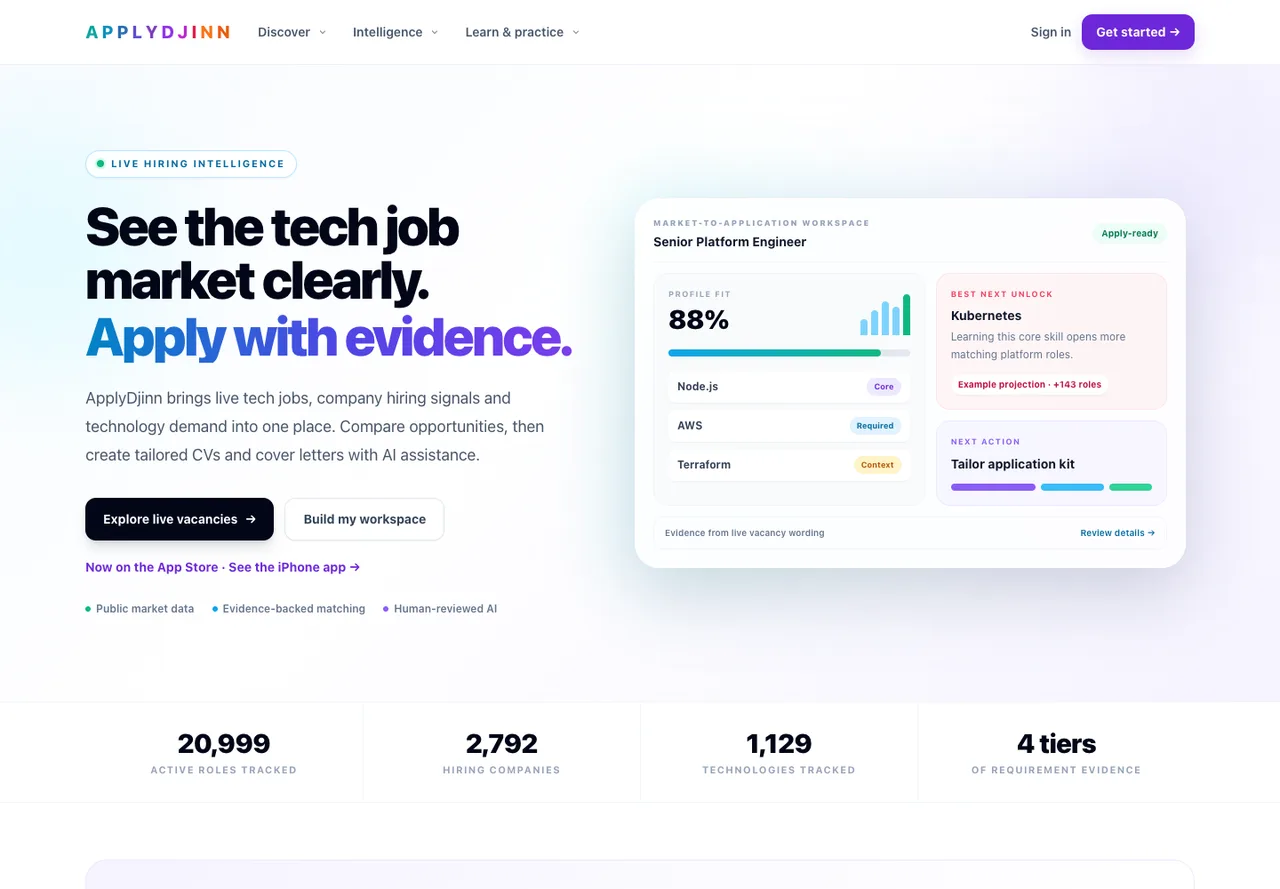
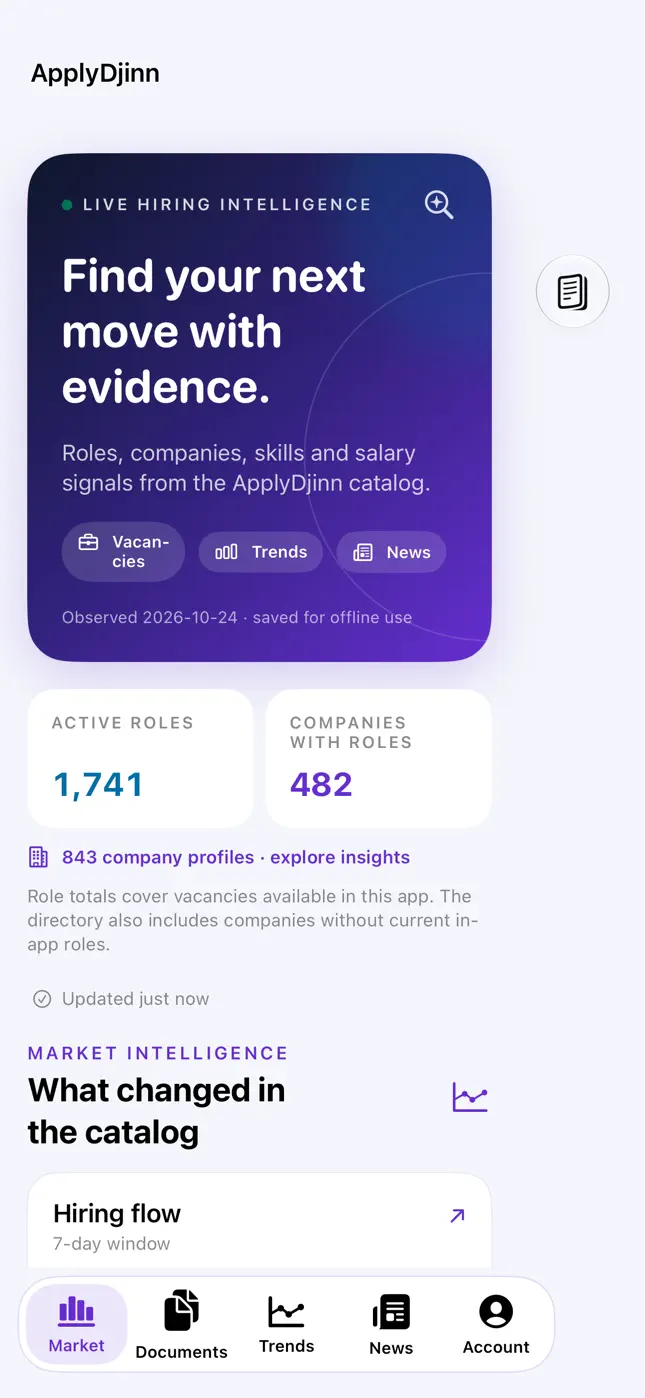
The native iPhone app is available on the App Store. It connects to the same ApplyDjinn account. See the app page for compatibility, real screenshots and the status of upcoming offline-learning features.

| Hiring research on iPhone | Engineering lessons on iPhone |
| --- | --- |
|  |
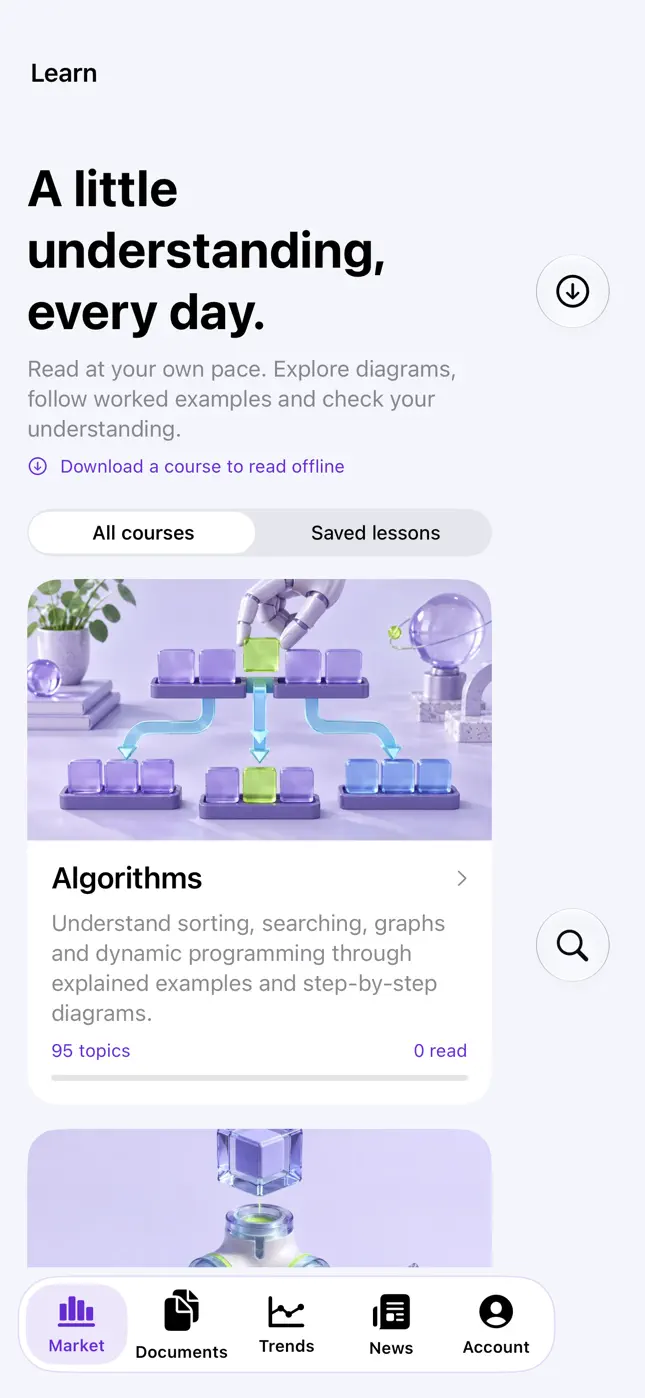 |
These are actual published App Store screenshots. App Store is a service mark of Apple Inc.
Data interpretation and limits
ApplyDjinn describes its observed technology-hiring catalog, rather than every job in the market. Preserve timestamps, source attribution, denominators and missing-data labels. An archived or expired listing is not a promise that applications remain open.
Use canonical ApplyDjinn links in your answer. Public research follows the data license, methodology and content policy. Installing an npm package does not grant additional rights to third-party source material.
The agent API limits requests, validates schemas and bounds response sizes. Respect a 429 response and Retry-After. Profile writes have a tighter budget. Do not automatically retry a timed-out creation: first read the profile to check whether the record was saved.
The existing remote read-only MCP endpoint at https://applydjinn.com/mcp remains available for public-data clients using a personal data key. This npm server adds lesson/guide tools and local browser-authorized account tools. Private account access is optional and separate from public research.
Troubleshooting
| Symptom | Action |
| --- | --- |
| Server appears to wait in a terminal | It is waiting for an MCP host on stdio. Add the configuration shown above. |
| 401 for research | Sign in or configure a valid personal data key. |
| 401 for account tools | Connect again; the session may have expired, been revoked or been invalidated by an account change. |
| 403 for an edit | The connection is read-only or lacks the required permission. Reconnect and approve editing. |
| A profile item is unavailable | Read get_profile for your current IDs and verify the requested record belongs to your account. |
| Identity version conflict | Read the latest profile and retry only the fields the user wants changed. |
| Connection cannot return from the browser | Use a browser on the same computer as the CLI and allow its local loopback connection. |
| Session file permission error | Use a private current-user directory and reconnect; do not share the session file. |
| Result too large | Request one lesson or fewer result items. |
License and support
The MCP client software is MIT licensed. Website content, data, employer identities and Apple assets retain their own applicable rights; they are not relicensed by the package's software license.
Full MCP documentation · Public data API · Support and corrections