
arcade-engine
v4.10.2
Published
A small browser arcade-game engine for canvas games.

Maintainers
 manix84
Readme
🕹️ Arcade Engine
A small browser arcade-game engine for canvas games, published on npm as
arcade-engine.
Arcade Engine is a standalone TypeScript package for arcade-style browser games. It provides a canvas arena, timing, audio, geometry, collision, viewport, 2.5D projection, 3D cube-cluster, and rendering helpers that are small enough to compose in your own game loop.
Install and import the npm package as arcade-engine. In this repository, the
public source entry point is src/index.ts; published builds emit ESM
JavaScript, source maps, declaration files, and declaration maps to dist.
Storybook is documentation and demo output only; it builds to storybook-static
and is not included in the npm package output.
🧭 Project History
Arcade Engine began as the reusable browser-game engine code inside manix84/time-pilot. It was extracted into its own package so the canvas arena, timing, audio, input, scoring, and helper systems could support other arcade-style browser games too.
✨ What It Provides
- Canvas arena creation, resizing, fullscreen handling, text, sprites, circles, debug grids, and asset preloading.
- RequestAnimationFrame-backed ticking with render FPS caps and fixed-step simulation timing.
- HTML audio playback with music/effects channels, global pause/resume/stop, fades, blocked-playback reporting, and optional spatial panning.
- Input action mapping helpers for keyboard, mouse, touch, pointer, and gamepad controls.
- Local multiplayer input helpers for player one/player two keyboard, mouse/touch, and assigned gamepad controls, plus backend-agnostic remote player intent contracts.
- Browser capability helpers for screen wake locks, fullscreen/orientation immersive mode, and installed-app exit fallbacks.
- User option stores with schema defaults, caller-provided normalization, localStorage persistence, reset behavior, subscribers, and change events.
- Runtime logger helpers with configurable log levels and console routing.
- Storage reset helpers for namespaced and score-like localStorage cleanup.
- Viewport zoom helpers for responsive UI/game scaling and manual zoom values.
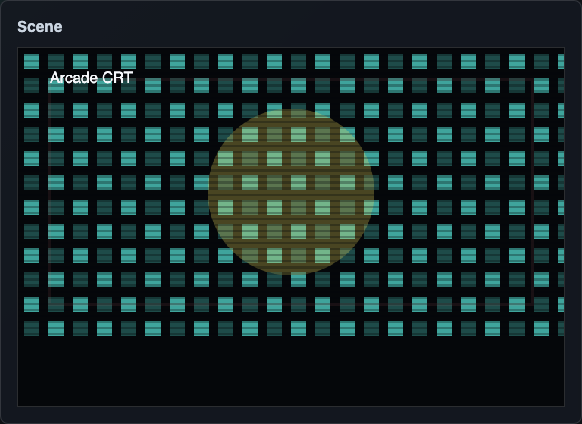
- Retro display filter presets and normalization helpers for CRT, VHS, custom, and runtime-boosted presentation settings.
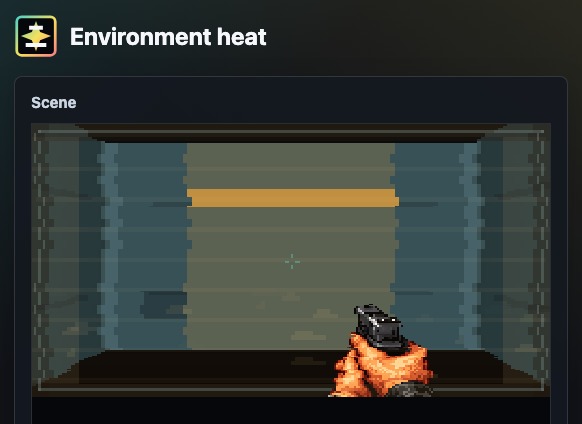
- Pixel-art screen effects for camera-surface droplets, player-state feedback, and environmental conditions.
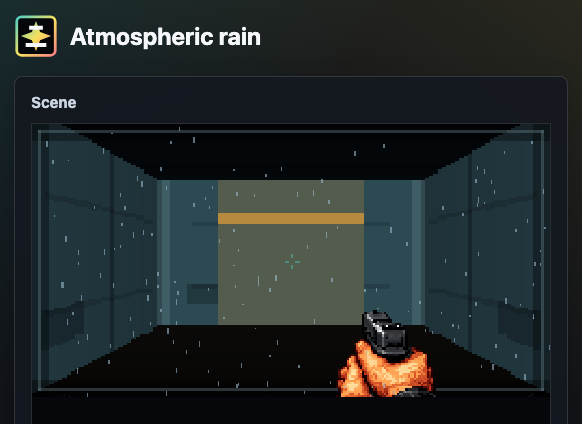
- World-space atmospheric effects for rain, snow, ash, and embers, with optional player-relative motion.
- Procedural background starfields with player-relative x/y scrolling and z-axis fly-through motion.
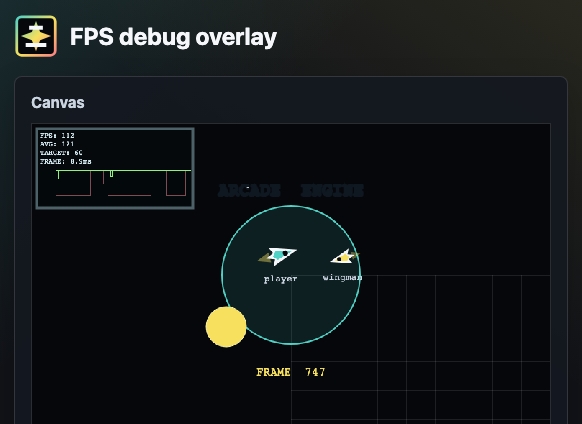
- Canvas-rendered FPS performance overlay with target-relative graph coloring.
- Achievement state helpers for local unlocks, progress counters, and status lists.
- Canvas achievement notification helpers for queued unlock popups.
- High-score helpers for local leaderboards, optional remote sync, receipt integrity payloads, backend receipt issuance, and submission validation.
- Sprite animation helpers for frame timing and sprite-sheet frame selection.
- Math, heading, spawn, collision, area-exit, cloning, random-color, and browser-event helpers.
- 2D follow-camera helpers with smoothing, dead zones, and world bounds.
- Viewport scaling helpers for responsive arena bounds and debug vector drawing for heading and steering overlays.
- Grid helpers for board, tile, puzzle, and cell-based games.
- Axis-aligned box helpers for paddle, brick, shot, enemy, and platform-style movement.
- Gravity and lightweight 2D/3D ragdoll helpers for arcade physics effects.
- Canvas rendering helpers for trails, lines, polygons, hex color parsing, and shading.
- 2D ray tracing helpers for visibility polygons, line-segment ray hits, capped light bounces, and movable occluder lighting demos.
- 2.5D projection helpers for perspective lanes, isometric tiles, depth loops, and pseudo-3D arcade camera effects.
- String tile-map helpers for authoring board or room layouts as editable text.
- Arcade motion helpers for first-person camera framing, side-scroller loops, jump arcs, and spatial audio pan/depth calculations.
- Spatial audio math helpers for distance gain, pan, and listener/source mixes.
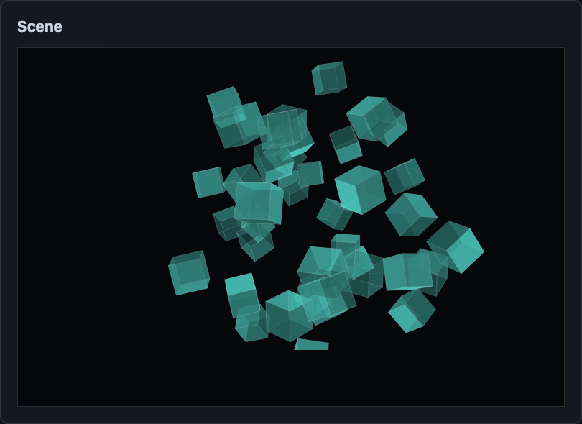
- 3D cube-cluster helpers for voxel-style pickups, modular level pieces, plasma links, deterministic explosions, and fading debris.
📦 Installation
npm install arcade-engineThe package name is lowercase for npm compatibility. The project and documentation use the display name Arcade Engine.
🚪 Package Entry
Most browser games import the pieces they need from the package root:
import {
  GameArena,
  Sound,
  Ticker,
  createInputController,
  detectBoxCollision,
  helpers,
} from "arcade-engine";
Backend score-validation code can import the smaller high-score subpath:
import {
  createHighScoreServerRunReceipt,
  validateHighScoreServerRunReceipt,
  validateHighScoreSubmission,
} from "arcade-engine/high-scores";
The package is ESM-only. Import from arcade-engine or a documented package
subpath such as arcade-engine/high-scores; do not import from individual
source files in consuming projects.
🚀 Quick Start
Create a host element with a stable size:
<div id="game"></div>#game {
width: 800px;
height: 600px;
background: #05070d;
}Then wire an arena, ticker, and input controller:
import {
  GameArena,
  Ticker,
  createInputController,
  helpers,
} from "arcade-engine";

const host = document.querySelector("#game") as HTMLElement;
const arena = new GameArena(host, {
  defaultTextColor: "#f8fbff",
  fontFamily: "system-ui, sans-serif",
});
const input = createInputController({
  fire: ["Space", "MouseLeft", "TouchPrimary", "Gamepad0"],
  left: ["ArrowLeft", "KeyA", "GamepadAxisLeftXNegative"],
  right: ["ArrowRight", "KeyD", "GamepadAxisLeftXPositive"],
});
const ticker = new Ticker({ fixedStepFps: 60 });
const player = { heading: 90, posX: 0, posY: 0 };

input.start();
arena.setBackgroundColor("#05070d");

ticker.addSchedule(() => {
  input.updateGamepads();

  if (input.isPressed("left")) {
    player.heading = helpers.rotateTo(270, player.heading, 6);
  }

  if (input.isPressed("right")) {
    player.heading = helpers.rotateTo(90, player.heading, 6);
  }

  player.posX += Math.cos((player.heading * Math.PI) / 180) * 3;
  player.posY += Math.sin((player.heading * Math.PI) / 180) * 3;

  arena.clear();
  arena.drawCircle(player.posX, player.posY, 12, {
    backgroundColor: input.isPressed("fire") ? "#f2b84b" : "#4fd1c5",
  });
  arena.renderText("READY", 0, -260, { align: "center", size: 18 });
}, 1);

ticker.start();
That starter covers the usual first pieces: canvas setup, a fixed simulation loop, keyboard/mouse/touch/gamepad input, simple movement, and drawing.
🖼️ Demo Screenshots
| Arcade loop | GameArena |
| --- | --- |
| 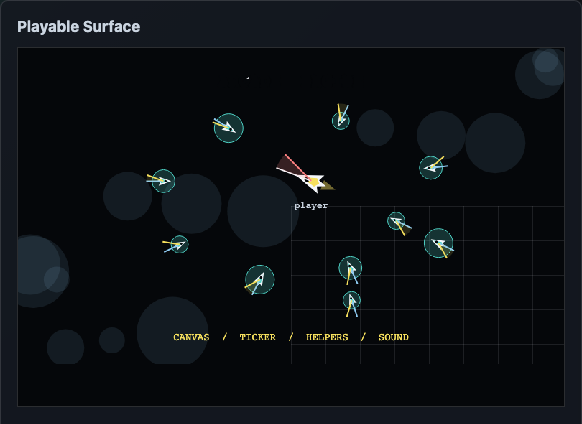 |
| 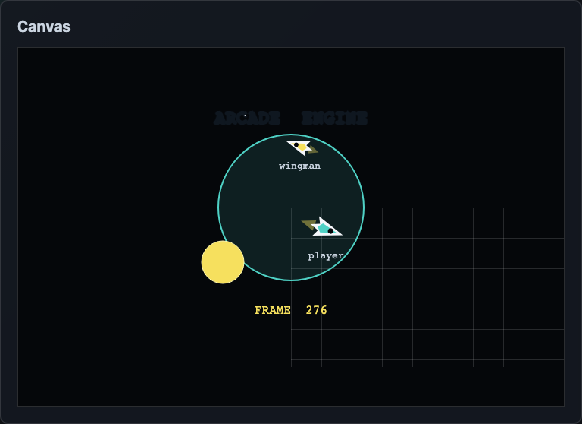 |
|
| 3D racer | Isometric room |
| --- | --- |
| 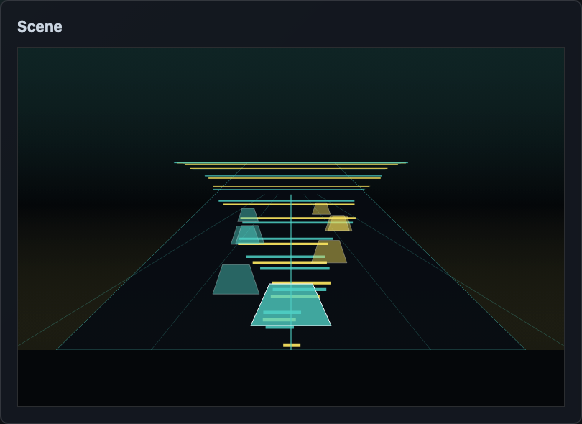 |
| 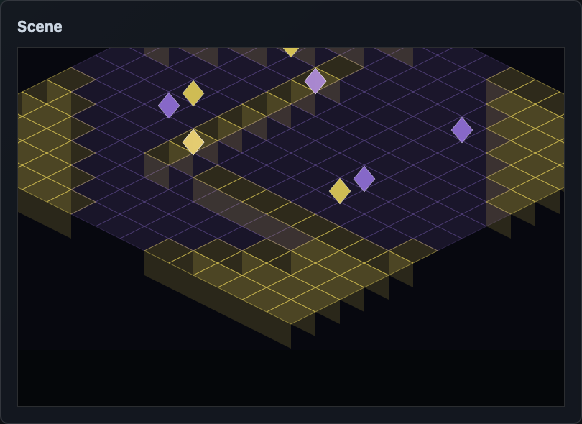 |
|
| Cube clusters | Display filters |
| --- | --- |
|  |
|  |
|
| Screen effects | Atmospheric effects |
| --- | --- |
|  |
|  |
|
| FPS debug graph |
| --- |
|  |
|
🧱 Core Modules
🎬 GameArena
GameArena owns a canvas inside a host element. It handles the common setup
work that most canvas games need before a loop can draw anything.
import { GameArena } from "arcade-engine";

const host = document.querySelector("#game") as HTMLElement;
const arena = new GameArena(host, {
  defaultTextColor: "#ffffff",
  fontFamily: "sans-serif",
});

arena.setBackgroundColor("#000000");
arena.clear();
arena.renderText("READY", 0, -40, {
  align: "center",
  size: 24,
});
Use it for canvas sizing, CanvasRenderingContext2D access, fullscreen
requests, asset preloading, sprite-frame drawing, crisp pixel-art rendering,
text drawing, circles, and debug grids.
⏱️ Ticker
Ticker schedules callbacks on requestAnimationFrame. Use an FPS cap when
you want to draw less often, or fixed-step timing when simulation should advance
at a stable rate regardless of render cadence.
import { Ticker } from "arcade-engine";

const ticker = new Ticker({ fixedStepFps: 50 });

ticker.addSchedule((frame) => {
  updateSimulation(frame);
}, 1);

ticker.start();
new Ticker({ fps: 30 }) caps render callbacks. Fixed-step ticker options run
catch-up steps for deterministic movement and collision.
🔊 Sound
Sound wraps browser Audio elements and keeps channel volume, global mute,
pause/resume, fades, and cleanup in one place.
import { Sound } from "arcade-engine";

Sound.configure({
  getVolume: (channel) => (channel === "music" ? 0.6 : 0.8),
  onPlaybackBlocked: ({ channel, sources }) => {
    console.info("Playback blocked", channel, sources);
  },
});

const music = new Sound("/music/menu.ogg", { channel: "music" });
music.fadeInLoop(700);
Audio playback still follows browser rules, so games should start playback from user gestures.
🧮 Helper Families
Geometry And Events
The default helpers export includes:
float(number)for rounding noisy decimal results.rotateTo(destinationAngle, currentAngle, stepSize)for incremental turning.getSpawnCoords(target, options?)for arc/radius spawning.findHeading(target, origin?)for angle and distance between objects.detectCollision(target, origin?)for radial collision.detectAreaExit(radialCenter, target, radius)for arena boundary checks.bind(eventNames, callback, element?)andunbind(...eventNames)for simple DOM event registration.getRandomColor()andcloneObject(oldObject).
Viewport And Debug Vectors
Viewport helpers calculate radius and scale limits from the current arena size. Debug vectors draw velocity, heading, and target overlays so movement logic is visible while developing.
Viewport-scale helpers separately cover manual zoom percentages and responsive UI/game scaling from a reference viewport.
Grid And Box Collision
Grid helpers convert between pixel coordinates and cells, clamp cells to a
board, and snap entities to a grid. Box helpers move and collide top-left
posX/posY rectangles for games like Breakout, Space Invaders, and simple
platformers.
Achievements
Achievement helpers keep definition metadata separate from persisted state.
Games can unlock achievements, increment progress counters, and render status
lists from the returned data. See the Engine/Achievements/Achievements
Storybook story for an interactive unlock/progress example.
Achievement Notifications
Achievement notification helpers render queued unlock popups to a canvas context. Games provide the achievement text, optional icon frame, viewport, and render loop; the renderer owns queue timing, slide/hold/exit animation, text wrapping, and placeholder icons.
See the Engine/Achievements/Achievement Notifications Storybook story
for a popup queue demo.
High Scores
High-score helpers support local score tables and optional remote sync. Games
provide their own storage key, default scores, API path, settings
normalizers, and plausibility rules. See the
Engine/Player Data/High Scores Storybook story for local leaderboard,
threshold, integrity, and plausibility examples.
Remote leaderboard submissions can use run receipts and integrity payloads.
Backends can import createHighScoreServerRunReceipt,
validateHighScoreServerRunReceipt, and validateHighScoreSubmission from
arcade-engine/high-scores, while keeping route handling, receipt storage, and
rate limits app-owned.
User Options
User option stores keep game-specific settings schemas outside the engine while providing reusable persistence mechanics. Games provide defaults, optional normalization, and a storage key; the store handles localStorage access, best-effort writes, reset, subscriptions, and optional DOM change events.
See the Engine/Player Data/User Options Storybook story for a live
options-store example.
Runtime Utilities
Runtime utility helpers cover common app-service behavior that games usually wire into debug menus: configurable log levels, prefixed console logging, best-effort localStorage access, namespaced storage cleanup, score-key cleanup, and manual zoom normalization.
Browser Capabilities
Browser capability helpers wrap optional PWA APIs behind best-effort helpers.
Use ScreenWakeLockController for screen wake locks,
enterImmersiveMode() for trusted-click fullscreen/orientation requests, and
exitInstalledApp() when an installed app should attempt to close and report a
blocked exit.
Display Filters
Display filter helpers provide reusable retro presentation presets and normalization math. Use them to offer CRT/VHS/custom settings menus, clamp untrusted stored intensities, and layer temporary runtime boosts into effective filter settings.
See the Engine/Rendering/Display Filters Storybook story for a
visual preset demo.
Screen Effects
Screen-effect helpers provide reusable Canvas 2D overlay layers for temporary
player and environment feedback. ScreenEffectManager registers effect
definitions, enables or disables them by id, fades intensity values, updates
active effects, and renders them in priority order.
const effects = new ScreenEffectManager();

effects.enable("screen-low-health", { intensity: 0.75 });
effects.enable("environment-heat", { intensity: 0.35, priority: 5 });

effects.update(deltaTime, { width: canvas.width, height: canvas.height });
effects.render(context, { width: canvas.width, height: canvas.height });
The built-in screen-droplets effect uses pooled pixel-snapped rectangles for
rain on a camera lens or visor. See the
Engine/Effects/Player/ScreenDroplets Storybook story for the live
demo.
Player effects include screen droplets, fire, frost, low health, poison, shock, and speed boost. Environment screen effects include heat, frost, fire, and underwater. The environment demos use a reusable pixel-art FPS corridor background with a fixed HUD weapon asset so effect layering can be judged against a readable game scene.
Atmospheric effects live in atmospheric-effects.ts and render between the game
world and HUD/screen overlays. Use createAtmosphericRainEffect,
createAtmosphericSnowEffect, or createAtmosphericAshEmberEffect when the
player should feel inside rain, snow, ash, or embers rather than looking through
a wet or damaged camera surface. Pass playerMotion: { enabled: true, ... } or
call setPlayerMotion() when the particles should react to player velocity,
forward movement, or turning.
Background Stars
ProceduralStarfield renders generated stars as a background prop layer. It is
useful for space, sky, or fast-travel scenes where background objects should
move opposite player x/y motion and also expand away from, or contract toward,
the screen centre for faux z-axis movement.
const stars = createProceduralStarfield({
  starCount: 160,
  velocityX: playerVelocity.x,
  velocityY: playerVelocity.y,
  velocityZ: playerVelocity.z,
});

stars.update(deltaTime, { width: canvas.width, height: canvas.height });
stars.render(context, { width: canvas.width, height: canvas.height });
Debug Overlay
GameArena can render a Canvas 2D FPS debug overlay after the game scene. It is
backed by PerformanceSampler and FpsOverlay, supports minimal, basic,
detailed, and graph views, and colors the graph relative to the configured
target FPS so 30 FPS can be healthy for a 30 FPS game but poor for a 144 FPS
target.
const arena = new GameArena(host, {
  debug: {
    fps: {
      enabled: true,
      level: "graph",
      targetFps: 60,
    },
  },
});

arena.renderDebugOverlay(deltaMs);
Canvas Rendering
Canvas rendering helpers are small drawing utilities used by the demos and available to games:
fillCanvasWithTrail(context, canvas, color, trailOpacity)clears or fades a frame while leaving after-images.drawCanvasLine(context, from, to, color, width?).drawCanvasPolygon(context, points, color, stroke?).parseHexColor,colorWithAlpha, andshadeHexColorfor hex color work.
fillCanvasWithTrail accepts any valid CSS color string. Hex-specific helpers
require 3 or 6 digit hex colors.
Ray Tracing
Ray tracing helpers calculate 2D visibility polygons from a light or viewpoint against rectangular bounds and polygon occluders:
createRayTracingRectangle(x, y, width, height).createRayTracingBoundsPolygon(bounds).getRayTracingPolygonSegments(polygon).getRayTracingSegments(bounds, occluders?).traceRay(origin, angle, segments).traceVisibilityPolygon(origin, bounds, occluders?).traceLightBounces(origin, bounds, occluders?, options?).
Use them for Canvas 2D lighting, line-of-sight, fog-of-war, stealth vision
cones, or visibility previews. Bounds and occluders can provide surface colors
so bounced layers pick up material tint. See the
Engine/Rendering/Ray Traced Apartment Storybook story for
draggable furniture, a movable lamp, separate light-intensity controls, one
low-reflectivity bounce enabled by default, a bounce attenuation control, a
ray-guide toggle, and monochrome TV-static flicker.
2.5D Projection
The arcade-3d helpers are renderer-agnostic math functions for arcade-style
depth effects:
projectPerspectivePoint(point, viewport, options?).projectIsometricPoint(point, options?).getPerspectiveScale(depth, options?).getLoopedDepth(options)andwrapDepth(depth, range).getDepthProgress(depth, range).getIsometricTileCorners(center, options?).getIsometricWallSide(tileCorners, height, side?).
These helpers do not require WebGL. They are useful for pseudo-3D racing, starfields, first-person lanes, isometric rooms, 2.5D side scrollers, and layered arcade scenes drawn to a normal canvas.
🏃 Arcade Motion
Arcade motion helpers move common demo math into the engine package:
getFirstPersonCamera(viewport, options?)calculates center and horizon framing from viewport size, look input, and optional bobbing.getLoopedScrollerPosition(options)wraps side-scroller scenery and platform positions across a repeat range.getSideScrollerActorPosition(options)wraps obstacles, enemies, pickups, or platforms and reports visibility/progress for rendering and collision checks.getSideScrollerJumpY(options)calculates a simple jump/bob arc.getSpatialAudioPan(options)clamps source position into browser pan range.getSpatialAudioDepth(options)turns source distance into a visual depth value for 2.5D audio scenes.
🧊 3D Cube Clusters
Cube clusters describe block models as data rather than binding the engine to a specific renderer.
import {
  centerCubeCluster,
  createCubeClusterFromPattern,
  createExplosionBlocks,
  stepExplosionBlocks,
} from "arcade-engine";

const pickup = createCubeClusterFromPattern(
  [
    [" ### ", "#####", " ### "],
    ["  #  ", " ### ", "  #  "],
  ],
  { color: "#4fd1c5", gap: 0.2, size: 1 }
);

const blocks = centerCubeCluster(pickup.blocks);
let explosion = createExplosionBlocks(blocks, { force: 7 });
explosion = stepExplosionBlocks(explosion, 1 / 60);
Use these helpers with Three.js, Babylon, raw WebGL, or a custom canvas projection. The engine supplies block positions, links, bounds, centers, normalized vectors, and explosion state; the renderer decides how to display them.
📚 Storybook
Storybook contains live demos for the engine surface:
- Overview: animated arcade loop showcases.
- Core:
GameArena, ticker behavior, viewport scaling, and debug vectors. - Helpers: math, geometry, object cloning, event binding, collisions, rotation, spawning, and 2.5D variants.
- Input: input actions and local multiplayer input state.
- Player Data: user options and high scores.
- Achievements: achievement progress and notification rendering.
- Rendering: display filters, sprite animation, follow cameras, procedural background stars, and ray-traced apartment lighting.
- Effects: player screen effects, environment screen effects, atmospheric effects, and combined effect scenes.
- Physics: gravity and 2D/3D ragdolls.
- Audio: master controls, effects, music, spatial panning, and global playback behavior.
- 3D: cube-cluster pickups and modular level pieces.
- Demos: arcade camera styles, including racer, starfighter, isometric, hyperspace, first-person, 2D side scroller, and 2.5D side scroller examples.
Run it locally:
npm run storybookBuild the static docs:
npm run build:storybookMore local documentation is available in:
- src/README.md
- src/stories/README.md
- src/stories/helpers/README.md
- src/stories/systems/README.md
- src/stories/sound/README.md
- src/stories/ticker/README.md
🛠️ Local Development
Install dependencies:
npm installRun the main checks:
npm run lint
npm run typecheck
npm test
npm run build
Preview the npm tarball contents:
npm run pack:dry-runBuild the release tarball locally:
npm run pack:releaseRelease publishing is handled by GitHub Actions when a release commit is pushed
to main. The workflow publishes arcade-engine to npmjs, publishes
@manix84/arcade-engine to GitHub Packages, and uploads the release tarball to
the GitHub Release for the package version. See RELEASE.md for
the release process and npm trusted publishing setup.
Story changes should also run:
npm run build:storybook🧪 Tests
The test suite uses Vitest with jsdom and lightweight browser API shims for canvas, media elements, animation frames, and storage.
Coverage includes package imports, arena behavior, viewport calculations, grid and box helpers, input and multiplayer helpers, screen effects, atmospheric effects, procedural background stars, FPS performance overlays, 2.5D projection math, cube clusters, achievements, high scores, debug vectors, ticker scheduling, sound lifecycle, and helper math/events.
🗺️ Package Modules
Active package modules:
src/index.tssrc/arena.tssrc/Ticker.tssrc/Sound.tssrc/input.tssrc/multiplayer.tssrc/browser-capabilities.tssrc/user-options.tssrc/runtime-logger.tssrc/storage-reset.tssrc/viewport-scale.tssrc/display-filters.tssrc/background-stars.tssrc/screen-effects.tssrc/atmospheric-effects.tssrc/debug/FpsOverlay.tssrc/debug/PerformanceSampler.tssrc/debug/types.tssrc/achievements.tssrc/achievement-notifications.tssrc/high-scores.tssrc/animation.tssrc/camera.tssrc/helpers.tssrc/viewport.tssrc/debug-vectors.tssrc/grid.tssrc/box-collision.tssrc/physics.tssrc/canvas-rendering.tssrc/arcade-3d.tssrc/arcade-motion.tssrc/spatial-audio.tssrc/cube-cluster.tssrc/types.ts