
argus-vision
v1.0.2
Published
Argus Vision, a Firefly Tech Labs product. Framework-agnostic browser inspector for mapping UI elements to frontend source context. Works with React, Vue, Svelte, or vanilla JavaScript.

Maintainers
 fireflytechlabs
Readme
 A Firefly Tech Labs product.
ARGUS Vision
ARGUS Vision is the free npm package for browser-based UI inspection.
It lets you click elements in your running app and view the mapped frontend source context (file, line, handler/function) from argus-mappings.json.
And "jump" to that code in your IDE.
The Goal of Argus is to make code changes visually intuitive
You should be able to see something on screen, click it with argus inspector and then jump to your code to make the fixes. No more wasting time tracking down copy paste sections of code in search to find out where that code actually is.
To this point we have support for React (regular and typescript versions), Svelte, Vue 2 and 3, and even Vanilla JS projects. We haven't been through all the tooling in all the front end frameworks but the goal is to get there and eventually provide full front end support. So please email us to see if we can support your setup.
note - Argus doesn't currently support cross platform native mobile projects
Like react native, flutter, nativescript, ios, android, others. It is the express goal of a future AST driven pro version of Argus. But for now only web projects are supported.
Features included with this download
Free/browser inspector only
Premium preview + bridge = IDE jump
Install
npm install argus-visionQuick Usage
- Generate mappings:
npx argus scanIf you want package scripts like npm run argus:dev, run npx argus init once in your project root first.
- Initialize in your app:
import { ArgusVision } from 'argus-vision'

const argus = new ArgusVision({
  mappingsPath: '/argus-mappings.json'
})

argus.start()- Inspect:
- Click the floating eye button or press
Ctrl+Shift+C - Click any element on the page to inspect
- Press
Escapeto clear current selection
Inspector in action:
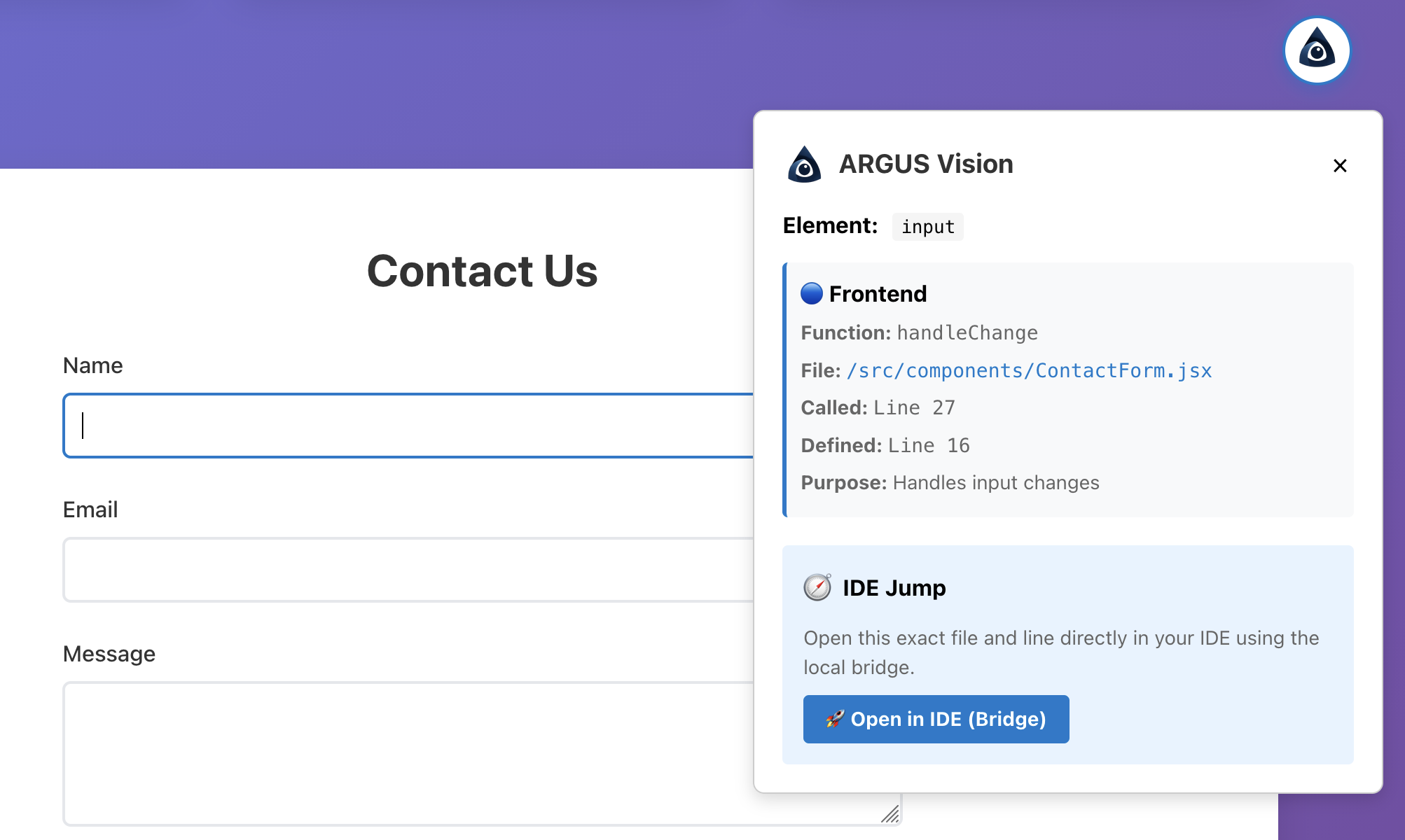
IDE Jump in action:
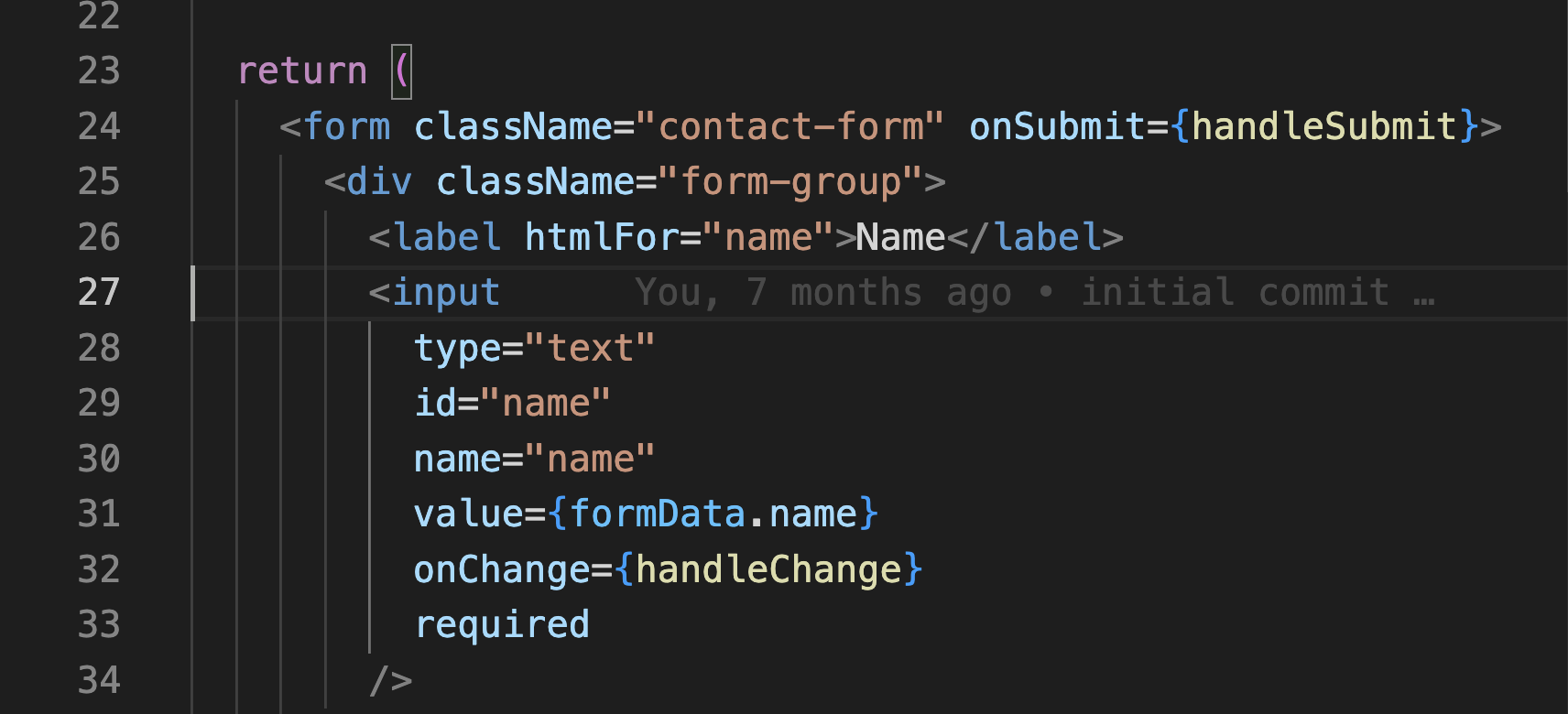
Full workflow after argus init:
npm run argus:dev
# or
npm run argus:web
argus:dev now starts the bridge, regenerates mappings, and launches your app dev server in one command.
API
new ArgusVision(options?)
Options:
mappingsPath?: string(default:/argus-mappings.json)mappingsCandidates?: string[]optional fallback mapping URLsbuttonPosition?: 'top-right' | 'top-left' | 'bottom-right' | 'bottom-left'initial toggle cornerbuttonOffset?: { x?: number; y?: number }initial offset in pixels from the chosen corner (default{ x: 20, y: 20 })draggableToggle?: booleanallow dragging the inspector button (default:true)draggableOverlay?: booleanallow dragging the data panel by its header (default:true)persistTogglePosition?: booleanremember dragged position inlocalStorage(default:true)toggleStorageKey?: stringcustom storage key prefix (default:argus.togglePosition)- Shortcut:
Shift + DoubleClickon the inspector button resets it to the configured default position and clears saved drag position
Methods:
start()enables inspection modestop()disables inspection modetoggle()toggles inspection modeclearSelection()clears the selected element
Premium preview options (for internal testing):
premiumPreview?: booleanenables premium preview UI in the inspectorbridgeUrl?: stringbridge server URL for IDE open requests (defaulthttp://localhost:8765)preferredIDE?: stringoptional IDE command hint (cursor,code, etc.)
Switching IDE targets (premium preview)
By default, ARGUS chooses the best detected IDE (Cursor first when available).
If you want to force a specific editor for IDE Jump, set preferredIDE:
const argus = new ArgusVision({
  mappingsPath: '/argus-mappings.json',
  premiumPreview: true,
  bridgeUrl: 'http://localhost:8765',
  preferredIDE: 'code' // 'cursor' | 'code' | 'subl' | 'webstorm'
})
Notes:
preferredIDEis optional. If omitted, bridge auto-detects.- IDEs must be installed and callable by bridge on your machine.
argus:devauto-starts the bridge in the current project root.
IDE jump error reporting (premium preview)
When IDE Jump fails, ARGUS may show a requestId (for example: argus-1779602009826-2578).
That ID is a trace key for local bridge logs. If you report a bug, include:
requestId- visible
error code/messagefrom the inspector - OS + IDE name/version
- target
file:lineyou tried to open - bridge terminal log lines containing that
requestId
Recommended bug template:
ARGUS IDE Jump Bug
Request ID: <argus-...>
Error code/message: <...>
OS: <...>
IDE + version: <...>
Target file/line: <...>

Bridge log snippet:
[paste lines containing that requestId]
Example (custom placement + draggable):
const argus = new ArgusVision({
  mappingsPath: '/argus-mappings.json',
  buttonPosition: 'bottom-left',
  buttonOffset: { x: 16, y: 24 },
  draggableToggle: true,
  draggableOverlay: true,
  persistTogglePosition: true
})
CLI
argus init
Auto-detects your frontend project profile (Vue/React/Svelte/vanilla), updates your app entry file with a basic ArgusVision import/start block, and adds helper scripts:
argus:init-> re-runs setupargus:scan-> generates mappings at a profile-aware default output pathargus:dev-> starts bridge, runs a pre-dev scan, then starts your app dev scriptargus:web-> alias ofargus:devfor teams using older docs/workflowsargus:bridge-> starts bridge only for this project root
If your entry file is already wired manually with ArgusVision, argus init now preserves that setup instead of injecting a second startup block.
For pure static vanilla projects (no package.json), use:
npx argus init --staticThis injects a browser bootstrap block into index.html (no npm dependency required).
argus scan
Scans your project source and writes mappings JSON for ArgusVision.
Useful flags:
--dir <directory>project root to scan (default: current directory)--src-dir <path>source directory relative to project root--output <file>output path (default:public/argus-mappings.json)
argus dev
Runs a mappings scan and then starts your existing app script in one terminal.
Useful flags:
--script <name>use a specific package script instead of auto-detectingdev/start--skip-scanskip the pre-dev scan--scan-output <file>override mappings output path for the pre-dev scan
argus doctor
Runs setup diagnostics for the current project and reports missing pieces with concrete fix commands.
For pure static projects:
npx argus doctor --staticargus uninstall
Removes ArgusVision setup traces:
- Removes
argus-visiondependency - Removes
argus:init,argus:scan,argus:dev,argus:web, andargus:bridgescripts - Removes init block from known entry files
- Deletes generated mappings files from common output paths
For pure static projects:
npx argus uninstall --staticargus start
Reserved for premium ARGUS server features. It does not start a local bridge server in this package.
Framework & IDE Support
- React
- Vue
- Svelte
- Vanilla JavaScript
- TypeScript source scanning
========================================================
Cursor
VS Code
Sublime Text
Webstorm
- We had to make decisions to pick and choose what to include out of the box support for. With both language and IDE support systems, if you find your setup isn't supported. Please email [email protected] with the subject line Support and we'll do everything we can to get you a solution.
Notes
- Re-run
npx argus scanafter major UI/source changes. - Ensure your app serves the mappings file at the configured
mappingsPath. - If the exact mapping path varies by framework, ArgusVision automatically tries common fallbacks (
/argus-mappings.json,/static/argus-mappings.json,/public/argus-mappings.json). - Premium preview can also be toggled with
?argusPremium=1orlocalStorage.setItem('argus.premiumPreview', 'true'). - Static mode (
--static) writes mappings toargus-mappings.jsonin project root by default.
Troubleshooting and support
- See
docs/TROUBLESHOOTING.mdfor common failures and reporting format. - If IDE Jump shows a
requestId, include it with related bridge logs in your bug report. - See
SECURITY.mdfor private vulnerability reporting guidance. - See
docs/PRIVACY.mdfor local data-handling notes. - Support contact:
[email protected]
License
MIT