
astro-site-shell
v0.3.1
Published
A CLI-style terminal widget for Astro sites
Downloads
670

Maintainers
 h-kono-it
Readme
astro-site-shell
A CLI-style terminal widget for Astro sites. Navigate your site's content — blog posts, pages — through a pseudo shell interface.
Demo
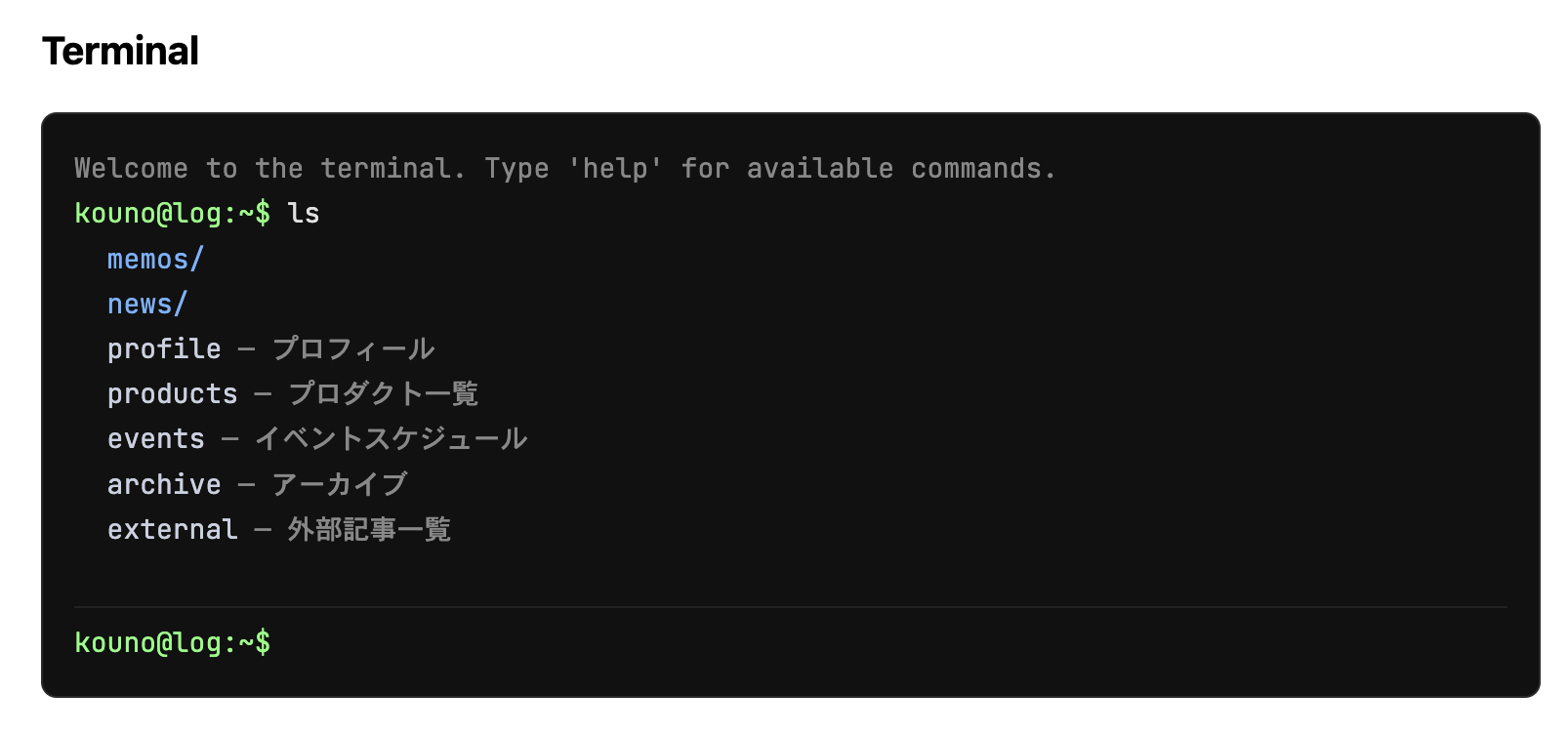
Install
npm install astro-site-shellUsage
---
import { CliTerminal } from 'astro-site-shell';
import { getCollection } from 'astro:content';

const posts = await getCollection('posts');
---

<CliTerminal
  prompt="you@mysite"
  pages={[
    { name: 'about', url: '/about', title: 'About' },
    { name: 'contact', url: '/contact', title: 'Contact' },
  ]}
  collections={[
    {
      name: 'posts',
      entries: posts.map(p => ({
        name: p.id,
        url: `/posts/${p.id}`,
        title: p.data.title,
        pubDate: p.data.pubDate,
        body: p.body,
        tags: p.data.tags ?? [],
      })),
    },
  ]}
/>
Props
| Prop | Type | Default | Description |
|---|---|---|---|
| prompt | string | 'user@site' | Prompt label shown before ~$ |
| pages | FileEntry[] | [] | Top-level pages (no date, no body required) |
| collections | Collection[] | [] | Content collections, each mapped to a subdirectory |
| disabledCommands | string[] | [] | Commands to disable (e.g. ['sl', 'open']) |
FileEntry
| Field | Type | Required |
|---|---|---|
| name | string | ✓ |
| url | string | ✓ |
| title | string | ✓ |
| pubDate | Date | — |
| body | string | — |
| tags | string[] | — |
Collection
| Field | Type | Description |
|---|---|---|
| name | string | Directory name in the terminal (e.g. 'posts') |
| entries | FileEntry[] | List of entries in the collection |
Commands
| Command | Description |
|---|---|
| ls | List current directory |
| ls -l | List with type and date |
| cd <dir> | Change directory (supports relative paths: ../other) |
| cat <name> / view <name> | Print file contents |
| open <name> | Open page in a new tab |
| grep <keyword> | Search title, tags, and body |
| find -name <glob> | Search by filename pattern (e.g. *astro*) |
| pwd | Print current path |
| clear | Clear the terminal |
| sl | 🚂 |
Tab completion works for commands, directories, and file names.
Requirements
- Astro v4 or later
Other frameworks
The core logic is published separately as site-shell-core. You can use it directly from Vue, React, Svelte, or vanilla JS via the attachTerminal() API.
License
MIT