
astro-stargazer
v1.5.45
Published
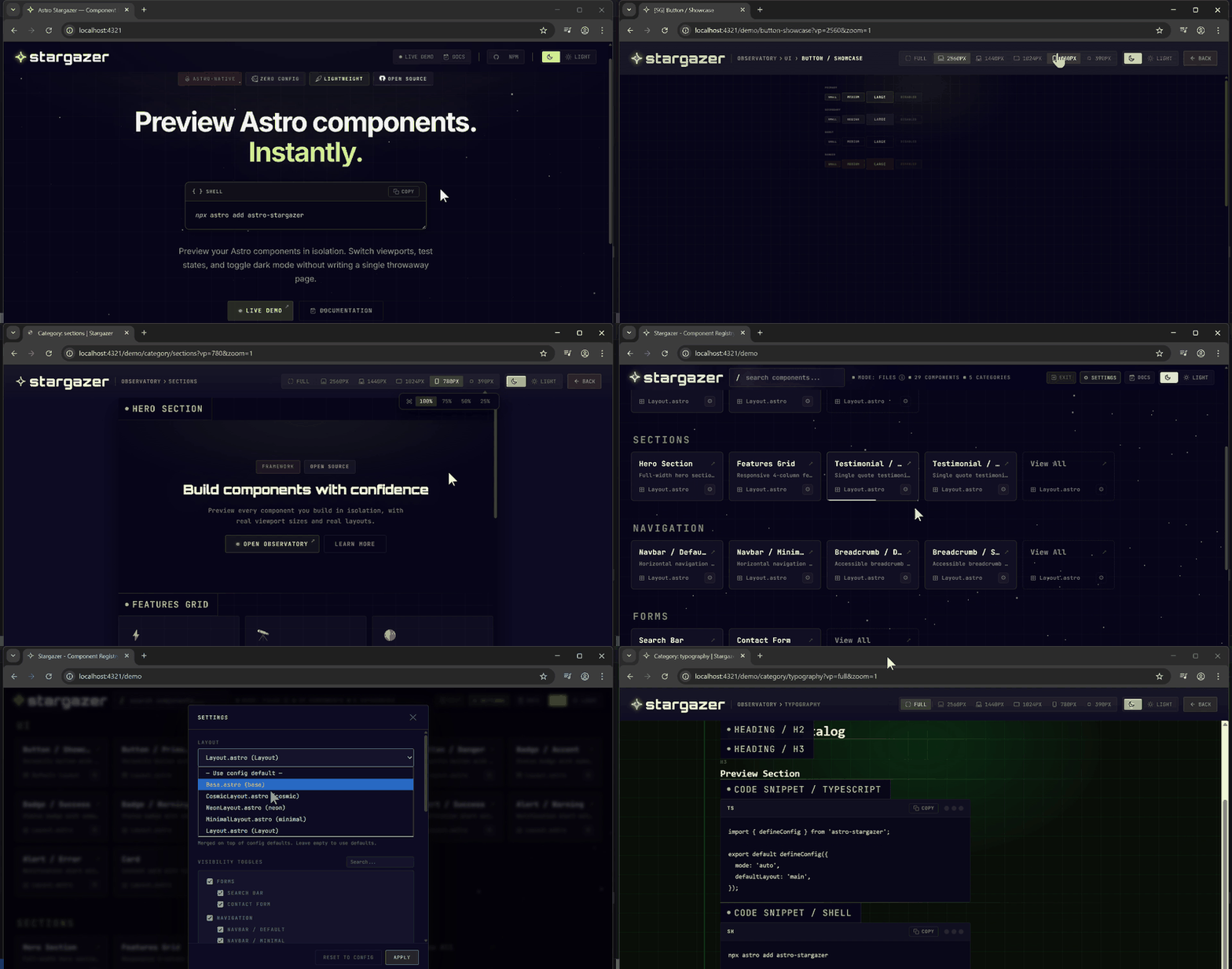
Preview your Astro components in isolation with viewport simulation, zoom controls and dark mode toggle. Zero-config, dev-only, lightweight.


Readme
✦ Astro Stargazer
A lightweight, zero-config component preview tool built specifically for Astro.
Preview every .astro component you've ever built — isolated, with viewport switching, zoom, dark mode, and layout wrapping — right inside your existing dev server.


Quick Start
Option A — astro add (recommended)
npx astro add astro-stargazerThis automatically updates your astro.config.mjs.
Option B — Manual install
npm install astro-stargazer// astro.config.mjs
import { defineConfig } from 'astro/config';
import stargazer from 'astro-stargazer';
export default defineConfig({
integrations: [stargazer()],
});Then run npm run dev and open /stargazer in your browser.
Configuration
Create stargazer.config.ts in your project root. Use defineConfig for full autocomplete:
// stargazer.config.ts
import { defineConfig } from 'astro-stargazer';

export default defineConfig({
  mode: 'auto',
  defaultLayout: 'main',
  layouts: {
    main: '/src/layouts/Layout.astro',
  },
});
Or use the setup wizard:
npx create-stargazerConfiguration Reference
| Option | Type | Default | Description |
|---|---|---|---|
| mode | 'auto' \| 'files' \| 'single' | 'auto' | Component discovery mode |
| components | StargazerComponent[] | — | Component list (used in files/single modes) |
| layouts | Record<string, string> | — | Named layouts available for component previews |
| defaultLayout | string | — | Layout key applied to components without an explicit layout |
| layoutMap | Record<string, string> | — | Map directory prefixes to layout keys automatically |
| scanDir | string | ./src/components | Directory to scan in auto mode |
| exclude | string[] | — | Paths to exclude from auto-discovery |
| defaults | Record<string, unknown> | — | Default props shared across all components |
| base | string | /stargazer | URL base path for the Stargazer UI |
| buildable | boolean | false | Include in production builds |
| darkMode | DarkModeConfig \| false | — | Dark mode integration config |
Dark Mode Config
darkMode: {
  method: 'attribute',   // 'attribute' | 'class' | 'data-theme'
  attribute: 'color-scheme',
  dark: 'dark',
  light: 'light',
}
Modes
auto (default)
Scans src/ for .astro files (excluding layouts/, pages/, styles/).
files
Manually list components in stargazer.config.ts:
import { defineConfig } from 'astro-stargazer';

export default defineConfig({
  mode: 'files',
  components: [
    {
      name: 'Button',
      path: 'src/components/Button.astro',
      props: { label: 'Click me' },
      variants: [
        { name: 'Primary', props: { variant: 'primary' } },
        { name: 'Ghost', props: { variant: 'ghost' } },
      ],
    },
  ],
});
Platform Compatibility
| Platform | Supported | |---|---| | Node.js ≥ 18 | ✅ | | Astro ≥ 4.9 | ✅ | | Vercel / Netlify | ✅ (dev-only, no production impact) | | Cloudflare Workers | ✅ (dev-only) | | Any Astro adapter | ✅ |
Stargazer is dev-only by default — it injects routes only when
command === 'dev'. Setbuildable: trueto include in production builds.
Development
cd astro-stargazer

# Build the package
npm run build

# Watch mode
npm run dev

# Run tests
npm test
License
MIT — Webxtek