
atool-l10n
v0.4.0
Published
automatical solution for generating localization resource using middlewares


Readme
atool-l10n
- collection all meta data generated by babel
- fetch translate result from machine translation center
- save the translation into local
automatical solution for generating localization resource using middlewares
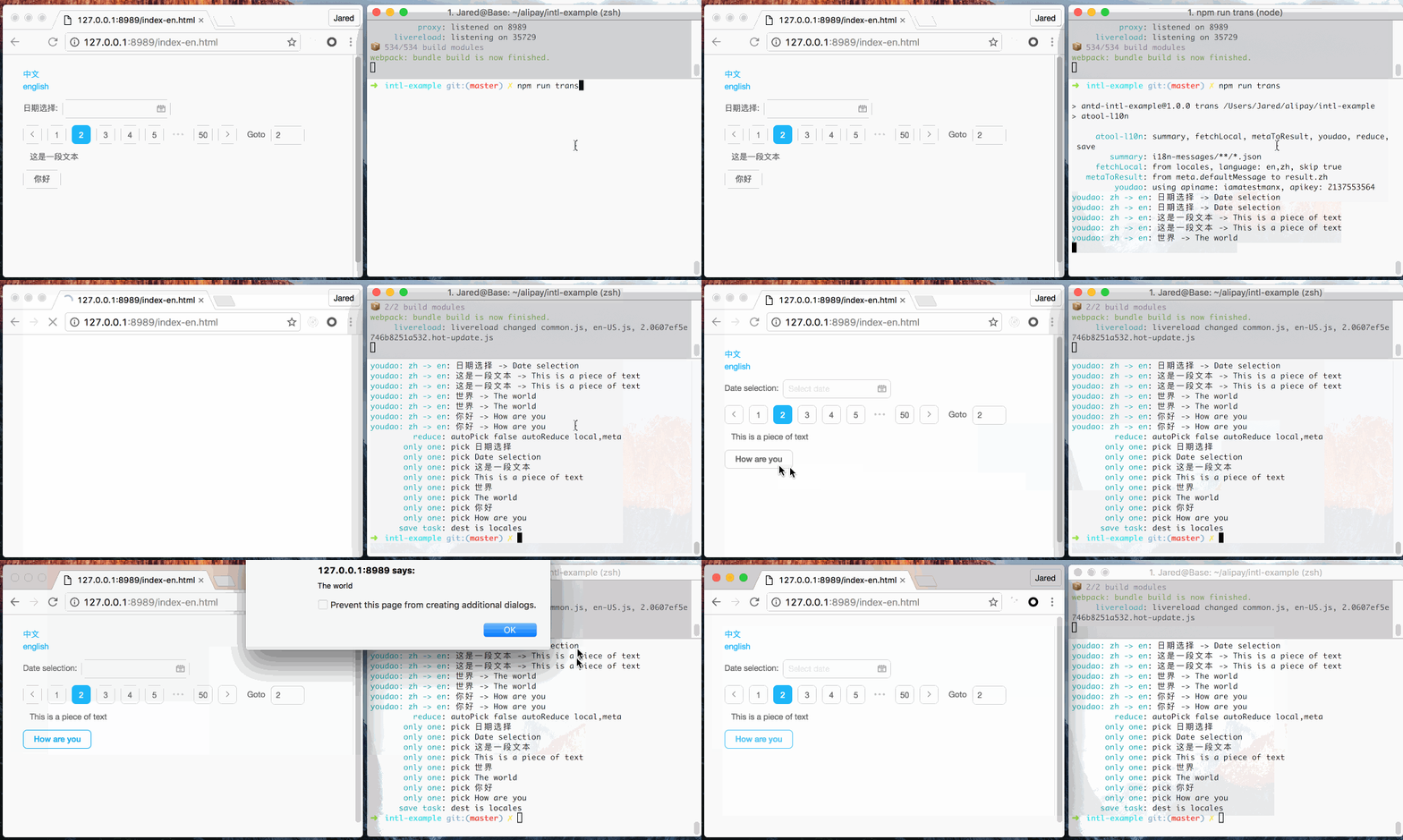
Usage
setup
$ npm i atool-l10n --save-devadd
l10n.config.jsinto the same root dir of your project// default config module.exports = { middlewares: { summary: ['summary?sourcePattern=i18n-messages/**/*.json'], process: [ 'fetchLocal?source=locales,skip', 'metaToResult?from=defaultMessage,to=zh', 'youdao?apiname=iamatestmanx,apikey=2137553564', 'reduce?-autoPick,autoReduce[]=local,autoReduce[]=meta', ], emit: ['save?dest=locales'], }, };run
$ node_modules/.bin/atool-l10n
Options
  Usage: atool-l10n [options]

  Options:

    -h, --help        output usage information
    -v, --version     output the version number
    --config <dir>    where is the config file, default is l10n.config.js
Middleware
atool-l10n middlewares will execute one by one, with parameter query and shared context
A middleware may looks like this:
export default function something(query) {
  this.getMeta();
  this.setResult();
  this.setOption();
  ...
}- query: parameters passed to current middleware
- parse from
option.config(default is l10n.config.js) - parsed by loader-utils
- parse from
Context
There are necessary operation and usefull methods on this context in the function
You can check the detail API via file
Built-in middlewares
summary: collect origin data generated frombabel-plugin-react-intl
|parameter|default|description|
|:-------:|:-----:|:---------:|
|sourcePattern|'i18n-messages/**/*.json'|where the messages json files is, specified in babel-plugin-react-intl, array supported|
fetchLocal: add local locales messages as an option of translation result
|parameter|default|description|
|:-------:|:-----:|:---------:|
|source|'locales'|where the local locales messages file is, file name is same as language name, eg: zh|
|skip|true|if add the id into translating skip array when all local locales messages for it is not empty|
metaToResult: take defaultMessage or other key of meta into an option of translation result
|parameter|default|description|
|:-------:|:-----:|:---------:|
|from|'defaultMessage'|using which key of meta, eg: defaultMessage, id, description...|
|to|'zh'|the language you want to save as|
youdao: fetch translate result from zh to en from youdao
|parameter|default|description|
|:-------:|:-----:|:---------:|
|apiname|'iamatestmanx'|apiname you applied for machine translation from youdao|
|apikey|'2137553564'|apikey you applied for machine translation from youdao|
you can easily apply the apiname and apikey from youdao
google: fetch translate result from zh to en from google translate
|parameter|default|description|
|:-------:|:-----:|:---------:|
|from|'zh-cn'|string, what languages you want to translate from|
|to|'en'|string, what languages you want to translate to|
|tld|'cn'|string, which TLD of Google Translate you want to use, form: translate.google.${tld}|
gugu: automatic contextualized translate for multi languages of each id from gugu, only available in alibaba-network
|parameter|default|description|
|:-------:|:-----:|:---------:|
|from|'zh'|can be an array, what languages you want to translate from|
|to|'en'|can be an array, what languages you want to translate to|
reduce: pick the best translation, among all translation options in terminal
|parameter|default|description|
|:-------:|:-----:|:---------:|
|autoPick|false|auto pick the value of index [autoPick]|
|autoReduce|['local', 'meta']|auto reduce some options, the smallest index wins, values of the other index in the array will be delete|
save: save translation result into local locale files, which are required directly by source code
|parameter|default|description|
|:-------:|:-----:|:---------:|
|dest|'locales'|save locales messages into where, message file named by language name|