
auth0-acul-react-bad
v99.0.0
Published



Readme








📚 Documentation - 🚀 Getting Started - 💻 API Reference - 💬 Feedback
The Auth0 ACUL SDKs enable you to work with Advanced Customization for Universal Login.
They simplify integrating authentication screens (login, signup, passwordless, passkey enrollment, etc.) into your web applications, providing the necessary tools for seamless implementation.
SDKs
- auth0-acul-js
- auth0-acul-react - React hooks and components wrapper
Documentation
- Quickstart - our guide for setting up the SDK on your app.
- Guides - more guides for common use cases
- Examples - code snippets for different customization use cases.
- FAQs - Find answers to frequently asked questions about the Auth0 ACUL JS SDK.
- Boilerplate app - Get up and running quickly with our boilerplate starter template
ACUL Overview
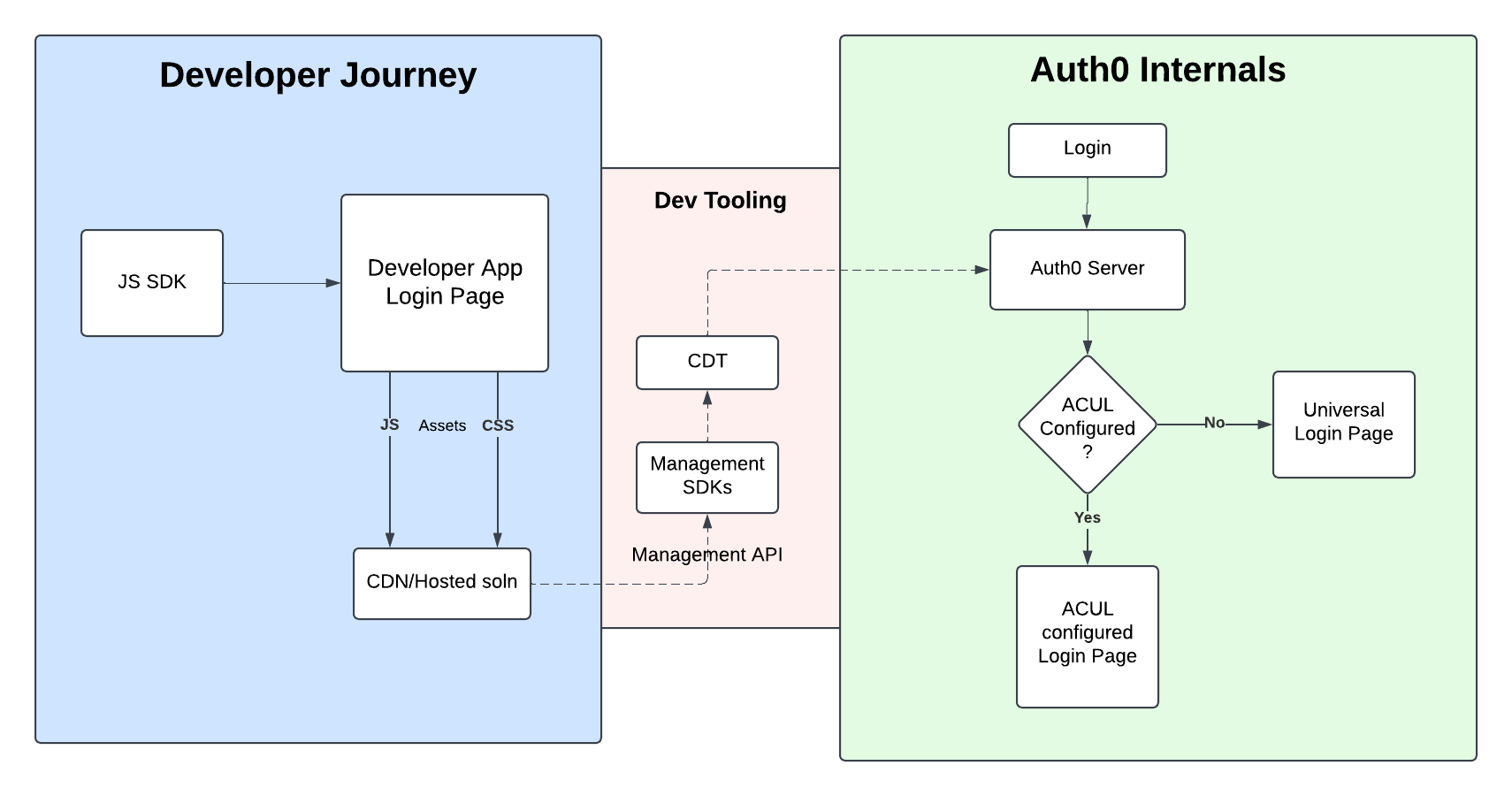
Getting started
Prerequisites
Before starting, ensure that you have the following setup:
- Custom Domain: Ensure that a custom domain is configured for your Auth0 tenant.
- Screen Configuration: Set up the required authentication screens within your Auth0 flow.
For detailed steps, refer to the Configure ACUL Screens.
Installation
You can easily install the SDKs via npm:
For vanilla JavaScript/TypeScript projects:
npm install @auth0/auth0-acul-jsFor React projects:
npm install @auth0/auth0-acul-reactNote: The React SDK requires React 18.3.1 or higher as a peer dependency.
After installing the SDK, you can import the relevant screen module, which you want to configure
Importing Screens
For JavaScript/TypeScript:
// Default import of any particular screen, eg: login-id screen
import  LoginId  from '@auth0/auth0-acul-js/login-id';

// Named import of any screen
import  { LoginId }  from '@auth0/auth0-acul-js';

// Default import of all screens
import  * as Screens  from '@auth0/auth0-acul-js';
Usage
Adding Functionality to Your Screens
Let’s look at an example for adding logic to the login-id screen.
Example: Add Logic to Login Button
  import  LoginId  from '@auth0/auth0-acul-js/login-id';

  const loginIdManager = new LoginId();

  // Trigger the login method on button click
  loginIdManager.login({
    username: <USERNAME_FIELD_VALUE>
  });
Get List of Mandatory Fields for Login
const { transaction } = loginIdManager
const requiredFields = transaction.getActiveIdentifiers();
Integrating Social Connections for Login
To allow users to login via social connections (e.g., Google, Facebook), use the following snippet
import  LoginId  from "@auth0/auth0-acul-js/login-id";
const loginIdManager = new LoginId();

// Check if alternateConnections is available and has at least one item
if (!loginIdManager.transaction.alternateConnections) {
  console.error('No alternate connections available.');
}

// Select the first available connection (users can select any available connection)
const selectedConnection = alternateConnections[0];

// Log the chosen connection for debugging or informational purposes
console.log(`Selected connection: ${selectedConnection.name}`);

// Proceed with social login using the selected connection
loginIdManager.continueWithFederatedLogin({
  connection: selectedConnection.name,
})
For more examples, visit our examples
Quick Start with Boilerplate App
Get up and running quickly with our boilerplate starter template: Link
API reference
Screens
Refer @auth0-acul-js API reference
Feedback
Contributing
We appreciate feedback and contribution to this repo! Before you get started, please see the following:
Raise an issue
To provide feedback or report a bug, please raise an issue on our issue tracker.
Vulnerability Reporting
Please do not report security vulnerabilities on the public GitHub issue tracker. The Responsible Disclosure Program details the procedure for disclosing security issues.