
avds
v1.0.2
Published
CLI to list and launch multiple Android emulators (AVDs)
Downloads
13

Maintainers
 jaiswalsiddhant
Readme
CLI Tool to run Android Virtual Devices (AVDs)
🤖 avds
A powerful CLI to list, select, and launch multiple Android Virtual Devices (AVDs) with ease.
Designed for Android & React Native developers who frequently work with multiple emulators.
🎥 Demo
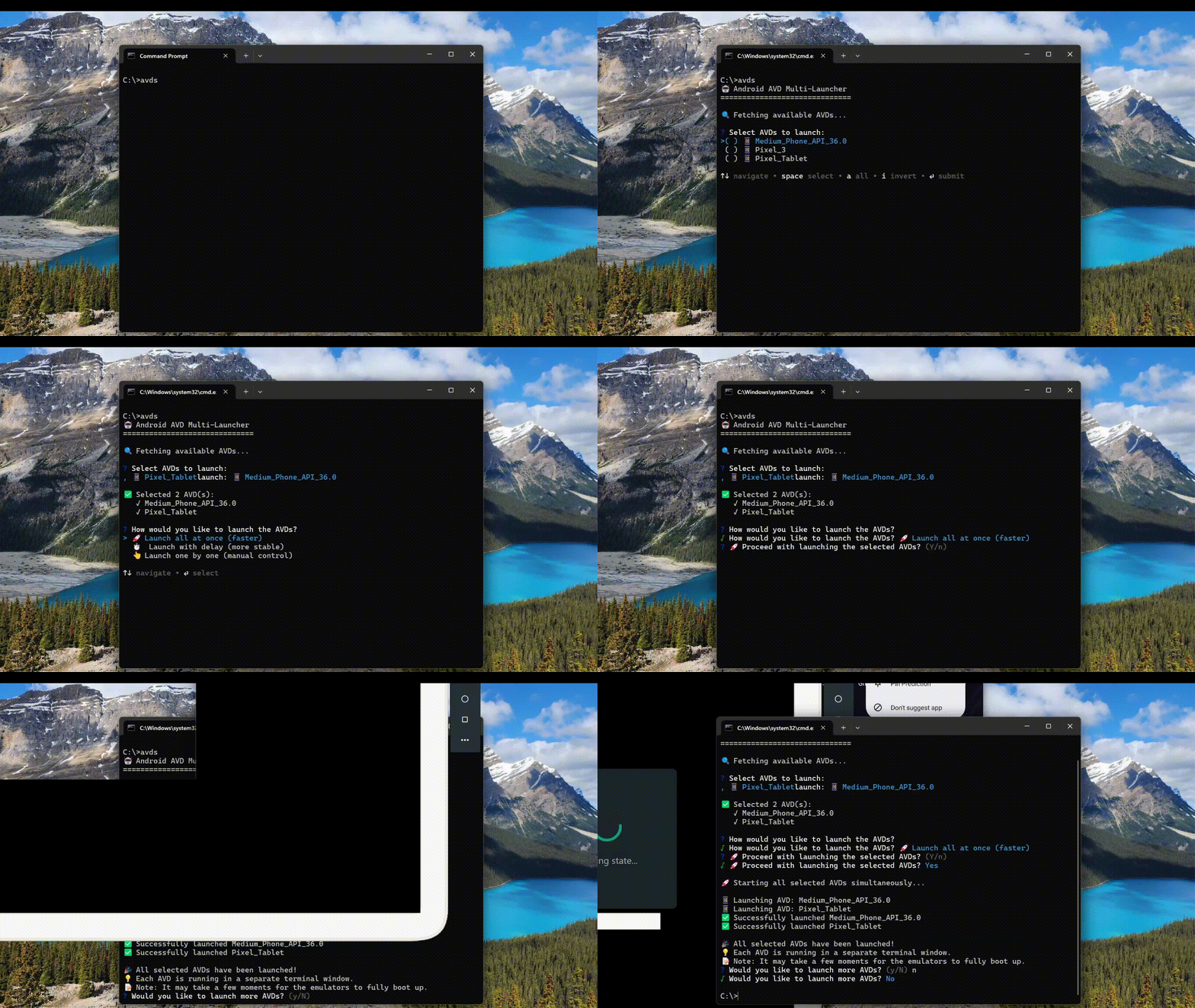
✨ Features
- 📱 List all available Android Virtual Devices (AVDs)
- ☑️ Select and launch multiple AVDs at once
- 🧠 Interactive UI
- 🚀 Launch all AVDs in parallel (fastest)
- ⏱️ Launch AVDs with delay (more stable)
- 👆 Launch AVDs one by one (manual control)
- 💻 Cross-platform support (macOS, Linux, Windows)
📦 Installation
Install globally using npm:
npm install -g avdsEnsure Android SDK tools are available in your PATH
emulator -version
adb version
🚀 Usage
avds # This will launch interactive UI- Displays a list of available AVDs
- Allows multi-select
- Choose how to launch (parallel / delayed / sequential)
List available AVDs
avds --list⚙️ Launch Modes
| Mode | Description | | ---------- | ----------------------------------------------- | | Parallel | Launch all selected AVDs simultaneously | | Delayed | Launch AVDs with a 3-second delay between each | | Sequential | Launch AVDs one by one with manual confirmation |
🧩 How it Works
- Uses emulator -list-avds to detect available AVDs
- Launches emulators using OS-specific terminal commands
- Automatically detects platform:
- macOS → Terminal (osascript)
- Linux → gnome-terminal / xterm / konsole
- Windows → PowerShell / cmd
🛠 Requirements
- Android SDK installed
- emulator and adb in system PATH
- Node.js ≥ 14
Emulator command not found
Ensure your SDK tools are added to PATH:
export ANDROID_HOME=$HOME/Android/Sdk
export PATH=$PATH:$ANDROID_HOME/emulator:$ANDROID_HOME/platform-tools
🤝 Contributing
Contributions are welcome!
- Fork the repo
- Create a feature branch
- Submit a PR with a clear description