
awesome-dash
v2.0.2
Published
Generic CSV analytics dashboard — plug in any CSV, specify filter columns, get instant insights

Maintainers
 mohanchinnappan
Readme
awesome-dash ✦
A generic, zero-config CSV analytics dashboard.
Point it at any CSV file, tell it which columns to filter, and get an instant interactive dashboard.
Sample data files
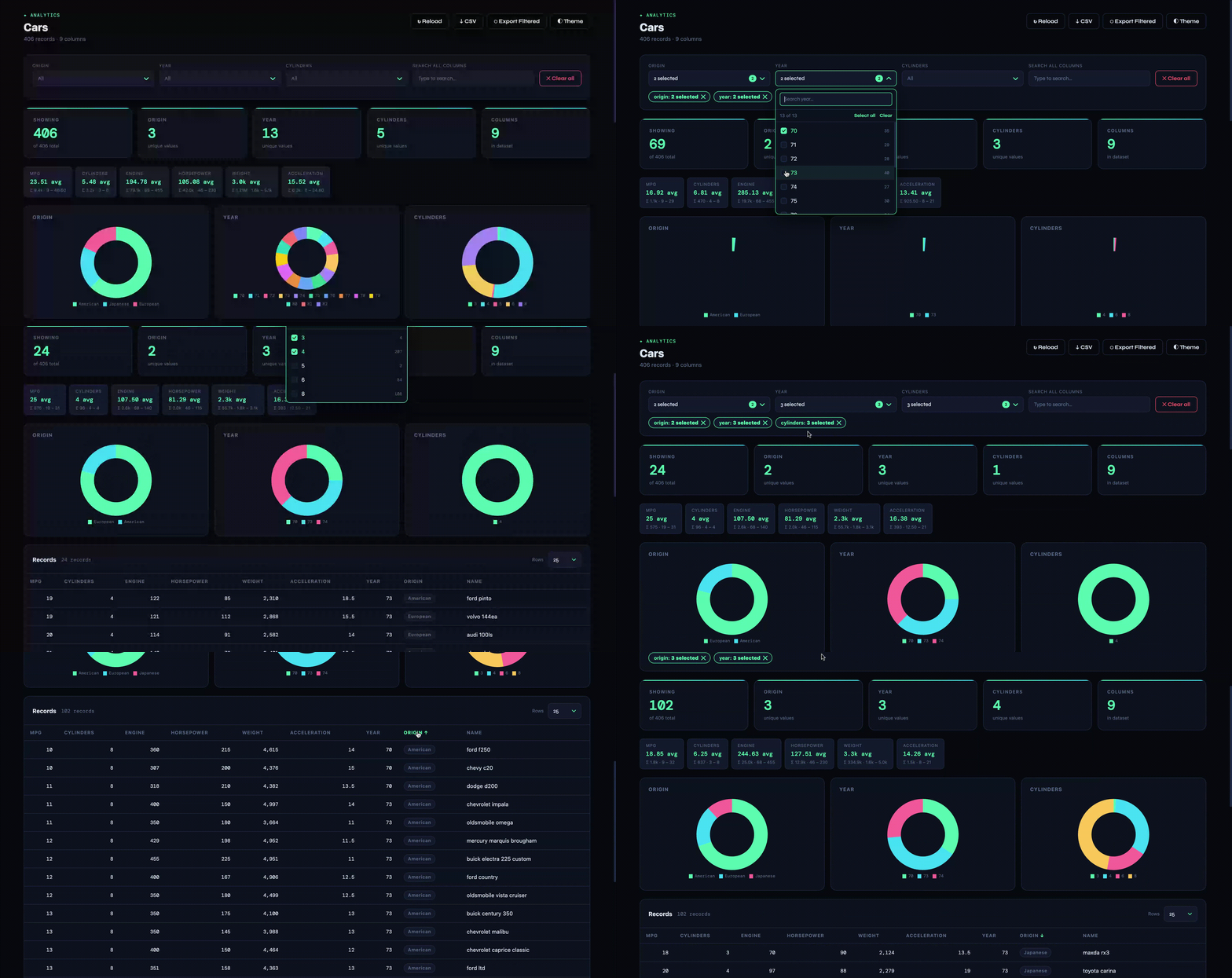
Demo
Install
npm install -g awesome-dash Usage
awesome-dash serve -d <csv-file> [options]Required
| Flag | Description |
|------|-------------|
| -d, --data <file> | Path to your CSV file |
Optional
| Flag | Default | Description |
|------|---------|-------------|
| -f, --filters <fields> | auto-detected | Comma-separated column names to use as dropdown filters |
| --charts <fields> | same as filters | Columns to render as doughnut charts (defaults to filter fields) |
| -p, --port <port> | 3000 | Port to listen on; tries p+1, p+2, … if already in use |
| -t, --title <title> | Awesome Dashboard | Title shown in the UI |
| --id <field> | — | Primary identifier column (highlighted in table) |
| --date <field> | auto-detected | Date column — enables the monthly timeline chart |
| --page-size <n> | 25 | Default rows per page in the table |
Examples
Minimal — auto-detect everything
awesome-dash serve -d sales.csvCars dataset
awesome-dash serve -d data/cars.csv -f "origin, year, cylinders" -t "Cars"Stocks dataset
awesome-dash serve -d data/stocks.csv -f "Company, Sector, Industry" -t "Stocks"
Copado dashboard with explicit filters
awesome-dash serve \
  -d data.csv \
  -f "copado__Status__c, copado__Environment__r.Name, copado__Project__r.Name, Jira_Key__c" \
  -t "Copado User Stories" \
  --date "CreatedDate" -p 5555
HR dataset
awesome-dash serve \
  -d employees.csv \
  -f "Department, Location, Level, Status" \
  --charts "Department, Level" \
  --date "HireDate" \
  -t "HR Dashboard" \
  --page-size 50
Pipe from Salesforce CLI (stdin)
sf data query -o af300 -q "SELECT Id, Name, Industry FROM Account" -r csv \
  | awesome-dash serve -t "Accounts"
The dashboard waits for the query to finish streaming before starting — no EAGAIN errors even on large result sets.
sf data query -q "SELECT Id, Name, Amount FROM Opportunity" -o af102 -r csv \
  | awesome-dash serve -f "Name, Amount" -t "Oppty Dashboard" -p 8902
Sales data
awesome-dash serve \
  -d orders.csv \
  -f "Region, Product, SalesRep, Stage" \
  --date "CloseDate" \
  --id "OpportunityId" \
  -t "Sales Pipeline"
Features
- Zero hardcoding — works with any CSV schema
- Auto-detection — if you don't specify
-f, it picks low-cardinality string columns as filters automatically; date columns are detected for the timeline - Stdin piping — pipe any command's CSV output directly (
sf data query … | awesome-dash serve); the server waits for the full stream before starting - Port auto-retry — if the requested port is in use, the server automatically tries
p+1,p+2, … and prints a warning - Dynamic filter columns — click ⚙ Filters in the UI to add or remove filter dropdowns at runtime without restarting; changes take effect immediately from in-memory data
- Dimension filters — all string columns are listed in the filter editor (pre-checked based on current filters); tick any column to add it as a dropdown instantly
- Measure filters — numeric columns appear in the filter editor with their min–max range; pick an operator (
>,>=,<,<=,=) and a threshold value (e.g.cylinders > 4) — active measure filters show as removable tags in the filter bar - Dynamic filter dropdowns — one per
-ffield, with active filter tags - Unified search — full-text search across all columns, combined with dropdowns
- KPI cards — filtered count + unique value counts per filter field
- Doughnut charts — one per chart field, top-20 values
- Timeline chart — monthly bar chart for date columns
- Numeric summaries — avg / sum / min / max for number columns
- Sortable table — click any column header; type-aware sort (string / number / date)
- CSV export — export the current filtered view
- Reload — hot-reload the CSV without restarting the server
- Light / Dark theme — toggle in the UI
- Pagination — 10 / 25 / 50 / 100 / 500 rows per page
License
- MIT (c) Mohan Chinnappan