
balldontlie-mcp
v0.6.5
Published
An MCP Server implementation that integrates the Balldontlie API, to provide information about players, teams and games for the NBA, NFL and MLB
Downloads
263

Maintainers
 mchao1
Readme
Balldontlie MCP Server
An MCP Server implementation that integrates the Balldontlie API, to provide information about players, teams and games for the NBA, NFL and MLB.
Tools
get_teams
- Gets the list of team from one of the following leagues NBA (National Basketball Association), MLB (Major League Baseball), NFL (National Football League)
- Inputs:
league(enum ['NBA', 'NFL', 'MLB']): The sports league to get teams for
get_players
- Gets the list of players from one of the following leagues NBA (National Basketball Association), MLB (Major League Baseball), NFL (National Football League)
- Inputs:
league(enum ['NBA', 'NFL', 'MLB']): The sports league to get players forfirstName(string, optional): The first name of the player to search forlastName(string, optional): The last name of the player to search forcursor(number, optional): Cursor for pagination
get_games
- Gets the list of games from one of the following leagues NBA (National Basketball Association), MLB (Major League Baseball), NFL (National Football League)
- Inputs:
league(enum ['NBA', 'NFL', 'MLB']): The sports league to get games fordates(string[], optional): Get games for specific dates, format: YYYY-MM-DDteamIds(string[], optional): Get games for specific gamescursor(number, optional): Cursor for pagination
get_game
- Get a specific game from one of the following leagues NBA (National Basketball Association), MLB (Major League Baseball), NFL (National Football League)
- Inputs:
league(enum ['NBA', 'NFL', 'MLB']): The sports league to get the game forgameId(number): The id of the game from the get_games tool
Prompts
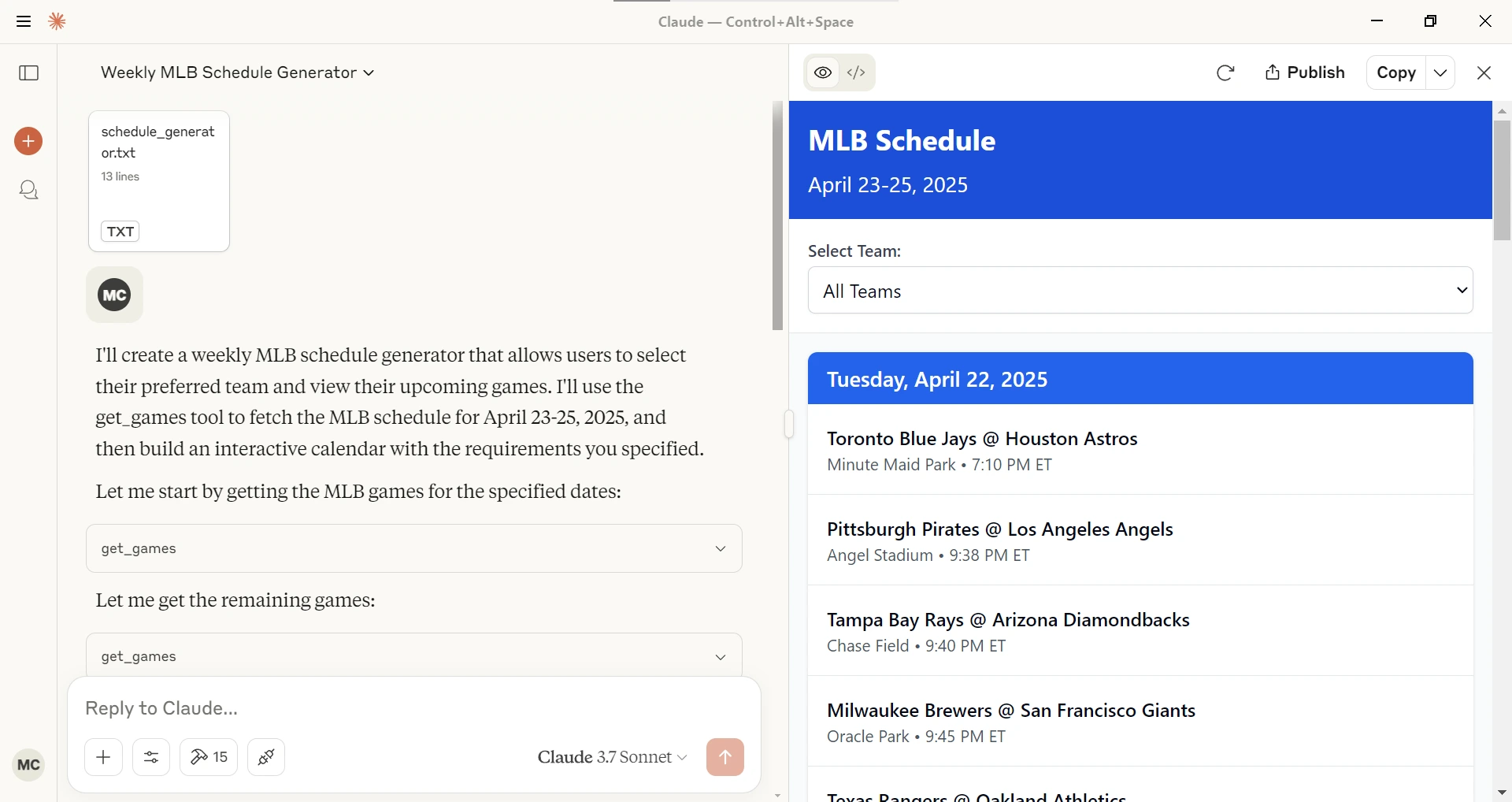
- schedule_generator
Given a league (NBA, MLB, NFL), a starting date and ending date generates an interactive schedule in Claude Desktop.
Sample queries
With this MCP Server installed you can ask Claude or other LLM questions like the following.
Show me today's baseball games.
Can you find football players with the last name Purdy?
How many NBA players have the last name Ming?
Configuration
Getting an API Key
- Sign up for account at Balldontlie.io
- The free plan is enough for this MCP Server
Installing using Desktop Extension (DXT)
- Download the
dxtfile from the Releases - Open it with Claude Desktop or Go to File -> Settings -> Extensions and drag the .DXT file to the window to install it
Installing via Smithery
To install balldontlie-mcp for Claude Desktop automatically via Smithery:
npx -y @smithery/cli install @mikechao/balldontlie-mcp --client claudeUsage with Claude Desktop
Add this to your claude_desktop_config.json:
{
  "mcp-servers": {
    "balldontlie": {
      "command": "npx",
      "args": [
        "-y",
        "balldontlie-mcp"
      ],
      "env": {
        "BALLDONTLIE_API_KEY": "YOUR API KEY HERE"
      }
    }
  }
}
Usage with LibreChat
mcpServers:
  balldontlie:
    command: sh
    args:
      - -c
      - BALLDONTLIE_API_KEY=your-api-key-here npx -y balldontlie-mcp
License
This MCP server is licensed under the MIT License. This means you are free to use, modify, and distribute the software, subject to the terms and conditions of the MIT License. For more details, please see the LICENSE file in the project repository.
Disclaimer
This library is not officially associated with balldontlie.io. It is a third-party implementation of the balldontlie api with a MCP Server.