
bb-plugin-taskboard
v0.2.0
Published
Bring each BB project's GitHub, Linear, or Jira tasks into one focused taskboard.

Maintainers
 mateocerquetella
Readme
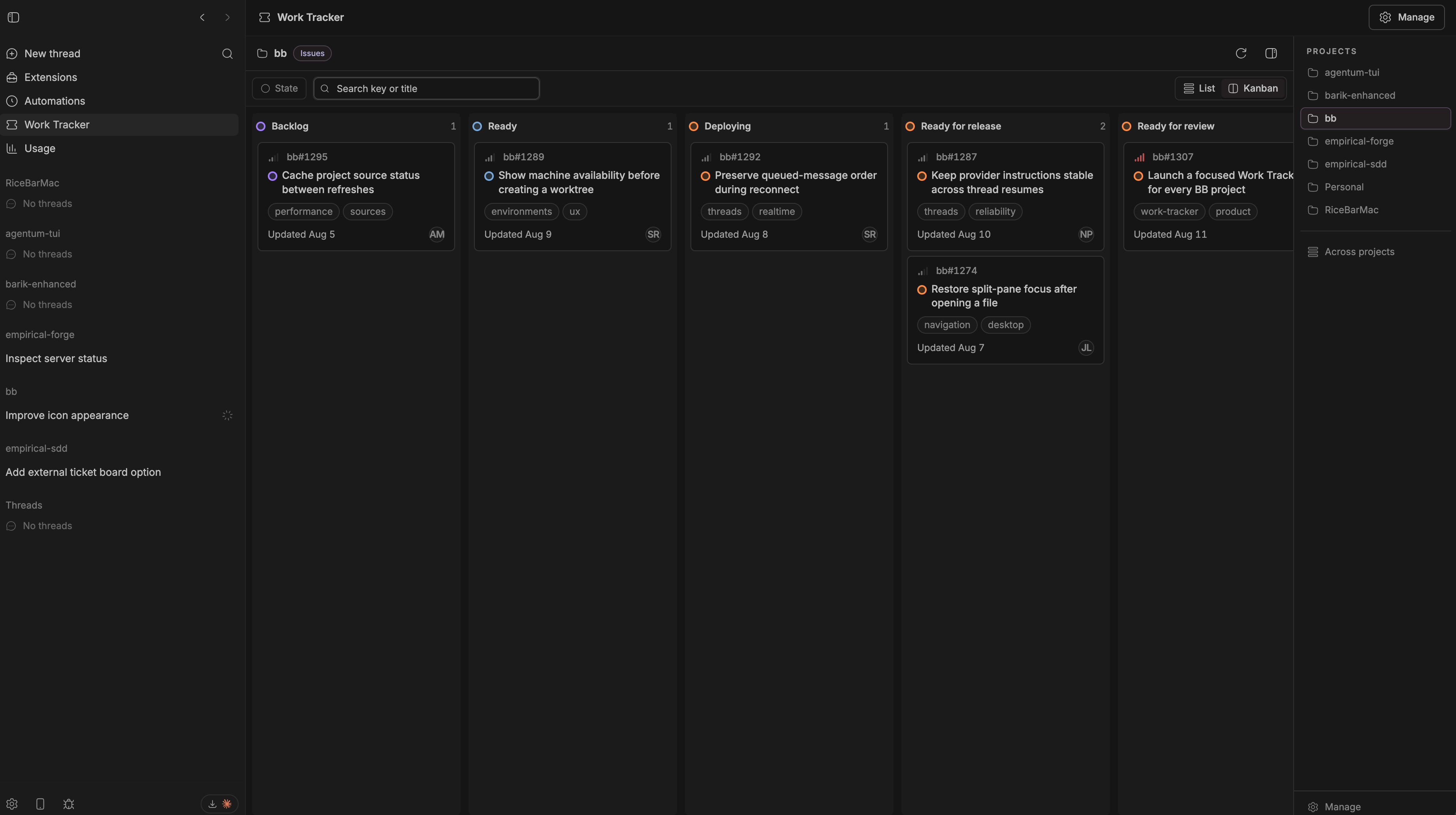
Taskboard brings external issues into the place where the work happens. Pick exactly one tracker for each BB project, browse a quiet List or Kanban view, open live task details, move work through real provider statuses, and hand a task to an agent without rebuilding context by hand.
What it does
- Project-first tasks — each BB project selects GitHub, Linear, or Jira; different projects can use different providers.
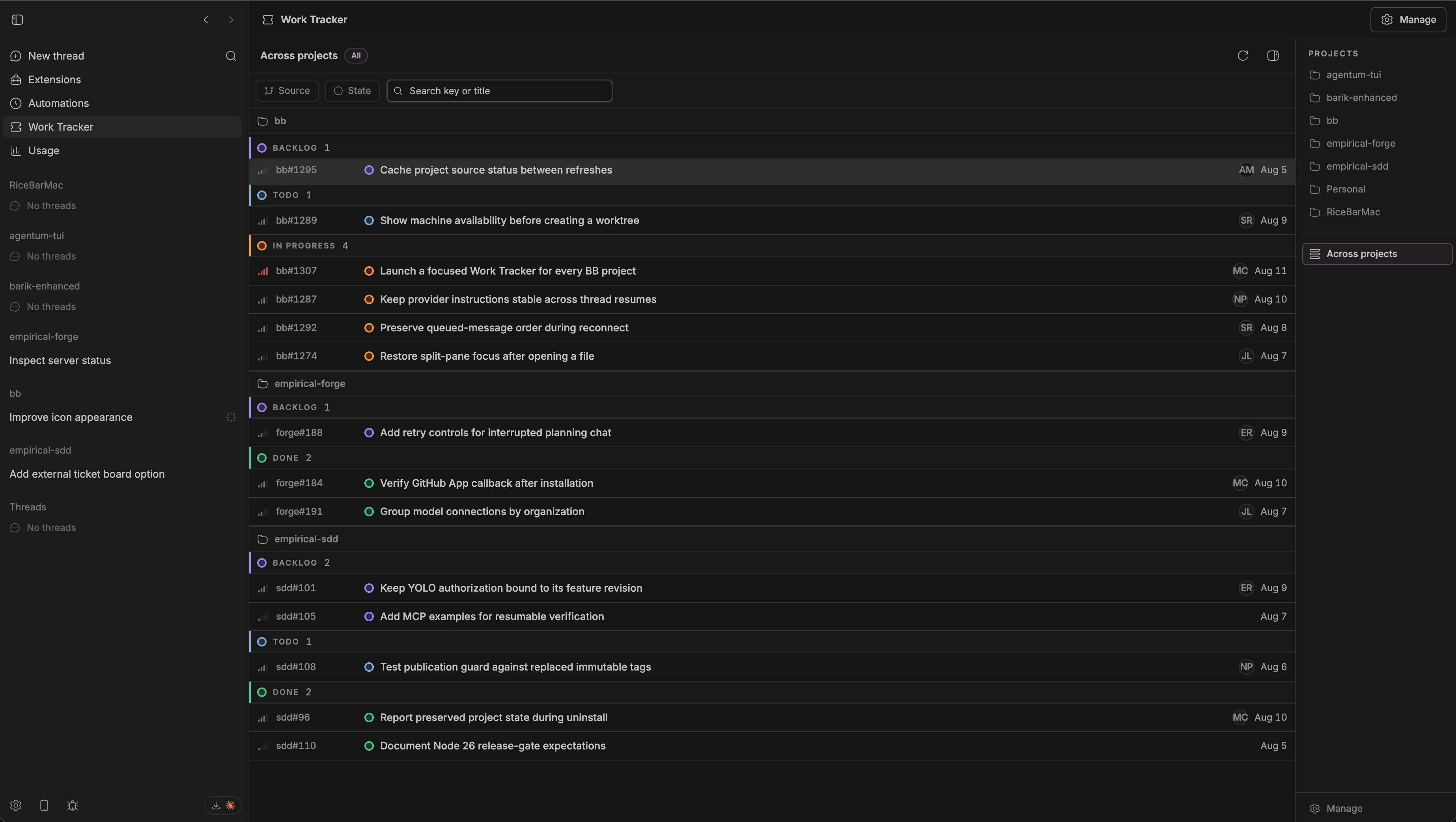
- List and Kanban — compact rows plus Linear-style Status, State group, Assignee, Priority, Project, and Labels filters. Filter values within one field match either value; different fields combine to narrow the view.
- Project board preferences — Manage controls which filters are visible, the default List or Kanban layout, and the exact provider status order. Provider-native workflow groups, drag-and-drop, and keyboard status moves remain available without repetitive provider chips on every task.
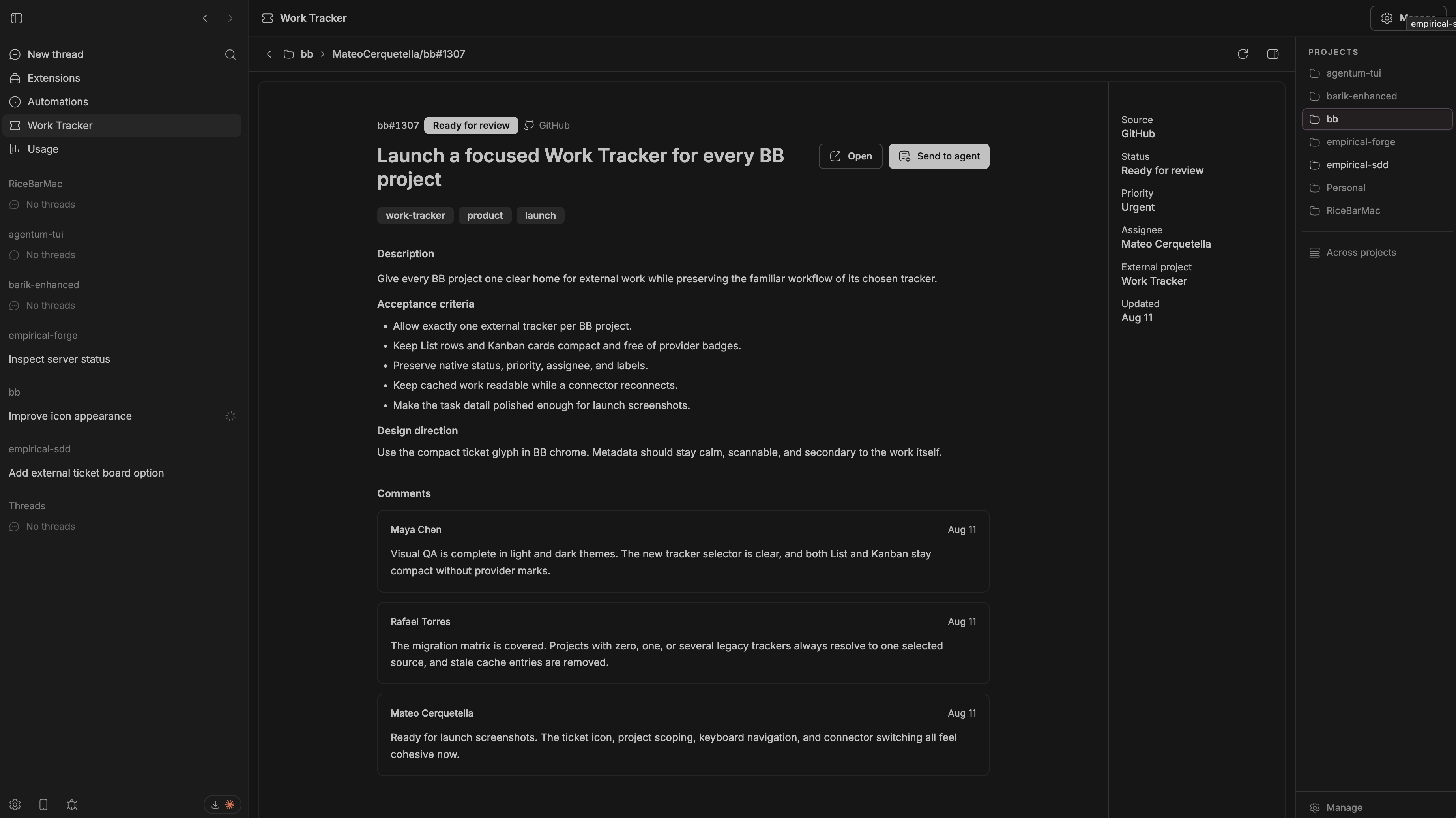
- Live task details — cached summaries keep browsing fast; opening a task fetches its current description, labels, assignee, and comments.
- Pinned beside every chat — open Taskboard from the thread-header button, then keep it pinned in BB's right panel while moving between threads.
- Status changes everywhere — use the status dot on a List row or the status pill inside a task to move it through the provider's real workflow.
- Create without context switching — turn a composer prompt into a provider-aware issue beside BB's native prompt actions in New thread or an existing thread. Created issues are attached to the draft as Taskboard mentions so the thread continues with live issue context.
- Agent handoff — prefill a BB prompt from any task or attach one with the Taskboard mention result.
- Human and agent parity — everything important is also available through
bb taskboard.
Install
Taskboard is a full-trust BB plugin. Review the source, then install the public npm package:
bb plugin install npm:bb-plugin-taskboardOpen Taskboard → Manage, choose a BB project, select its tracker, and save the connection. The same page configures that project's filters, default layout, and workflow ordering. Each project selects exactly one tracker; other projects can choose a different provider and board setup.
Update, reload, or remove the npm installation later:
bb plugin outdated
bb plugin update taskboard
bb plugin reload taskboard
bb plugin remove taskboard
Connect a tracker
GitHub
Taskboard reuses BB's official GitHub plugin and the repositories already mapped to the BB project. There is no second GitHub token or repository picker.
bb plugin install github
gh auth login
bb plugin reload github
Linear
Choose Linear in Manage, then provide the project's Linear personal API key and required team key. Taskboard loads that team's queue rather than a broad user-wide assigned-issues feed.
Jira
Choose Jira, then provide the project's Atlassian Cloud URL, account email, API
token, and JQL. Only HTTPS *.atlassian.net origins are accepted.
Work with tasks
The panel opens on BB's current project. Use Across projects only when you want an explicit grouped overview. List and Kanban preserve each provider's actual workflow names. The primary delivery stages appear in the focused order Backlog, Todo, In Progress, In Review, QA, then the remaining workflow stages by default; provider-specific stages remain between the closest matching stages. Change that ordering per project in Manage → Board preferences. Rejected writes roll back the optimistic move.
From a thread, click the Taskboard panel button in the upper-right header. The panel opens beside the conversation; leave its pin enabled to reopen it automatically when you switch chats. Use the pin control in the panel header to stop reopening it. The right panel follows the BB project selected for each thread, while Open full Taskboard keeps the larger workspace available when you need filters or board management.
In List view, click the colored status dot on a task row to choose another provider status. The same control appears as a labeled status pill at the top of task details. Changes update optimistically and roll back if GitHub, Linear, or Jira rejects the transition.
In New thread or an existing thread, write a prompt and click the Taskboard
ticket icon beside the prompt and voice actions. Taskboard automatically uses
the tracker selected for that BB project. GitHub offers its mapped
repositories, Linear uses the configured team, and Jira infers project keys
from simple project = KEY or project in (...) JQL scopes (with a project-key
field when the scope cannot be inferred).
The icon opens a review modal immediately while a hidden, read-only helper uses the BB project's repository context to turn the rough prompt into a natural title and a standalone description with requested changes and acceptance criteria. Nothing is sent to GitHub, Linear, or Jira until you review the draft and click Create issue. If the helper cannot produce a draft, the original prompt remains editable as a visible fallback. You can also choose Use original prompt immediately instead of waiting, then retry the repository-aware draft from the same modal.
The CLI uses the current BB project unless --project <proj_id> is supplied:
bb taskboard status [--project <proj_id>] [--json]
bb taskboard config [--project <proj_id>] [--source linear|github|jira] [provider fields] [--json]
bb taskboard credentials [--project <proj_id>] [--json]
bb taskboard refresh [linear|github|jira] [--project <proj_id>] [--json]
bb taskboard list [--project <proj_id>] [--source linear|github|jira] [--query <text>] [--cached] [--json]
bb taskboard show <linear|github|jira> <locator> [--project <proj_id>] [--json]
bb taskboard transitions <linear|github|jira> <locator> [--project <proj_id>] [--json]
bb taskboard move <linear|github|jira> <locator> --status <id> [--project <proj_id>] [--json]
An explicit source must match the tracker selected for that project. Taskboard rejects mismatches before contacting a provider.
Credentials and privacy
Linear and Jira credentials are isolated by BB project. Secret inputs are write-only and stay blank after loading or saving. Taskboard stores the live copy in owner-only files, never returns secret values to the frontend or CLI, and accepts credentials only through BB's authenticated interaction form.
The external tracker remains authoritative. Taskboard caches task summaries and sync metadata in its plugin database; details and comments are fetched live when needed.
Development
git clone https://github.com/MateoCerquetella/bb-plugins.git
cd bb-plugins
npm install
npm run check
bb plugin install ./plugins/taskboard
npm run dev --workspace bb-plugin-taskboard
components/ui/ is vendored BB component source pinned by components.json.
Add another component with npx shadcn add @bb/<component>. The exact
@get-bb/plugin-sdk development dependency makes the source typecheck without
a BB checkout. Run npm run types:refresh and then npm install when updating
the minimum BB version. The script deliberately uses this workspace's pinned
BB toolchain even when run from inside a live BB agent environment.
License
MIT © 2026 Mateo Cerquetella.